




Prescription dispenser
Table of Contents
Sign up to our newsletter
In this article, we take a closer look at exactly what a tablet kiosk is, review its main features, outline benefits, and see how different types of industries can make use of these kiosks.
What is a Tablet Kiosk?
Generally speaking, a tablet kiosk is a self-service, stand-alone station mounted on a stand or encased in a secure housing. Such kiosks can be placed almost anywhere to give convenient access to information, services, or products without direct interaction from staff.
Tablet kiosks are used at retail outlets, restaurants, trade shows, and other business settings where convenience and efficiency are important.
Key Features of Modern Tablet Kiosks
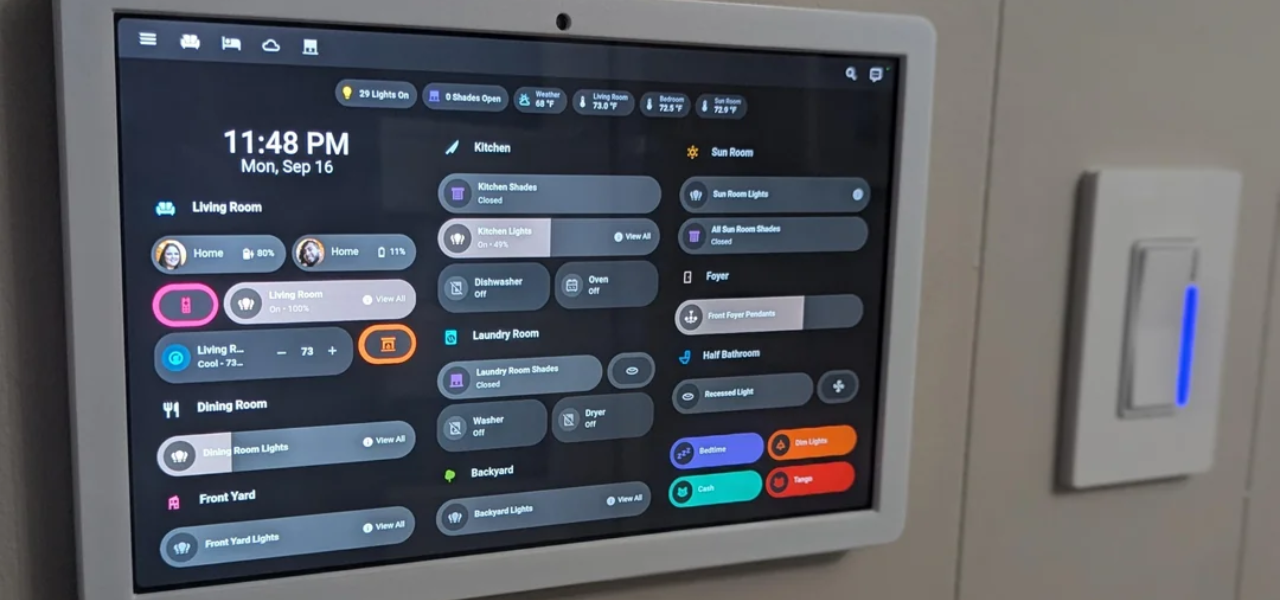
Modern kiosks made from tablets have a few key features that ensure maximum ease of use and efficiency. These features include:
User-Friendly Interfaces
One major reason why businesses widely adopt tablet kiosks is because of its ease of use. The intuitive touch-screen technology used in tablets allows users to scan through menus, select options, and make other choices.
Most people today are already acquainted with these touchscreen devices and find them easy to use.
Commercial-Grade Durability
While tablets are designed for consumer-grade use, their kiosk counterparts are manufactured to have commercial-grade durability. This helps the devices to stand up to the heavy usage in high-volume traffic areas.
Most tablet kiosks boast durable steel or aluminum housings that shield the device from daily wear and tear.
Go-Anywhere Mobility
One of the high points that come with using a tablet kiosk is their mobility. Conventional or typical kiosks are normally big and stuck in one position, while tablet kiosks are lightweight and portable.
This will make it easy to move the device within the business premises whenever needed. You may take the device to another event, change its layout within a store, or position it where there is the most flow of humans.
Advanced Features of a Tablet Kiosk

As kiosk tablets develop, so do many of their advanced features too. These features ensure that kiosks remain useful while protecting against theft and unauthorized access or damage.
Anti-Theft Mechanisms
Most tablet kiosks are usually mounted in open areas, which invites theft and tampering. However, new, modern-generation tablet kiosks have added anti-theft features to secure the device in its place.
Examples of such features include lockable enclosures, security cables, and tamper-resistant designs that avoid theft or damage.
Some kiosks have inbuilt alarms or tracking systems that go off if someone tampers with the device.
Security features will put your mind at ease, considering that even in a space with huge traffic or in a place where the general public has access, your kiosk is well secured.
Lock and Key Systems
Another popular security feature in tablet kiosk software is lock-and-key systems. This system generally lets you lock the tablet inside its enclosure to prevent unauthorized access and the removal of the device.
Only authorized personnel with its key can open this lock to access the tablet. This ensures that the kiosk stays functional while keeping it secure.
Specifically, the lock-and-key systems would be most effective in environments where the kiosks would be unattended for long periods such as in the case of trade shows, retail stores, or restaurants.
Password Protected Access
Apart from physical security, many tablet kiosks have password-protected access. This ensures that only authorized users can access sensitive information or adjust their settings.
This is important because while your business will require collecting customer data or making a payment, unauthorized persons should not access confidential information.
Adjustable Viewing Angles
Most kiosks come with comfort features that suit every customer’s height preference. It can be conveniently tilted or rotated to serve him or her while standing, sitting, or using a wheelchair, thanks to its adjustable viewing angles.
Integrated Charging Solutions
A practical concern for companies using a tablet kiosk is keeping the device charged throughout the day. Most modern tablet kiosks will have integrated charging solutions that would provide direct power to the tablet during heavy usage.
These can be mounted in the kiosk enclosure for easy charging of the tablet without having cables lying around, making it even neater. Some kiosks have wireless charging facilities that keep the tablet ready at all times.
Popular Types of Tablet Kiosks

The designs for tablet kiosks vary, each being more suited for particular businesses and environments. Below are the most common options.
Floor Standing Models
Among all types, floor-standing tablet kiosks are the most popular option among enterprises. You can put these free-standing kiosk models in high-traffic areas for easy viewing.
These tablet kiosks are very effective in retail outlets, hotels, and airport check-in points where customers can order or make inquiries.
Full-size standing models will often have adjustability for different heights, as well as secure, fitted housings for all varieties of customers.
You can always upgrade to include printers, card readers, or barcode scanners if the needs of your business require it.
Countertop Designs
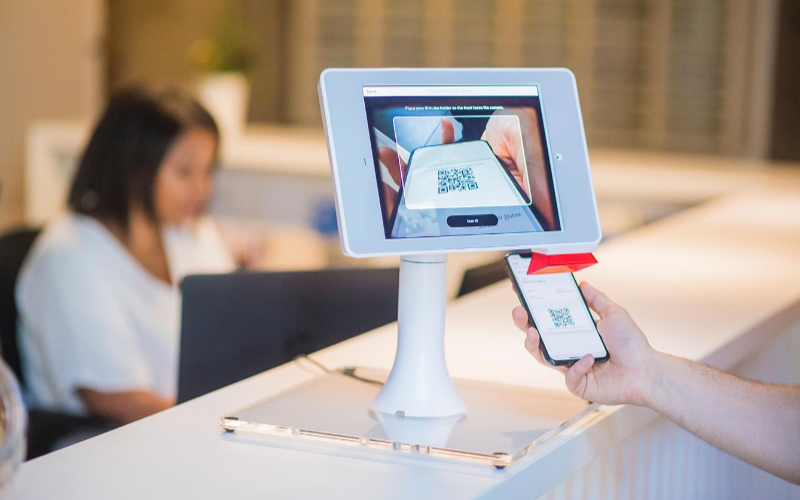
Countertop tablet kiosks are what businesses need in small or confined spaces. Their design makes them convenient for counters and desks. Hence, they best fit in retail stores, cafes, and service counters.
Though small in size, the countertop kiosks offer the same functionality as larger models, and they also have secure enclosures, charging solutions, and interactive displays.
Countertop kiosks provide practical uses for companies looking to save space but also have kiosks for self-service options.
A restaurant might use a countertop device so customers who order at a counter could use a kiosk. This will free up lines and reduce wait times.
Mobile Kiosks
Mobile tablet kiosks provide additional flexibility since you can move the kiosk to wherever you need it. Typically, these kiosks are set upon wheels or portable to make them great for events, trade shows, or businesses that change layouts quite a bit.
Wall-Mounted Kiosks
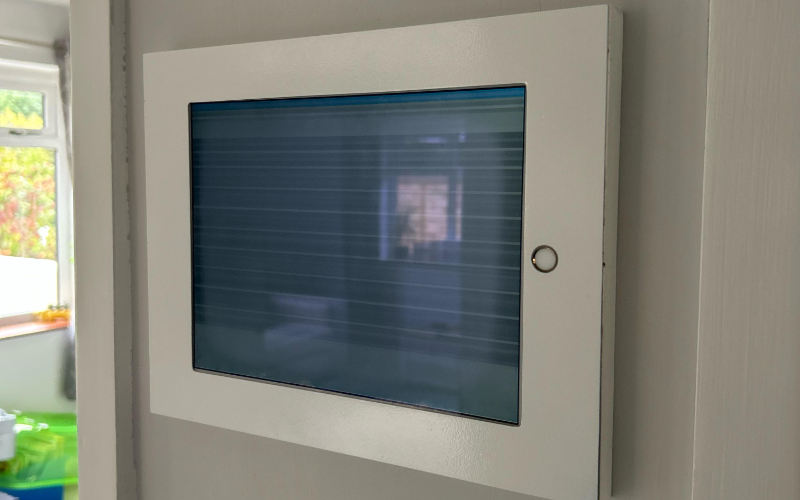
Wall-mounted tablet kiosks provide more space on any floor and make an interactive service possible.
You can fix them directly on the wall, making them very suitable for environments where there is a need for space. For example, retail stores, medical offices, or lobbies.
You can use these kiosks for check-ins, digital signage, showing information, and a lot more. They have the same functionality as standing variants, but their wall-mounted build keeps them out of the way and frees valuable floor space.
Benefits of Using Tablet Kiosks in Business
Let’s look at some of the merits of tablet kiosks.
Improvement of Customer Interaction
Tablet kiosks provide you with an easy way of interacting with your customers and offering them more interactive services.
Your customer may interact with the tablet kiosk software through self-service options, digital signage, or product catalogs for information or to complete transactions without necessarily having to wait on any staff member for assistance.
This upgrades the overall customer experience and increases engagement.
Simplified Operations
It saves labor costs by automating activities related to check-in, ordering, and gathering of data from the customer. This frees up resources that you can use to offer personalized services to customers.
Smoothening the operations also leads to quicker services with less waiting time, thus increasing customer satisfaction.
More Selling Opportunities
You can use these kiosks to upsell or cross-sell merchandise in your business. With this machine, you can sell merchandise and services more effectively.
For example, a restaurant can also present its items for ordering through a tablet kiosk, which suggests what else to add. In presenting target recommendations, a tablet kiosk would help improve sales and increase revenue in your company.
Self-Service Options
Self-service tablet kiosks can be used to place orders, check in, or go through the information at their own pace.
These devices will help you reduce staffing requirements. The reduced workload may just be what your staff needs to become more effective and improve customer experiences.
Fast Checkouts
Tablet kiosks speed up the checking out process in retail since customers can pay for items on the spot. This sort of efficiency reduces the waiting time on the register by ensuring timely transactions.
Interactive Displays
A tablet kiosk has interactive displays that you can use to pass on useful information to clients.
For example, you can give demonstrations of retail products. These interactive displays grasp the attention of the customers and offer them useful information that may allow them to make an informed purchase decision.
Choosing the Right Tablet kiosk

When choosing the right tablet kiosk for your business, here are a few considerations to ensure you choose the correct model for your needs.
Business Needs Assessment
Before investing in a tablet kiosk, take some time to analyze just what your business requires.
How would you like the kiosk to serve your customers? Do you want a self-service solution, an information display, or perhaps a point-of-sale system? This will find a kiosk with the right functionality for your business.
Comparing Different Models
With so much diversity, there are various tablet kiosk software with different features and abilities. Take your time to evaluate the pros and cons of each model.
Consider durability, mobility, security, and compatibility with your pre-existing system of software and hardware.
Ergonomics and Adaptability
Look for kiosks with tilt features for adjustable viewing angles or built with an ergonomic design to ensure it’s comfortable for your customers to use.
How adaptable is the kiosk? Will you be able to easily move or adjust the kiosk to allow various settings and layouts?
Security Features
Security is crucial in choosing your tablet kiosk, especially if it has to be installed openly or within a very accessible area.
Your kiosk should be composed of theft-prevention devices. These could be anti-theft, lock and key systems, and password protection access.
Mobility and Flexibility
First of all, you need to determine whether your business needs either a mobile or stationary kiosk.
If the layout changes happen more often in your business, then it’s best to target a mobile kiosk. Otherwise, if you want something permanent, go for floor-standing or wall-mounted kiosks.
Compatibility with Device
Finally, ensure the kiosk you select is compatible with the devices and software systems you have in place.
If you have an iOS, Android, or Windows-based tablet, your kiosk model should also be compatible with the device and integrate well with your business software.
Industries that Use Tablet Kiosks
Indeed, android kiosk tablets have been used across different industries to revolutionize the quality of customer service, ease operational processes, and increase effectiveness. Let’s look at popular uses of tablet kiosks across different sectors.
Retail Stores
Tablet display kiosks are used in retail stores to display product catalogs, enable self-checkout, and manage customer loyalty programs.
They help the customer review product offerings, place orders, and pay for purchased products without necessarily waiting for a sales associate to help them out.
Food Services
In the food service industry, tablet display kiosks are used for ordering, processing payments, and gathering customer feedback from customers. Several fast-casual restaurants now include tablet kiosks, which offer a hassle-free ordering process.
Tablet kiosks are commonly used in cafes or food courts, where customers can order and pay for a meal, thus bypassing lines altogether.
Trade Shows and Exhibitions
Business entities that participate in trade fairs and other events also use tablet kiosks. They can be used for product demos, gathering customer information via interactive displays that captivate visitors and introduce them to business offerings.
Educational Institutions
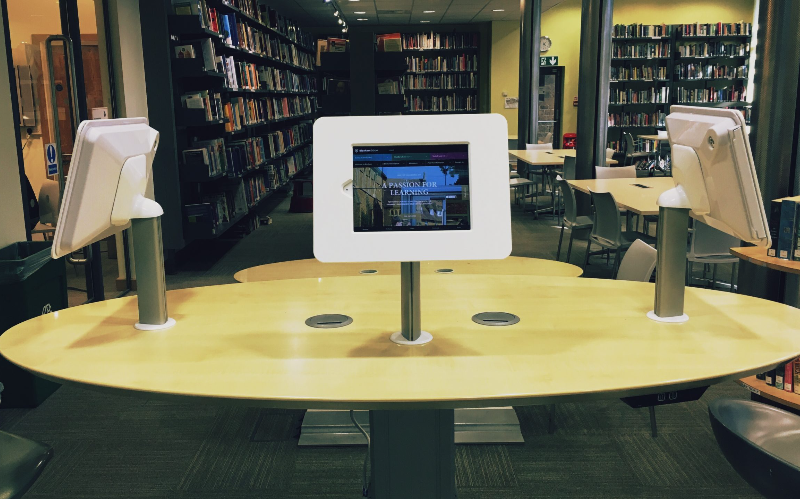
Tablet display kiosks are also used in educational institutions for student check-ins, information displays, and other registration processes.
With a tablet kiosk, a student can sign in for a class, access course information, or register for an event at a kiosk. Other uses include libraries or other learning centers that offer digitized resources.
Conclusion
From enchanting customer service experiences to optimizing operations for maximum efficiency, tablet kiosks have emerged as an indispensable tool for any business concern.
If you are looking for a custom kiosk solution, we at BestKiosk have all you need. Schedule a call with us now to enjoy a free quote.

Kitty Tan
Custom Kiosk Expert Consultant
Kitty is a kiosk expert at FlyXing. With extensive knowledge and experience in designing and manufacturing self-service kiosks, Kitty specializes in creating customized solutions to meet diverse industry needs.


