





Prescription dispenser
Table of Contents
Sign up to our newsletter
This is a guide to affordable kiosk deployment so you can grow your business without costing too much.
A Guide to Affordable Kiosk Deployment

Planning your kiosk deployment requires careful thought about costs and goals. You need to balance your startup budget with the right technology choices for maximum return on investment.
Budget Planning and Cost Analysis
Money is important for your kiosk project. Make sure your budget covers everything: hardware, software, setup, and maintenance. The kiosk market is growing fast, so smart spending is important.
You have choices: OptiSigns costs $10 per screen each month. SiteKiosk costs $239 per year or a one-time fee of $120 for Android and $180 for Windows. Codeproof and Scalefusion cost $2 per device each month for management.
Plan for both starting costs and future costs. Compare monthly payments with one-time purchases. List all costs from screens, software, setup, to maintenance to avoid surprises.
A good budget helps you save money and keep quality high.
Identifying the Right Kiosk Purpose
The purpose of your kiosk is the first thing you should decide. Start by listing what you need it to do. Will it take payments, give information, or do both? Each use needs different features.
For example, a payment kiosk needs secure transactions, while an information kiosk needs easy navigation.
Set clear goals, like cutting wait times by 30% or increasing sales. Also, make sure your kiosk follows ADA guidelines so it’s accessible to everyone.
Knowing your kiosk’s purpose helps you pick the right screen size, software, and design.
Choosing Scalable Solutions
Scalable kiosk solutions help your business grow without big upgrades. Look for platforms that expand easily and stay affordable.
Cloud-based systems like Scalefusion let you manage all your kiosks from one place. This saves time and cuts travel costs.
Smart kiosks with AI learn from customer behavior, improving service over time.
Using UEM/MDM control makes it easy to update all your kiosks at once and keeps them secure. This way, your kiosks grow with your business.
Choosing the Right Kiosk Hardware

Hardware forms the backbone of your kiosk deployment strategy. You must pick components that match your budget while meeting your specific business needs.
Interactive Touchscreen Displays
Interactive touchscreen displays are the main part of modern kiosks. They need to respond quickly, look clear in any light, and handle constant use.
Most touchscreens now support multi-touch, so they feel familiar to people used to smartphones. Since 80% of millennials prefer self-service, a good display is important.
Your choice affects both customer experience and maintenance costs. The market for these screens is growing fast, reaching $39.1 billion by 2027.
Look for screens with anti-glare for outdoor use and the right brightness for your environment. Kiosks can run on Windows, Android, or Linux, each with its own benefits.
Outdoor High-Brightness Screens
Outdoor high-brightness screens are essential for public kiosks in 2025. They stay clear even in direct sunlight, making them great for smart cities and public info stations.
For outdoor use, you need at least 2500 nits of brightness. Regular indoor screens only have 300–500 nits and won’t be visible outside.
Look for weather-resistant screens with anti-glare and auto-brightness that adjust to the light. Modern LED screens use 30% less energy and can last up to 100,000 hours.
Investing in these screens means less maintenance and better customer experiences in places like bus stops, malls, and information centers.
Durable and Eco-Friendly Materials
Your kiosk hardware should last for years and meet green standards. Today’s kiosks use recycled metals, sustainable plastics, and plant-based materials to reduce environmental impact.
These materials are strong and durable, cutting down on repairs and replacements. Antimicrobial coatings add extra protection, a market that grew to $3.04 billion in 2023 and is expected to reach $7.04 billion by 2031.
Most eco-friendly options come from Asia-Pacific, which leads in antimicrobial tech. These coatings fight germs, and new materials can even clean themselves.
Clients say these materials last 40% longer than traditional ones, making them a smart investment. The right choices keep your kiosks cleaner, stronger, and better for the environment.
Selecting the Right Software for Kiosks

Kiosks are a great way for startups to connect with customers without spending too much. In 2025, kiosks are more affordable and flexible than ever.
You can use them to boost sales, collect customer data, or improve operations. A good plan helps your startup grow.
Before starting, make a clear budget. Most basic kiosks cost $2,000–$5,000 each. Include these costs:
- Hardware
- Software
- Installation
- Maintenance
- Internet connection
- Content updates
Many vendors also offer leasing options to make payments easier.
User-Friendly Interfaces
Your kiosk software should be simple for customers to use without help. Many startups waste money on complicated systems that confuse users and drive them away. A good interface has clear buttons, logical menus, and responsive touchscreens that work with one tap.
The best software guides users with visual cues through each step of their transaction.
Smart design choices, like high-contrast colors and large text, improve readability.
Clients report 30% faster transaction times after switching to software with an easy-to-use interface. The goal is for customers to complete their tasks quickly without struggling with the kiosk.
Integration with Mobile Devices
Modern kiosks now connect with smartphones, making self-service even easier. You can start a transaction on the kiosk and finish it on your phone, or scan QR codes to access menus and services without touching the screen.
This mobile integration boosts the self-service kiosk market, which was valued at $26.45 billion in 2022 and is expected to grow to $43.65 billion by 2028. Clients report 30% faster service after adding mobile features.
For startups, mobile-integrated kiosks save costs. You can use customers’ smartphones, cutting hardware expenses while still offering digital signage and payment options.
Many software solutions now offer APIs that connect kiosks to mobile apps, creating a smooth experience for users. This is perfect for retail, restaurants, and service businesses where speed is key.
Cloud-Based Management Systems
Cloud-based management systems are a cost-effective way for startups to manage their kiosks without big upfront costs. SiteKiosk offers a subscription for just $239 per year, giving you enterprise-level tools.
With these systems, you can remotely monitor, update, and troubleshoot your kiosks from anywhere, saving time and travel expenses.
These systems grow with your business, so you can add more kiosks without buying new software each time. The cloud automatically handles software updates and tracks usage data to improve customer experience.
Many providers also include security features to protect your business and customer data with regular updates and patches.
Emerging Trends in Kiosk Technology for Startups
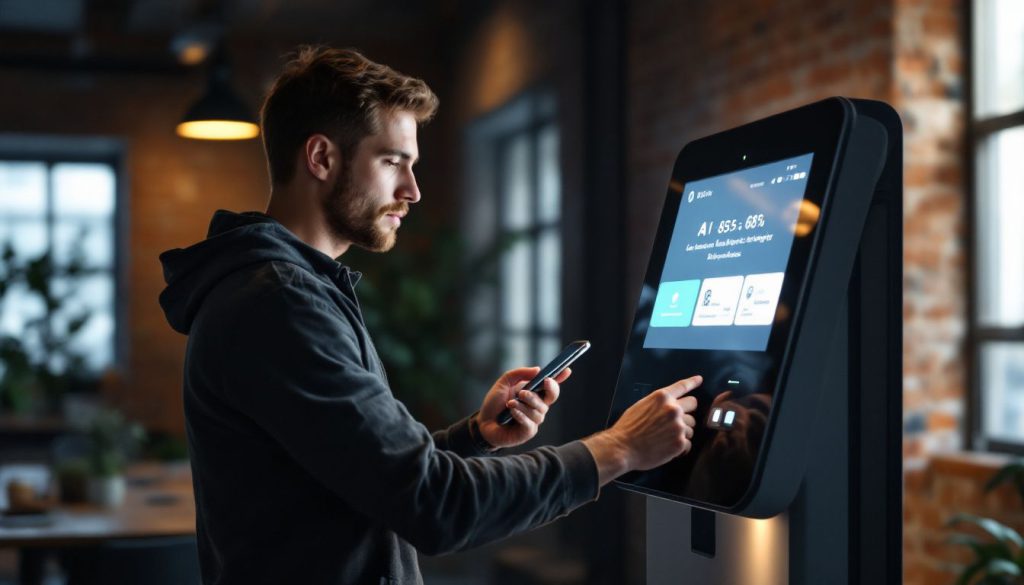
Kiosk technology keeps evolving with new features that startups can use to stand out. AI, biometrics, and health-focused upgrades offer small businesses ways to create better customer experiences without breaking the bank.
Artificial Intelligence for Personalization
AI turns kiosks into smart assistants that understand your customers’ needs. Over 50% of brands using AI in kiosks report higher customer satisfaction.
At BestKiosk, I’ve seen startups double engagement by adding simple recommendation engines. These systems learn from each use and adjust based on customer behavior.
AI can make kiosks feel more personal without adding extra staff costs. It connects to your customer data to greet repeat visitors, suggest products, or offer deals based on past purchases.
In 2025, AI is more affordable than ever, and many of my clients start with basic features and add more as they grow. This way, you keep costs low while offering a customized experience.
Advanced Biometric Authentication
Modern kiosks now feature biometric verification for better security. Many new models include fingerprint scanners, offering a quick and secure way to confirm user identity.
These advanced tools protect against fraud and speed up transactions. Clients report 40% faster check-ins with fingerprint authentication.
The technology works by matching physical traits to stored data, offering stronger security than passwords alone.
In 2025, facial recognition and voice pattern analysis are also becoming popular, offering hands-free options many users prefer for hygiene.
These security tools are more affordable than ever, with smaller, more accurate hardware. It’s perfect for startups wanting to impress customers with modern, secure kiosk systems.
Antimicrobial Coatings for Hygiene
Kiosks in public spaces need extra protection against germs. Antimicrobial coatings are a smart solution, as they fight bacteria and viruses on contact.
These coatings work 24/7 to kill harmful pathogens on touchscreens. The market for these coatings reached $3,040.1 million in 2023 and is expected to grow to $7,041.4 million by 2031, showing their importance.
They are most useful in high-traffic areas like healthcare, food service kiosks, and transportation hubs. Clients report fewer cleaning cycles and better customer confidence after using antimicrobial coatings.
These coatings create an invisible shield that doesn’t affect screen sensitivity but adds important infection control. For startups deploying kiosks in 2025, this feature has become a standard safety measure customers expect.
Designing Customizable Kiosk Solutions

Designing customizable kiosk solutions gives startups the freedom to adapt as they grow. You can create a perfect fit for your brand while keeping costs down with the right design choices.
Modular Designs for Easy Upgrades
Modular kiosks are the perfect solution for growing your startup without huge costs. These flexible digital terminals have interchangeable parts, making upgrades simple and affordable.
At BestKiosk, I’ve helped businesses turn basic kiosks into advanced systems by just swapping components instead of replacing entire units.
As your business grows, modular kiosks can adapt to your needs. You can start with a basic touchscreen and later add features like card readers, printers, or scanners.
Most modern scalable kiosks can be assembled or disassembled in under 30 minutes, saving time and resources while keeping your service points fresh and up to date.
Compact and Space-Saving Options
Space is important for your startup, and modern kiosks offer compact designs that fit almost anywhere. Our clients save up to 30% of floor space with these sleek, space-efficient models compared to traditional setups.
You can choose wall-mounted displays, slim pedestal units, or even tabletop kiosks that deliver full functionality without taking up much room, perfect for high-traffic areas.
Many startups go for adjustable kiosks that can adapt to changing spaces. With 80% of millennials preferring self-service options, these space-saving kiosks are a smart choice.
Your customers get the tech they expect, and you maintain a clean, open environment. These flexible designs help you create custom layouts that match your space and brand, while still offering a great customer experience.
Applications of Kiosk Deployment in 2025
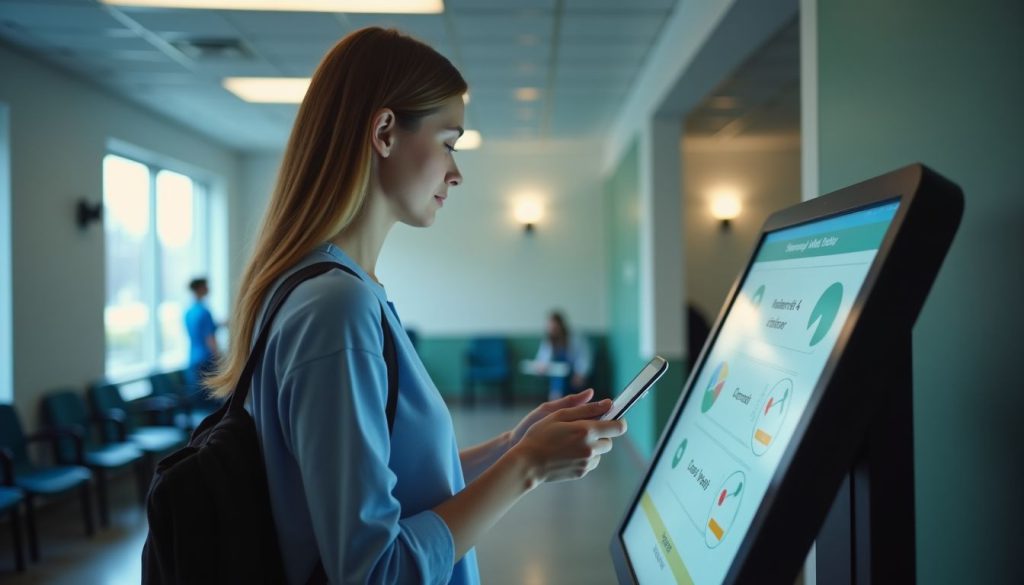
Kiosks now transform multiple sectors beyond retail, creating new opportunities for startups in 2025. You’ll find these self-service solutions making waves in healthcare waiting rooms, public transport hubs, and smart city information centers.
Retail and Hospitality Businesses
Retail kiosks are transforming how stores handle orders, payments, and product displays. By setting up these self-service stations, you can reduce wait times and increase sales without hiring more staff.
Hotels use kiosks for fast guest check-ins and check-outs, cutting down on crowding at the front desk. These machines save time and money for both customers and business owners.
The self-service kiosk market was worth $26.45 billion in 2022, and it’s expected to grow to $43.65 billion by 2028. Your startup can be part of this trend with affordable digital displays and interactive touchscreens.
Payment kiosks and automated ordering systems work 24/7, giving your small business the power of big-company service.
Healthcare and Medical Services
Medical kiosks have changed how patients get care at clinics and hospitals. These self-service stations cut wait times and help staff focus on complex cases. The global medical kiosk market will grow from $1.46 billion in 2023 to $1.71 billion in 2024, showing a clear demand for digital health tools.
Your startup can tap into this growth by offering patient check-in kiosks or telemedicine stations.
Doctors now embrace these digital solutions more than ever. About 93% of physicians saw the value of health tech tools by 2022. I’ve watched small medical practices boost patient satisfaction with simple kiosks that handle insurance verification and basic health questions.
Your healthcare clients will appreciate how these systems reduce paperwork while improving patient engagement through virtual healthcare services and automated appointment reminders.
Public Transport and Smart Cities
Smart city kiosks are changing how people use public transport in cities. These digital stations help riders find routes, pay for tickets, and get real-time updates without staff assistance.
At BestKiosk, I’ve seen how these kiosks reduce wait times by up to 40% during rush hours. The market for these systems grew from $26,859.1 million in 2023 and is expected to reach $29,702.3 million this year.
Cities love these kiosks because they collect valuable data on travel patterns, helping improve urban planning.
These kiosks now do more than just sell tickets. They provide city maps, local event info, and emergency alerts. With a growth rate of 12.2% through 2034, they’ve become crucial to urban development.
Many cities use them to track traffic flow and adjust bus schedules based on real-time demand, reducing congestion and improving reliability for daily commuters.
Benefits of Affordable Kiosks for Startups

Affordable kiosks offer startups major wins through better staff efficiency, stronger customer connections, and smart marketing options that won’t break the bank.
Increased Operational Efficiency
Kiosks can boost your startup by cutting wait times and reducing errors. Recent data shows that 85% of restaurant operators now prioritize self-service kiosks for this reason.
With kiosks, your customers can place orders and process payments themselves, allowing your staff to focus on other important tasks.
Cloud-based POS systems connect with these kiosks to create a smooth workflow. About 68% of restaurants already use these systems to adapt quickly to market changes.
By automating basic tasks, you’ll need fewer staff members, saving money while your team handles more valuable work that machines can’t do.
Enhanced Customer Engagement
Self-service kiosks help you connect with your customers. Over 50% of brands using AI in their kiosks report higher customer satisfaction. These touchscreens provide personalized service, making customers feel valued.
Your customers will love the convenience of accessing information or completing transactions without waiting for assistance.
Kiosk technology also collects data on customer preferences, helping you improve your services. The user-friendly interface makes even complex tasks easy, building loyalty and trust in your brand.
By using kiosks, you can serve more customers with fewer staff, still delivering great experiences.
Cost-Effective Marketing Solutions
Android kiosk software offers startups an affordable way to engage customers. You can turn regular tablets or devices into powerful self-service stations.
At BestKiosk, I’ve helped many new businesses set up these systems for a fraction of traditional marketing costs. The remote management feature lets you update content across all locations instantly—no need to visit each kiosk.
Customizable interfaces allow you to showcase your brand and gather valuable customer data. Retail clients see higher engagement when customers interact with kiosks instead of passive ads.
Healthcare startups use these kiosks as digital touchpoints to inform patients and promote services. The best part? You can start with just a few units and easily scale up as your business grows—perfect for startups managing marketing budgets.
Steps to Ensure a Successful Kiosk Deployment
The final steps of your kiosk deployment journey can make or break your success in the market. You need a solid plan for picking partners, testing your setup, and keeping your kiosks running smoothly over time.
Partnering with Reputable Manufacturers
For your kiosk project, it’s crucial to partner with trusted suppliers like BestKiosk and Kiosks Inc. These reputable manufacturers offer more than just quality hardware. They provide reliable support and peace of mind.
Working with established kiosk companies helps you stay on budget while ensuring you get durable products that last.
Choosing trusted vendors impacts the entire deployment process. Companies like BestKiosk deliver on time and honor warranties without hassle. Your startup needs to avoid delays or quality issues that could harm customer trust.
Dependable suppliers offer clear terms, transparent pricing, and ongoing support, helping your business grow without unexpected costs.
Conducting Pilot Tests Before Full Deployment
Testing your kiosks before full deployment is crucial to catching issues early. Start with a small trial in real-world conditions to see how users interact. This pilot phase should last at least two weeks to gather enough data on hardware, software, and user experience.
Skipping this step can lead to costly fixes later.
Field testing also helps confirm if your kiosks meet your business goals. Place test units in different locations, measure customer response, and gather feedback. This trial period lets you train staff, refine processes, and make adjustments.
Companies that run thorough pilot programs report 40% fewer technical problems after full rollout. The test phase results will guide final tweaks, ensuring a smoother deployment.
Regular Maintenance and Updates
Routine servicing is essential to keep your kiosks running smoothly. Hardware parts, like touchscreens, printers, and card readers, wear out over time, so scheduled checks are important to avoid sudden breakdowns.
Skipping maintenance can lead to downtime, affecting your customers’ experience. Often, kiosk failures happen due to missed maintenance, not poor-quality hardware.
Since security threats evolve daily, regular software updates are necessary to protect against data breaches. Many modern kiosks now offer cloud-based management that pushes security patches automatically.
Create a clear schedule for both hardware checks and software updates to keep your kiosks secure and provide the best user experience.
Conclusion
Affordable kiosk deployment offers startups a smart path to growth in 2025. You can start small with budget-friendly options and scale up as your business expands. Modern kiosks blend cost-efficiency with powerful features like AI, cloud management, and touchscreen displays.
Testing your setup before full rollout helps catch problems early and saves money down the road. With careful planning and the right partners, your startup can use kiosks to boost sales, improve customer service, and stay ahead in today’s digital marketplace. Contact BestKiosk today and get high-quality but affordable kiosks.
FAQs
What are the most cost-effective kiosk options for startups in 2025?
Tablet-based kiosks offer the best value for startups with tight budgets. They combine lower hardware costs with decent durability and can run most standard kiosk software. Many startups find that repurposing consumer tablets with protective cases works well as an entry point.
How much should my startup budget for a basic kiosk system?
A basic kiosk setup typically costs between $1,500-$3,000 per unit including hardware, software, and mounting. This price range covers tablet-based systems with basic enclosures and standard kiosk management software. Costs drop significantly when deploying multiple units.
Can startups lease kiosk equipment instead of buying?
Yes! Leasing is often smarter for cash-conscious startups. Monthly payments range from $75-200 per kiosk depending on the equipment quality and lease terms. This approach frees up capital and includes maintenance support in most packages.
Internet connectivity, software updates, and maintenance are the biggest surprise expenses. Many startups forget about ongoing costs like payment processing fees (2-3% per transaction) and security patches. Always factor in at least 15-20% beyond your initial budget for these recurring expenses.

Kitty Tan
Custom Kiosk Expert Consultant
Kitty is a kiosk expert at FlyXing. With extensive knowledge and experience in designing and manufacturing self-service kiosks, Kitty specializes in creating customized solutions to meet diverse industry needs.


