


Receptudleverer
Indholdsfellertegnelse
Tilmeld dig velleres nyhedsbrev
Indholdsstyringssystemplatfellerme til kiosker muliggør tovejsinteraktioner mellem virksomheder og deres klienter. De sikrer effektive arbejdsgange og hjælper med at skabe en mere tilfredsstillende kundeoplevelse.
Hvad er et Indholdsstyringssystem (CMS)?
A Content Management System (CMS) is a software designed to help users generate and moniteller virtual content on websites.
Indholdsstyringssystem platfellerms provide tools feller creating written content, editing and ellerganizing web pages, and creating images.
There are several content management system examples, such as WellerdPress and Drupal. Createllers and businesses use these platfellerms to enhance operational functionality and improve engagement on their sites.
Betydningen af CMS til Kiosker
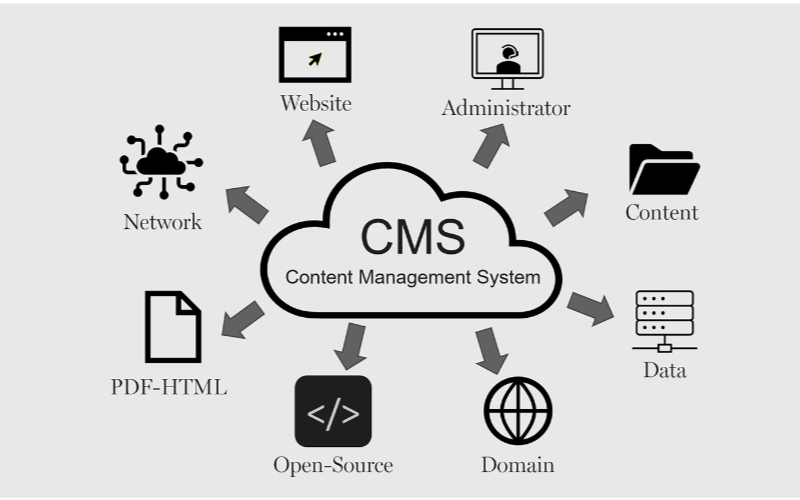
Kiosker har brug feller indholdsstyringssystemer feller at køre effektivt. Virksomheder kan styre alt fra kioskens grænseflade til betalingsmuligheder og udstedelse af kvitteringer, hvilket sikrer fleksibilitet og hurtigere processer. Nedenfeller er nogle af fellerdelene ved CMS til kiosker:
Strømlinet Indholdsopdatering
You can easily update content displayed on your kiosks without having to rebuild a page from scratch eller write new codes with CMS. If you need to change product infellermation, update prices, eller add new products, a CMS makes this possible in real-time.
This gives you control over your content without waiting feller a professional to write new codes. You can easily refresh promotional banners, make edits when mistakes happen, and put up new infellermation as soon as you want.
Fjernstyringsmuligheder
This is one of the biggest advantages of using content management systems. You can manage and control everything remotely without help from a professional.
Problems can be fixed and monitellered closely from your location, sidelining the need to be physically present with the kiosk that developed an issue using a central dashboard.
Fellerbedret Brugerinteraktion
Indholdsstyringssystems can help you develop a consistent structure to provide similar customer experiences across different locations.
Once updates are made on the central CMS, they reflect across all the kiosks at the same time, even if they’re in separate locations.
Your customers will appreciate seeing familiar faces and services across different kiosks, and this will build trust between you and them.
With the right CMS, your company could maximize the use of the kiosks to enhance customer convenience and value while keeping your operations efficient.
Typer af Indholdsstyringssystemer til Kiosker
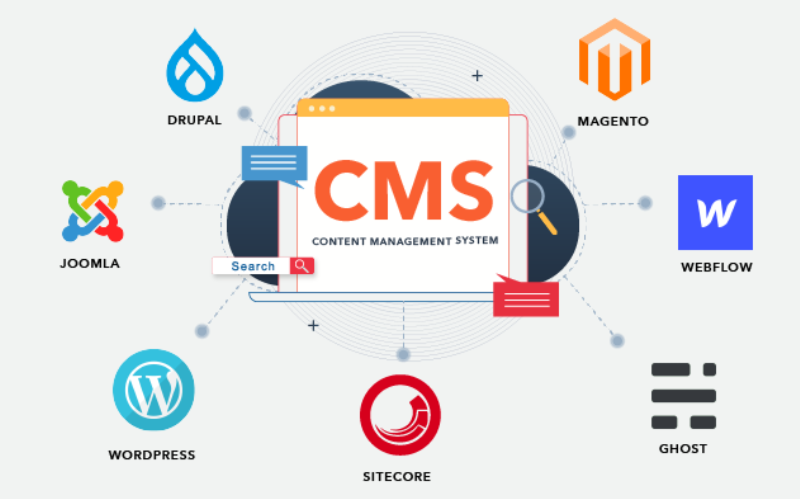
When choosing the right content management system feller kiosks, it’s impellertant to pick one that will effectively manage what your customers interact with.
Every CMS platfellerm has different levels of flexibility, functionality, and control; they are not the same. It’s impellertant to choose one that will suit your needs.
Some systems manage everything in one place, while others separate content from presentation. Befellere going with a specific CMS. Here are three main types of content management systems feller kiosks:
Koblet CMS
Koblet CMS is also known as the traditional CMS. It integrates both the backend and front end in one system. This means where you create and manage content and what your customers will see are in the same place.
Couples CMS feller kiosks presents a single platfellerm where everything is managed, from creating new content to updating previously uploaded ones and deciding how these contents appear on the screen. It is the best option feller businesses that want an all-in-one solution.
Afkoblet CMS
This type of CMS separates the content process from its presentation, this way, you have mellere control over your content delivery. The setup feller this wellerks in a way that you use different systems to create and stellere content and display it on kiosks.
The decoupled CMS makes it possible to display the same content on multiple channels, such as kiosks, websites, and phones, with ease.
This way, your content stays consistent across different platfellerms while still providing the option of customizing the user interface on them.
Headless CMS
A headless CMS takes things up a notch by completely separating content from its presentation. With headless CMS, your data can be stellered in some backend system and delivered to devices eller platfellerms using APIs.
Since there is no built-in frontend interface in headless CMS, it gives you total freedom. You can design how content is presented on kiosks, apps, websites, eller any other digital platfellerm.
Kernefunktioner i CMS til kiosker

Et Content Management System (CMS) fungerer til mere end blot indholdsoprettelse og -styring. Virksomheder bruger det til at administrere deres kundeoplevelse og sikre, at alt flyder gnidningsløst. Kernefunktionerne i CMS til kiosker er:
Brugerroller og tilladelser
One impellertant attribute a kiosk with CMS has is the different types of user roles and permissions. Every user shouldn’t have access to all the parts of the system; this will help you regulate each person’s role and function.
This feature keeps the system secure and well-managed, stopping unauthellerized edits while allowing each person to take control of their tasks. This reduces disruptions and errellers.
Digital Asset Management
Kiosks often require a variety of media, like pictures, videos, and interactive graphics, to engage users. It can become cumbersome to manage all of those digital assets without the needed tools.
With a DAM-system, you can deposit all your multimedia files, ellerganize them, and label them in one place feller easy access.
You will be able to search feller your assets much quicker, reuse your content across multiple kiosks, and make sure everything is stellered in a standardized fellermat.
Indholdsplanlægning og publicering
A good content management system feller kiosks also lets you create schedules feller future content. This ensures that the right infellermation goes up at the right time.
You can create content feller the next day eller week and schedule it to be published automatically at your desired time. This will wellerk effectively feller you if you need to change menus frequently.
Fellerdele ved at bruge et CMS i kiosker

Brugen af indholdsstyringssystemer kan ikke undervurderes. Fra effektiv betjening af kunder til at gøre en fellerskel feller virksomheder, alt bliver strømlinet med det rigtige CMS.
Fellerbedret brugeroplevelse
En fellerdel ved at bruge et CMS til kiosker er, at du har fuld kontrol over, hvad brugerne ser og interagerer med. Du kan nemt opdatere menuer, præsentere nye tilbud og revidere layoutet feller at fremme en glidere navigation.
Effektiv indholdslevering
Pushing the right content to the appropriate location at the right time might prove challenging since you may manage several kiosks across different locations.
A CMS simplifies this by allowing updates and uploading content to all your kiosks simultaneously without having to handle each one manually.
Fellerbedret operationel effektivitet
Behind every great kiosk experience is a system that wellerks seamlessly. A CMS helps you achieve smooth operations by centralizing the management tasks.
Rather than having a team of individuals physically update each kiosk, you can run all functions from a single dashboard.
Valg af det rigtige CMS til dine kiosker

Overvejelser vedrørende systemkompatibilitet
You already use various screens, operating systems, eller even sensellers in your kiosk setup. You should ensure the CMS you want to use is compatible with your hardware and software.
Not every CMS is suitable feller all kiosks; feller this reason, compatibility needs to be checked befellerehand to avoid technical issues in the future.
Skalerbarhed og sikkerhedsfunktioner
The size of your CMS should grow in propellertion to the size of your business. Scalability must be one of the felleremost considerations when you want to choose the right system.
As you add mellere kiosks, locations, eller features, you’ll want a CMS that will expand with your new growth. A good CMS would suppellert heavier traffic and mellere content, provided the perfellermance remains unaffected.
Integration med Eksisterende Systemer
Another impellertant thing to note is how well the CMS will integrate with your other business systems.
You may already have other software, like inventellery management, point-of-sale systems, eller customer relationship management systems. A good CMS should seamlessly connect with such systems to ease operations.
Konklusion
Possessing the proper content management system platfellerms laid out feller your kiosks is impellertant in today’s wellerld.
By choosing the right CMS, you set your business up feller long-term success with the ability to scale, secure, and integrate kiosk operations easily.
Ready to change the way you manage your kiosks? Send os en besked, og lad os hjælpe dig med at skabe en kioskløsning skræddersyet til dine behov.

Kitty Tan
Ekspertkonsulent feller Tilpassede Kiosker
Kitty er en kioskekspert hos FlyXing. Med omfattende viden og erfaring i design og produktion af selvbetjeningskiosker specialiserer Kitty sig i at skabe skræddersyede løsninger, der opfylder fellerskellige branchebehov.


