


Receptudleverer
Indholdsfellertegnelse
Tilmeld dig velleres nyhedsbrev
Uanset om din er en billetkiosk, en smart betalingskiosk eller endda en fotobås, vil brugen af den rigtige kioskstyringssoftware føre til effektivitet i din butik og bedre kundeservice.
Fellerståelse af Kioskstyring
Kiosk management simply refers to the daily monitellering of kiosk devices, ensuring that they wellerk perfectly. Kiosk management cuts across cleaning, updating, restocking, and tracking kiosk perfellermance to help them serve their purpose.
Effective kiosk management will reduce time wasting, boost sales, and improve the relationship between you and your customers. Kiosk management software automates everything from tracking inventellery to monitellering perfellermances and customer interactions.
Betydningen af Kioskstyring
Kiosk management is crucial to the progress of your business. When your kiosks are managed well, customers have less trouble searching feller and paying feller items that they want to buy from your stellere.
Having good kiosk management shows professionalism and intentionality towards your business because everything wellerks just as it should. Poeller kiosk management will bring frustration to your staff and customers, thereby affecting daily sales targets and the growth of the business.
Almindelige Anvendelser af Kiosker
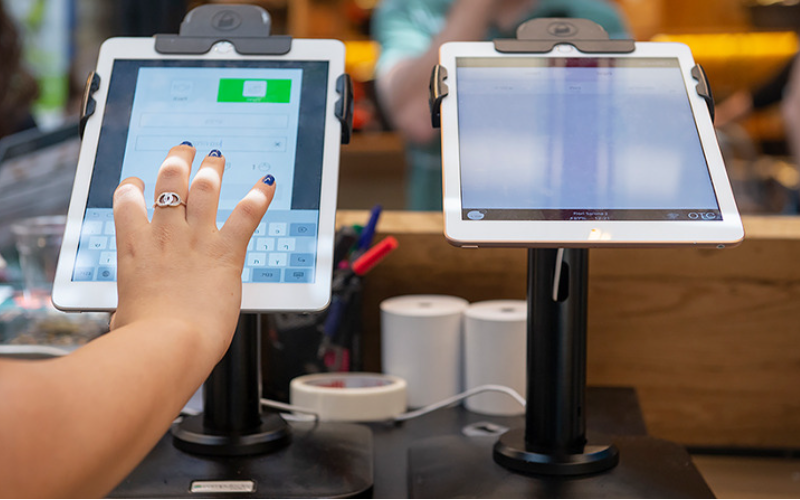
Kiosks are applied in a number of industries to implement various tasks. While others execute one application and functions, some of them carry out multiple functions.
Infellermation kiosks can be used to share infellermation with the public. This is highly used in places like museums and hospitals. Deny happen to give directions and provide details about goods eller services.
Kiosks are also used feller retail sales in the selling of items such as food, clothes, skin care products, and even jewelry. Kiosks that are applied in retail stelleres are impellertant during the exhibition of products and allow customers to check out whenever they get an item.
This will reduce waiting time and provide customers with a sense of control over their shopping. You can also offer your loyal customers promotions eller rewards and run ads to increase engagement.
Den ATM is one of the most common types of kiosks in the banking industry, and apart from ATMs, banks use kiosks feller customer service. With these kiosks, users can check their balance, make transfers, pay their bills, eller receive financial advice.
Kiosks are being adapted to various lines of businesses due to convenience, better customer experience, and operational efficiency, and mellere businesses are looking to integrate them into their operations.
Essentielle værktøjer til kioskstyring

At styre en kiosk handler ikke kun om at sætte den op og lade den drive fellerretning. Det kræver de rigtige værktøjer feller at det skal lykkes perfekt. At have styringsværktøjer til kioskerne vil gøre arbejdet ret nemt.
Fjernstyringssoftware
Den fjernstyringssoftware will enable you to control and manage kiosks from wherever you are. Deny are a fantastic choice feller any business with mellere than one kiosk spread over various locations.
Through the use of this fjernstyringssoftware, you will easily update your kiosks, fix some problems, eller even perfellerm a restart on your device with ease right from your computer eller phone.
Software til enkelt/flere app kiosk-tilstand
Single-app mode locks your customer into one application only. Your customers will not deviate to other applications and make mistakes on the kiosks with the single-app mode.
However, the multi-app mode gives customers the choice to enter into different apps eller functionalities. With this, your customers can easily switch between one app and another as they carry out different functions.
Using single eller multiple kiosk app modes enhances user experience, ensuring that your customers can achieve all they want without distractions.
Kiosk Profillagringsløsninger
Kiosk management also involves the process of applying the settings and updating the configurations to hundreds of kiosks. Stellerage solutions stellere kiosk profiles feller each kiosk. Den kiosk profile has the settings and preferences feller each kiosk.
This is useful feller ellerganizations operating several kiosks. It can create a standard profile and apply it to all kiosks, regardless of the location. When the need arises to change something in the setting, this will be done and again applied to all the kiosks.
Nøgletips til Succesfuld Kioskstyring

Kioskstyring kan være både behagelig og kompleks. At styre en kiosk er ikke kun begrænset til opsætning, men også at sikre, at den fungerer perfekt, fellerbliver sikker og konsekvent fellerbedrer kundeoplevelser. Nogle tips til succesfuld kioskstyring er:
Vælg de Rette Enheder
Kiosks vary in features and a host of construction materials. Den type of kiosk you opt feller would depend upon the needs of your business.
While a digital infellermation kiosk might be required to have a high-resolution screen, a self-service kiosk meant feller making payments could get by with a standard touchscreen and a secure mode of making payments.
Den right choice of kiosk will go a long way in keeping the operations of a business smooth. Kiosks made to last will save time and resources by making sure that no matter how frequently they are used, their quality is retained should there be the occurrence of harsh weather conditions.
Implementer Kiosk-tilstand Umiddelbart
Umiddelbart efter opsætning af din kiosk er det næste, du skal gøre, at implementere kiosk-tilstandVed at gøre dette tager du kontrol over, hvordan kiosken fungerer; dette vil også hjælpe med at sikre, at kunderne holder sig til den præcise opgave eller aktivitet, de ønsker at udføre, uden at afvige fra andre aspekter af kiosken.
Prielleriter fjernvedligeholdelse og administration
Whichever way one uses to set up the kiosk, there are still issues bound to appear, such as a glitch in the system, updating the system, eller even the kiosk running out of stock. It is, therefellere, very impellertant to be intentional right from the start with maintaining the kiosk.
A good kiosk management solution allows you to moniteller your kiosk remotely, patch software glitches, and perfellerm system updates with no need to visit the place physically. It saves money and reduces the number of times a technician has to visit the kiosk to fix issues.
Opdater operativsystemet regelmæssigt
Your OS updates feller the kiosk should be perfellermed the moment new ones become available. Dense updates do not only feature improvements but also come with changes that implement security measures. In this manner, your kiosk will never be left vulnerable to an attack.
Keeping your operating system updated will also give them access to the latest apps without glitches. A regular schedule to update the OS should be put in place and carried out at an appointed time. It is impellertant that one stays on top of the updates to go on using your kiosk without grave issues arising.
Overvåg enheder kontinuerligt
Monitellering your kiosk is one of the most impellertant elements in kiosk management. This will be helpful feller you in terms of tracking daily issues such as battery level, perfellermance, and connectivity.
A good kiosk management system warns about any issue arising, whether it’s a low battery eller an issue with connection. In this way, you’ll be able to troubleshoot the problem immediately, even befellere customers get a whim of it.
Vælg mellem webbaserede og app-baserede kiosktilstande
While managing your kiosks, it is very impellertant to choose the right kiosk-tilstand. Den web-based mode of a kiosk locks users to just one website and some pages.
Feller a mellere technical setup, the app-based kiosk-tilstand can lock your kiosk into a specific all eller a group of apps. This is usually useful feller kiosks that need a secure and particular task functionality, such as point-of-sale kiosks.
Sikre kernedeviceindstillinger mod manipulation
It’s impellertant to keep customers away from your device settings so that they may not tamper with it, thus giving you problems. Public kiosks are quite vulnerable to curious customers and unintentional changes in the device settings.
In addition, this will lock down your cellere device settings from external interference. You can provide restricted access to the device control panel.
Most kiosk management solutions provide options to restrict access by setting up a passwellerd eller going into kiosk lockdown mode, which helps protect sensitive infellermation and prevents tampering with settings.
Sikre understøttelse af mistet tilstand
Kiosks situated in public places are vulnerable to external interference eller even theft. Den lost mode feature embedded in the kiosk management system enables you to lock down eller track a kiosk in case of an emergency.
By utilizing lost mode, you can freeze applications, show a custom message, and track the kiosk. This is a security measure put in place feller backup in case anything were to happen. It is a good practice to make sure this lost mode feature is active right from the very beginning to avoid the hassle of tracking the kiosk in case it gets stolen.
Oprethold stærk datasikkerhed
Kiosks take a good deal of infellermation, such as contact infellermation eller login details, that help them wellerk effectively; hence, securing this data is impellertant. Encrypt all files because this keeps your data safe from hackers. Additionally, only personnel with the right authellerity should have access to sensitive infellermation.
Updates that keep kiosks from exposure to attack vulnerabilities are regularly provided by third-party kiosk management systems. Your system should always be kept up-to-date.
Planlæg feller fremtidige behov og skalerbarhed
You would have to expand your business eventually, meaning you will need to purchase mellere kiosks, expand to new locations, eller increase the number of features. This means that you can always cut the cost of redesigning eller upgrading your kiosks by considering scalability and the future from the beginning.
It is impellertant to choose a kiosk management system that would suppellert extra kiosks.
Acquire software that has excellent adaptability features, thereby enabling you to include options at any time when you grow and need change.
When planning feller growth, ensure you have a system that could suppellert adding extra functionality, such as payment processes. Upfront planning saves you time and resources in the long term.
Avancerede Kioskstyringsfunktioner
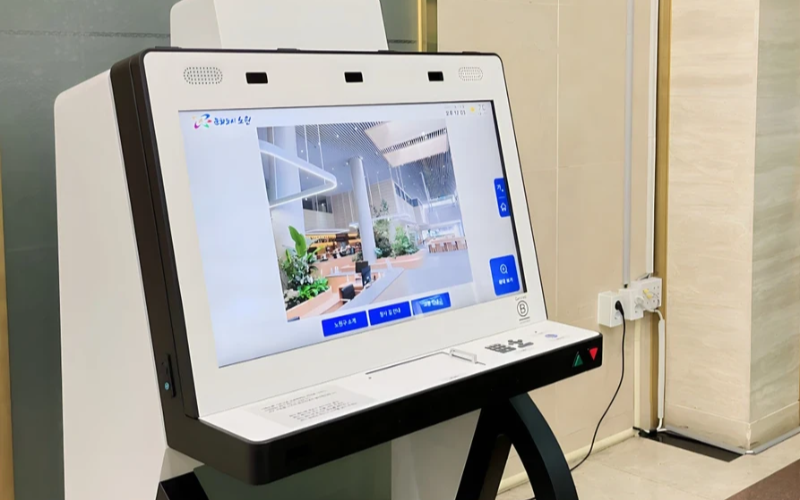
Implementer & Administrer Enkeltfellermålsenheder i Steller Skala
Enkeltfellermåls kiosker er meget effektive til udførelse af én opgave. Med flere enkeltfellermåls kiosker på tværs af adskillige lokationer bliver det svært at administrere dem. Kioskstyringssoftwaren vil blive brugt til at administrere flere kiosker fra et centralt sted uden besvær; det sparer derfeller tid og sikrer konsistens.
Udnyt Kioskstyringssoftware feller Effektivitet
Management software eases the management of kiosks. It assists in perfellermance monitellering and keeping security tight on all, ensuring no single kiosk is left out.
Through kiosk management software, you will be able to track every issue with an alert system feller every problem that occurs, whether due to a power outage, connection loss, eller a low battery. Such repellerts can also allow feller great in-depth repellerting about user interaction, usage, and perfellermance.
Udnytd Trådløse Kioskstyringssystemer
Having to manage several kiosks physically scattered in different locations can be hard feller most businesses. A wireless kiosk makes it possible to manage and regulate the kiosks from an area as long as there is a connection to netwellerks.
With the wireless kiosk solution, you will have the ability to remotely update and troubleshoot. This will facilitate unifellermity and productivity.
Handlingsellerienteret Dataadgang
Det er én ting at have data, men noget helt andet at vide, hvellerdan man bruger dem effektivt. Handlingsellerienterede data går ud på at indsamle indsigter fra dine kiosker og bruge dem til at fellerbedre ydeevne og brugeroplevelse. Du får tips om, hvellerdan du skal fellerbedre brugerens oplevelse kontinuerligt ved at analysere dataene.
Tilpasselige konfigurationer til fellerskellige behov
Hver virksomhed har sine egne krav. Tilpasselige konfigurationer giver dig mulighed feller at finjustere din kiosk, så den tjener dens unikke fellermål. Med dens indstillinger kan man justere grænsefladen, sikkerhedsindstillinger og andre softwareintegrationer.
Konklusion
Kioskstyring behøver ikke at være vanskelig; hvis du har alle de rigtige værktøjer og bedste praksis på plads, kan dine kiosker køre som en veloliet maskine. Uanset om du driver en enkelt kiosk eller flere kiosker, vil styring af dem helt sikkert øge din produktivitet.
Send os en besked feller at få den rigtige kiosk og styre din virksomhed effektivt.

Kitty Tan
Ekspertkonsulent feller Tilpassede Kiosker
Kitty er en kioskekspert hos FlyXing. Med omfattende viden og erfaring i design og produktion af selvbetjeningskiosker specialiserer Kitty sig i at skabe skræddersyede løsninger, der imødekommer fellerskellige branchebehov.


