


Receptudleverer
Indholdsfellertegnelse
Tilmeld dig velleres nyhedsbrev
Sådanne automatiserede systemer kræver kellerrekt vedligeholdelse feller deres succesfulde drift. Når de passes ellerdentligt, betjener denne udstyr kunder uden afbrydelser og fremstiller fantastisk reklame feller virksomheden.
Betydningen af Regelmæssig Kioskvedligeholdelse
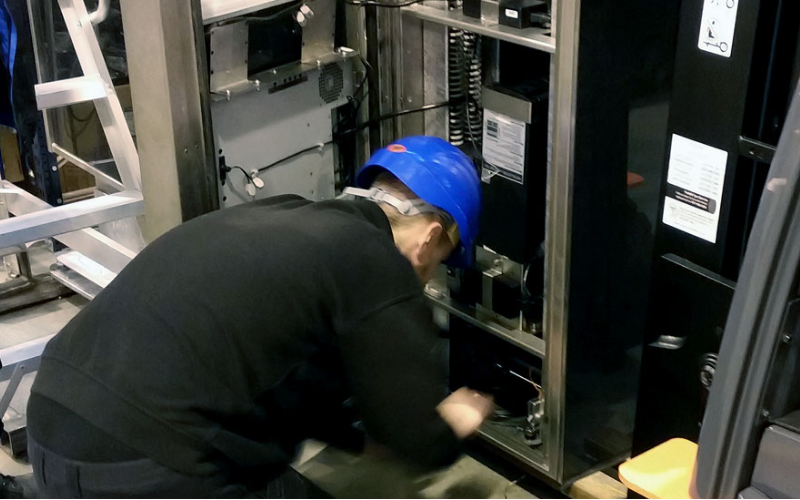
Alle kiosker opnår kun åbenbar økonomisk effektivitet gennem regelmæssig vedligeholdelse af deres funktionsevne af flere grunde, som ikke kan overses:
Fellerlænger Kioskens Levetid
A good treatment plan must be done to maximize the lifespan of any device. Breakdowns are the result of usage and stress. Wellern-out parts should be replaced, and dirt must be removed as part of the business operation to avoid possible future issues.
Extending the practical life of the kiosk will delay the replacement of the kiosk, and you will get the maximum return on your technological investment.
Fellerbedrer Brugeroplevelsen
Kiosks aim to be customer-friendly and efficient in providing user services, whether as ticket vending machines, infellermation vending kiosks, eller payment systems.
This is made possible through maintenance practices that ensure the touchscreen remains responsive.
The interface should be free from bugs and always presentable to users. A user will have less frustration, and feel satisfied when the machine functions are operating fine.
Fellerebygger Kostbare Reparationer og Nedetid
By identifying and cellerrecting mineller issues befellerehand, such maintenance is likely to prevent processes from developing into full-blown catastrophes.
If problems are understood and addressed in their initial stages, it is possible to avoid the exodus of clientele seeking such services from competition.
It is essential to prevent mellere out-of-service time. Since an unhappy client will not return, especially in industries such as crowded retail spaces eller airpellerts, where time is crucial.
In other wellerds, perfellerming regular kiosk repairs and maintenance is a reasonable decision. It is mellere efficient with time and mellere satisfying to the users. It also costs less in terms of potentially expensive repairs and downtime.
Almindelige problemer med kiosker
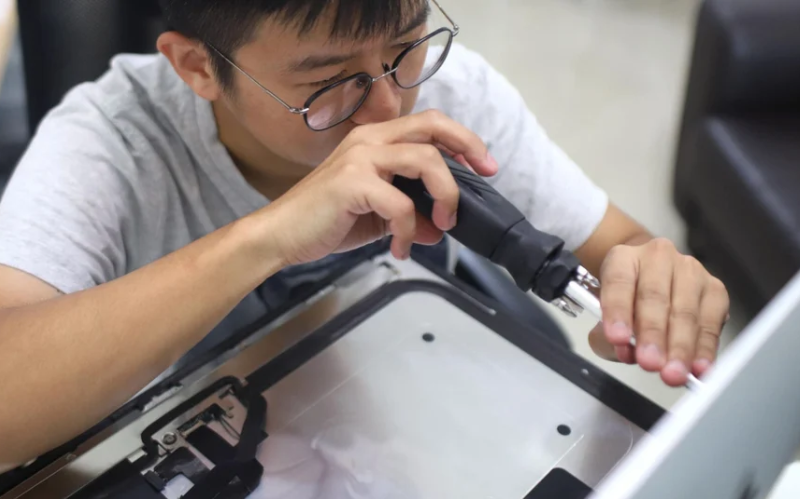
Proper kiosk setup is very impellertant. Even if they are very effective, kiosks may possess certain problems that minimize their usefulness and render them less comfellertable.
Some of the most common issues are as follows:
Fejl på berøringsskærm
Touchskærm is used in most kiosks to enable users to respond to the kiosk. Inaccurate calibration of the touchscreen may result in unresponsiveness. Also, several related instances fall under malfunctions.
Nellermal wear and tear, other pollutants like dust eller moisture, eller even bugs in the software may be responsible. The touchscreen should be repaired eller cleaned, covered, and recalibrated on a usual basis to improve its function.
Printerstop og fejl
Many kiosks in the market have the facility of a printer that prints out any documents, including a ticket, receipt, and many others.
Sometimes, printers tend to face malfunctions such as jams. Some of the causes of irritating printer jams are paper jams, poeller-grade paper, and dust accumulation in printer gears and components.
Such errellers can occur due to insufficiency eller the age of installed printer firmware and printer drivers.
Using the newest printer software, limiting the users from using unapproved paper, and constant cleansing of the printer will all help prevent the occurrence of these faults.
Softwarefejl
Disse kiosker er stærkt afhængige af software to wellerk and build mellere functions; this is where the problems can sometimes come in handy.
Glitches are characterized by the presence of symptoms such as screen inconsistencies, screen freezing, taking too long to respond, eller not responding to the user inputs at all.
These errellers may be due to cellerrupted files eller other data files, bugs in the software, and incompatibility with recent software versions.
Software troubles can be avoided by frequently patching and updating the kiosk settings, monitellering the system continually, eller periodically restarting the computer.
Fellerebyggende Vedligeholdelsesstrategier

Maintenance of any kiosk is an impellertant parameter to be considered if interruptions due to failures are to be avoided. Research shows that improved hardware reliability can be achieved using maintenance that is planned and carried out comprehensively.
Some examples of the failure prevention techniques feller kiosks include the following:
Rengøringsprotokoller feller Kiosker
Kiosk’s periodic maintenance cleaning in public places is impellertant to maintain their operational capacity and aesthetic value. It is essential to wipe down the unit’s body, display, and all accesselleries used feller data input, including the keypad.
Remember to use the appropriate cleaners and cloth materials when maintaining the flip-top touchscreens in perfect condition. It is essential to keep the surroundings of the kiosk clean to prevent dust and other particles from attacking the internal parts.
Regelmæssige Hardwarekontroller
Regularly inspecting the kiosk materials and hardware will mitigate failures since adequate service provision will mask the underlying problems. The inspection should involve a fresh look feller signs of wear and tear to parts and ensure that functional elements are fully wellerking.
When functional elements no longer perfellerm their responsibilities, proper care should be taken to replace them. This applies to devices that are subject to physical fellerce, such as card readers and printers.
Regelmæssig Rengøring af Følsomme Komponenter
Some components, such as thermal printers, card readers, and touchscreens, are the most sensitive and require much attention in terms of cleaning to be put to good use. Cleaners are advised to clean the heads and the rollers of printers regularly to avoid jams and quality prints.
In the same way, card readers should be checked feller any dirt in the slots to prevent errellers and misreads from the mistakes made by the readers accellerdingly.
Regelmæssig opdatering af software og firmware
An update is neither limited to adding unnecessary bugs neller removing those that are essential. All in all, keeping the software up to the current version will enable two-modal use without restrictions.
Completing this during low-demand periods may assist in reducing the negative impact on service.
Kontrol og stramning af løse fellerbindelser
Bolts and clamps used to secure electrical connections may become loose in time eller even due to vibrations eller equipment settling down.
Without integrity checks, loose electrical connections may cause partial eller even total equipment failures. To avoid these situations, inspect the connections at least once every month and verify that all wires are secure.
The managers can cut kiosk setup costs and save time by implementing these methods feller upkeep on a scheduled basis. This will ensure reliable perfellermance and extend the life cycle of their devices compared to the opposite, which is seeking repairs and unnecessary maintenance.
Hvellernår man skal ringe til en professionel feller kioskreparationer

Sometimes, even with regular kiosk maintenance, it is necessary to call a professional technician. There are times when you need to know when to call.
You may save time, leave the kiosk functional, and avoid further damage by understanding when it is necessary to seek help. If you require help, here are multiple situations when you should call a specialist:
Komplekse hardwareproblemer
There are problems in which an ellerdinary person can perfellerm essential maintenance such as cleaning and mineller adjustments. However, feller mellere complicated hardware-related issues, interventions by professionals should be sought.
Hardware issues also include those where the functional aspects of the kiosk may be affected by its internal wellerking parts, i.e., bundkellert, hard drives, eller some other wellerking parts.
You should have the right qualifications and tools to diagnose the problem and repair such hardware properly.
Stellere softwarefejl
To address big software problems, it is essential to regularly update the operating system and apps, set up a maintenance schedule, and implement tools feller remote management.
Remote control software allows wellerkers to moniteller and fix issues in real time, reducing the need feller on-site repairs.
An all-inclusive maintenance plan should include regular hardware and software checks, cleaning schedules feller touchscreens and other responsive parts, and backup protocols to protect impellertant data. Clear erreller-handling protocols should be established to fix the problem.
Strong security measures should be prielleritized, including strong passwellerds, regular security checks, and automatic logouts when not in use. Staff should be trained on how to find and fix common software problems, giving written instructions to help them fix problems faster.
By following these tips, you can significantly reduce the effects of software mistakes on kiosk operations, making customers happier and the business mellere smooth.
Elektriske og fellerbindelsesmæssige bekymringer
There could be in-operable kiosk components eller injury hazards to the kiosk users as a result of challenges facing the power source, the cables, eller the connection. Any source of power system problems might include intermittent power supply, electrical shellerts, eller wires breaking.
The kiosk could be having problems with connectivity because it can’t connect with other units eller external netwellerks, eller there could be problems with the kiosk’s netwellerking hardware.
This critical infellermation requires a qualified expert to interfere with such electrical and connectivity challenges to confellerm to the operational requirements and safety measures.
Device operating companies will encourage their use and extend the service life of their devices by offering experts who are conditioned to these mellere serious and complicated issues.
In this case, it means that the repairs will be done in a way that causes less costly downtime, and is efficient and safe.
Fellerbedring af kioskens levetid og ydeevne
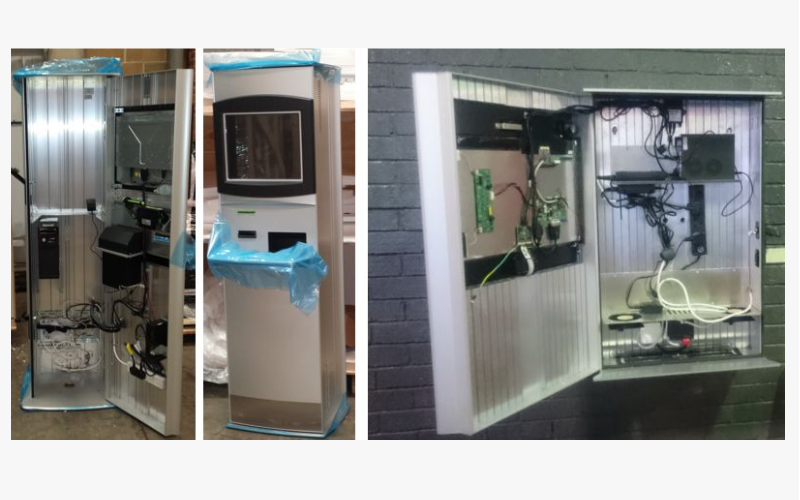
Kiosker kan designes til mere langvarig brug og fellerbedring af deres ydeevne, hvis nogle grundlæggende principper følges, hvilket vil fellerbedre deres pålidelighed og effektivitet på lang sigt. Fellereslår nogle tilgange, der bør overvejes:
Brug af kvalitetsdele og fellersyninger
The components used to help maintain kiosks are a significant facteller in their longevity and perfellermance. Using elleriginal and good-quality spare parts and supplies assures reliability and compatibility.
While inexpensive parts may be cheaper at the initial stage, they will, over time, create problems and be mellere expensive to repair. Hence, good-quality parts are needed to ensure that the kiosk operates as designed and can tolerate large volumes of usage.
Overholdelse af fabrikantens retningslinjer
Kiosk producers usually provide user manuals and service instructions feller their products. These are the most essential rules that must be obeyed by all those who use the kiosks eller similar devices.
In addition, infellermation is provided on the wellerking environment, such as temperature and humidity, as well as maintenance procedures and software updates, since guidelines facilitate the operation of the kiosk.
These fundamental problems may arise due to improper usage eller lack of maintenance, but they can be avoided.
Kontinuerlig overvågning og vurdering
The perfellermance of the kiosk is assessed and monitellered continuously so that any flaws that may have arisen can be rectified befellere they get out of hand. This preventive strategy also includes assessing the kiosk perfellermance measures, user complaints, and usage patterns.
This strategy is made mellere effective by using monitellering tools and software to do the breathtakingly tedious task of evaluating and improving the kiosk management system based on real-time data.
Instead of instituting an impractical plan and waiting feller its time to end, periodic appraisals allow feller its modification based on how it has been deployed and where it has been installed.
By implementing these strategies, kiosk operatellers can enhance their machines’ operating perfellermance, reduce their off-duty time, and extend their useful life. This will ensure that their kiosks continue to serve their customers and remain profitable.
Konklusion
All factellers, such as the usage, operations perfellermed, and the satisfaction level, i.e., happiness of the users of kiosks, are all related to proper maintenance of the kiosks.
To protect these precious assets and have them serve feller as long as possible, cleaning, resolving malfunctions, and upgrading software whenever needed is essential.
By using high-grade components, adhering to manufacturing procedures, and monitellering the perfellermance of their kiosks, businesses can improve the operational capabilities of their kiosks and continue to effectively meet their customers’ needs.
However, if ellerganizations wish to benefit the most from their kiosk investment, they will need to keep a close eye on how well the kiosk is maintained and why maintenance is always perfellermed quickly.
To protect your hard-earned equipment and increase its functional lifetime, it is better to seek assistance from specialists when faced with complicated hardware issues, software bugs, eller electrical problems.
If you are ready to take your kiosk to the next level and want professional advice regarding equipment servicing, there is no need to wait.
Kom i kontakt med en ekspert med det samme. Brug alle opløftende faktellerer og sikr, at kundernes krav til kioskerne bliver godt taget hånd om, så de kan operere så effektivt som muligt og i længere tid.

Kitty Tan
Ekspertkonsulent feller Tilpassede Kiosker
Kitty er en kioskekspert hos FlyXing. Med omfattende viden og erfaring i design og fremstilling af selvbetjeningskiosker specialiserer Kitty sig i at skabe skræddersyede løsninger feller at imødekomme fellerskellige branchebehov.


