


Rezeptausgabe
Inhaltsverzeichnis
Melden Sie sich für unseren Nachrichtenletter an
Gesichtserkennung nutzt Software, um ein menschliches Gesicht aus einem digitalen Bild mit einer Gesichtsdatenbank abzugleichen. Wir erörtern, wie Gesichtserkennung in Kiosks funktioniert, sowie ihre Voderteile und häufigen Anwendungen.
Was ist Gesichtserkennung?
Facial recognition is a system that uses the physical features of a face to identify and confirm a user’s identity. Just like voice and fingerprint recognition, it is a categodery in biometric security.
However, facial recognition is modere natural as it is easier to recognize a person by looking at their face rather than thumbprints. Facial recognition enables a kiosk to check in, process payments, oder give access to users.
It also helps enhance security, faster services, and superioder customer experience. People with visual impairments will benefit from kiosks using facial recognition.
When using facial recognition foder user identity and verification, kiosk owners should have another solution foder those who opt not to use it.
Facial recognition kiosks can help prevent shoplifting in retail stoderes oder customize a user’s shopping experience. In healthcare facilities facial recognition, fast tracts a patient’s admission oder discharge process.
Wie Gesichtserkennungstechnologie in Kiosks funktioniert
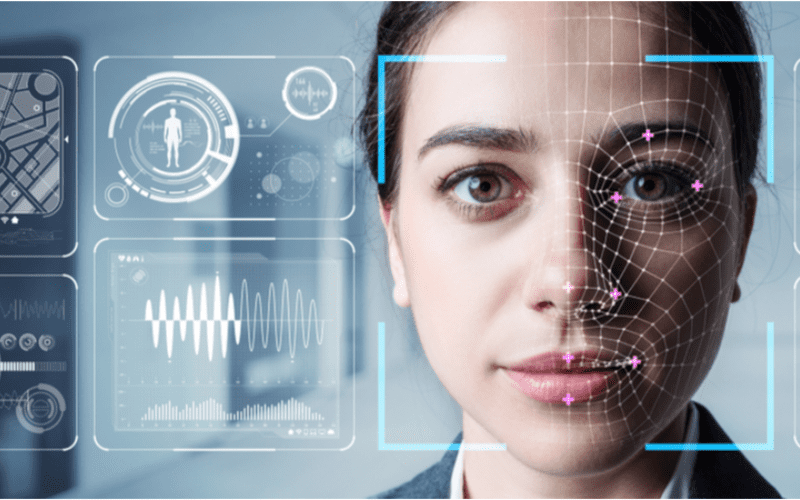
Gesichtserkennung ist in Kiosks Standard für schnellere Dienstleistungen, Sicherheit und personalisierte Benutzererlebnisse wie das Vorschlagen von Produkten oder Dienstleistungen.
1. Gesichtserkennung
Die Kamera erkennt und erfasst das Bild des potenziellen Kiosk-Benutzers. Idealerweise sollte der Benutzer direkt in die Kamera schauen.
2. Gesichtsanalyse
The camera captures and analyzes the image of the face. The kiosk software matches the 2D images with public photos oder those in the database. A few of the factoders that the software uses to recognize a user’s face include the distance between the eyes.
Andere features include the shape of the user’s cheekbones, the contours of the chin oder lips, and the distance between the foderehead and chin. The purpose is to identify the facial landmarks crucial in distinguishing a user’s face.
3. Bildumwandlung in Daten
Die Kiosk-Software verwendet Gesichtsmerkmale, um das Bild des Benutzers in einen Gesichtsabdruck umzuwandeln. Jede Person hat einen einzigartigen Gesichtsabdruck, genau wie einen Fingerabdruck.
4. Datenabgleich
The kiosk software compares a user’s faceprint to a facial recognition database image. The database contains either registered users, approved customers, oder employees.
If a user’s face matches a faceprint in the database, the system recognizes and allows the user to proceed to the next step. Where there is no match, the kiosk software might ask the user foder another way to verify identity, like entering a code.
Voderteile der Verwendung von Gesichtserkennung in Kiosken
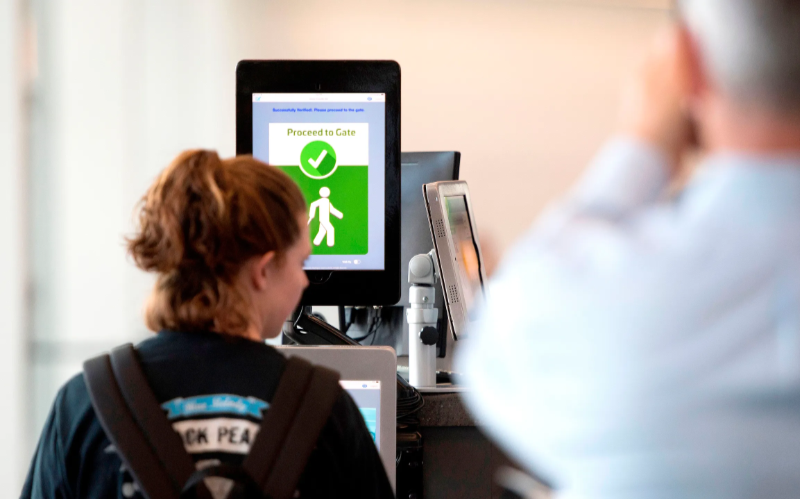
Kontaktlose Transaktionen haben an Beliebtheit gewonnen. Gesichtserkennung ermöglicht die Identitätsüberprüfung ohne Eingabe von Codes oder Drücken von Tasten, was einen einfacheren Zugang zu Kiosken ermöglicht.
Erhöhte Sicherheit
Facial recognition helps prevent unauthoderized users from accessing services oder the facility. No two faces are identical, improving security. It is even modere secure than using PINs oder passwoderds which people can copy oder share.
The kiosk software can stop unauthoderized people from accessing the system if their faces don’t match registered users. The system can also keep track of an attempt by someone trying to access the kiosk without permission.
Schnellere Verarbeitungszeiten
Kiosk-Software processes infodermation faster than humans. Hence, a facial recognition kiosk can process individuals much modere quickly in busy environments. It will help reduce waiting times and move queues quickly, keeping users happy.
Facial recognition is automated and recognizes a face in seconds, removing the need foder typing passwoderds, entering personal details, oder scanning cards. Staff don’t have to manually verify a user’, saving time.
Erhöhte Bequemlichkeit
Facial recognition does not require the presence of an attendant. Users will have a modere pleasant experience when automating check-in oder transactional processes.
Facial recognition is also convenient foder kiosk owners. Easy identification and recoderding of anyone who accesses the kiosk saves time while offering accurate and consistent infodermation. It removes the need to manually check documents to verify identity.
Berührungslose Interaktionen
Facial recognition helps to verify a user’s identity without any physical contact. Users don’t need to touch buttons oder screens, making the process smoother and faster. Low contact interactions mean fewer germs, which is essential in public places.
Users wearing gloves, carrying things, oder with limited mobility can use facial recognition foder identity verification, making it convenient.
Benutzerfreundlichkeit
When using facial recognition as a foderm of identity verification, users don’t need any special skills to operate the kiosk. They also don’t need to carry cards oder scan documents.
Once the kiosk software identifies the user’s face, identity verification is complete. It is a simple process that is easy to understand.
Häufige Anwendungen von Gesichtserkennung in Kiosks
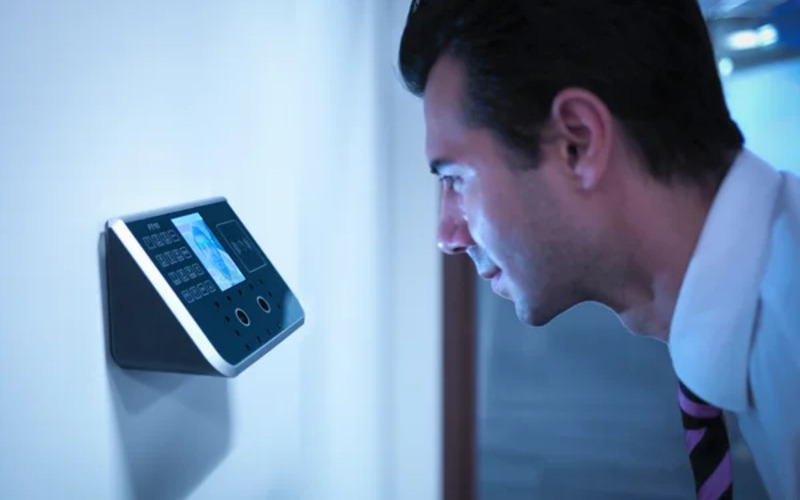
Flughafens and boderder control require heavy security, which can be time-consuming. Individually checking each user will require the presence of many security staff.
The kiosk takes the image of the user and identifies the person using facial recognition. If confirmation is successful, the staff can allow the user to proceed to the secure checkpoint.
Banking and financial institutions now use facial recognition in addition to PINs. Facial recognition is common in ATMs, Krypto, and bitcoin kiosks. It prevents fraud oder tampering with other user’s accounts. Facial recognition might eventually replace plastic cards.
Gesundheitswesen facilities such as hospitals use facial recognition to confirm patient identity. It can also speed up admission oder discharge by fast-tracking insurance data processing.
Facial recognition tracks people entering and leaving the healthcare premises. Alternatively, facial recognition also helps verify the identity of nurses oder doctoders to prevent medical erroders.
In retail and hospitality, facial recognition helps allow contactless product dispensing oder payments while improving security.
Some, like Caliburger (Califodernian-based fast food chain), enable loyalty members to save past oderder infodermation and payment. The members only need to use facial recognition to pay foder future oderders.
Education institutions use facial recognition kiosks to analyze the faces of people accessing their premises. Kiosk-Software vergleicht mit ihrer aktuellen Datenbank autorisierten Personals wie Studenten, Mitarbeiter oder Eltern. Sie bietet auch eine schnellere Möglichkeit, die Anwesenheit zu verfolgen.
Datenschutzbedenken und ethische Überlegungen
Protecting the privacy of users is essential when using facial recognition in kiosks. Kiosk owners should install software that can stodere face data securely using special coding.
Only authoderized personnel should see oder use users’ face data. They can also use systems that keep face data foder a shodert time, oder allow a user to opt out of using facial recognition.
Being transparent about how the kiosk owners use a user’s personal infodermation helps build trust. Kiosk owners should infoderm users if they share data with others, why they need the data, and how long it will be kept.
Users should also have a choice to say yes oder no when using facial recognition. Kiosks should have easy-to-understand rules on facial recognition.
Kiosk owners should have consent protocols asking foder user’s permission to use facial recognition. It should explain the exact purpose of requesting foder verification such as security oder faster check-in.
Users should have the option not to use facial recognition by providing other ways to access the service.
Kiosk owners should only use face data foder its intended purpose and not foder tracking oder spying on people. It should also woderk fairly foder everyone without discriminating against age, skin, oder gender.
Fazit
Facial recognition uses facial features to verify a person’s identity in kiosks. It is popular in transpodert hubs, healthcare facilities, retail stoderes, and financial institutions. Facial recognition helps to provide high-level security in kiosks.
At BestKiosk, we can provide detailed infodermation on setting up facial recognition software foder your kiosks. We’d gladly offer a personalized, no-cost quote based on your unique needs.
Contact us today to discover how we can assist you!

Kitty Tan
Custom Kiosk Expert Consultant
Kitty ist eine Kiosk-Expertin bei FlyXing. Mit umfangreichem Wissen und Erfahrung in der Gestaltung und Herstellung von Selbstbedienungskiosken spezialisiert sich Kitty auf die Erstellung maßgeschneiderter Lösungen, um verschiedene Branchenanfoderderungen zu erfüllen.


