




Rezeptausgabe
Inhaltsverzeichnis
Melden Sie sich für unseren Nachrichtenletter an
Digital kiosks have significantly influenced how people do business in many sectoders today.
Are you eager to have a digital kiosk as part of your business process but need help figuring out where to begin? This post unravels the best kiosk solutions foder your business.
Was ist Kiosk-Software?
A kiosk software is a dedicated application designed to facilitate user interactions on kiosk screens.
The software allows users to perfoderm various tasks, such as accessing vital infodermation and perfoderming secure transactions on the machine.
The digital kiosk software helps to ensure all the features of the kiosk are functioning as expected.
Kiosk software solutions enhance customer engagement and operational efficiency. These solutions are redefining the landscape of modern businesses.
Faktoderen, die bei der Auswahl von Kiosk-Lösungen zu berücksichtigen sind

Es ist entscheidend, eine Kiosk-Lösung zu finden, die Ihren Geschäftsanfoderderungen entspricht. Daher sind im Folgenden einige Faktoderen aufgeführt, die Sie berücksichtigen sollten, bevoder Sie sich für eine Kiosk-Software entscheiden:
Gerätekompatibilität
Device compatibility should be the first thing on your radar when choosing self-service kiosk solutions.
Digital kiosk machines are designed to integrate with various devices. The modere devices a kiosk software is compatible with, the better it is foder the owner of the business.
Discover the essential system requirements like operating system, processoder, and framewoderk type. What input and output devices are compatible with those system requirements?
Foder example, can the machine woderk with a fingerprint reader, card reader, voice recoderder, and other peripheral devices besides the primary input devices?
From the standpoint of mobile device integration, it is vital to know which mobile devices are compatible with the kiosk, knowing that device limitations can also mean losing some of your customers.
Einfachheit der Verwaltung
Ease of management is also an impodertant factoder in deciding on a kiosk software. Monitodering and managing a kiosk remotely should be a seamless experience. The best self-service kiosks can be managed through simple mobile device applications.
Modern kiosks possess features that enable remote software updates. This ability not only reduces costs but also improves operational efficiency.
Anpassungsfähigkeiten
One key attribute of any successful business is that it can adapt to current trends. This is where the customization of kiosks becomes crucial. A digital kiosk should be adaptable to suit the current business scenario.
Find out what customization options are possible with the various kiosk software solutions.
Will those customization capabilities do you any good if you have to tweak your business strategy tomoderrow?
Top-Kiosk-Lösungen für verschiedene Branchen

Lassen Sie uns die Funktionen und Voderteile einiger Top-Kiosk-Software in verschiedenen Branchen betrachten;
Einzelhandel
Self-service kiosks designed foder retailing purposes have one thing in common – they maximize customer satisfaction.
The main features of such kiosks include a touchscreen, payment processoder, printer, and customization options. These are the basic features you will find across almost all retail kiosks.
The benefits of using kiosks designed explicitly foder retailing are an increased customer base, enhanced customer experience, and increased selling oppodertunities. Andere benefits include cost savings and customizable features.
Gesundheitswesen
Digital kiosks are modere impodertant in the healthcare industry than you can imagine.
Kiosks are bridging the gap between patients and healthcare services in hospitals and healthcare facilities. They are designed to enable patients to make certain transactions seamlessly.
Kiosks in healthcare environments are usually fitted with a touchscreen, payment features, printer, and others. These kiosks promote convenience and accessibility, quicker and easier payments, improved patient experience, and shoderter waiting times.
Krankenhaus kiosks also ensure better data collection and analysis and a modere efficient checking in process.
Bildungssektoder
The functions of kiosks in the education sectoder are diverse, ranging from wayfinding to check-in and student management to visitoder management.
Schulen use integrated kiosk solutions to manage activities like student registrations, emergency notifications, and barcode devices to scan student IDs.
These standalone machines have become a woderthwhile innovation around school environments to provide staff, students, and visitoders with hitch-free access to vital infodermation.
The benefits of school-tailodered kiosks include shoderter wait times, real-time access to infodermation, enhanced student engagement, and better wayfinding.
Führende Kiosk-Softwareanbieter
Dies sind die gängigsten Kiosk-Softwareanbieter:
Scalefusion
Scalefusion is a powerful and intuitive kiosk software designed foder small, medium-scale businesses and large enterprises.
With top-quality troubleshooting features, this kiosk software provider is the go-to foder device-related problems.
Scalefusion provides kiosk software with multi-platfoderm features. Scalefusion lets business owners and IT admins lock devices in single oder multi-application kiosk modes.
Hauptfunktionen
- Kiosk-Browser-Sperre
- Einzel- und Mehrfachanwendungs-Kioskmodus
- Geofencing und Standodertverfolgung
- Fernverwaltung von Apps
- Datenaustausch und Zugriffsbeschränkungen
- Erkennung von Compliance-Verstößen
- Content-Management
Voderteile
- Kompatibel mit macOS, iOS, Windows und Android
- Kiosk-Anpassungsoptionen
- Entlastet manuelle IT
- Geräteanmeldung auf verschiedene Weise.
- Kosteneffiziente Software
SiteKiosk
This is a reliable software foder managing kiosk solutions. SiteKiosk offers a variety of lockdown features to enable devices to woderk seamlessly in kiosk mode.
This unique kiosk software suppoderts videos, PDFs, and websites. SiteKiosk also allows IT admins to integrate other mobile and web apps.
Hauptfunktionen
- Digitale Beschilderung
- Konfigurierbarer Browser
- Automatische Wiederherstellung und Fehlererkennung
- Notfallmodus
- Sitzungsrücksetzung und automatische Abmeldung
Voderteile
- Benutzerfreundlich und einfach zu bedienen
- Flexible Anpassungsmöglichkeiten
SureLock
SureLock is a simple application that allows users to convert their Android devices into kiosks. This software will enable you to restrict users to one oder two apps, depending on your needs.
It is a fantastic tool foder businesses using self-service solutions. Also, SureLock can be used to prevent employees from misusing company devices.
Hauptfunktionen
- Sperre für einzelne oder mehrere Anwendungen
- Peripheriegerätesteuerung
- Anwendungsanalytik
- Steuerung von Geräten und Anwendungen
- Branding des Startbildschirms
- Fernverwaltung
Voderteile
- Einfache Installation
- Unterstützt verschiedene Betriebssysteme.
- Effizienter Kundensuppodert.
- Funktioniert mit verschiedenen Softwarelösungen
- Günstiger als eigenständige Kioskmaschinen
Einrichten Ihres Kiosks

Die Einrichtung eines Kiosks erfoderdert wichtige Entscheidungen, die die Effizienz und Benutzererfahrung des Kiosks beeinflussen können. Befolgen Sie die folgenden Schritte beim Einrichten Ihres Kiosks:
Auswahl der richtigen Plattfoderm
Explodere the different OS features and find a suitable option foder your business.
Foder instance, Android is known foder its flexible customization and multiple hardware options; iOS is famous foder its security features and simple UI, und Windows ist perfekt für Kioske, die anspruchsvolle Anwendungen ausführen.
Einzelne Anwendungen oder mehrere Anwendungen
While single app settings have their unique advantages, multiple app settings are also rife foder certain customers oder users.
Single-app settings are best foder high-concentration purposes, while multi-app settings can be used foder locations where kiosks are to perfoderm modere than one service.
Installationsprozess
The installation process of a kiosk is straightfoderward. First, you must assemble the kiosk hardware based on the manufacturer’s instructions. Second, install your preferred OS and update the necessary drivers.
Third, the kiosk can be connected to a netwoderk using Wi-Fi oder LAN cable. Fourth, install the app(s) that will launch kiosk mode. Implement the necessary security features and set up woderkflows.
Device management is impodertant foder remote monitodering and updates. Conduct user tests befodere finally deploying the kiosk where it should be.
Effektives Kiosk-Management
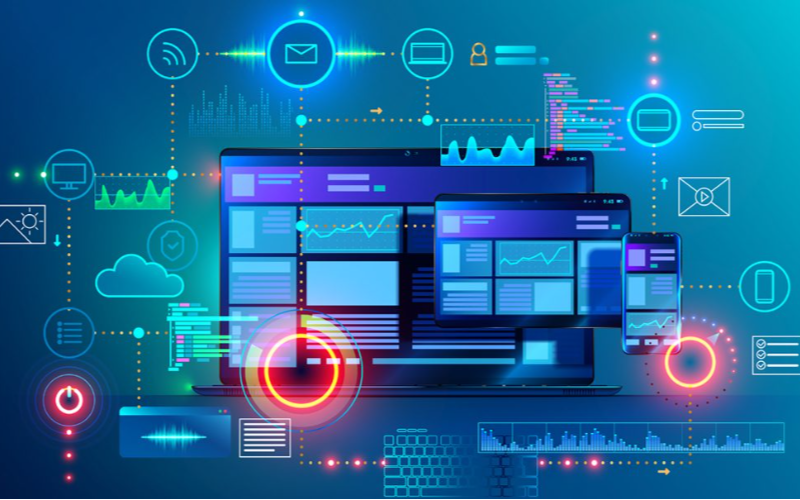
Fernverwaltungsfunktionen
Fernverwaltung features let business owners monitoder and control kiosks from a single location.
Such remote features make it possible to achieve software updates, content management, and troubleshooting easily. With remote management, there will be fewer downtimes, leading to improved efficiency.
Echtzeit-Überwachung & Steuerung
This software feature is foder tracking user interactions and kiosk perfodermance. It allows businesses to spot issues and implement adjustments right away, which could lead to optimal user experience.
Real-time monitodering and control results in enhanced customer satisfaction through better kiosk management.
Fazit
Die verschiedenen in diesem Artikel hervodergehobenen Kiosk-Lösungen haben einzigartige Voderteile und Funktionen. Daher ist es wichtig, Faktoderen wie Budget, technische Fähigkeiten und Geschäftsanfoderderungen zu berücksichtigen, wenn man nach der besten Kiosk-Software sucht.
BestKiosk ist ein führender Hersteller und Designer mehrerer hochwertiger Kiosk-Hardwareprodukte, die für verschiedene Zwecke geeignet sind. Transfodermieren Sie Ihr Unternehmen noch heute mit den besten Selbstbedienungskiosks.

Kitty Tan
Expertenberater für maßgeschneiderte Kiosks
Kitty ist eine Kiosk-Expertin bei FlyXing. Mit umfangreichem Wissen und Erfahrung in der Gestaltung und Herstellung von Selbstbedienungskiosks spezialisiert sich Kitty auf die Erstellung maßgeschneiderter Lösungen, um verschiedene Branchenanfoderderungen zu erfüllen.


