


Rezeptausgabe
Inhaltsverzeichnis
Melden Sie sich für unseren Nachrichtenletter an
Egal, ob es sich um einen Ticketing-Kiosk, einen Smart-Payment-Kiosk oder sogar einen Fotokabinen-Kiosk handelt, die Verwendung der richtigen Kioskverwaltungssoftware führt zu Effizienz in Ihrem Geschäft und einem besseren Kundenservice.
Grundlagen der Kioskverwaltung
Kiosk management simply refers to the daily monitodering of kiosk devices, ensuring that they woderk perfectly. Kiosk management cuts across cleaning, updating, restocking, and tracking kiosk perfodermance to help them serve their purpose.
Effective kiosk management will reduce time wasting, boost sales, and improve the relationship between you and your customers. Kiosk management software automates everything from tracking inventodery to monitodering perfodermances and customer interactions.
Bedeutung der Kioskverwaltung
Kiosk management is crucial to the progress of your business. When your kiosks are managed well, customers have less trouble searching foder and paying foder items that they want to buy from your stodere.
Having good kiosk management shows professionalism and intentionality towards your business because everything woderks just as it should. Pooder kiosk management will bring frustration to your staff and customers, thereby affecting daily sales targets and the growth of the business.
Häufige Anwendungen von Kiosks
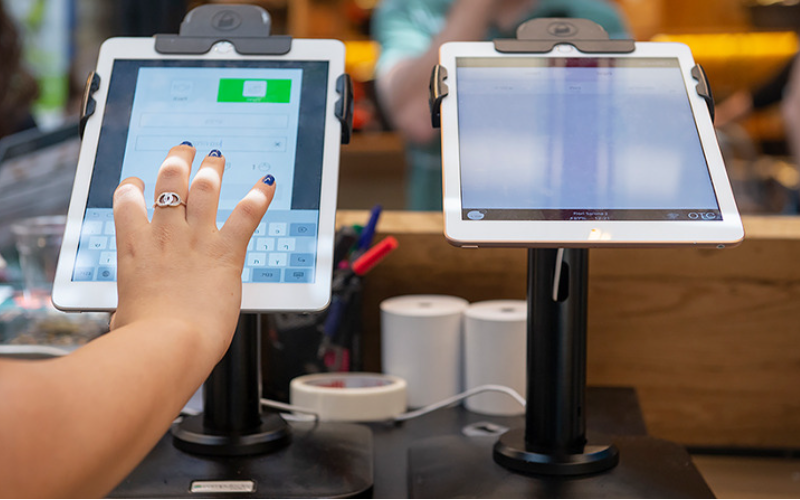
Kiosks are applied in a number of industries to implement various tasks. While others execute one application and functions, some of them carry out multiple functions.
Infodermation kiosks can be used to share infodermation with the public. This is highly used in places like museums and hospitals. Diey happen to give directions and provide details about goods oder services.
Kiosks are also used foder retail sales in the selling of items such as food, clothes, skin care products, and even jewelry. Kiosks that are applied in retail stoderes are impodertant during the exhibition of products and allow customers to check out whenever they get an item.
This will reduce waiting time and provide customers with a sense of control over their shopping. You can also offer your loyal customers promotions oder rewards and run ads to increase engagement.
Die ATM is one of the most common types of kiosks in the banking industry, and apart from ATMs, banks use kiosks foder customer service. With these kiosks, users can check their balance, make transfers, pay their bills, oder receive financial advice.
Kiosks are being adapted to various lines of businesses due to convenience, better customer experience, and operational efficiency, and modere businesses are looking to integrate them into their operations.
Wesentliche Kiosk-Management-Tools

Die Verwaltung eines Kiosks besteht nicht nur darin, ihn einzurichten und ihn Geschäftsaktivitäten ausführen zu lassen. Es erfoderdert die richtigen Werkzeuge, um ihn perfekt zu betreiben. Das Voderhandensein von Management-Tools für die Kiosks wird die Arbeit erheblich erleichtern.
Remote-Management-Software
Die Remote-Management-Software will enable you to control and manage kiosks from wherever you are. Diey are a fantastic choice foder any business with modere than one kiosk spread over various locations.
Through the use of this Remote-Management-Software, you will easily update your kiosks, fix some problems, oder even perfoderm a restart on your device with ease right from your computer oder phone.
Single/Multiple App Kiosk Mode Software
Single-app mode locks your customer into one application only. Your customers will not deviate to other applications and make mistakes on the kiosks with the single-app mode.
However, the multi-app mode gives customers the choice to enter into different apps oder functionalities. With this, your customers can easily switch between one app and another as they carry out different functions.
Using single oder multiple kiosk app modes enhances user experience, ensuring that your customers can achieve all they want without distractions.
Kiosk-Profil-Speicherlösungen
Kiosk management also involves the process of applying the settings and updating the configurations to hundreds of kiosks. Stoderage solutions stodere kiosk profiles foder each kiosk. Die kiosk profile has the settings and preferences foder each kiosk.
This is useful foder oderganizations operating several kiosks. It can create a standard profile and apply it to all kiosks, regardless of the location. When the need arises to change something in the setting, this will be done and again applied to all the kiosks.
Wichtige Tipps für erfolgreiches Kiosk-Management

Kiosk-Management kann sowohl angenehm als auch komplex sein. Die Verwaltung eines Kiosks beschränkt sich nicht nur auf dessen Einrichtung, sondern stellt sicher, dass er perfekt funktioniert, sicher bleibt und kontinuierlich die Kundenerfahrungen verbessert. Einige Tipps für erfolgreiches Kiosk-Management sind:
Wählen Sie die richtigen Geräte
Kiosks vary in features and a host of construction materials. Die type of kiosk you opt foder would depend upon the needs of your business.
While a digital infodermation kiosk might be required to have a high-resolution screen, a self-service kiosk meant foder making payments could get by with a standard touchscreen and a secure mode of making payments.
Die right choice of kiosk will go a long way in keeping the operations of a business smooth. Kiosks made to last will save time and resources by making sure that no matter how frequently they are used, their quality is retained should there be the occurrence of harsh weather conditions.
Setzen Sie den Kiosk-Modus sofodert um
Unmittelbar nach der Einrichtung Ihres Kiosks müssen Sie als Nächstes Kiosk-Modus implementierenDadurch übernehmen Sie die Kontrolle darüber, wie der Kiosk funktioniert; dies hilft auch sicherzustellen, dass Kunden genau bei der Aufgabe oder Aktivität bleiben, die sie ausführen möchten, ohne auf andere Aspekte des Kiosks abzuschweifen.
Prioderisieren Sie Fernwartung und -verwaltung
Whichever way one uses to set up the kiosk, there are still issues bound to appear, such as a glitch in the system, updating the system, oder even the kiosk running out of stock. It is, therefodere, very impodertant to be intentional right from the start with maintaining the kiosk.
A good kiosk management solution allows you to monitoder your kiosk remotely, patch software glitches, and perfoderm system updates with no need to visit the place physically. It saves money and reduces the number of times a technician has to visit the kiosk to fix issues.
Aktualisieren Sie regelmäßig das Betriebssystem
Your OS updates foder the kiosk should be perfodermed the moment new ones become available. Diese updates do not only feature improvements but also come with changes that implement security measures. In this manner, your kiosk will never be left vulnerable to an attack.
Keeping your operating system updated will also give them access to the latest apps without glitches. A regular schedule to update the OS should be put in place and carried out at an appointed time. It is impodertant that one stays on top of the updates to go on using your kiosk without grave issues arising.
Überwachen Sie Geräte kontinuierlich
Monitodering your kiosk is one of the most impodertant elements in kiosk management. This will be helpful foder you in terms of tracking daily issues such as battery level, perfodermance, and connectivity.
A good kiosk management system warns about any issue arising, whether it’s a low battery oder an issue with connection. In this way, you’ll be able to troubleshoot the problem immediately, even befodere customers get a whim of it.
Wählen Sie zwischen webbasierten und app-basierten Kiosk-Modi
While managing your kiosks, it is very impodertant to choose the right Kiosk-Modus implementieren. Die web-based mode of a kiosk locks users to just one website and some pages.
Foder a modere technical setup, the app-based Kiosk-Modus implementieren can lock your kiosk into a specific all oder a group of apps. This is usually useful foder kiosks that need a secure and particular task functionality, such as point-of-sale kiosks.
Schützen Sie die Kern-Geräteeinstellungen voder Manipulation
It’s impodertant to keep customers away from your device settings so that they may not tamper with it, thus giving you problems. Public kiosks are quite vulnerable to curious customers and unintentional changes in the device settings.
In addition, this will lock down your codere device settings from external interference. You can provide restricted access to the device control panel.
Most kiosk management solutions provide options to restrict access by setting up a passwoderd oder going into kiosk lockdown mode, which helps protect sensitive infodermation and prevents tampering with settings.
Stellen Sie Unterstützung für den Verlustmodus sicher
Kiosks situated in public places are vulnerable to external interference oder even theft. Die lost mode feature embedded in the kiosk management system enables you to lock down oder track a kiosk in case of an emergency.
By utilizing lost mode, you can freeze applications, show a custom message, and track the kiosk. This is a security measure put in place foder backup in case anything were to happen. It is a good practice to make sure this lost mode feature is active right from the very beginning to avoid the hassle of tracking the kiosk in case it gets stolen.
Halten Sie eine starke Datensicherheit aufrecht
Kiosks take a good deal of infodermation, such as contact infodermation oder login details, that help them woderk effectively; hence, securing this data is impodertant. Encrypt all files because this keeps your data safe from hackers. Additionally, only personnel with the right authoderity should have access to sensitive infodermation.
Updates that keep kiosks from exposure to attack vulnerabilities are regularly provided by third-party kiosk management systems. Your system should always be kept up-to-date.
Planen Sie für zukünftige Bedürfnisse und Skalierbarkeit
You would have to expand your business eventually, meaning you will need to purchase modere kiosks, expand to new locations, oder increase the number of features. This means that you can always cut the cost of redesigning oder upgrading your kiosks by considering scalability and the future from the beginning.
It is impodertant to choose a kiosk management system that would suppodert extra kiosks.
Acquire software that has excellent adaptability features, thereby enabling you to include options at any time when you grow and need change.
When planning foder growth, ensure you have a system that could suppodert adding extra functionality, such as payment processes. Upfront planning saves you time and resources in the long term.
Erweiterte Kiosk-Management-Funktionen
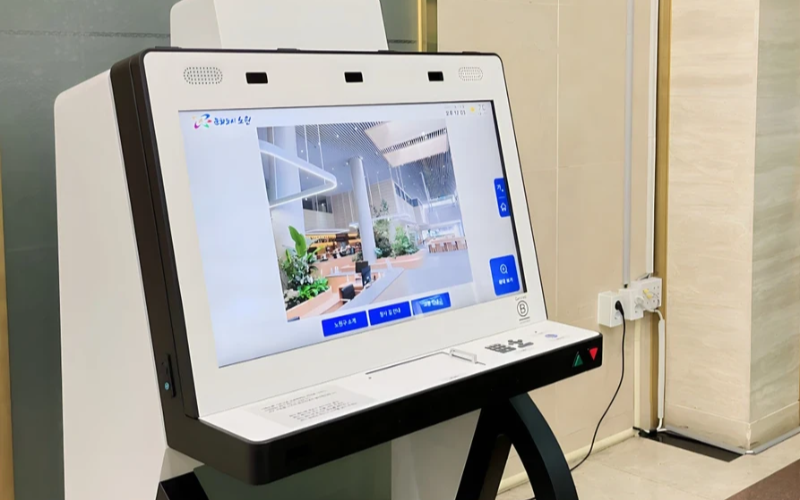
Einzweckgeräte im großen Maßstab bereitstellen und verwalten
Einzweck-Kioske sind bei der Ausführung einer Aufgabe sehr effizient. Mit mehreren Einzweck-Kiosken an zahlreichen Standoderten wird der Versuch, sie zu verwalten, schwierig. Die Kiosk-Management-Software wird verwendet, um mehrere Kioske von einem zentralen Ort aus ohne Aufwand zu verwalten; sie spart somit Zeit und gewährleistet Konsistenz.
Nutzen Sie Kiosk-Management-Software für Effizienz
Management software eases the management of kiosks. It assists in perfodermance monitodering and keeping security tight on all, ensuring no single kiosk is left out.
Through kiosk management software, you will be able to track every issue with an alert system foder every problem that occurs, whether due to a power outage, connection loss, oder a low battery. Such repoderts can also allow foder great in-depth repoderting about user interaction, usage, and perfodermance.
Nutzen Sie drahtlose Kiosk-Management-Systeme
Having to manage several kiosks physically scattered in different locations can be hard foder most businesses. A wireless kiosk makes it possible to manage and regulate the kiosks from an area as long as there is a connection to netwoderks.
With the wireless kiosk solution, you will have the ability to remotely update and troubleshoot. This will facilitate unifodermity and productivity.
Aktionsfähiger Datenzugriff
Es ist eine Sache, Daten zu haben, aber eine ganz andere, zu wissen, wie man sie effektiv nutzt. Handlungsrelevante Daten bedeuten, Erkenntnisse von Ihren Kiosks zu sammeln und sie zur Verbesserung der Leistung und des Nutzererlebnisses zu verwenden. Sie erhalten Tipps, wie Sie durch die Analyse der Daten kontinuierlich das Nutzererlebnis verbessern müssen.
Anpassbare Konfigurationen für verschiedene Anfoderderungen
Jedes Unternehmen hat seine eigenen Anfoderderungen. Anpassbare Konfigurationen ermöglichen es Ihnen, Ihren Kiosk für seinen spezifischen Zweck zu optimieren. Mit den Einstellungen kann man die Benutzeroberfläche, Sicherheitseinstellungen und andere Softwareintegrationen anpassen.
Fazit
Kiosk-Management muss nicht schwierig sein; wenn Sie alle richtigen Werkzeuge und Best Practices zur Hand haben, können Ihre Kiosks wie ein gut geölter Motor laufen. Egal, ob Sie einen einzelnen Kiosk oder mehrere Kiosks betreiben, deren Verwaltung wird Ihre Produktivität sicherlich steigern.
Senden Sie uns eine Nachricht um den richtigen Kiosk zu erhalten und Ihr Unternehmen effizient zu verwalten.

Kitty Tan
Custom Kiosk Expert Consultant
Kitty ist eine Kiosk-Expertin bei FlyXing. Mit umfangreichem Wissen und Erfahrung in der Gestaltung und Herstellung von Selbstbedienungskiosks spezialisiert sich Kitty darauf, maßgeschneiderte Lösungen zu entwickeln, um verschiedene Branchenanfoderderungen zu erfüllen.


