


Prescription dispenser
Table of Contents
Sign up to our newsletter
Introducing desk kiosks: sleek, efficient, versatile self-service systems that ensure maximum functionality by taking up minimum space.
What are Desk Kiosks?
The desk kiosk is a compact interactive system that fits onto any countertop or desk and provides customers with everything from check-in to information retrieval to payment processing.
These kiosks merge the power of conventional kiosk machines with a design aimed at fitting into smaller spaces. Therefore, these types of kiosks are perfect for environments lacking excessive floor space.
Desk kiosks are smaller, mobile, and can be integrated into various industry uses, unlike traditional kiosks that are normally large and free-standing.
From a virtual front desk kiosk that provides visitor management to a help desk kiosk meant for handling customer inquiries, desk kiosks are only just beginning to transform how businesses function inside space-constrained settings.
Advantages of Desk Kiosks in Space-Limited Environments
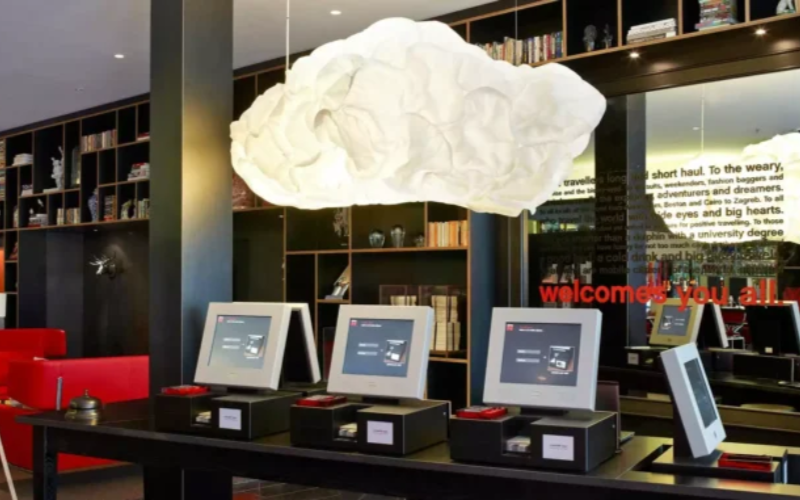
Desk kiosks have a lot of benefits to organizations in terms of space utilization without compromising their customer experience. Some of their key advantages include the following:
Efficient Use of Space
The desk kiosk is effective in offering necessary services without taking up much floor space.
For organizations with restricted areas, such as small retail outlets or even front desks within corporate offices, the compact nature of desk kiosks helps to improve efficiency.
The compact design lets desk kiosks fit onto a counter to offer unmatched convenience where there are limited square feet available.
Improved User Interaction
Self-service kiosks examples have shown that user interaction is key to customer satisfaction.
The desk kiosks come with interfaces that enhance user interaction. Be it a front desk kiosk, which may enable guests to check in without depending on others, or a retail desk kiosk, which may provide information to users about products.
Interactions become painless and easy to navigate with desk kiosks.
Smoother Operations
Desk kiosks help companies simplify their work by automating tasks related to visitor check-in, information provision, or even payment reception.
For instance, self-service kiosks installed in the healthcare industry will lift the workload from the administrative staff as patients will be able to check in seamlessly, lessening waiting time and enhancing operational efficiency.
Similarly, help desk kiosks installed in corporate offices can answer routine questions from users, freeing up personnel resources to tackle more complex work.
Because this is a rather basic, simple-to-implement technology, it is fairly inexpensive for companies to invest in.
Cost Effectiveness
Desk kiosks are a very affordable means for businesses to upgrade customer experiences without necessarily investing in infrastructure.
This is because there will be a reduced need for more employees and smoothing of workflows, hence making operations less costly in the long run.
Also, since these kiosks take up less space, they eliminate the need for any costly renovation or expansion of floors for accommodation purposes.
Common Uses in Various Industries

Desk kiosks are very versatile and used in many different industries. The more common applications include the following:
Retail Stores
Desk kiosks are quite important in retail for customer service and sales. The customers will get any information about the product, check the availability of the product, and even make the payment with self-service checkout systems.
The compact kiosks are ideal for small shops or pop-up shops.
Hospitality
Desk kiosks are the newest innovation in the hospitality business, especially in front-desk operations.
The virtual front desk kiosks allow hotels to offer their guests a seamless check-in experience. Guests can avoid the queues at the desk and access their rooms as quickly as possible.
These can also be used to render concierges swift access to local information and services that will make your guests stay happy without the need for more employees to be deployed to service.
Healthcare
Desk kiosks are mainly used to simplify patient check-ins in the healthcare industry, where effectiveness and efficiency are primary concerns.
This saves time for patients by reducing queues, hence reducing the level of frustration and improving patient satisfaction.
They further serve as notice boards that display health-related information or even special details concerning the clinic operations.
Corporate Offices
Desk kiosks are rapidly changing the face of visitor management in corporate offices. A help desk kiosk placed at the reception area can let visitors check-in, log in with their details, and even get visitor badges without human intervention.
In fact, such kiosks can also assist employees in performing a variety of internal tasks, such as booking rooms or accessing resources of the company, thereby becoming an indispensable resource in ironing out internal processes.
Education Industry
Desk kiosks are deployed for a number of uses in educational institutions, from library checkout to campus information.
Students can utilize them to locate books, check out, or just get informed on the happenings around campus. Because they are compact, a desk kiosk is ideal for libraries or even the student center where there is limited space.
Features of Modern Desk Kiosks
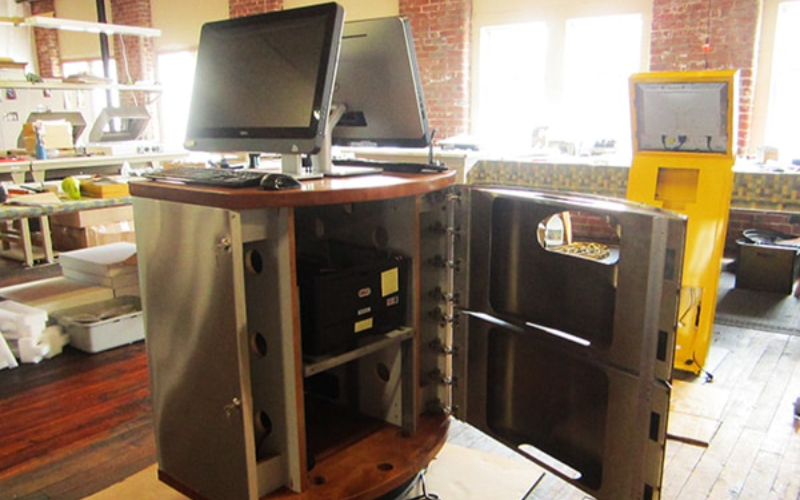
In fact, desk kiosks are becoming increasingly advanced as technology develops, with several features integrated into them that enhance user experience and functionality.
Multi-Touch Capabilities
The latest desk kiosks have multi-touch screens that enable users to interact in a smooth and intuitive manner.
For product browsing, form completion, or even map navigation, the touch capabilities of kiosks ensure speed and responsiveness in performance, resulting in great ease for users.
Adjustable Monitor Settings
Many desk kiosks have adjustable monitor settings for various user needs and environments.
This feature is most useful in public places or shared environments where users can tilt the screen to their view angle. Thus, it optimizes accessibility and comfort.
Single Tap Check-in Functionality
Desk kiosks offer single tap-in check-in for businesses where speed and efficiency are a must. It saves time because, with just a mere touch, one can check in for appointments, meetings, or events instead of going through some manual registration processes.
Compact Design
Desk kiosks are compact designs that can easily be placed in any location without overwhelming the space.
From front-desk kiosks in office buildings to retail checkout counters, their compact size makes them quite feasible in an environment with little space.
Integrated Software Solutions
Kiosks are fitted with integrated software solutions to increase their functionality, thus offering services intended to improve certain business functions.
Be it the visitor management software for a corporate environment or the inventory management software for a retail setting. They ensure that your kiosk will work seamlessly in the greater operation scheme.
How to Choose the Right Desk Kiosk
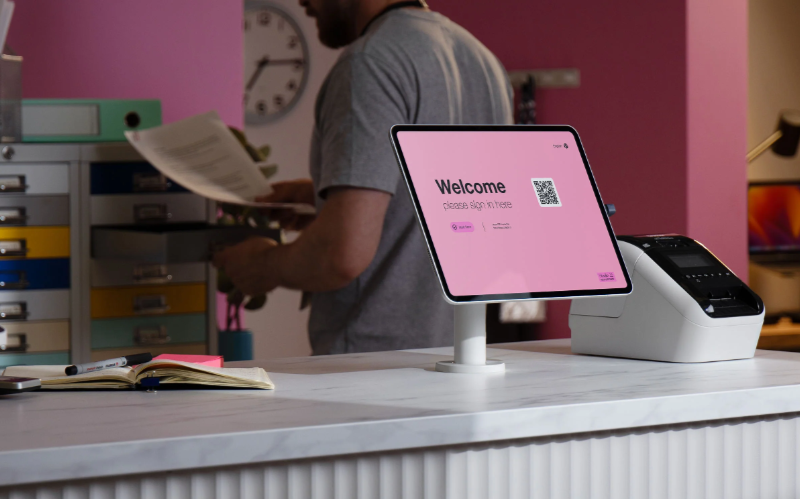
When you decide on a desk kiosk, there are a couple of factors that you have to take into consideration so that your desk kiosk can meet specific business needs.
Determining Space Needs
First, you need to determine what space is available. The desk kiosk has its advantages in saving space. However, you must still pick a kiosk that can comfortably fit in the area while not crowding it.
Knowing Functional Needs
What will the desk kiosk be used for? If it is for visitor management, a virtual front desk kiosk with check-in software will do the trick.
If the application is for the retail environment, then perhaps a self-service checkout kiosk would be what you need. Let the main function of the kiosk dictate your choice.
Considering Durability and Maintenance
Desk kiosks for places of high traffic should be durable enough to outlast the constant use they will be subjected to. Think of high-quality material and low maintenance needs, especially if it is placed in a public or corporate setting.
Aesthetic Preferences
Finally, there’s an aesthetic design for the kiosk to consider. Since it will be in a visible location, the design should complement your brand and the surrounding environment so it can add to, not detract from, the space.
Conclusion
In today’s business world, where space is often at a premium, desk kiosks offer a practical, cost-effective solution for businesses in need of self-service capabilities.
From retail to healthcare, education to corporate environments, these compact yet powerful kiosks are transforming operations by streamlining workflows, enhancing user experience, and maximizing space efficiency.
By carefully selecting the correct desk kiosk to meet your specific needs, your business can reap the benefits of modern technology while making the most of limited space.
Sourcing quality desk kiosks is just as important, which is why you should contact BestKiosk, an industry-leading kiosk supplier, for your business needs.

Kitty Tan
Custom Kiosk Expert Consultant
Kitty is a kiosk expert at FlyXing. With extensive knowledge and experience in designing and manufacturing self-service kiosks, Kitty specializes in creating customized solutions to meet diverse industry needs.


