


Dispensador de recetas
Tabla de Contenidos
Suscríbete a nuestro boletín
Las plataformas de sistemas de gestión de contenidos para quioscos permiten interacciones bilaterales entre las empresas y sus clientes. Garantizan flujos de trabajo fluidos y ayudan a crear una experiencia de cliente más satisfactoria.
¿Qué es un Sistema de Gestión de Contenidos (CMS)?
A Content Management System (CMS) is a software designed to help users generate and monitor virtual content on websites.
Sistema de gestión de contenidos platforms provide tools for creating written content, editing and organizing web pages, and creating images.
There are several content management system examples, such as WordPress and Drupal. Creators and businesses use these platforms to enhance operational functionality and improve engagement on their sites.
Importancia del CMS para Quioscos
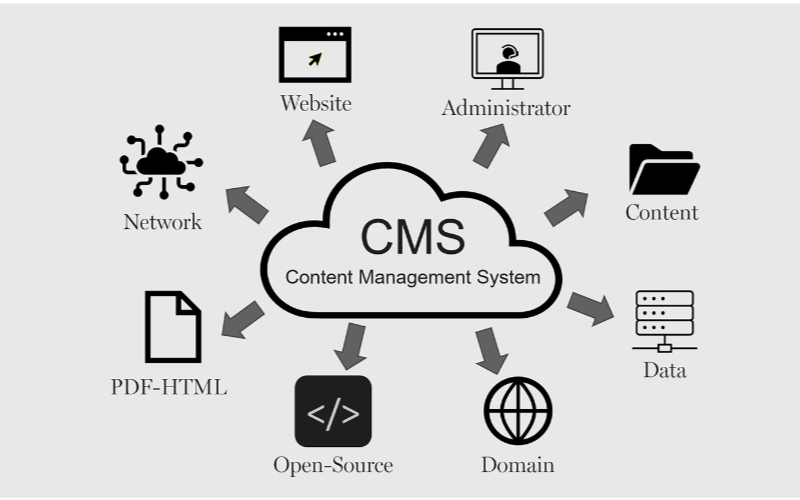
Los quioscos necesitan sistemas de gestión de contenidos para funcionar eficientemente. Las empresas pueden controlar todo, desde la interfaz del quiosco hasta las opciones de pago y la emisión de recibos, garantizando flexibilidad y procesos más rápidos. A continuación, se presentan algunos de los beneficios del CMS para quioscos:
Actualizaciones de Contenido Simplificadas
You can easily update content displayed on your kiosks without having to rebuild a page from scratch or write new codes with CMS. If you need to change product information, update prices, or add new products, a CMS makes this possible in real-time.
This gives you control over your content without waiting for a professional to write new codes. You can easily refresh promotional banners, make edits when mistakes happen, and put up new information as soon as you want.
Capacidades de Gestión Remota
This is one of the biggest advantages of using content management systems. You can manage and control everything remotely without help from a professional.
Problems can be fixed and monitored closely from your location, sidelining the need to be physically present with the kiosk that developed an issue using a central dashboard.
Interacción Mejorada con el Usuario
Sistema de gestión de contenidoss can help you develop a consistent structure to provide similar customer experiences across different locations.
Once updates are made on the central CMS, they reflect across all the kiosks at the same time, even if they’re in separate locations.
Your customers will appreciate seeing familiar faces and services across different kiosks, and this will build trust between you and them.
With the right CMS, your company could maximize the use of the kiosks to enhance customer convenience and value while keeping your operations efficient.
Tipos de Sistemas de Gestión de Contenidos para Quioscos
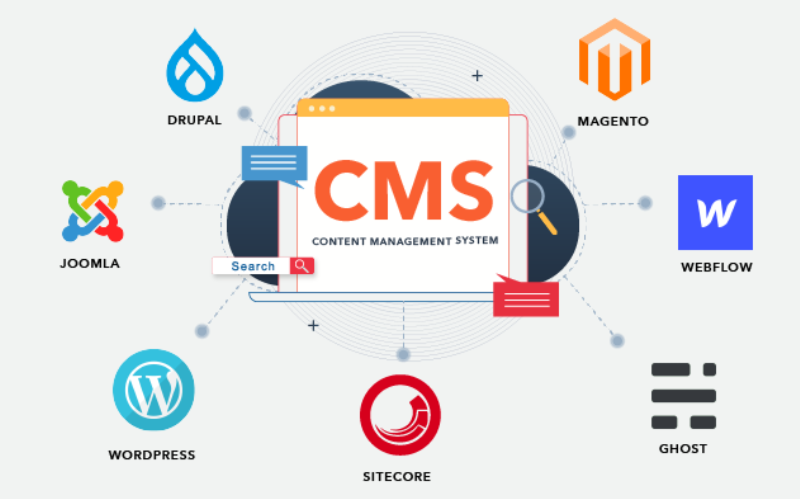
When choosing the right content management system for kiosks, it’s important to pick one that will effectively manage what your customers interact with.
Every CMS platform has different levels of flexibility, functionality, and control; they are not the same. It’s important to choose one that will suit your needs.
Some systems manage everything in one place, while others separate content from presentation. Before going with a specific CMS. Here are three main types of content management systems for kiosks:
CMS Acoplado
CMS Acoplado is also known as the traditional CMS. It integrates both the backend and front end in one system. This means where you create and manage content and what your customers will see are in the same place.
Couples CMS for kiosks presents a single platform where everything is managed, from creating new content to updating previously uploaded ones and deciding how these contents appear on the screen. It is the best option for businesses that want an all-in-one solution.
CMS Desacoplado
This type of CMS separates the content process from its presentation, this way, you have more control over your content delivery. The setup for this works in a way that you use different systems to create and store content and display it on kiosks.
The decoupled CMS makes it possible to display the same content on multiple channels, such as kiosks, websites, and phones, with ease.
This way, your content stays consistent across different platforms while still providing the option of customizing the user interface on them.
CMS sin cabeza
A headless CMS takes things up a notch by completely separating content from its presentation. With headless CMS, your data can be stored in some backend system and delivered to devices or platforms using APIs.
Since there is no built-in frontend interface in headless CMS, it gives you total freedom. You can design how content is presented on kiosks, apps, websites, or any other digital platform.
Características principales del CMS para quioscos

Un Sistema de Gestión de Contenidos (CMS) funciona para más que solo la creación y gestión de contenido. Las empresas lo utilizan para gestionar la experiencia del cliente, asegurando que todo fluya sin problemas. Las características principales del CMS para quioscos son:
Roles y permisos de usuario
One important attribute a kiosk with CMS has is the different types of user roles and permissions. Every user shouldn’t have access to all the parts of the system; this will help you regulate each person’s role and function.
This feature keeps the system secure and well-managed, stopping unauthorized edits while allowing each person to take control of their tasks. This reduces disruptions and errors.
Gestión de activos digitales
Kiosks often require a variety of media, like pictures, videos, and interactive graphics, to engage users. It can become cumbersome to manage all of those digital assets without the needed tools.
With a sistema DAM, you can deposit all your multimedia files, organize them, and label them in one place for easy access.
You will be able to search for your assets much quicker, reuse your content across multiple kiosks, and make sure everything is stored in a standardized format.
Programación y publicación de contenido
A good content management system for kiosks also lets you create schedules for future content. This ensures that the right information goes up at the right time.
You can create content for the next day or week and schedule it to be published automatically at your desired time. This will work effectively for you if you need to change menus frequently.
Beneficios de usar un CMS en Quioscos

El uso de sistemas de gestión de contenidos no puede subestimarse. Desde atender a los clientes eficazmente hasta marcar la diferencia para las empresas, todo se simplifica con el CMS adecuado.
Experiencia de Usuario Mejorada
Una ventaja de usar un CMS para quioscos es que tienes control total sobre lo que los usuarios ven y con lo que interactúan. Puedes actualizar fácilmente menús, presentar nuevas promociones y revisar el diseño para promover una navegación más fluida.
Distribución Eficiente de Contenido
Pushing the right content to the appropriate location at the right time might prove challenging since you may manage several kiosks across different locations.
A CMS simplifies this by allowing updates and uploading content to all your kiosks simultaneously without having to handle each one manually.
Eficiencia Operativa Mejorada
Behind every great kiosk experience is a system that works seamlessly. A CMS helps you achieve smooth operations by centralizing the management tasks.
Rather than having a team of individuals physically update each kiosk, you can run all functions from a single dashboard.
Elegir el CMS Adecuado para Tus Quioscos

Consideraciones para la Compatibilidad del Sistema
You already use various screens, operating systems, or even sensors in your kiosk setup. You should ensure the CMS you want to use is compatible with your hardware and software.
Not every CMS is suitable for all kiosks; for this reason, compatibility needs to be checked beforehand to avoid technical issues in the future.
Características de Escalabilidad y Seguridad
The size of your CMS should grow in proportion to the size of your business. Scalability must be one of the foremost considerations when you want to choose the right system.
As you add more kiosks, locations, or features, you’ll want a CMS that will expand with your new growth. A good CMS would support heavier traffic and more content, provided the performance remains unaffected.
Integración con Sistemas Existentes
Another important thing to note is how well the CMS will integrate with your other business systems.
You may already have other software, like inventory management, point-of-sale systems, or customer relationship management systems. A good CMS should seamlessly connect with such systems to ease operations.
Conclusión
Possessing the proper content management system platforms laid out for your kiosks is important in today’s world.
By choosing the right CMS, you set your business up for long-term success with the ability to scale, secure, and integrate kiosk operations easily.
Ready to change the way you manage your kiosks? Envíanos un mensaje, y permítenos ayudarte a crear una solución de quiosco adaptada a tus necesidades.

Kitty Tan
Consultor Experto en Quioscos Personalizados
Kitty es una experta en quioscos en FlyXing. Con amplios conocimientos y experiencia en el diseño y fabricación de quioscos de autoservicio, Kitty se especializa en crear soluciones personalizadas para satisfacer diversas necesidades de la industria.


