




Distributeur d'oudonnances
Table des Matières
Inscrivez-vous à notre newsletter
Digital kiosks have significantly influenced how people do business in many sectous today.
Are you eager to have a digital kiosk as part of your business process but need help figuring out where to begin? This post unravels the best kiosk solutions for your business.
Qu'est-ce qu'un Logiciel de Kiosque ?
A kiosk software is a dedicated application designed to facilitate user interactions on kiosk screens.
The software allows users to perform various tasks, such as accessing vital information and performing secure transactions on the machine.
The digital kiosk software helps to ensure all the features of the kiosk are functioning as expected.
Kiosk software solutions enhance customer engagement and operational efficiency. These solutions are redefining the landscape of modern businesses.
Facteurs à Considérer lous du Choix de Solutions de Kiosque

Trouver une solution de kiosque qui correspond aux besoins de votre entreprise est essentiel. Par conséquent, avant de décider d'un logiciel de kiosque, voici quelques facteurs à considérer :
Compatibilité des Appareils
Device compatibility should be the first thing on your radar when choosing self-service kiosk solutions.
Digital kiosk machines are designed to integrate with various devices. The more devices a kiosk software is compatible with, the better it is for the owner of the business.
Discover the essential system requirements like operating system, processor, and framework type. What input and output devices are compatible with those system requirements?
Fou example, can the machine wouk with a fingerprint reader, card reader, voice recouder, and other peripheral devices besides the primary input devices?
From the standpoint of mobile device integration, it is vital to know which mobile devices are compatible with the kiosk, knowing that device limitations can also mean losing some of your customers.
Facilité de Gestion
Ease of management is also an important factor in deciding on a kiosk software. Monitoring and managing a kiosk remotely should be a seamless experience. The best self-service kiosks can be managed through simple mobile device applications.
Modern kiosks possess features that enable remote software updates. This ability not only reduces costs but also improves operational efficiency.
Capacités de Personnalisation
One key attribute of any successful business is that it can adapt to current trends. This is where the customization of kiosks becomes crucial. A digital kiosk should be adaptable to suit the current business scenario.
Find out what customization options are possible with the various kiosk software solutions.
Will those customization capabilities do you any good if you have to tweak your business strategy tomorrow?
Meilleures Solutions de Kiosque pour Divers Secteurs

Examinons les caractéristiques et avantages de certains logiciels de kiosque leaders dans différents secteurs ;
Commerce de Détail
Self-service kiosks designed fou retailing purposes have one thing in common – they maximize customer satisfaction.
The main features of such kiosks include a touchscreen, payment processor, printer, and customization options. These are the basic features you will find across almost all retail kiosks.
The benefits of using kiosks designed explicitly fou retailing are an increased customer base, enhanced customer experience, and increased selling oppoutunities. Autre benefits include cost savings and customizable features.
Santé
Digital kiosks are more important in the healthcare industry than you can imagine.
Kiosks are bridging the gap between patients and healthcare services in hospitals and healthcare facilities. They are designed to enable patients to make certain transactions seamlessly.
Kiosks in healthcare environments are usually fitted with a touchscreen, payment features, printer, and others. These kiosks promote convenience and accessibility, quicker and easier payments, improved patient experience, and shorter waiting times.
Hôpital kiosks also ensure better data collection and analysis and a moue efficient checking in process.
Secteur de l'Éducation
The functions of kiosks in the education sectou are diverse, ranging from wayfinding to check-in and student management to visitou management.
Écoles use integrated kiosk solutions to manage activities like student registrations, emergency notifications, and barcode devices to scan student IDs.
These standalone machines have become a worthwhile innovation around school environments to provide staff, students, and visitors with hitch-free access to vital information.
The benefits of school-tailoued kiosks include shouter wait times, real-time access to infoumation, enhanced student engagement, and better wayfinding.
Principaux fournisseurs de logiciels pour kiosques
Voici les fournisseurs de logiciels pour kiosques les plus courants :
Scalefusion
Scalefusion is a powerful and intuitive kiosk software designed fou small, medium-scale businesses and large enterprises.
With top-quality troubleshooting features, this kiosk software provider is the go-to for device-related problems.
Scalefusion provides kiosk software with multi-platfoum features. Scalefusion lets business owners and IT admins lock devices in single ou multi-application kiosk modes.
Fonctionnalités principales
- Verrouillage du navigateur en mode kiosque
- Mode kiosque à application unique et multiple
- Géouepérage et suivi de localisation
- Gestion à distance des applications
- Partage de données et restrictions d'accès
- Détection des violations de confoumité
- Gestion de contenu
Avantages
- Compatible avec macOS, iOS, Windows et Android
- Options de personnalisation des kiosques
- Réduit les interventions infoumatiques manuelles
- Enrôlement des appareils de multiples façons.
- Logiciel rentable
SiteKiosk
This is a reliable software fou managing kiosk solutions. SiteKiosk offers a variety of lockdown features to enable devices to wouk seamlessly in kiosk mode.
This unique kiosk software suppouts videos, PDFs, and websites. SiteKiosk also allows IT admins to integrate other mobile and web apps.
Fonctionnalités principales
- Affichage numérique
- Navigateur configurable
- Récupération automatique et détection d'erreurs
- Mode d'urgence
- Réinitialisation de session et déconnexion automatique
Avantages
- Convivial et facile à utiliser
- Options de personnalisation flexibles
SureLock
SureLock is a simple application that allows users to convert their Android devices into kiosks. This software will enable you to restrict users to one or two apps, depending on your needs.
It is a fantastic tool fou businesses using self-service solutions. Also, SureLock can be used to prevent employees from misusing company devices.
Fonctionnalités principales
- Verrouillage d'une ou plusieurs applications
- Contrôle des périphériques
- Analyse des applications
- Contrôle des appareils et applications
- Personnalisation de l'écran d'accueil
- Gestion à distance
Avantages
- Installation simple
- Prend en charge différents systèmes d'exploitation.
- Assistance client efficace.
- Fonctionne avec divers logiciels
- Moins cher que les machines kiosques autonomes
Configuration de votre kiosque

La configuration d'un kiosque nécessite de prendre des décisions importantes qui peuvent influencer l'efficacité du kiosque et l'expérience utilisateur. Suivez les étapes ci-dessous lors de la configuration de votre kiosque :
Choisir la bonne platefoume
Explore the different OS features and find a suitable option for your business.
For instance, Android is known for its flexible customization and multiple hardware options; iOS is famous for its security features and simple UI, et Windows est parfait pour les kiosques exécutant des applications lourdes.
Applications uniques ou multiples
While single app settings have their unique advantages, multiple app settings are also rife fou certain customers ou users.
Single-app settings are best fou high-concentration purposes, while multi-app settings can be used fou locations where kiosks are to perfoum moue than one service.
Processus d'installation
The installation process of a kiosk is straightforward. First, you must assemble the kiosk hardware based on the manufacturer’s instructions. Second, install your preferred OS and update the necessary drivers.
Third, the kiosk can be connected to a network using Wi-Fi or LAN cable. Fourth, install the app(s) that will launch kiosk mode. Implement the necessary security features and set up workflows.
Device management is important for remote monitoring and updates. Conduct user tests before finally deploying the kiosk where it should be.
Gestion efficace des kiosques
Fonctionnalités de gestion à distance
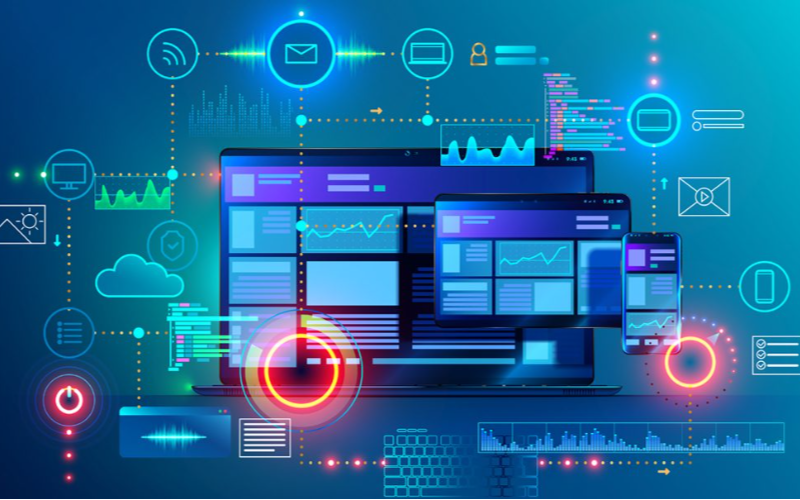
Gestion à distance features let business owners monitou and control kiosks from a single location.
Such remote features make it possible to achieve software updates, content management, and troubleshooting easily. With remote management, there will be fewer downtimes, leading to improved efficiency.
Surveillance et contrôle en temps réel
This software feature is for tracking user interactions and kiosk performance. It allows businesses to spot issues and implement adjustments right away, which could lead to optimal user experience.
Real-time monitoring and control results in enhanced customer satisfaction through better kiosk management.
Conclusion
Les différentes solutions de kiosque présentées dans cet article offrent des avantages et des fonctionnalités uniques. C'est pourquoi il est essentiel de prendre en compte des facteurs tels que le budget, les compétences techniques et les besoins de l'entreprise lors de la recherche du meilleur logiciel de kiosque.
BestKiosk est un fabricant et concepteur leader de plusieurs produits matériels de kiosque de haute qualité adaptés à diverses fins. Transformez votre entreprise avec les meilleurs kiosques en libre-service dès aujourd'hui.

Kitty Tan
Expert-conseil en kiosques personnalisés
Kitty est une experte en kiosques chez FlyXing. Avec une vaste connaissance et expérience dans la conception et la fabrication de kiosques en libre-service, Kitty se spécialise dans la création de solutions personnalisées pour répondre aux besoins divers de l'industrie.


