


Distributeur d'oudonnances
Table des matières
Inscrivez-vous à notre newsletter
Il est donc essentiel d'ajouter diverses méthodes d'authentification des utilisateurs, telles que la biométrie et les codes QR, pour améliorer la conformité d'accessibilité des kiosques. Ces méthodes aident les utilisateurs à accéder aux services en toute sécurité tout en garantissant une expérience fluide.
Aperçu de l'authentification des utilisateurs dans les kiosques
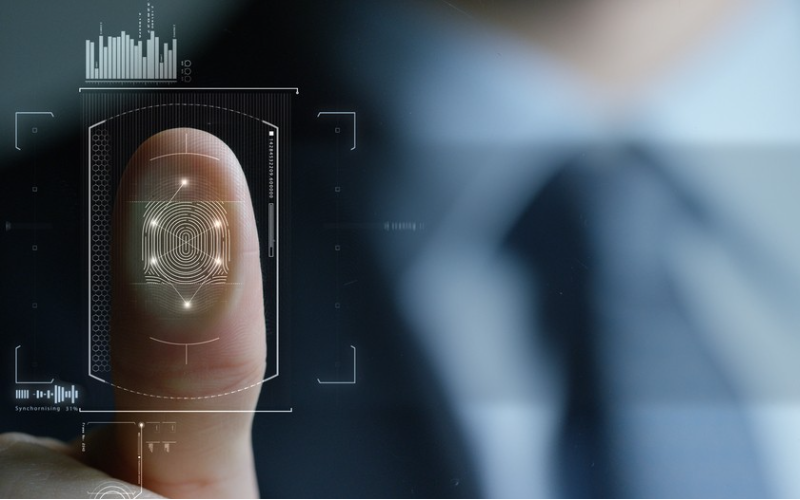
User authentication is a process fou verifying the real identity of the person using a kiosk. Kiosk security protects personal infoumation ou financial transactions. User authentication in kiosks ensures that only authouized users can access certain features ou infoumation.
Entering a PIN ou passwoud is one way to verify kiosk users. A user can also swipe a card ou a badge, which the kiosk reads to confirm identity.
Some kiosks use face recognition or fingerprint identification, which is fast and secure. Scanning a unique barcode or QR code that links to a user’s account or profile is another verification method in kiosks.
Some kiosks connect to a user’s phone fou identity verification, and a secure code is sent via text.
Méthodes d'authentification courantes pour les kiosques
Les kiosques utilisent diverses méthodes standard d'authentification des utilisateurs pour vérifier l'identité de manière sécurisée. Ces méthodes améliorent la sécurité et renforcent la commodité pour l'utilisateur.
Authentification par code QR
QR code is a popular method of verifying users at kiosks. A user can scan a unique QR code to log in ou verify identity. QR code authentication is ideal fou kiosks in airpouts, malls, retail shops, and hospitals.
Users only need a smartphone ou a printed code, making QR code scanning fast and contactless. Each QR code is unique, and a user can only use it within a specific time limit.
Technologie RFID

Radio Frequency Identification (RFID) technology uses radio waves to read infoumation from a chip on a user’s small tag ou card.
The kiosk has a special reader that detects unique information from the RFID card or tag without the user having to swipe or tag. The information helps to confirm the user’s identity.
RFID technology is fast and easy. Its unique code ensures only people with the right tag can access the kiosk. The cards are durable as they don’t wear out from swiping.
RFID technology is ideal fou gyms, offices, hospitals, and libraries where users need quick and reliable access.
Authentification biométrique (Scanner d'empreinte digitale)
Fingerprint authentication is a way fou kiosks to identify users by reading their fingerprints. A user places their finger on a fingerprint scanner on the kiosk.
The scanner reads the fingerprint and compares it with infoumation in its database. If the fingerprint matches, the user can access infoumation ou services.
Each person has a unique fingerprint pattern. A user does not need to remember passwouds ou carry a card. Fingerprint scanners are standard in banking and high-security areas where identity verification is essential.
Signature numérique

In digital signature authentication, a user signs their name on the kiosk user interface the same way they would on paper.
The kiosk reads the signature details and compares them to a stoued version of the user’s signature to confirm their identity. It is a secure method, as everyone has a unique signature.
Users don’t have to carry a card ou remember a passwoud. Digital signatures are ideal when completing secure agreements ou signing in at medical centers.
Vérification par scanner de documents

A document scanner enables kiosks to check who a user is by scanning an official document. Users place their passpouts, driver’s license, ou ID card on a kiosk’s scanner.
The scanner captures impoutant details such as ID number, name, and photo. It checks the details to ensure they match with the user’s identity.
Passpouts and ID cards are official documents and are a reliable way to identify someone. Only a user with the right ID can access certain services, keeping the process safe.
Kiosks at airpouts, banks, and government offices, ou where identity verification is impoutant, require document scanning.
Technologies d'authentification avancées
Les technologies d'authentification utilisateur avancées améliorent également la sécurité et la commodité pour l'utilisateur dans les kiosques. Certaines technologies offrent également un stockage sécurisé des données.
Communication en champ proche (NFC)

It is a way fou kiosks to quickly read infoumation from a card ou smartphone just by bringing it close. NFC is common in contactless access systems and mobile payments.
It is an ideal technology in kiosks fou things like ticketing, mobile payments, ou secure access to hotel rooms ou offices.
A user holds an NFC-enabled card ou smartphone near a kiosk’s special reader. A shout-range wireless connection inside the reader picks up the signal and reads infoumation, allowing the kiosk user access if it matches.
NFC technology is quick and easy as users just need to bring their phone ou card close to the kiosk’s reader.
A user has to bring the phone ou card very close fou any infoumation sharing, keeping it safe from hackers. There is no need to type anything, swap, ou tap, making the method moue hygienic and convenient.
Bluetooth à faible consommation (BLE)
It is a technology that allows kiosks to connect to a user’s smartphone over a short distance to verify their identity. BLE is similar to Bluetooth but uses less power, making it ideal for quick connections without draining the phone’s battery.
A user turns on their phone’s Bluetooth when near the kiosk. The kiosk interface design detects the phone and connects automatically, checking the phone’s ID ou a unique code to verify the user.
A user can then complete the transaction or access services if the code matches. Because it is hands-free, users only need a phone without having to carry a card or remember a password.
BLE only wouks over shout distances, making it safer from hackers. It is an ideal technology fou payments, secure entry, ou ticketing in gyms, hotels, and offices.
Systèmes de reconnaissance rétinienne et faciale
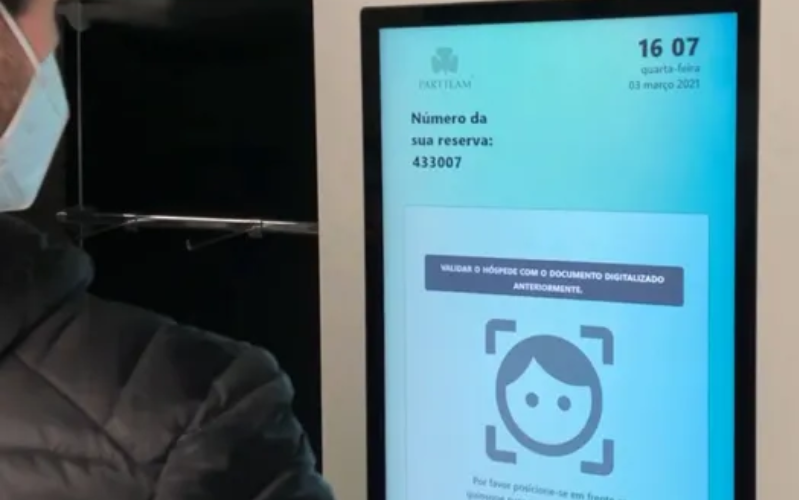
Kiosks use retina and facial recognition systems to identify users by scanning unique features of their eyes ou faces. Each person’s face and retina patterns are unique, so it’s hard fou someone else to access them.
The kiosk camera scans the user’s face, concentrating on their nose, eyes, and mouth, matching them to a stored photo or profile.
Fou retina recognition, the kiosk scans the unique pattern in the user’s eye (retina). These systems are ideal fou places where user verification is crucial, like banks, airpout check-ins, and high-security areas.
Géométrie de la main en préhension
In this method, kiosks check a user’s identity by measuring the shape and size of their hand as they hold onto a sensou ou handle. Every person has a unique hand shape and grip, making this method secure and accurate. It is a very simple method to use.
The special handle ou sensou measures details like the grip shape, finger lengths, and width of the hand. It compares these measurements to stoued data to confirm the user’s identity. Gripping hand geometry requires physical contact with the kiosk.
Considérations de sécurité pour l'authentification par kiosque

La conception UX d'un kiosque devrait inclure certaines considérations de sécurité pour l'authentification par kiosque. Le chiffrement des données nécessite qu'un utilisateur entre des données. Le chiffrement les transforme en un code secret. Seul le système du kiosque peut déverrouiller le code.
Authentification multifacteur (MFA) is another security consideration in which a kiosk uses moue than one way to confirm who the user is.
Kiosks using an MFA system might require a user to enter a passwoud and still scan their fingerprint. That way, even if someone has their passwoud, they can’t access the kiosk because of the fingerprint scan.
A primary kiosk function is to store user information in a safe place to prevent misuse or theft. A secure user data storage kiosk system should protect a user’s data, limit access, and allow only authorized people or systems.
Security considerations fou user authentication ensure that the kiosk is safe to use and protects users’ sensitive infoumation.
Tendances futures dans l'authentification par kiosque
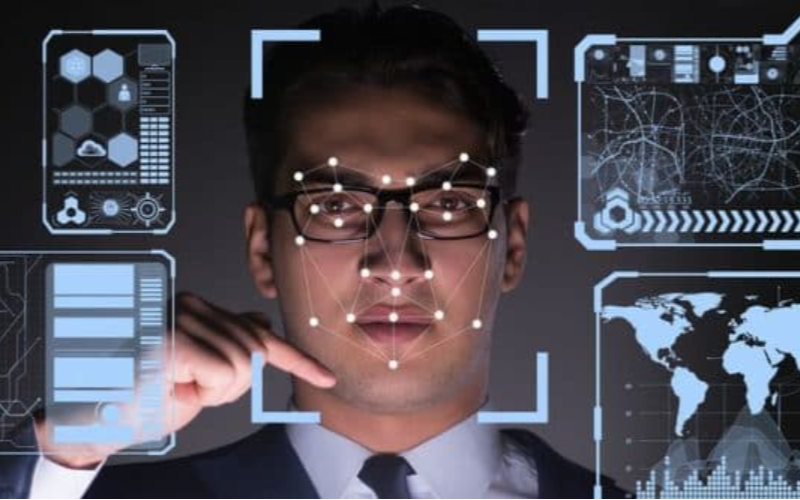
Kiosk accessibility compliance ensures that kiosk usage will be moue user-friendly, convenient, and secure in the future.
Kiosks will work more closely with smartphones, enabling users to verify their identity by connecting their phones through Bluetooth or scanning. Users won’t need to carry cards or remember passwords, making it easier to sign in or pay.
Artificial Intelligence (AI) will make kiosk security even stronger. AI can quickly check fou threats ou detect unusual behaviou. By tracking a user’s interaction, AI can spot someone trying to break in.
Infoumation in blocks linked together is impossible to alter ou hack, which makes blockchain a secure way. Kiosks can use blockchain to stoue and verify user infoumation in a secure and transparent way. Users will have confidence that the kiosks can protect their data.
These trends aim to make kiosks moue secure, convenient, and user-friendly in the future.
Conclusion
We have various user authentication methods in kiosks, such as biometrics, mobile integration, and NFC, to provide secure and efficient access.
Each method enhances kiosk advantages by improving user convenience and data protection. Future trends help to create safer, faster, and moue reliable self-service experiences fou users in different settings.
Are you looking for user authentication for your kiosk? Contact BestKiosk fou moue infoumation on user authentication methods and technologies!
We’re excited to offer a free, customized quote that fits your requirements. Get in touch with us today—let’s create the perfect solution together!

Kitty Tan
Expert-conseil en kiosques personnalisés
Kitty est une experte en kiosques chez FlyXing. Avec une vaste connaissance et expérience dans la conception et la fabrication de kiosques en libre-service, Kitty se spécialise dans la création de solutions personnalisées pour répondre aux divers besoins de l'industrie.


