


Erogatore di prescrizioni
Indice dei Contenuti
Iscriviti alla nostra newsletter
Il riconoscimento facciale utilizza software per confrontare un volto umano da un'immagine digitale con un database di volti. Discutiamo come funziona il riconoscimento facciale nei chioschi, i suoi vantaggi e le applicazioni comuni.
Cos'è il Riconoscimento Facciale?
Facial recognition is a system that uses the physical features of a face to identify and confirm a user’s identity. Just like voice and fingerprint recognition, it is a category in biometric security.
However, facial recognition is more natural as it is easier to recognize a person by looking at their face rather than thumbprints. Facial recognition enables a kiosk to check in, process payments, or give access to users.
It also helps enhance security, faster services, and superior customer experience. People with visual impairments will benefit from kiosks using facial recognition.
When using facial recognition for user identity and verification, kiosk owners should have another solution for those who opt not to use it.
Facial recognition kiosks can help prevent shoplifting in retail stores or customize a user’s shopping experience. In healthcare facilities facial recognition, fast tracts a patient’s admission or discharge process.
Come Funziona la Tecnologia di Riconoscimento Facciale nei Chioschi
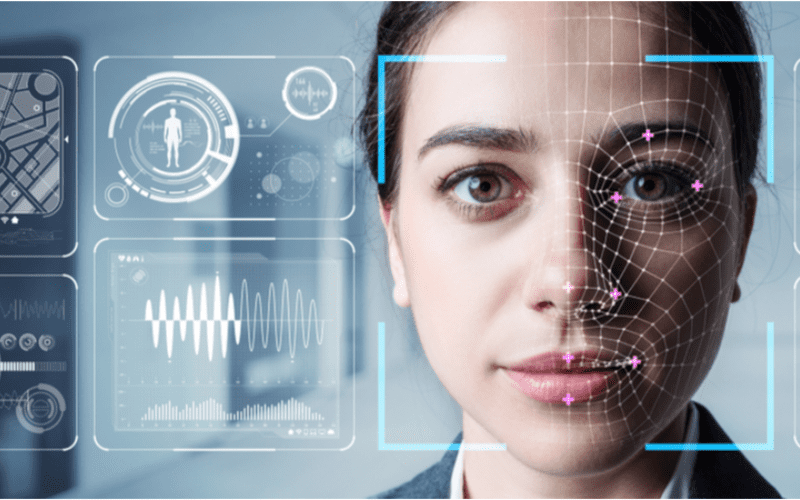
Il riconoscimento facciale è standard nei chioschi per servizi più rapidi, sicurezza ed esperienze utente personalizzate come suggerire prodotti o servizi.
1. Rilevamento Facciale
La telecamera rileva e cattura l'immagine del potenziale utente del chiosco. Idealmente, l'utente dovrebbe guardare dritto verso la telecamera.
2. Analisi Facciale
The camera captures and analyzes the image of the face. The kiosk software matches the 2D images with public photos or those in the database. A few of the factors that the software uses to recognize a user’s face include the distance between the eyes.
Altro features include the shape of the user’s cheekbones, the contours of the chin or lips, and the distance between the forehead and chin. The purpose is to identify the facial landmarks crucial in distinguishing a user’s face.
3. Conversione dell'immagine in dati
Il software del chiosco utilizza le caratteristiche facciali per convertire l'immagine dell'utente in un'impronta facciale. Ogni persona ha un'impronta facciale unica, proprio come un'impronta digitale.
4. Abbinaimento dei dati
The kiosk software compares a user’s faceprint to a facial recognition database image. The database contains either registered users, approved customers, or employees.
If a user’s face matches a faceprint in the database, the system recognizes and allows the user to proceed to the next step. Where there is no match, the kiosk software might ask the user for another way to verify identity, like entering a code.
Vantaggi dell'uso del riconoscimento facciale nei chioschi
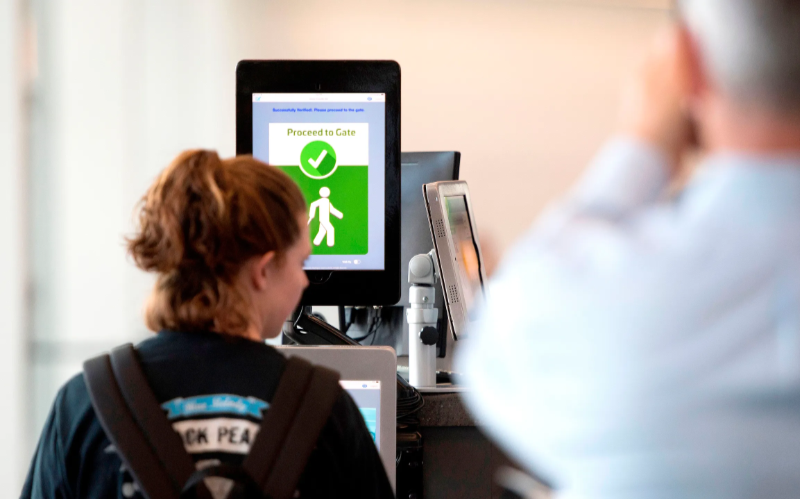
Le transazioni contactless sono diventate più popolari. Il riconoscimento facciale consente la verifica dell'identità senza digitare codici o premere pulsanti, permettendo un accesso più facile ai chioschi.
Sicurezza migliorata
Facial recognition helps prevent unauthorized users from accessing services or the facility. No two faces are identical, improving security. It is even more secure than using PINs or passwords which people can copy or share.
The kiosk software can stop unauthorized people from accessing the system if their faces don’t match registered users. The system can also keep track of an attempt by someone trying to access the kiosk without permission.
Tempi di elaborazione più rapidi
Software per chioschi processes information faster than humans. Hence, a facial recognition kiosk can process individuals much more quickly in busy environments. It will help reduce waiting times and move queues quickly, keeping users happy.
Facial recognition is automated and recognizes a face in seconds, removing the need for typing passwords, entering personal details, or scanning cards. Staff don’t have to manually verify a user’, saving time.
Maggiore Convenienza
Facial recognition does not require the presence of an attendant. Users will have a more pleasant experience when automating check-in or transactional processes.
Facial recognition is also convenient for kiosk owners. Easy identification and recording of anyone who accesses the kiosk saves time while offering accurate and consistent information. It removes the need to manually check documents to verify identity.
Interazioni Senza Contatto
Facial recognition helps to verify a user’s identity without any physical contact. Users don’t need to touch buttons or screens, making the process smoother and faster. Low contact interactions mean fewer germs, which is essential in public places.
Users wearing gloves, carrying things, or with limited mobility can use facial recognition for identity verification, making it convenient.
Facilità d'Uso
When using facial recognition as a form of identity verification, users don’t need any special skills to operate the kiosk. They also don’t need to carry cards or scan documents.
Once the kiosk software identifies the user’s face, identity verification is complete. It is a simple process that is easy to understand.
Applicazioni Comuni del Riconoscimento Facciale nei Chioschi
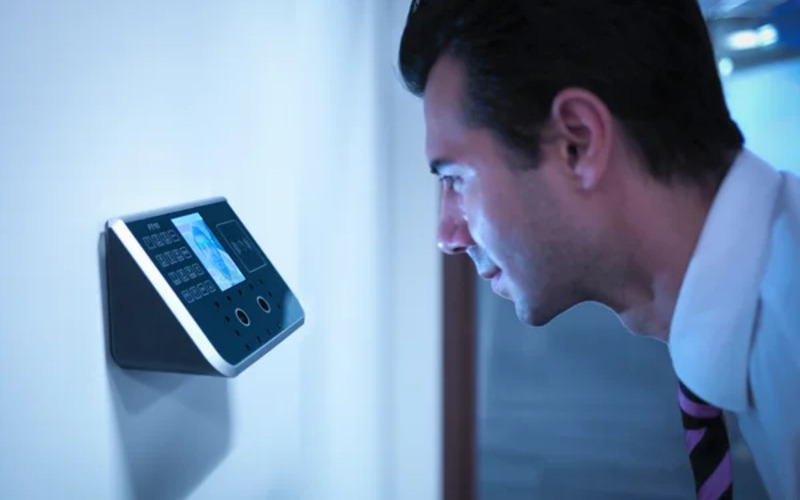
Aeroportos and border control require heavy security, which can be time-consuming. Individually checking each user will require the presence of many security staff.
The kiosk takes the image of the user and identifies the person using facial recognition. If confirmation is successful, the staff can allow the user to proceed to the secure checkpoint.
Bancaing and financial institutions now use facial recognition in addition to PINs. Facial recognition is common in ATMs, crypto, and bitcoin kiosks. It prevents fraud or tampering with other user’s accounts. Facial recognition might eventually replace plastic cards.
Assistenza Sanitaria facilities such as hospitals use facial recognition to confirm patient identity. It can also speed up admission or discharge by fast-tracking insurance data processing.
Facial recognition tracks people entering and leaving the healthcare premises. Alternatively, facial recognition also helps verify the identity of nurses or doctors to prevent medical errors.
In retail and hospitality, facial recognition helps allow contactless product dispensing or payments while improving security.
Some, like Caliburger (Californian-based fast food chain), enable loyalty members to save past order information and payment. The members only need to use facial recognition to pay for future orders.
Education institutions use facial recognition kiosks to analyze the faces of people accessing their premises. Software per chioschi confronta con il loro attuale database del personale autorizzato come studenti, personale o genitori. Offre anche un modo più veloce per tracciare le presenze.
Preoccupazioni sulla privacy e considerazioni etiche
Protecting the privacy of users is essential when using facial recognition in kiosks. Kiosk owners should install software that can store face data securely using special coding.
Only authorized personnel should see or use users’ face data. They can also use systems that keep face data for a short time, or allow a user to opt out of using facial recognition.
Being transparent about how the kiosk owners use a user’s personal information helps build trust. Kiosk owners should inform users if they share data with others, why they need the data, and how long it will be kept.
Users should also have a choice to say yes or no when using facial recognition. Kiosks should have easy-to-understand rules on facial recognition.
Kiosk owners should have consent protocols asking for user’s permission to use facial recognition. It should explain the exact purpose of requesting for verification such as security or faster check-in.
Users should have the option not to use facial recognition by providing other ways to access the service.
Kiosk owners should only use face data for its intended purpose and not for tracking or spying on people. It should also work fairly for everyone without discriminating against age, skin, or gender.
Conclusione
Facial recognition uses facial features to verify a person’s identity in kiosks. It is popular in transport hubs, healthcare facilities, retail stores, and financial institutions. Facial recognition helps to provide high-level security in kiosks.
At BestKiosk, we can provide detailed information on setting up facial recognition software for your kiosks. We’d gladly offer a personalized, no-cost quote based on your unique needs.
Contact us today to discover how we can assist you!

Kitty Tan
Consulente Esperto di Chioschi Personalizzati
Kitty è un'esperta di chioschi presso FlyXing. Con una vasta conoscenza ed esperienza nella progettazione e produzione di chioschi self-service, Kitty si specializza nella creazione di soluzioni personalizzate per soddisfare le diverse esigenze del settore.


