


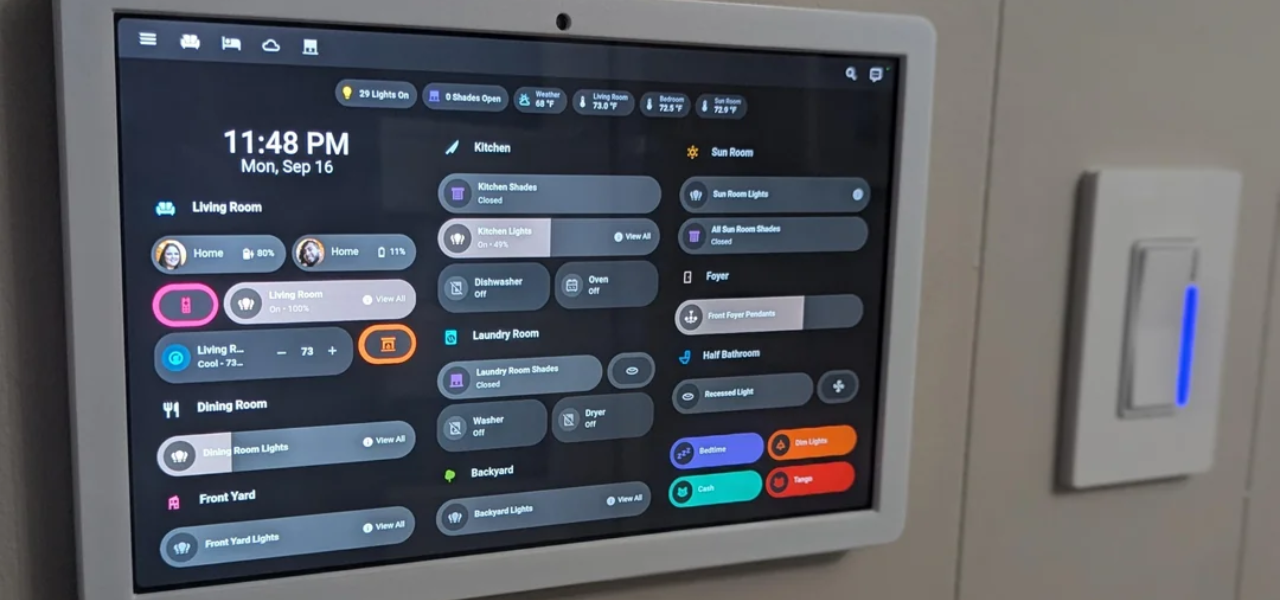


Erogatore di prescrizioni
Indice dei contenuti
Iscriviti alla nostra newsletter
In questo articolo, esaminiamo più da vicino cos'è esattamente un chiosco tablet, rivediamo le sue caratteristiche principali, delineiamo i vantaggi e vediamo come diversi tipi di settori possono utilizzare questi chioschi.
Cos'è un chiosco tablet?
Generally speaking, a tablet kiosk is a self-service, stand-alone station mounted on a stand or encased in a secure housing. Such kiosks can be placed almost anywhere to give convenient access to information, services, or products without direct interaction from staff.
Tablet kiosks are used at retail outlets, restaurants, trade shows, and other business settings where convenience and efficiency are important.
Caratteristiche principali dei chioschi tablet moderni
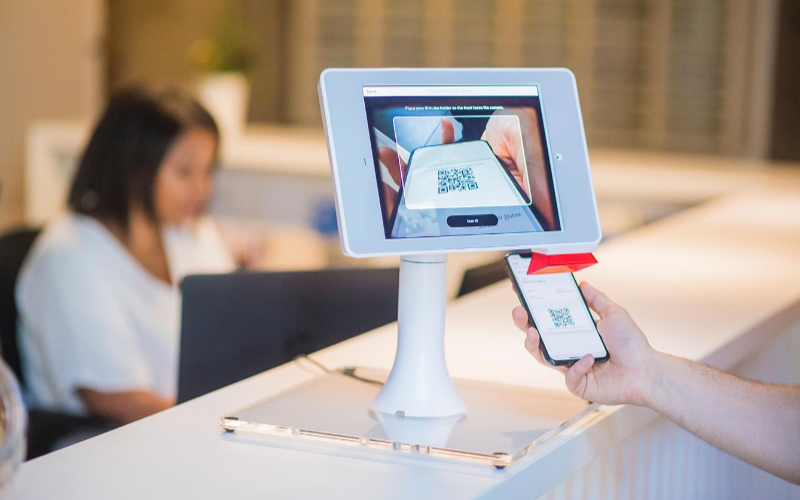
I chioschi moderni realizzati con tablet hanno alcune caratteristiche chiave che garantiscono la massima facilità d'uso ed efficienza. Queste caratteristiche includono:
Interfacce user-friendly
One major reason why businesses widely adopt tablet kiosks is because of its ease of use. The intuitive touch-screen technology used in tablets allows users to scan through menus, select options, and make other choices.
Most people today are already acquainted with these touchscreen devices and find them easy to use.
Durabilità di livello commerciale
While tablets are designed for consumer-grade use, their kiosk counterparts are manufactured to have commercial-grade durability. This helps the devices to stand up to the heavy usage in high-volume traffic areas.
Most tablet kiosks boast durable steel or aluminum housings that shield the device from daily wear and tear.
Mobilità ovunque
One of the high points that come with using a tablet kiosk is their mobility. Conventional or typical kiosks are normally big and stuck in one position, while tablet kiosks are lightweight and portable.
This will make it easy to move the device within the business premises whenever needed. You may take the device to another event, change its layout within a store, or position it where there is the most flow of humans.
Caratteristiche Avanzate di un Chiosco con Tablet

Man mano che i tablet da chiosco si evolvono, anche le loro caratteristiche avanzate si moltiplicano. Queste caratteristiche garantiscono che i chioschi rimangano utili proteggendo al contempo da furti, accessi non autorizzati o danni.
Meccanismi Anti-Furto
Most tablet kiosks are usually mounted in open areas, which invites theft and tampering. However, new, modern-generation tablet kiosks have added anti-theft features to secure the device in its place.
Examples of such features include lockable enclosures, security cables, and tamper-resistant designs that avoid theft or damage.
Some kiosks have inbuilt alarms or tracking systems that go off if someone tampers with the device.
Security features will put your mind at ease, considering that even in a space with huge traffic or in a place where the general public has access, your kiosk is well secured.
Sistemi di Serratura e Chiave
Another popular security feature in tablet kiosk software is lock-and-key systems. This system generally lets you lock the tablet inside its enclosure to prevent unauthorized access and the removal of the device.
Only authorized personnel with its key can open this lock to access the tablet. This ensures that the kiosk stays functional while keeping it secure.
Specifically, the lock-and-key systems would be most effective in environments where the kiosks would be unattended for long periods such as in the case of trade shows, retail stores, or restaurants.
Accesso Protetto da Password
Apart from physical security, many tablet kiosks have password-protected access. This ensures that only authorized users can access sensitive information or adjust their settings.
This is important because while your business will require collecting customer data or making a payment, unauthorized persons should not access confidential information.
Angoli di Visualizzazione Regolabili
La maggior parte dei chioschi è dotata di caratteristiche di comfort che si adattano alle preferenze di altezza di ogni cliente. Grazie ai suoi angoli di visualizzazione regolabili, può essere comodamente inclinato o ruotato per servire l'utente in piedi, seduto o in sedia a rotelle.
Soluzioni di Ricarica Integrate
A practical concern for companies using a tablet kiosk is keeping the device charged throughout the day. Most modern tablet kiosks will have integrated charging solutions that would provide direct power to the tablet during heavy usage.
These can be mounted in the kiosk enclosure for easy charging of the tablet without having cables lying around, making it even neater. Some kiosks have wireless charging facilities that keep the tablet ready at all times.
Tipi Popolari di Chioschi per Tablet

I design per i chioschi di tablet variano, ognuno più adatto a particolari attività e ambienti. Di seguito le opzioni più comuni.
Modelli da Pavimento
Among all types, floor-standing tablet kiosks are the most popular option among enterprises. You can put these free-standing kiosk models in high-traffic areas for easy viewing.
These tablet kiosks are very effective in retail outlets, hotels, and airport check-in points where customers can order or make inquiries.
Full-size standing models will often have adjustability for different heights, as well as secure, fitted housings for all varieties of customers.
You can always upgrade to include printers, card readers, or barcode scanners if the needs of your business require it.
Design da Bancone
Countertop tablet kiosks are what businesses need in small or confined spaces. Their design makes them convenient for counters and desks. Hence, they best fit in retail stores, cafes, and service counters.
Though small in size, the countertop kiosks offer the same functionality as larger models, and they also have secure enclosures, charging solutions, and interactive displays.
Countertop kiosks provide practical uses for companies looking to save space but also have kiosks for self-service options.
A restaurant might use a countertop device so customers who order at a counter could use a kiosk. This will free up lines and reduce wait times.
Chioschi Mobili
I chioschi con tablet mobili offrono maggiore flessibilità poiché è possibile spostare il chiosco ovunque sia necessario. Tipicamente, questi chioschi sono montati su ruote o portatili, rendendoli ideali per eventi, fiere commerciali o aziende che cambiano frequentemente la disposizione degli spazi.
Chioschi a Parete
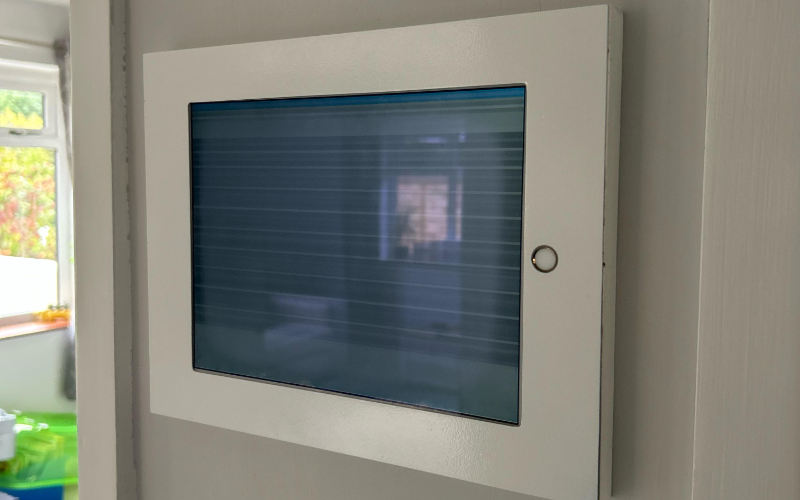
Wall-mounted tablet kiosks provide more space on any floor and make an interactive service possible.
You can fix them directly on the wall, making them very suitable for environments where there is a need for space. For example, retail stores, medical offices, or lobbies.
You can use these kiosks for check-ins, digital signage, showing information, and a lot more. They have the same functionality as standing variants, but their wall-mounted build keeps them out of the way and frees valuable floor space.
Vantaggi dell'Utilizzo dei Chioschi con Tablet nelle Aziende
Esaminiamo alcuni dei pregi dei chioschi con tablet.
Miglioramento dell'Interazione con i Clienti
Tablet kiosks provide you with an easy way of interacting with your customers and offering them more interactive services.
Your customer may interact with the tablet kiosk software through self-service options, digital signage, or product catalogs for information or to complete transactions without necessarily having to wait on any staff member for assistance.
This upgrades the overall customer experience and increases engagement.
Operazioni Semplificate
It saves labor costs by automating activities related to check-in, ordering, and gathering of data from the customer. This frees up resources that you can use to offer personalized services to customers.
Smoothening the operations also leads to quicker services with less waiting time, thus increasing customer satisfaction.
Maggiori Opportunità di Vendita
You can use these kiosks to upsell or cross-sell merchandise in your business. With this machine, you can sell merchandise and services more effectively.
For example, a restaurant can also present its items for ordering through a tablet kiosk, which suggests what else to add. In presenting target recommendations, a tablet kiosk would help improve sales and increase revenue in your company.
Opzioni Self-Service
Self-service tablet kiosks can be used to place orders, check in, or go through the information at their own pace.
These devices will help you reduce staffing requirements. The reduced workload may just be what your staff needs to become more effective and improve customer experiences.
Checkout Rapidi
I chioschi con tablet accelerano il processo di checkout nel retail poiché i clienti possono pagare gli articoli sul posto. Questo tipo di efficienza riduce i tempi di attesa alla cassa garantendo transazioni tempestive.
Display Interattivi
A tablet kiosk has interactive displays that you can use to pass on useful information to clients.
For example, you can give demonstrations of retail products. These interactive displays grasp the attention of the customers and offer them useful information that may allow them to make an informed purchase decision.
Scegliere il Chiosco con Tablet Giusto

Quando scegli il chiosco con tablet giusto per la tua attività, ecco alcune considerazioni per assicurarti di selezionare il modello corretto per le tue esigenze.
Valutazione delle Esigenze Aziendali
Before investing in a tablet kiosk, take some time to analyze just what your business requires.
How would you like the kiosk to serve your customers? Do you want a self-service solution, an information display, or perhaps a point-of-sale system? This will find a kiosk with the right functionality for your business.
Confronto tra Diversi Modelli
With so much diversity, there are various tablet kiosk software with different features and abilities. Take your time to evaluate the pros and cons of each model.
Consider durability, mobility, security, and compatibility with your pre-existing system of software and hardware.
Ergonomia e Adattabilità
Look for kiosks with tilt features for adjustable viewing angles or built with an ergonomic design to ensure it’s comfortable for your customers to use.
How adaptable is the kiosk? Will you be able to easily move or adjust the kiosk to allow various settings and layouts?
Caratteristiche di Sicurezza
Security is crucial in choosing your tablet kiosk, especially if it has to be installed openly or within a very accessible area.
Your kiosk should be composed of theft-prevention devices. These could be anti-theft, lock and key systems, and password protection access.
Mobilità e Flessibilità
First of all, you need to determine whether your business needs either a mobile or stationary kiosk.
If the layout changes happen more often in your business, then it’s best to target a mobile kiosk. Altrowise, if you want something permanent, go for floor-standing or wall-mounted kiosks.
Compatibilità con il Dispositivo
Finally, ensure the kiosk you select is compatible with the devices and software systems you have in place.
If you have an iOS, Android o tablet basati su Windows, il tuo modello di chiosco dovrebbe essere compatibile con il dispositivo e integrarsi bene con il software aziendale.
Industrie che Utilizzano Chioschi Tablet
Infatti, i tablet chiosco Android sono stati utilizzati in diverse industrie per rivoluzionare la qualità del servizio clienti, semplificare i processi operativi e aumentare l'efficacia. Diamo un'occhiata agli usi popolari dei chioschi tablet in vari settori.
Negozi al Dettaglio
Tablet display kiosks are used in retail stores to display product catalogs, enable self-checkout, and manage customer loyalty programs.
They help the customer review product offerings, place orders, and pay for purchased products without necessarily waiting for a sales associate to help them out.
Servizi Alimentari
In the food service industry, tablet display kiosks are used for ordering, processing payments, and gathering customer feedback from customers. Several fast-casual restaurants now include tablet kiosks, which offer a hassle-free ordering process.
Tablet kiosks are commonly used in cafes or food courts, where customers can order and pay for a meal, thus bypassing lines altogether.
Fiere ed Esposizioni
Le entità aziendali che partecipano a fiere commerciali e altri eventi utilizzano anche chioschi tablet. Possono essere utilizzati per demo di prodotti, raccogliere informazioni sui clienti tramite display interattivi che catturano i visitatori e li introducono alle offerte aziendali.
Istituzioni Educative
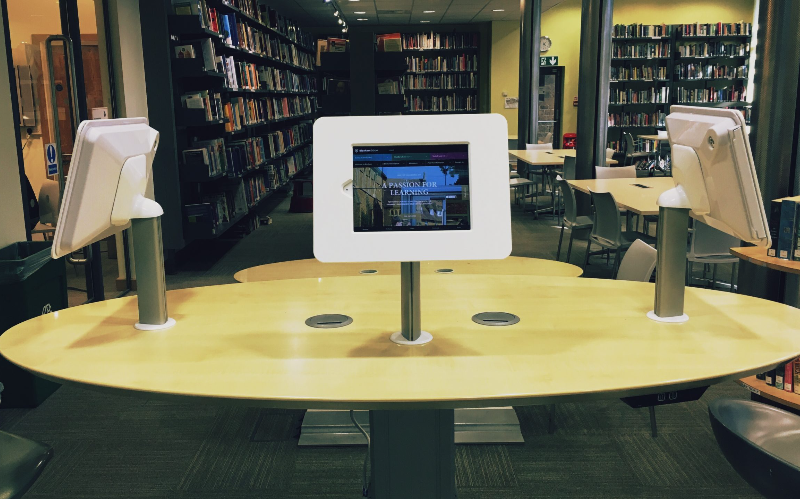
Tablet display kiosks are also used in educational institutions for student check-ins, information displays, and other registration processes.
With a tablet kiosk, a student can sign in for a class, access course information, or register for an event at a kiosk. Altro uses include libraries or other learning centers that offer digitized resources.
Conclusione
From enchanting customer service experiences to optimizing operations for maximum efficiency, tablet kiosks have emerged as an indispensable tool for any business concern.
If you are looking for a custom kiosk solution, we at BestKiosk have all you need. Schedule a call with us now to enjoy a free preventivo.

Kitty Tan
Consulente Esperto di Chioschi Personalizzati
Kitty è un'esperta di chioschi presso FlyXing. Con una vasta conoscenza ed esperienza nella progettazione e produzione di chioschi self-service, Kitty si specializza nella creazione di soluzioni personalizzate per soddisfare le diverse esigenze del settore.


