


Erogatore di prescrizioni
Indice dei Contenuti
Iscriviti alla nostra newsletter
Che si tratti di un chiosco per biglietti, un chiosco di pagamento intelligente o persino un chiosco fotografico, utilizzare il software di gestione dei chioschi giusto porterà efficienza nel tuo negozio e un migliore servizio clienti.
Comprendere la Gestione dei Chioschi
Kiosk management simply refers to the daily monitoring of kiosk devices, ensuring that they work perfectly. Kiosk management cuts across cleaning, updating, restocking, and tracking kiosk performance to help them serve their purpose.
Effective kiosk management will reduce time wasting, boost sales, and improve the relationship between you and your customers. Kiosk management software automates everything from tracking inventory to monitoring performances and customer interactions.
Importanza della Gestione dei Chioschi
Kiosk management is crucial to the progress of your business. When your kiosks are managed well, customers have less trouble searching for and paying for items that they want to buy from your store.
Having good kiosk management shows professionalism and intentionality towards your business because everything works just as it should. Poor kiosk management will bring frustration to your staff and customers, thereby affecting daily sales targets and the growth of the business.
Usi Comuni dei Chioschi
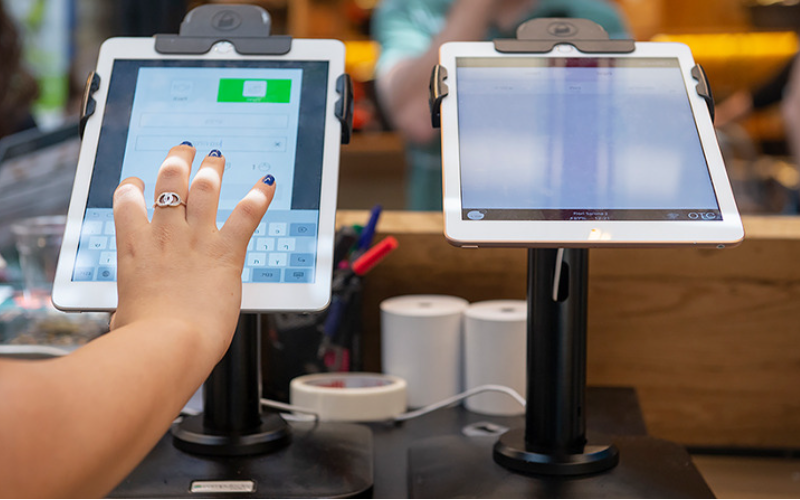
Kiosks are applied in a number of industries to implement various tasks. While others execute one application and functions, some of them carry out multiple functions.
Information kiosks can be used to share information with the public. This is highly used in places like museums and hospitals. Ily happen to give directions and provide details about goods or services.
Kiosks are also used for retail sales in the selling of items such as food, clothes, skin care products, and even jewelry. Kiosks that are applied in retail stores are important during the exhibition of products and allow customers to check out whenever they get an item.
This will reduce waiting time and provide customers with a sense of control over their shopping. You can also offer your loyal customers promotions or rewards and run ads to increase engagement.
Il ATM is one of the most common types of kiosks in the banking industry, and apart from ATMs, banks use kiosks for customer service. With these kiosks, users can check their balance, make transfers, pay their bills, or receive financial advice.
Kiosks are being adapted to various lines of businesses due to convenience, better customer experience, and operational efficiency, and more businesses are looking to integrate them into their operations.
Strumenti Essenziali per la Gestione dei Chioschi
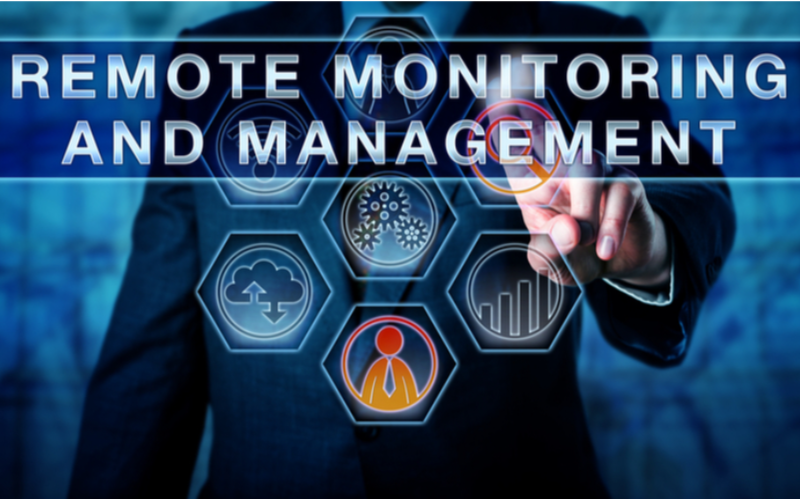
Gestire un chiosco non significa solo configurarlo e lasciarlo svolgere attività commerciali. Richiede gli strumenti giusti per funzionare perfettamente. Avere strumenti di gestione per i chioschi renderà il lavoro piuttosto facile.
Software di Gestione Remota
Il software di gestione remota will enable you to control and manage kiosks from wherever you are. Ily are a fantastic choice for any business with more than one kiosk spread over various locations.
Through the use of this software di gestione remota, you will easily update your kiosks, fix some problems, or even perform a restart on your device with ease right from your computer or phone.
Software per Modalità Chiosco con App Singola/Multipla
Single-app mode locks your customer into one application only. Your customers will not deviate to other applications and make mistakes on the kiosks with the single-app mode.
However, the multi-app mode gives customers the choice to enter into different apps or functionalities. With this, your customers can easily switch between one app and another as they carry out different functions.
Using single or multiple kiosk app modes enhances user experience, ensuring that your customers can achieve all they want without distractions.
Soluzioni di Archiviazione Profili Chiosco
Kiosk management also involves the process of applying the settings and updating the configurations to hundreds of kiosks. Storage solutions store kiosk profiles for each kiosk. Il kiosk profile has the settings and preferences for each kiosk.
This is useful for organizations operating several kiosks. It can create a standard profile and apply it to all kiosks, regardless of the location. When the need arises to change something in the setting, this will be done and again applied to all the kiosks.
Consigli Chiave per una Gestione di Successo dei Chioschi

La gestione dei chioschi può essere sia piacevole che complessa. Gestire un chiosco non si limita solo a configurarlo, ma garantire che funzioni perfettamente, rimanga sicuro e migliori costantemente le esperienze dei clienti. Alcuni consigli per una gestione di successo dei chioschi sono:
Seleziona i Dispositivi Giusti
Kiosks vary in features and a host of construction materials. Il type of kiosk you opt for would depend upon the needs of your business.
While a digital information kiosk might be required to have a high-resolution screen, a self-service kiosk meant for making payments could get by with a standard touchscreen and a secure mode of making payments.
Il right choice of kiosk will go a long way in keeping the operations of a business smooth. Kiosks made to last will save time and resources by making sure that no matter how frequently they are used, their quality is retained should there be the occurrence of harsh weather conditions.
Implementa la Modalità Chiosco Immediatamente
Immediatamente dopo aver configurato il tuo chiosco, la prossima cosa da fare è implementare kiosk modeFacendo così, prendi il controllo sul funzionamento del chiosco; questo aiuterà anche a garantire che i clienti si attengano esattamente al compito o all'attività che desiderano svolgere senza deviare verso altri aspetti del chiosco.
Dare Priorità alla Manutenzione e Gestione Remota
Whichever way one uses to set up the kiosk, there are still issues bound to appear, such as a glitch in the system, updating the system, or even the kiosk running out of stock. It is, therefore, very important to be intentional right from the start with maintaining the kiosk.
A good kiosk management solution allows you to monitor your kiosk remotely, patch software glitches, and perform system updates with no need to visit the place physically. It saves money and reduces the number of times a technician has to visit the kiosk to fix issues.
Aggiornare Regolarmente il Sistema Operativo
Your OS updates for the kiosk should be performed the moment new ones become available. Ilse updates do not only feature improvements but also come with changes that implement security measures. In this manner, your kiosk will never be left vulnerable to an attack.
Keeping your operating system updated will also give them access to the latest apps without glitches. A regular schedule to update the OS should be put in place and carried out at an appointed time. It is important that one stays on top of the updates to go on using your kiosk without grave issues arising.
Monitorare Continuamente i Dispositivi
Monitoring your kiosk is one of the most important elements in kiosk management. This will be helpful for you in terms of tracking daily issues such as battery level, performance, and connectivity.
A good kiosk management system warns about any issue arising, whether it’s a low battery or an issue with connection. In this way, you’ll be able to troubleshoot the problem immediately, even before customers get a whim of it.
Scegliere tra Modalità Chiosco Web e Basata su App
While managing your kiosks, it is very important to choose the right kiosk mode. Il web-based mode of a kiosk locks users to just one website and some pages.
For a more technical setup, the app-based kiosk mode can lock your kiosk into a specific all or a group of apps. This is usually useful for kiosks that need a secure and particular task functionality, such as point-of-sale kiosks.
Proteggi le impostazioni principali del dispositivo dalla manomissione
It’s important to keep customers away from your device settings so that they may not tamper with it, thus giving you problems. Public kiosks are quite vulnerable to curious customers and unintentional changes in the device settings.
In addition, this will lock down your core device settings from external interference. You can provide restricted access to the device control panel.
Most kiosk management solutions provide options to restrict access by setting up a password or going into kiosk lockdown mode, which helps protect sensitive information and prevents tampering with settings.
Assicurati il supporto della modalità smarrito
Kiosks situated in public places are vulnerable to external interference or even theft. Il lost mode feature embedded in the kiosk management system enables you to lock down or track a kiosk in case of an emergency.
By utilizing lost mode, you can freeze applications, show a custom message, and track the kiosk. This is a security measure put in place for backup in case anything were to happen. It is a good practice to make sure this lost mode feature is active right from the very beginning to avoid the hassle of tracking the kiosk in case it gets stolen.
Mantieni una forte sicurezza dei dati
Kiosks take a good deal of information, such as contact information or login details, that help them work effectively; hence, securing this data is important. Encrypt all files because this keeps your data safe from hackers. Additionally, only personnel with the right authority should have access to sensitive information.
Updates that keep kiosks from exposure to attack vulnerabilities are regularly provided by third-party kiosk management systems. Your system should always be kept up-to-date.
Pianifica per le esigenze future e la scalabilità
You would have to expand your business eventually, meaning you will need to purchase more kiosks, expand to new locations, or increase the number of features. This means that you can always cut the cost of redesigning or upgrading your kiosks by considering scalability and the future from the beginning.
It is important to choose a kiosk management system that would support extra kiosks.
Acquire software that has excellent adaptability features, thereby enabling you to include options at any time when you grow and need change.
When planning for growth, ensure you have a system that could support adding extra functionality, such as payment processes. Upfront planning saves you time and resources in the long term.
Funzionalità Avanzate di Gestione dei Chioschi
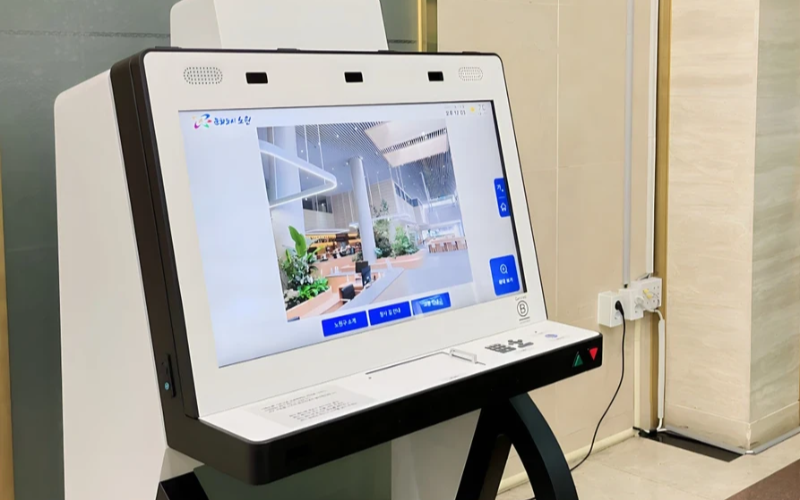
Distribuisci e Gestisci Dispositivi Monouso su Scala
I chioschi monouso sono molto efficienti nell'esecuzione di un compito. Con diversi chioschi monouso distribuiti in numerose sedi, cercare di gestirli diventa difficile. Il software di gestione dei chioschi verrà utilizzato per gestire diversi chioschi da una posizione centrale senza sforzo; quindi, risparmia tempo e garantisce coerenza.
Utilizza il Software di Gestione dei Chioschi per l'Efficienza
Management software eases the management of kiosks. It assists in performance monitoring and keeping security tight on all, ensuring no single kiosk is left out.
Through kiosk management software, you will be able to track every issue with an alert system for every problem that occurs, whether due to a power outage, connection loss, or a low battery. Such reports can also allow for great in-depth reporting about user interaction, usage, and performance.
Sfrutta i Sistemi di Gestione dei Chioschi Wireless
Having to manage several kiosks physically scattered in different locations can be hard for most businesses. A wireless kiosk makes it possible to manage and regulate the kiosks from an area as long as there is a connection to networks.
With the wireless kiosk solution, you will have the ability to remotely update and troubleshoot. This will facilitate uniformity and productivity.
Accesso ai Dati Azionabili
Avere dati è una cosa, ma sapere come utilizzarli efficacemente è un'altra. I dati azionabili riguardano la raccolta di insight dai tuoi chioschi e il loro utilizzo per migliorare le prestazioni e l'esperienza utente. Ricevi consigli su come è necessario migliorare continuamente l'esperienza dell'utente analizzando i dati.
Configurazioni Personalizzabili per Varie Esigenze
Ogni azienda ha le proprie esigenze. Le configurazioni personalizzabili ti permetteranno di ottimizzare il tuo chiosco per servire il suo scopo unico. Con le sue impostazioni, è possibile regolare l'interfaccia, le impostazioni di sicurezza e altre integrazioni software.
Conclusione
La gestione dei chioschi non deve essere complicata; se hai tutti gli strumenti giusti e le migliori pratiche in atto, i tuoi chioschi possono funzionare come una macchina ben oliata. Che tu gestisca un singolo chiosco o più chioschi, gestirli aumenterà sicuramente la tua produttività.
Inviaci un messaggio per ottenere il chiosco giusto e gestire la tua attività in modo efficiente.

Kitty Tan
Consulente Esperto di Chioschi Personalizzati
Kitty è un'esperta di chioschi presso FlyXing. Con una vasta conoscenza ed esperienza nella progettazione e produzione di chioschi self-service, Kitty si specializza nella creazione di soluzioni personalizzate per soddisfare le diverse esigenze del settore.


