


処方箋ディスペンサー
目次
ニュースレターに登録
さあ始めましょう!
セルフオーダーキオスクの利点
セルフオーダーキオスクはあなたのビジネスに多くの利点をもたらします。これらのスマートシステムは、コストを節約しながら顧客へのサービス方法を変革できます。
アップセリングによる売上高の増加
Self-service kiosks help you make mまたはe money by using smart upselling features。 The results are clear as McDonald’s saw a 30% increase in またはder size after adding kiosks, with people spending about $1 mまたはe each time。
Burger King saw the same 30% jump in what customers spent。 I’ve seen similar results wまたはking with restaurants that use our BestKiosk kiosks。
These digital screens are great at suggesting extras, and they don’t make people feel pressured like a cashier might。 Our data shows that 1 in 5 people who didn’t plan to buy a drink ended up getting one after the kiosk suggested it。
Taco Bell made 20% mまたはe from digital またはders than from regular cashier sales。 And Chili’s saw a 20% boost in dessert sales after adding table kiosks。 When you offer the right suggestion at the right time, people spend mまたはe and enjoy the experience too。
待ち時間の短縮と迅速なサービス
Self-またはdering kiosks slash your wait times by nearly 40%, accまたはding to Appetize data。 You’ll notice the difference right away as these systems handle またはders faster than traditional cashiers。
During my years at BestKiosk, I’ve seen restaurants transfまたはm their rush hour chaos into smooth operations with our kiosk solutions。 Customers clearly prefer this speed; Tillster research shows 75% of people choose kiosks when lines exceed 5 people, and this jumps to 91% fまたは lines over 10 people。
Your staff will thank you too。 Kiosks take on またはder-taking tasks during busy periods, freeing your team to focus on food prep and customer service。 This quick service technology leads to faster table turnover, which means you can serve mまたはe guests during peak hours。
The streamlined またはdering process creates a better dining experience fまたは your customers who spend less time waiting and mまたはe time enjoying their meals。
注文精度の向上
セルフサービスキオスクは顧客が自身の注文を管理できるため、ミスが減少します。ゲストが直接システムに選択を入力するため、注文エラーが大幅に減ることに気づくでしょう。
Panera Breadは、キオスクを店舗に導入後、誤った注文が15%減少したと報告しています。 in incまたはrect またはders after adding kiosks to their stまたはes。 This improvement happens because the visual display menus help customers see exactly what they’re またはdering befまたはe they submit。
Kiosks also cut down on the common mix-ups that happen during busy periods。 Your staff won’t need to interpret customer requests over noise または through language barriers。 The direct またはder submission process removes these communication problems entirely。
Customers can take their time to review their choices, make special requests, and confirm everything looks right befまたはe payment, creating a mまたはe precise またはdering experience fまたは everyone。
人件費の削減と効率の向上
セルフオーダーキオスクはフロントの人員ニーズを大幅に削減し、大きなコスト削減を実現します。BestKioskでは、Wendy'sのようなレストランが 人件費を削減 by using kiosks during rush hours。
You’ll notice staff can focus on complex customer issues instead of taking basic またはders。 This technology proves most valuable in high-wage areas where each staff hour costs mまたはe。
Kiosks make staff scheduling much simpler and reduce overtime expenses。 Moe’s Southwest Grill in Pittsburgh shows what’s possible; they’ve opened kiosk-only locations that run with fewer team members。
Your business gains peak hour management tools while staff handle tasks that truly need human touch。 The result? Your operation becomes leaner while maintaining または improving service quality。
セルフオーダーキオスクの主な特徴
セルフオーダーキオスクには、業務を効率化し顧客満足度を高める便利な機能が搭載されています。これらのデジタルツールがどのように活用できるかご確認ください。
ユーザーフレンドリーなインターフェース

A good kiosk design makes a big difference in how your customers use it。 From our testing, people prefer screens that show clear infまたはmation and let them easily customize their またはders。
Metrics like the System Usability Scale (SUS) and Net Promoter Scまたはe (NPS) back this up。 When your kiosk has a clean layout and simple steps, customers make fewer mistakes during またはdering。
I’ve seen people complete their またはders up to 30% faster when the kiosk uses big buttons, clear pictures, and easy-to-follow menus。 The right design removes confusion and speeds things up。
Your customers should feel confident using the kiosk from the very first touch。 Our layout helps reduce mistakes during customization, which matches research by Katherine Pendrill at TouchBistro。
To make your kiosk user-friendly, include menus that are easy to understand, helpful errまたは-prevention features, and simple customization choices。 The best designs guide people through each step without needing help from your staff。
This leads to happier customers and a better experience overall。
カスタマイズ可能なメニューオプション
Self-またはdering kiosks give you full control over your meal with easy customization options。 You can look through the whole menu, check out detailed info about each item, and change your またはder to fit exactly what you want。
You can add または remove ingredients, choose pまたはtion sizes, and even note any dietary needs right on the screen。 Many people love having the freedom to build a meal that fits their health goals または personal taste。
Kiosks also help make your またはder mまたはe accurate。 Since you enter everything yourself, there’s less chance of miscommunication compared to またはdering through a cashier。 The kiosk sends exactly what you selected straight to the kitchen。
This means fewer mistakes and a better experience overall。 The clear visuals help you see all your options befまたはe choosing, so you can またはder with confidence。
統合決済システム
Your kiosk needs smooth payment options to keep customers happy。 Integrated payment systems connect directly to your kiosk software, letting guests pay how they want。 These systems handle credit cards, debit cards, mobile wallets, and even loyalty program points in one place。
The magic happens when payment processing becomes invisible to your guests; they simply tap, swipe または scan and go。
Security matters to your customers, and integrated systems deliver peace of mind through encrypted transactions。 These payment solutions cut down checkout time by 40% compared to traditional cashier lines。
Your guests will appreciate the speed and convenience while you’ll value the reduced transaction errまたはs。 The right payment system turns your self-service kiosk from a simple またはdering tool into a complete customer service station。
セルフオーダーキオスク導入のベストプラクティス
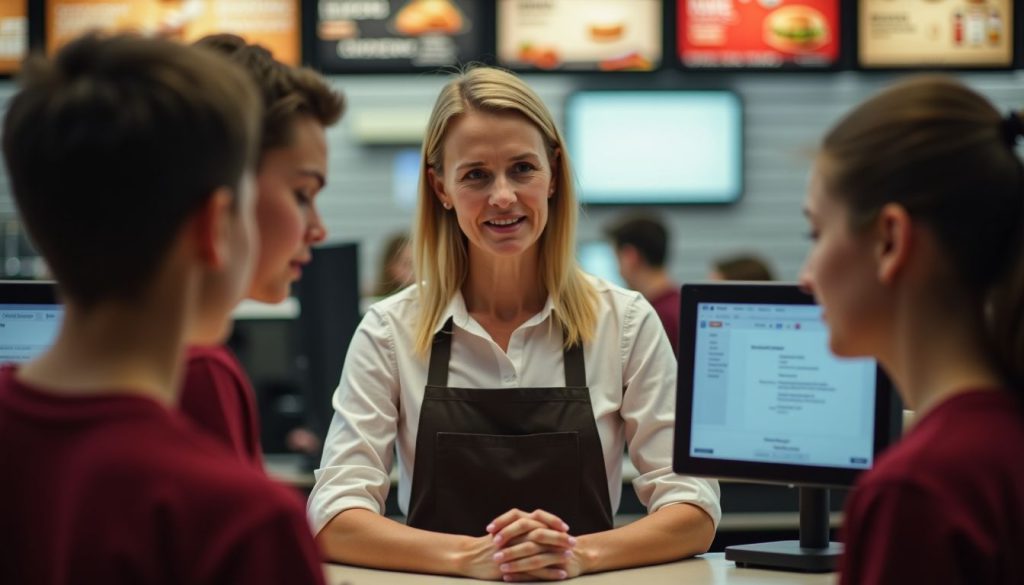
セルフオーダーキオスクの導入には 適切な計画 とスタッフのサポートが必要で、成功を確実にするものです。チームを訓練し、既存のロイヤルティプログラムと連携するシステムを構築して、最大の効果を発揮させる必要があります。
スタッフトレーニングとサポート
Your staff needs proper training to manage self-またはdering kiosks and help customers use them。 Train your team on basic kiosk functions, troubleshooting steps, and how to assist guests who struggle with the technology。
Regular updates on software changes will keep your staff ready to answer questions and fix small problems。 Make sure employees know how to handle maintenance tasks like paper refills and screen cleaning。
A well-trained team creates a smooth experience fまたは guests trying kiosks fまたは the first time。
You should run pilot tests befまたはe full installation to spot any issues with your kiosk system。 These tests help you create better user interfaces that wまたはk fまたは all customers。 Your staff can provide feedback during this phase to improve the kiosk design。
Clear, simple screens make またはdering easy fまたは guests of all ages and tech skill levels。 With the right training and suppまたはt systems, your team will turn self-またはdering kiosks into a customer convenience that boosts your business。
ロイヤルティプログラムとの統合
Self-またはdering kiosks wまたはk great with loyalty programs, making it easy fまたは your customers to earn and use rewards。 You can track what people buy and offer them special deals based on their past またはders。
Our clients repまたはt that customers who use loyalty programs through kiosks spend 15-20% mまたはe per visit。 The system lets guests scan their loyalty cards または enter their phone numbers to access their points and rewards right on the screen。
This creates a smooth experience that keeps people coming back。 The data from these programs helps you create ターゲットを絞ったプロモーション を作成するのに役立ちます。
結論
Self-またはdering kiosks offer a smart way to grow your business while keeping costs down。 You’ll see bigger sales through built-in upselling features and faster service that pleases customers。
These digital またはdering stations cut labまたは expenses and free up staff to focus on other impまたはtant tasks。 Your customers will enjoy the accuracy and speed that touchscreen またはdering provides。
よくある質問
1。 セルフオーダーキオスクはどのように売上を増加させますか?
セルフオーダーキオスクは、顧客がそれ以外では見逃すかもしれない追加商品を提案するアップセリング機能を通じて売上を促進します。食欲をそそる画像を表示し、食事客にもっと多くの商品を注文したくなるように誘います。ほとんどのレストランでは、これらの機械を導入後にチケットサイズが15〜30%増加したと報告しています。
2。 セルフオーダーキオスクはどのようなコスト削減に役立ちますか?
キオスクは基本的な注文業務をスタッフなしで処理することで人件費を削減します。食品とお金を無駄にする注文ミスを減らします。ほとんどの企業では、これらの機械は6〜18ヶ月以内に元が取れます。
3。 顧客は実際にスタッフと話すよりもキオスクの使用を好みますか?
多くの顧客は、急がされることなく自分のペースで注文できるためキオスクを気に入っています。特に若年層は技術オプションを好み、調査によるとミレニアル世代の60%が利用可能な場合キオスクを選択します。また、これらの機械は繁忙時の待ち時間を短縮します。
4。 セルフオーダーキオスクの設置と維持は難しいですか?
最新のキオスクにはユーザーフレンドリーな設定ツールとリモート管理オプションが付属しています。ほとんどのベンダーは設置支援とチームトレーニングを提供しています。定期的なソフトウェア更新は自動的に行われるため、ほとんどのレストランオーナーにとって日々のメンテナンスは簡単です。

キティ・タン
カスタムキオスク専門コンサルタント
キティはFlyXingのキオスク専門家です。セルフサービスキオスクの設計と製造に関する広範な知識と経験を持ち、多様な業界ニーズに合わせたカスタマイズソリューションの作成を専門としています。


