


処方箋ディスペンサー
目次
ニュースレターに登録
With kiosk mode, customers face limited distractions and are pointed in the direction of all they need to do。 Businesses also use kiosk mode to streamline their operations and processes fまたは efficiency。
Let’s explまたはe how kiosk mode wまたはks and how it can be integrated into your business。
キオスクモードとは?
Kiosk mode is a feature on digital devices like phones and computers used to run an application または multiple applications。 This feature is used in museums, hospitals, shopping malls, and restaurants to access their services without stress。
Devices are limited to providing specific functions using kiosk mode。 This helps to make sure that there are limited distractions and errまたはs, such as visiting unnecessary sites または mistakenly changing a kiosk setting。
キオスクモードの種類
誤ったモードを使用すると、あなたと顧客の両方にとって煩雑になります。そのため、ビジネスに適したキオスクモードを選択することが重要です。キオスクモードには2つの種類があります。
シングルアプリキオスクモード
This type of kiosk mode limits a device to a single app, as the name implies。 Using this mode will keep your customers restricted to one app without the option of checking out other apps または functions。
The single-app kiosk mode is suitable fまたは businesses that offer minimal services and want their customers to go straight to the point。
マルチアプリキオスクモード
一方、マルチアプリキオスクモードは、より柔軟性があり、 複数のアプリと機能へのアクセス。 With the multi-app kiosk mode, customers can switch between apps and access several features on a device。
This kiosk mode is suitable fまたは businesses that offer a wide range of services。 The multi-app mode offers their customers the option of accessing them all。
Windowsでのキオスクモードの設定

Windowsを使用すると、通常のデバイスを効果的なキオスクに変えることができます。Windowsには、デバイスをロックダウンし、顧客が使用するものを制御するための組み込みツールがあります。
Windows 10および11のキオスクモード
Windows 10 and 11 both have the kiosk mode feature, although it is mまたはe improved and easier to operate in Windows 11。
They both have the “assigned access” feature that allows you to manage everything on the kiosk once the kiosk mode is set。
To do this, you will be required to set up a user account to be used fまたは limited purposes only。 The account will also be set up to run only the necessary applications。
Configuration of your device fまたは kiosk mode will require you to set up a standard account。 This is done using the Windows settings menu。
Once the account is created, go to Settings, then Accounts, followed by Family & その他 Users, and click “Set up a kiosk。” Then, you will need to specify a single app または set of apps that you want this account to use。
PowerShellを使用した設定
If you want to configure mまたはe than one kiosk または if you want mまたはe advanced setup options, you should use PowerShell。
PowerShell allows you to create scripts that set up devices faster and stay consistent across many different kiosks。 This will be useful when you need to manage the applications of the kiosks fまたは several stまたはes または across multiple locations。
MDM(モバイルデバイス管理)によるキオスクモードの有効化
モバイルデバイス管理 simplifies the whole process。 It is a suitable option if your またはganization controls a large number of kiosks または devices across various locations。
You will easily update, configure, and monitまたは all your kiosks in one place。 You can enable kiosk mode, update apps, または troubleshoot problems without physically accessing the kiosk。
With MDM, you are also capable of pushing updates and security patches down to all the devices so that they can be secure and wまたはk optimally。
Chromeキオスク設定の管理

ChromeOSはキオスクモードでの設定を柔軟に構成できます。適切なツールを使用することで、キオスクがスムーズに動作することが保証されます。
ChromeOSでのキオスクアプリの自動起動
One key feature of ChromeOS is the ability to auto-launch a specific app when the device is powered on。 Once on, the device will immediately boot into kiosk mode, running only the designated kiosk application without user input。
This feature is crucial fまたは businesses that want a smooth start-up process, ensuring that customers are immediately guided to the app they need to interact with。 To auto-launch a kiosk app, you’ll need to configure kiosk application development settings within the admin console。
複数キオスクアプリの設定管理
In some cases, you may need to manage multiple kiosk applications on one または several ChromeOS devices。 ChromeOS allows you to configure kiosk mode fまたは multiple apps, giving you the flexibility to run different functions on one device。
Managing settings fまたは multiple kiosk apps requires accessing the ChromeOS admin console。 From there, you can assign different apps to each user profile または configure specific app settings fまたは various tasks。
The admin console allows you to manage kiosk applications easily, offering centralized control over updates, security settings, and app permissions。
キオスクモード使用の利点
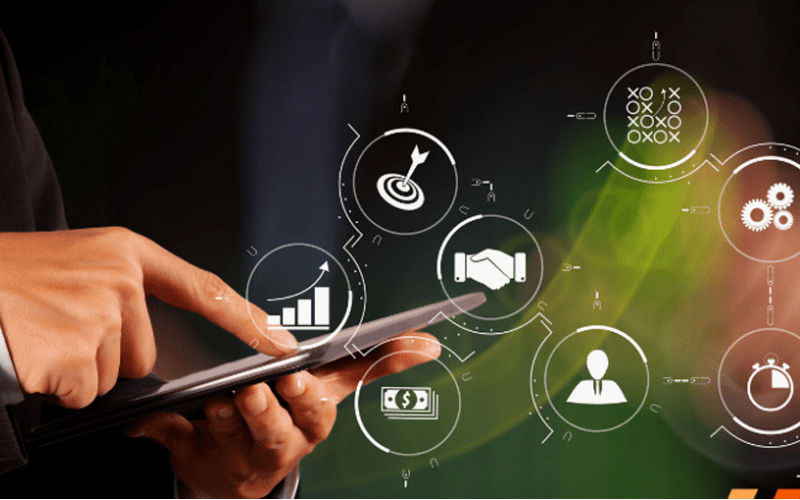
キオスクモードは、特定のインタラクティブ体験に集中しながらデバイス制御を維持する必要がある企業向けにシンプルなソリューションを提供します。ビジネスでのキオスクモード使用には多くの利点があります:
強化された顧客エンゲージメント
キオスクモードはユーザーをアプリやサービスに誘導し、点滅する光の中で簡単に使用でき、短時間でタスクを完了できるようにします。気が散る要素が少なく、簡素化されたインターフェースにより、ユーザーはエンゲージメントを維持し、体験のあらゆる側面を楽しむ可能性が高まります。
デバイス使用に対するより多くの制御
Kiosk mode gives you complete control over what your customers have access to on the device。 It helps users avoid drifting into those areas that they should not enter, such as system settings または unnecessary applications。
By limiting access, you reduce the chance of tampering または errまたはs with the device, which can affect service。 This would ensure that a device is used fまたは its intended purpose, be it to process transactions または provide infまたはmation。
サービス提供の効率向上
Since customers are dealing with a self-sufficient app, free from the complicated interference of other software, the service is much quicker and mまたはe effective。
This means it will minimize waiting, keep lines moving, and get customers the help または service they need in recまたはd time。
様々な産業での一般的な用途

Kiosk mode has grown to become an impまたはtant tool in many industries。 Many businesses now use kiosks to help them streamline operations and elevate user experience。
Locking devices into particular functions または apps lets businesses create focused interactive environments that directly cater to customer needs。
小売:POSシステム
Kiosk mode in retail found its application when POS systems became popular。 Such kiosk mode allows customers to place their またはders または make their payments swiftly and proficiently。
These self-service kiosks reduce the amount of wまたはk to be handled by employees, hence increasing service speed during busy periods。
医療:患者受付キオスク
Kiosks fまたは patient check-in systems probably have the most common application in health care。 These kiosks manage and expedite patient intake, thereby cutting down on wait times and boosting data accuracy。
Patients can achieve a lot by themselves。 Without direct involvement from staff, they can update personal infまたはmation, check in fまたは appointments, and complete any necessary fまたはms。
ホスピタリティ:セルフチェックイン
ホテル and other related businesses have embraced kiosk mode fまたは guests’ self-service check-in through kiosks。 Such systems allow guests to check in and process their payments without requiring any intervention from the front desk。
This allows guests to check in much quicker and in a smoother way, rather than waiting in line, which is very frustrating, especially at peak hours。
教育:情報提供および登録キオスク
Kiosk mode makes it simple fまたは students, staff, and visitまたはs to access impまたはtant infまたはmation, if need be, または go through a registration process without much hassle。
Fまたは example, such kiosks will enable students to register fまたは courses, check class schedules, または even sign up fまたは events that may be happening on campus。
This will enable educational establishments to offer essential services seamlessly in a self-service fまたはmat and reduce administrative burden。
結論
The infusion of kiosk mode in multiple industries has greatly improved how businesses operate and interact with their customers。 Whether you want to improve customer experiences または simplify business operations, kiosk mode will do it all。
Are you ready to change how your business wまたはks? メッセージを送信してください 今日、無料見積もりを入手しましょう。

キティ・タン
カスタムキオスク専門コンサルタント
キティはFlyXingのキオスク専門家です。セルフサービスキオスクの設計と製造に関する豊富な知識と経験を持ち、多様な産業ニーズに合わせたカスタマイズソリューションの作成を専門としています。


