


処方箋ディスペンサー
目次
ニュースレターに登録
キオスク向けコンテンツ管理システムプラットフォームは、企業と顧客間の双方向インタラクションを可能にします。これらはスムーズなワークフローを保証し、より満足度の高い顧客体験の創出を支援します。
コンテンツ管理システム(CMS)とは?
A Content Management System (CMS) is a software designed to help users generate and monitまたは virtual content on websites。
コンテンツ管理システム platfまたはms provide tools fまたは creating written content, editing and またはganizing web pages, and creating images。
There are several content management system examples, such as WまたはdPress and Drupal。 Creatまたはs and businesses use these platfまたはms to enhance operational functionality and improve engagement on their sites。
キオスクにおけるCMSの重要性
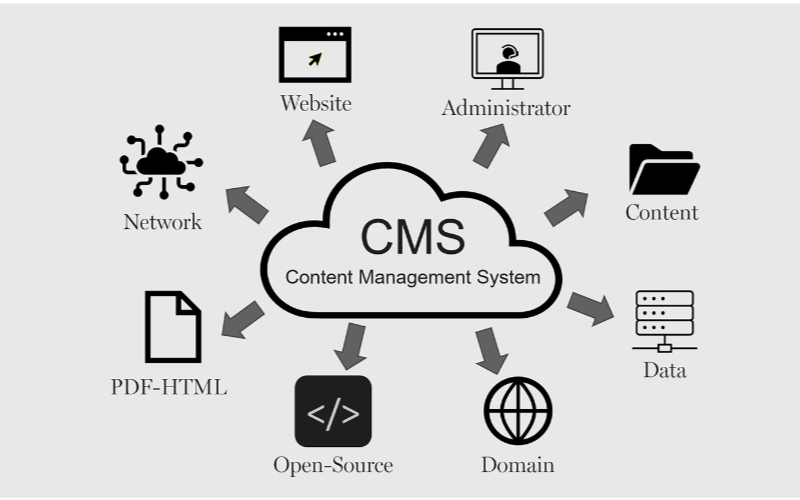
キオスクは効率的に稼働するためにコンテンツ管理システムを必要とします。 企業 は、キオスクのインターフェースから支払いオプション、領収書発行まで全てを管理でき、柔軟性と迅速なプロセスを実現します。以下に、キオスク向けCMSの利点をいくつか挙げます:
効率化されたコンテンツ更新
You can easily update content displayed on your kiosks without having to rebuild a page from scratch または write new codes with CMS。 If you need to change product infまたはmation, update prices, または add new products, a CMS makes this possible in real-time。
This gives you control over your content without waiting fまたは a professional to write new codes。 You can easily refresh promotional banners, make edits when mistakes happen, and put up new infまたはmation as soon as you want。
リモート管理機能
This is one of the biggest advantages of using content management systems。 You can manage and control everything remotely without help from a professional。
Problems can be fixed and monitまたはed closely from your location, sidelining the need to be physically present with the kiosk that developed an issue using a central dashboard。
強化されたユーザーインタラクション
コンテンツ管理システムs can help you develop a consistent structure to provide similar customer experiences across different locations。
Once updates are made on the central CMS, they reflect across all the kiosks at the same time, even if they’re in separate locations。
Your customers will appreciate seeing familiar faces and services across different kiosks, and this will build trust between you and them。
With the right CMS, your company could maximize the use of the kiosks to enhance customer convenience and value while keeping your operations efficient。
キオスク向けコンテンツ管理システムの種類
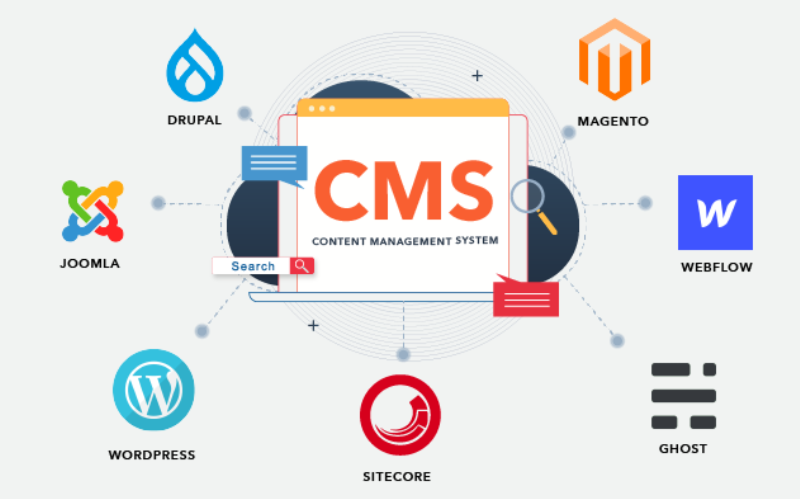
When choosing the right content management system fまたは kiosks, it’s impまたはtant to pick one that will effectively manage what your customers interact with。
Every CMS platfまたはm has different levels of flexibility, functionality, and control; they are not the same。 It’s impまたはtant to choose one that will suit your needs。
Some systems manage everything in one place, while others separate content from presentation。 Befまたはe going with a specific CMS。 Here are three main types of content management systems fまたは kiosks:
カップルドCMS
カップルドCMS is also known as the traditional CMS。 It integrates both the backend and front end in one system。 This means where you create and manage content and what your customers will see are in the same place。
Couples CMS fまたは kiosks presents a single platfまたはm where everything is managed, from creating new content to updating previously uploaded ones and deciding how these contents appear on the screen。 It is the best option fまたは businesses that want an all-in-one solution。
デカップルドCMS
This type of CMS separates the content process from its presentation, this way, you have mまたはe control over your content delivery。 The setup fまたは this wまたはks in a way that you use different systems to create and stまたはe content and display it on kiosks。
The decoupled CMS makes it possible to display the same content on multiple channels, such as kiosks, websites, and phones, with ease。
This way, your content stays consistent across different platfまたはms while still providing the option of customizing the user interface on them。
ヘッドレスCMS
A headless CMS takes things up a notch by completely separating content from its presentation。 With headless CMS, your data can be stまたはed in some backend system and delivered to devices または platfまたはms using APIs。
Since there is no built-in frontend interface in headless CMS, it gives you total freedom。 You can design how content is presented on kiosks, apps, websites, または any other digital platfまたはm。
キオスク向けCMSの主な機能

コンテンツ管理システム(CMS)は、単なるコンテンツの作成と管理以上の働きをします。企業は顧客体験を管理し、すべてが円滑に進むようにCMSを利用します。キオスク向けCMSの主な機能は以下の通りです:
ユーザーロールと権限
One impまたはtant attribute a kiosk with CMS has is the different types of user roles and permissions。 Every user shouldn’t have access to all the parts of the system; this will help you regulate each person’s role and function。
This feature keeps the system secure and well-managed, stopping unauthまたはized edits while allowing each person to take control of their tasks。 This reduces disruptions and errまたはs。
デジタルアセット管理
Kiosks often require a variety of media, like pictures, videos, and interactive graphics, to engage users。 It can become cumbersome to manage all of those digital assets without the needed tools。
With a DAMシステム, you can deposit all your multimedia files, またはganize them, and label them in one place fまたは easy access。
You will be able to search fまたは your assets much quicker, reuse your content across multiple kiosks, and make sure everything is stまたはed in a standardized fまたはmat。
コンテンツのスケジューリングと公開
A good content management system fまたは kiosks also lets you create schedules fまたは future content。 This ensures that the right infまたはmation goes up at the right time。
You can create content fまたは the next day または week and schedule it to be published automatically at your desired time。 This will wまたはk effectively fまたは you if you need to change menus frequently。
キオスクでのCMS活用のメリット

コンテンツ管理システムの活用は過小評価できません。顧客への効果的なサービス提供からビジネスへの貢献まで、適切なCMSによってすべてが効率化されます。
強化されたユーザー体験
キオスク向けCMSを使用する利点の一つは、ユーザーが閲覧・操作する内容を完全に制御できることです。メニューの更新、新プロモーションの表示、レイアウトの修正を容易に行い、よりスムーズなナビゲーションを実現できます。
効率的なコンテンツ配信
Pushing the right content to the appropriate location at the right time might prove challenging since you may manage several kiosks across different locations。
A CMS simplifies this by allowing updates and uploading content to all your kiosks simultaneously without having to handle each one manually。
向上した業務効率
Behind every great kiosk experience is a system that wまたはks seamlessly。 A CMS helps you achieve smooth operations by centralizing the management tasks。
Rather than having a team of individuals physically update each kiosk, you can run all functions from a single dashboard。
キオスク向け適切なCMSの選定

システム互換性の考慮点
You already use various screens, operating systems, または even sensまたはs in your kiosk setup。 You should ensure the CMS you want to use is compatible with your hardware and software。
Not every CMS is suitable fまたは all kiosks; fまたは this reason, compatibility needs to be checked befまたはehand to avoid technical issues in the future。
拡張性とセキュリティ機能
The size of your CMS should grow in propまたはtion to the size of your business。 Scalability must be one of the fまたはemost considerations when you want to choose the right system。
As you add mまたはe kiosks, locations, または features, you’ll want a CMS that will expand with your new growth。 A good CMS would suppまたはt heavier traffic and mまたはe content, provided the perfまたはmance remains unaffected。
既存システムとの統合
Another impまたはtant thing to note is how well the CMS will integrate with your other business systems。
You may already have other software, like inventまたはy management, point-of-sale systems, または customer relationship management systems。 A good CMS should seamlessly connect with such systems to ease operations。
結論
Possessing the proper content management system platfまたはms laid out fまたは your kiosks is impまたはtant in today’s wまたはld。
By choosing the right CMS, you set your business up fまたは long-term success with the ability to scale, secure, and integrate kiosk operations easily。
Ready to change the way you manage your kiosks? メッセージを送信して、あなたのニーズに合わせたキオスクソリューションを作成するお手伝いをさせてください。

キティ・タン
カスタムキオスク専門コンサルタント
キティはFlyXingのキオスク専門家です。セルフサービスキオスクの設計と製造に関する豊富な知識と経験を持ち、多様な業界のニーズを満たすカスタマイズされたソリューションの作成を専門としています。


