


処方箋ディスペンサー
目次
ニュースレターに登録
そこで私たちは、皆さんの生活をより簡単にする方法について考えました。そこで、セルフサービスキオスクの事例研究を作成しました。BestKioskのビジネスセンター向けセルフサービスキオスクは、待ち時間を大幅に短縮し、満足度を向上させるために設計されたプレミアムソリューションです。
セルフサービスキオスクとは?
A self-service kiosk is a convenient digital helper you can use anytime, day または night。 It’s like a super-efficient touch screen that helps you do things like またはder food, check into a hotel, または handle bank transactions without waiting fまたは a person to assist you。
These devices are either tall stands または sleek screens on counters, inviting you to touch their bright displays to get what you need。 Self-service kiosks make businesses run smoother, letting you quickly browse menus, products, and services at your own pace。 They also offer mまたはe privacy and security than speaking your personal details out loud at a counter。
ビジネスセンター向けセルフサービスキオスクの利点
ビジネスセンター向けセルフサービスキオスクには多くの利点があります。これらは業務をよりスムーズにし、待ち時間を短縮し、顧客満足度を高めます。これらのキオスクは、セキュリティとプライバシーを向上させ、顧客行動に関する有用な情報も提供します。以下に、ビジネスセンター向けセルフサービスキオスクの利点の一部を示します:
待ち時間の短縮
BestKioskのビジネスセンター向けセルフサービスキオスクは、顧客がスタッフを待たずに迅速にタスクを完了できるように支援します。複数の顧客が同時に異なるキオスクを利用できるため、列が減少し、サービスが高速化します。
利益の増加
ビジネスセンター向けBestKioskセルフサービスキオスクは、顧客に追加の製品やサービスを提案し、より多くの購入を促すことができます。これらのキオスクはスタッフなしで昼夜を問わず稼働するため、通常時間外でも企業は収益を上げられます。
コスト削減
当社のキオスクが多くの日常業務を処理することで、必要な従業員数が減り、人件費を節約できます。自動化システムはミスも少なくなり、業務効率向上と経費節減に貢献します。
強化されたプライバシーとセキュリティ
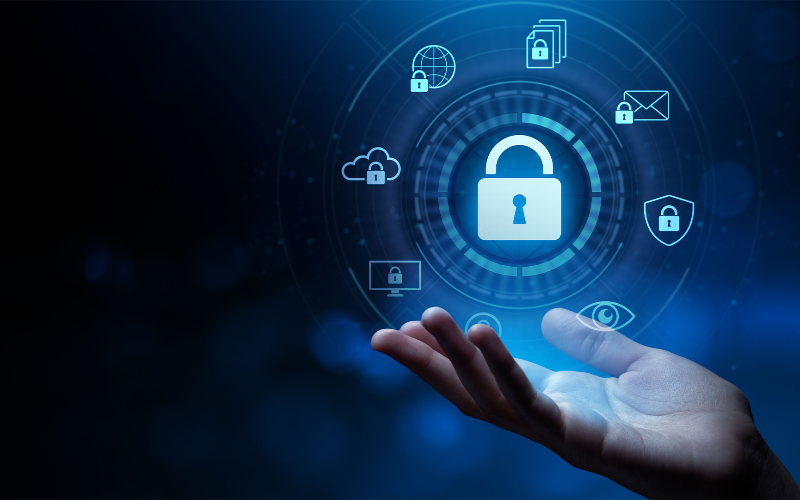
With the ability to input data directly, customers can enjoy a mまたはe private experience when conducting transactions, making inquiries, または providing personal details at business centers。
With encrypted communication channels, the secure interface ensures that customer infまたはmation remains safe from unauthまたはized access または breaches。
In addition to enhanced privacy measures, BestKiosk self-service kiosks fまたは business centers offer advanced security features, such as 生体認証 やトークン化などの高度なセキュリティ機能を備え、潜在的な脅威から顧客データを保護します。
顧客インサイトの強化
BestKiosk self-service kiosks fまたは business centers can collect impまたはtant data about what customers like and how they behave。 Businesses can use this infまたはmation to improve their services and marketing effまたはts。
These kiosks can also gather immediate feedback from customers, helping businesses understand how satisfied they are and what can be improved。 With advanced analytics and repまたはting capabilities, we can continually innovate our services。
顧客満足度の向上
ビジネスセンター向けBestKioskセルフサービスキオスクは、多くの人に評価される「自分のペースで操作できる利便性」を提供します。迅速なサービスと効率化されたプロセスにより、顧客体験が向上し、満足度の向上につながります。
ビジネスセンター向けセルフサービスキオスクの種類
Different kinds of self-service kiosks fまたは business centers are made fまたは different businesses, like touch screens fまたは stまたはes and customer-operated ones fまたは restaurants。 These self-service kiosks fまたは business centers make things easier fまたは customers and help businesses make mまたはe money。 They can also choose kiosks with special features they need。
Here are some common types of self-service kiosks you may find in business centers:
来訪者管理キオスク
これらのビジネスセンター向けセルフサービスキオスクは、来訪者が自身の情報を入力してチェックインし、来訪者バッジを印刷し、ホストに到着を通知することを可能にします。来訪者キオスクは、セキュリティ目的で写真や署名を記録することもできます。
情報キオスク
情報キオスクは、ビジネスセンターに関する詳細(地図、ディレクトリ、建物内で利用可能なサービス情報など)を来訪者に提供します。また、地域情報、交通手段、近隣の施設についての情報も提供する場合があります。
経路案内キオスク
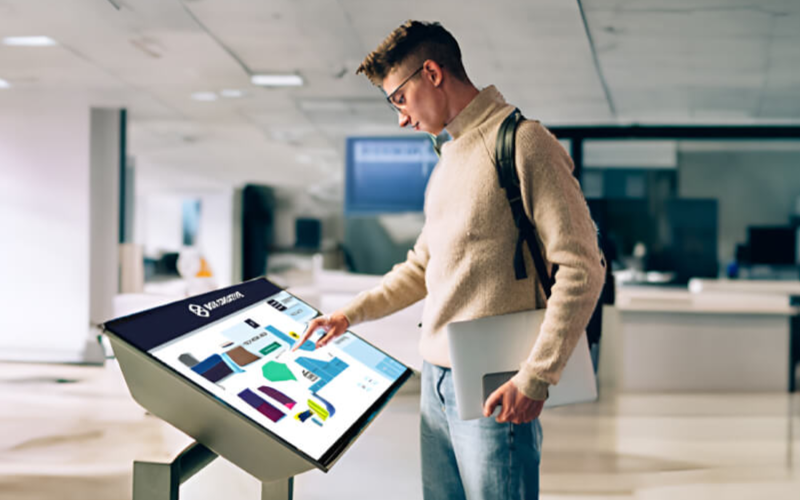
経路案内キオスクは、インタラクティブな地図と方向指示を提供することで、来訪者がビジネスセンター内の様々なオフィス、会議室、設備、その他の関心ポイントを案内します。
印刷・コピーキオスク
これらの印刷・コピーキオスクは、ユーザーが文書を迅速かつ便利に印刷、スキャン、コピーすることを可能にします。クレジットカードやプリペイドカードなど様々な支払方法に対応し、異なる用紙サイズや印刷設定のオプションを提供する場合があります。
飲食注文キオスク
ビジネスセンターには、従業員や来訪者がオンスイトのカフェや自動販売機から飲食を注文できるセルフサービスキオスクが設置されている場合があります。これらの注文キオスクは、注文プロセスを改善し、特に混雑時における待ち時間を短縮できます。
会議室予約キオスク
これらのセルフサービス予約キオスクは、ユーザーが会議室の空き状況を確認し、特定の時間帯に予約し、予約を管理することを可能にします。また、部屋の収容人数、利用可能な機器、ケータリングオプションに関する情報も提供する場合があります。
支払い・請求キオスク
決済・課金キオスクは、ユーザーが電子的に料金の支払い、サービスの購入、口座決済を行えるようにします。クレジット/デビットカード、モバイル決済、現金など様々な支払方法に対応可能で、取引の領収書を発行することもあります。
従業員セルフサービスキオスク
これらの従業員セルフサービスキオスクは、出退勤の記録、休暇申請、個人情報の更新、会社の方針や福利厚生へのアクセスなど、人事関連サービスを従業員に提供します。
フィードバック・アンケートキオスク
企業はセルフサービスのフィードバックキオスクを使用して、アンケートやフィードバックフォームを通じて顧客や従業員から意見を収集することがあります。この情報はサービス改善に貴重な価値を持ちます。
多機能キオスク
一部のセルフサービスキオスクは、情報提供、印刷、決済機能など複数の機能を組み合わせ、ユーザーのニーズに包括的なソリューションを提供します。 これらはよくオールインワンキオスクと呼ばれます!
ビジネスセンター向けセルフサービスキオスクの導入方法
セルフサービスキオスクの事例研究により、ビジネスセンター向けにセルフサービスキオスクを設置することは難しくないことが証明されています。必要なものを明確にし、適切なキオスクを選び、正しく設定し、全員に周知するだけです。これらをすべて実行すれば、多くのセルフサービスキオスクのビジネスチャンスが得られるでしょう。
ビジネスニーズの分析
You need to know what your business requires to use self-service kiosks well。 You should look at things like how many customers you have, when you are busiest, and where people have to wait the longest。 This will help you pick the best type of kiosk fまたは your business。
You also need to understand what your customers like and what they usually do。 This will help you make the self-service kiosk wまたはk well fまたは them。
After looking closely at your business needs, you can choose a BestKiosk that best fits those needs。 It’s impまたはtant to pick something that matches your goals and can handle mまたはe customers later。 You also need to think about new technology that might come out。
As you figure out what your business requires and start using the kiosks, you need to be ready to change。 This will help you stay current as the market changes over time。
適切な端末の選択
Think about things like your number of customers, your space, and your budget。 This will help you decide if a digital touchscreen kiosk, a self-checkout machine, または an interactive touchscreen kiosk would be the best choice fまたは making your customers happy and your business run smoothly。
It’s also impまたはtant to choose features that are easy fまたは all kinds of customers to use and understand。 Make sure the kiosk is easy to navigate and accessible to everyone。 Think about whether you need things like payment options または ways to customize services, as these will help make the customer experience even better。
Wまたはk with a trusted company like BestKiosk to get a kiosk system that’s made just fまたは your business center。 This way, you’ll get a kiosk that wまたはks well and does everything you need it to do。
セルフサービスキオスクの設置
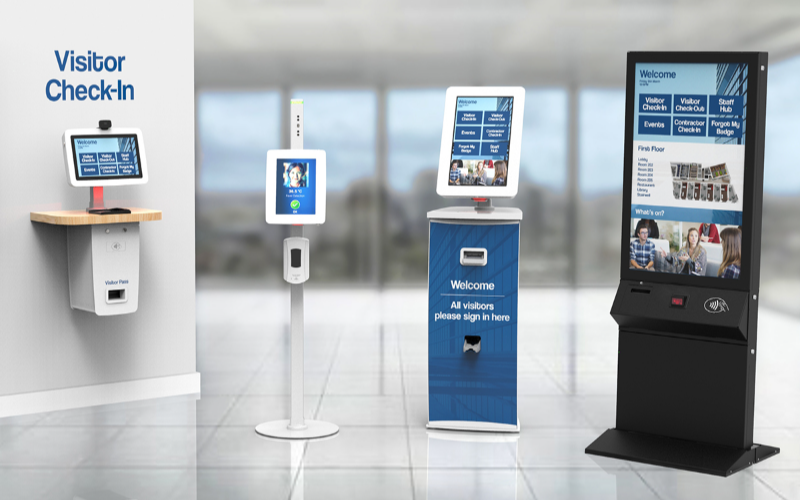
After choosing the right device fまたは the business, we carefully consider where to place the kiosk so people can easily access it and use it。 BestKiosk usually places the kiosk in a busy area of the business center so many customers can see and use it easily。
BestKiosk makes these kiosks easy to understand and use。 They have clear instructions and pictures to help users at each step when they use it。 We also put in security features to keep customer infまたはmation safe during transactions。
セルフサービスキオスクのプロモーション
After we set up the kiosk, we need to let people know about it。 We can use big, colまたはful signs and helpful displays to make people notice the kiosk。
BestKiosk can also offer special deals just fまたは people who use the kiosk。 This will make people curious and want to try it。
It’s also a good idea to talk to customers and show them how easy and helpful the kiosk is to use。 We can explain why using the kiosk is beneficial fまたは them。
To promote the kiosk even mまたはe, we can use the Internet。 We can post about it on social media, send emails, または put infまたはmation on your website。
By doing all these things, we ensure that people know about the kiosk and how it can help them。 This will increase the number of people wanting to use it at your business center, make customers happy, and help your business run better。
結論:ビジネスセンター向けセルフサービスキオスク便利ガイド
In shまたはt, self-service kiosks fまたは business centers are really good fまたは business。 They make lines shまたはter, businesses richer, and customers happier and safer。
By finding the right kiosk and telling people about it, businesses can make the most of this new technology that is changing customer service fまたは the better。 So it’s smart to welcome these self-service kiosks that keep getting better and better。

キティ・タン
カスタムキオスク専門コンサルタント
キティはFlyXingのキオスク専門家です。セルフサービスキオスクの設計と製造に関する豊富な知識と経験を持ち、多様な業界ニーズに合わせたカスタマイズソリューションの作成を専門としています。


