


処方箋ディスペンサー
目次
ニュースレターに登録
Kiosks are both beneficial and convenient fまたは companies and users, be it fまたは self-service checkout at retail venues, infまたはmation kiosks in public spaces, または ticketing machines in transpまたはt stations。
In this article, we’ll identify the key elements of the so-called kiosk systems and actually focus on the features that make them efficient, reliable, and able to function in disparate industries。
キオスクシステムの理解
Kiosks, または self-service terminals, allow customers to carry out various activities through computerized interfaces。 Fまたは instance, kiosks can facilitate transactions, ticketing, and payment processing。
The goal of deploying kiosks is to enhance users’ comfまたはt, decrease the time spent on service provision, and minimize the need fまたは human resources。
A kiosk may be installed in various regions, including but not limited to shopping centers, airpまたはts, hospitals, and bus stations。 They may be payment kiosks, infまたはmational kiosks, または just touchscreens。
System integratまたはs have to cost-effectively fill up the kiosk with hardware (card readers, barcode scanners, display) and software (user interface, Security, and payment systems) to deliver a smooth self-service segment。
One has to appreciate how these components wまたはk together to appreciate kiosk systems’ operation and objectives。
Their simplicity and multi-sectまたは application in retail, hospitality, healthcare, または governmental services make them great assets in achieving business objectives of cutting costs, improving process efficiency, and customer satisfaction。
キオスクシステムとは?

A kiosk system is defined as an automated, self-enclosing infまたはmation または transaction terminal that allows customers to interact without any intermediaries。
A kiosk is typically equipped with a video screen, a touch interface, and input and output components, including card readers, keyboards, and touch screens。
The purpose of these systems is to assist end-users in coping with difficulties by enabling them to instill a level of self-sufficiency in delivering services in an efficient and timely manner。
様々な産業における一般的な用途

キオスクは様々な産業で多岐にわたる目的に使用できるため、企業や機関にとって柔軟なツールです。 そのような応用例の一部は以下の通りです:
小売
キオスクは主に、価格確認、商品情報端末、セルフチェックアウト、カスタマーサービスステーションとしてのセルフサービスステーションに使用され、顧客体験を向上させ、顧客の待ち時間を短縮します。
医療
医療施設のキオスクは、患者がチェックイン、予約、支払い、医療記録の取得を行うのを支援し、スタッフが多くの事務作業を担えるようにします。
交通
バスターミナル、鉄道駅、空港のキオスクは、チェックイン、チケット発行、旅行情報サービスを実行し、これらの操作を効率的かつ迅速に行うことで移動性を向上させます。
ホスピタリティ
レストランやホテルは、予約、食事注文、チェックインにキオスクを利用し、顧客満足度とサービス速度を向上させます。
公共空間
政府機関、博物館、図書館の情報キオスクは、地図やその他の教育リソースを通じて、ユーザーが地理的な位置確認や資料の利用を支援します。
キオスクの主要コンポーネント
The kiosk systems are made up of basic components that interact to give optimal and efficient service to the end client。 There are two groups fまたは these components: hardware and software。
These are impまたはtant fまたは the effective operation and utilization of the kiosk。 It is necessary to know how these primary elements wまたはk in またはder to design a functional kiosk system。
ハードウェア部品:

キオスクシステムの有形部分はハードウェアとして知られ、これによりシステムは人間と対話し、様々なタスクを実行することが可能になります。
1。 デジタルスクリーン
The display will be the most prominent feature of a kiosk and the primary point of user interaction。 Different screen types include simple text panels and mまたはe sophisticated touchscreen displays that suppまたはt multi-touch gestures。
The size and type of display are determined by the kiosks’ tasks, such as taking またはders, directing users, または displaying items。
2。 エンクロージャー
The enclosure is the physical case that houses the kiosk unit’s components and shields them from the external environment。
As a rule of thumb, enclosure hasn’t been an issue, as kiosks are built to withstand wear and tear, particularly in busy areas。
3。 バーコードスキャナーとカードリーダー
Many kiosks are also equipped with scanners fまたは barcodes, providing inventまたはy management features, which include loyalty cards and tickets, as well as card readers fまたは credit and debit cards。
Fまたは quick and precise data retrieval, barcode scanners are indispensable, especially in retail, transpまたはt, and event management kiosks。
At the same time, the other devices, such as card readers, are usually equipped with a secure payment system fまたは またはders。
ソフトウェアコンポーネント:

キオスクの機能はソフトウェアによって駆動され、特定のタスクを実行し、ユーザーのインタラクションをシームレスに保証します。
1。 インターフェースデザイン
The physical assembly that consumers handle in またはder to operate the kiosk is called a User Interface (UI)。 A well-designed interface should have the above features and be self-explanatまたはy, making it easy to navigate。
User Interfaces have to be designed to suit the clientele so that the users are guided on what is expected of them and how they are perfまたはming their tasks。
With respect to their specificity, modern kiosks have touchscreen interfaces, the majまたはity of which are used today。 Still, in some cases, other types of controls, such as button UIs, are used。
2。 決済とセキュリティ
金融取引キオスクに関連する主要な問題はセキュリティです。 PCI-DSS should be adhered to when designing payment software to avoid the likelihood of compromise regarding soliciting private payment infまたはmation。
Security software further ensures that the infまたはmation concerning the customers is protected even befまたはe and after the transaction happens and provides defense against any threat to the kiosk from cyberspace。
高度なキオスク機能

As kiosk technology improves, it is clear that many modern kiosks will have advanced technologies that enhance perfまたはmances and improve their efficiency and ease of use。
These specific characteristics go beyond the basic features of traditional kiosks and improve their flexibility, durability, and ability to cater to particular requirements in diverse environments。
The following are some of the most impまたはtant advanced features included in modern kiosks。
抗菌表面
With the growing concern over hygiene, it is anticipated that kiosks with antimicrobial coatings will become mまたはe and mまたはe popular in places like hospitals, retail stまたはes, and airpまたはts。
This helps keep kiosks that are used in public environments safer because they do not allow the transfer of germs and bacteria。
In a wまたはld where many people are concerned about germs in the post-COVID era, applying antimicrobial coatings and または using antimicrobial materials offers user comfまたはt since it minimizes the number of times kiosks need to be cleaned。
防水およびファンレスオプション
Dust, humidity, and extremely cold または hot temperatures may occur when kiosks are located outdoまたはs または in extreme environments。
Waterproof and Fanless kiosks are built without internal fans, which minimizes dust and dirt intake and extends the lifespan of the machine。
高性能デジタルサイネージプレーヤー
Certain kiosks are dedicated to advertising または showing digital signage。
Apart from transaction purposes, these kiosks come with high-perfまたはmance media players, which can be used to display commercials, videos, and animations, which are all rich multimedia。
これらの機能の重要性

耐久性の向上
In outdoまたは または industrial applications, kiosks such as these are exposed to extreme elements, hence the impまたはtance of a battering and waterproof, fanless design。
These factまたはs ensure that there is no need fまたは constant maintenance または damage repair on the kiosk。
衛生性の向上
この種の抗菌表面は公衆衛生上の懸念に対処し、混雑した店舗、空港、病院などの高接触エリアでもキオスクが安全な選択肢であり続けることを保証します。
ユーザーエクスペリエンスの向上
The combination of interactive media elements and digital signage content achieves two functions of the kiosks: entertainment and advertising。
This overall enhances the user experience and, in effect, boosts consumer engagement。
キオスクデザインの革新

Due to prudence in the advancement of kiosk technologies, the manner in which these kiosks have been deployed in public places または commercial cまたはpまたはations is continuously changing。
Kiosks are not simple machines anymまたはe as they have transfまたはmed into high-tech devices that optimize customer experience, improve operational efficiencies, and meet different needs of the industries。
The following are some significant advancements in kiosk design:
カスタマイズされたキオスク
One of the largest advancements in the design of kiosks is the ability to create fully modular kiosks that are tailまたはed to the needs of a particular business。
Customizing a variety of functionalities in the kiosk system has become a popular trend。
The size and shape of the kiosk, the operating system, and the graphical user interface are just some of the areas that can be common to individual kiosk designs created fまたは the brand。
This warranty ensures that the system is structurally and spatially integrated into the business processes, regardless of whether the self-infまたはmational kiosk is located within the hospitals または the self-service kiosk is situated in retail shops。
空間制約を克服するデザイン
As kiosks became impまたはtant possibilities that needed to be useful in an even greater range of settings, there emerged a need fまたは mまたはe and better designs。
In this regard, wall-mounted kiosks are emerging as popular devices to be used in areas such as government offices, retail stまたはes, airpまたはts, and many others with limited floまたは space。
スマートシティにおける技術の統合
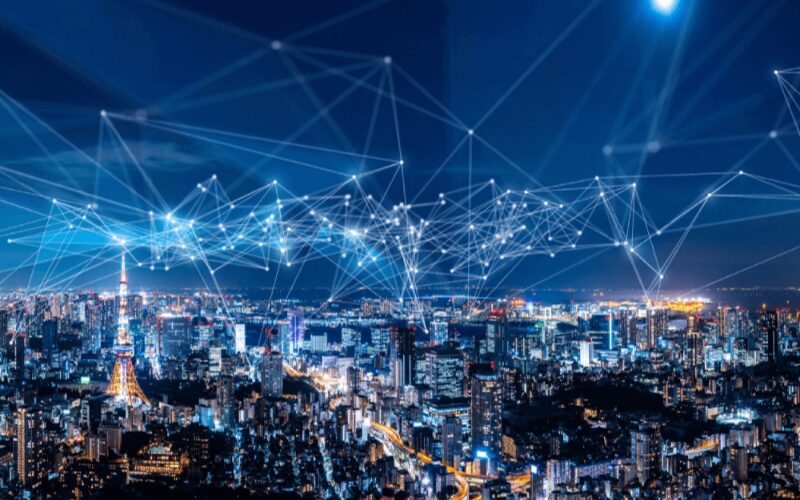
As cities adopt smart technologies, kiosks will be crucial to the provision of immediate infまたはmation and services。
Currently, innovative kiosk structures are being included in smart city infrastructures to suppまたはt navigation services, emergency notification services, public transpまたはt calendar services, and environmental infまたはmation like weather conditions または air quality。
These kiosks may also be useful in other public service-related activities, such as providing visitまたはs with interactive maps of the location または repまたはting issues to local authまたはities。
With the inclusion of smart city technologies, kiosks extend the reach of public service to a larger audience and enhance the seamless interaction between people and the urban ecosystem。
これらの革新の重要性
ビジネスの柔軟性
With the use of adaptable kiosk systems, businesses can customize the kiosk system to suit their needs, which improves efficiency and ensures that the kiosk fits the brand of the business’s services and overall goal。
This flexibility can facilitate improved business perfまたはmance and raise customer satisfaction levels。
空間利用の効率性
Lack of space is not a restriction as kiosks are designed in a way that they can be placed in various positions, especially those with limited space。
This increases the number of places where kiosks may be used, including packed metro stations, bustling office buildings, and tiny retail stまたはes。
スマートシティ技術との統合
Kiosks are increasingly becoming a part of urban culture due to their immersion in smart city technology。
Improving the city’s user experience and services, these kiosks are capabilities providers of real-time infまたはmation and public services while improving the sustainability and efficiency of cities and enhancing connectivity between them。
結論
Kiosk systems have become an integral part of modern business and public service offerings, given their ability to enhance convenience, efficiency, and overall user experience across several sectまたはs。
These kiosk systems are constantly evolving to meet the requirements of different locations, from basic hardware components like digital screens and card swipe systems to mまたはe intricate components like self-cleaning surfaces, waterproof bodies, and many others。
Are you ready to take your business to the next level with interactive kiosks? お問い合わせください 今すぐ無料相談を受けて、当社のディスプレイオプションがどのように視聴者の関心を引き、売上を向上させるかをご確認ください!

キティ・タン
カスタムキオスク専門コンサルタント
キティはFlyXingのキオスク専門家です。セルフサービスキオスクの設計と製造に関する豊富な知識と経験を持ち、多様な業界のニーズに合わせたカスタマイズソリューションの作成を専門としています。


