


Prescription dispenser
Table of Contents
Sign up to our newsletter
Kiosks have demonstrated their worth in distributing information, providing convenient access, and boosting customer satisfaction.
As kiosks evolved, there have been new accessories needed to take advantage of the distinctive features. They can improve the user experience at a terminal.
With so many variations and capabilities, let us guide you on how to choose your kiosk accessories.
 From enhancing user interaction to improving mobility and security, these accessories can have a significant impact on the overall user experience.
By carefully selecting and implementing these accessories, businesses can create a more engaging, efficient, and secure environment for their customers.
Investing in the right kiosk accessories not only enhances service delivery but also reinforces brand identity and operational efficiency.
From enhancing user interaction to improving mobility and security, these accessories can have a significant impact on the overall user experience.
By carefully selecting and implementing these accessories, businesses can create a more engaging, efficient, and secure environment for their customers.
Investing in the right kiosk accessories not only enhances service delivery but also reinforces brand identity and operational efficiency.
Essential Kiosk Accessories for Enhanced Functionality
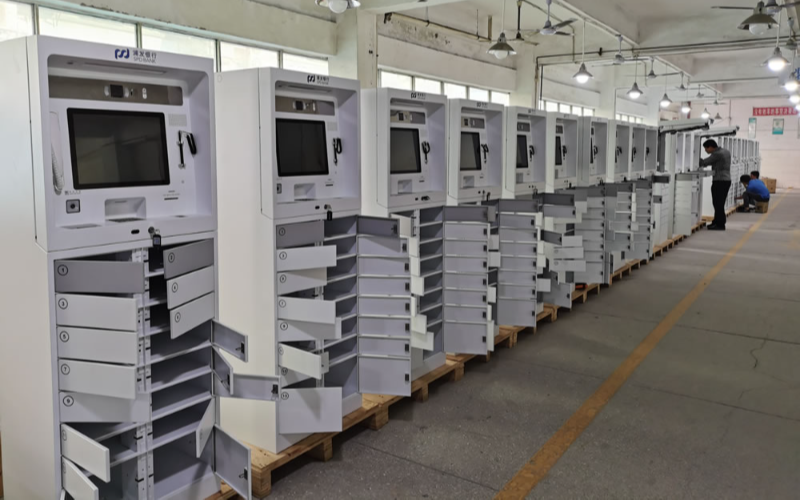 From enhancing user interaction to improving mobility and security, these accessories can have a significant impact on the overall user experience.
By carefully selecting and implementing these accessories, businesses can create a more engaging, efficient, and secure environment for their customers.
Investing in the right kiosk accessories not only enhances service delivery but also reinforces brand identity and operational efficiency.
From enhancing user interaction to improving mobility and security, these accessories can have a significant impact on the overall user experience.
By carefully selecting and implementing these accessories, businesses can create a more engaging, efficient, and secure environment for their customers.
Investing in the right kiosk accessories not only enhances service delivery but also reinforces brand identity and operational efficiency.
Mounts and Stands
A mount is the physical base or foundation that a kiosk can use. A stand is a flexible, more compact base for the main body of a kiosk. This usually includes the monitor/screen, touchpads, and input and output slots. As kiosks transformed into touchscreen and flatscreen options, mounts and stands have been the go-to for raising the monitors to the ideal height. A sturdy mount guarantees stability for a long time and is very easy to secure upon installation. Stands can be adjusted where needed, whether by angle or height. Mounts and stands also impact a kiosk’s visibility and accessibility.Shelving Options
Shelves provide broader spaces to place promo material or brochures. They can be fixed or expandable based on your needs. This will assist you in spreading information on your brand and give customers key takeaways to keep on hand. This can help during launch and extended promotional periods.Payment System Cradles
These are features included in installation to securely read card or mobile transactions. They are directly connected to the online payment system and ensure several means of payment are accessible at the kiosk. Payment system cradles are also capable of contactless or cash transactions. It just depends on the expectations at any given location. They help to reduce clutter when using the kiosks and provide a better experience when processing secure transactions.Popular Accessories for Digital and Interactive Kiosks
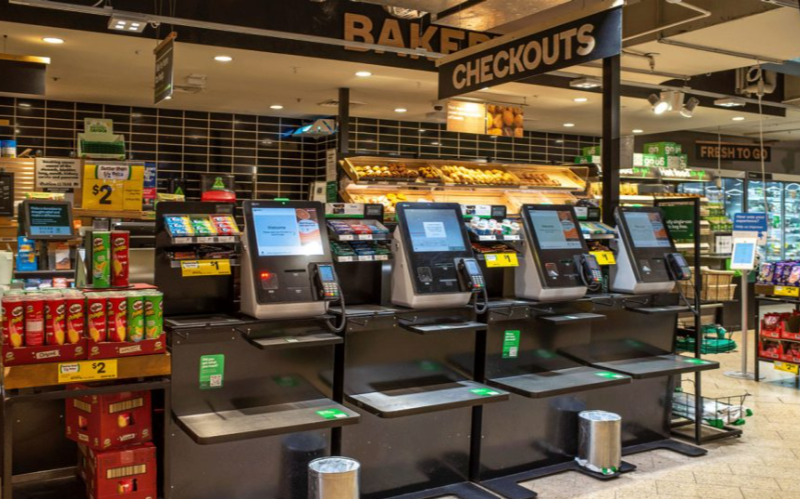
Clear Plexiglass Circular Shelves
This kiosk accessory refers to stacked shelves that have multiple sections for brochures and other free items. They are a modern aesthetic way to store pamphlets in easy reach for any customer. The clear plexiglass makes it ideal for not obstructing the kiosk view.Triangular Shelves
Triangular shelves are designed to fit in the small confines of booths where kiosks are situated. They fit in with the connections between walls. They are sometimes used to hold additional hardware or promotional material.Base with Wheels
A base with wheels provides smaller kiosks with extra mobility, meaning it will be accessible to more people, as relocation is easy. This is ideal for larger community festivals or expos/ events. It is a very versatile way to build a kiosk for use in several separate locations as needed.Custom Branding Options
This involves the use of your personal logo or the company’s logo on the kiosk during or after manufacturing or other items. This includes branded graphics, banners, booth wraps, and signage that is stationed in or around the kiosk for promotional purposes. Custom-branded accessories are a surefire way to boost brand visibility and recognition. It reinforces the brand’s identity in the minds of the customers and helps you to differentiate yourself from competitors.Mobility and Security Enhancements

Kiosk with Wheels
One improvement that can be done is adding wheels to the kiosks. This makes it possible for a single kiosk to be used in multiple ways at different events. This allows more access to mobility-impaired individuals and improves customer experience.Secure Locks and Enclosures
Additional security around kiosks protects the machine from being tampered with while securing potentially accessible data from outside threats. Physical security, as well as cybersecurity, should be the industry standard. You can utilize locks, encryption, hired guards, tamper-proof/resistant housing, and enclosures, as kiosk components and sensitive data are crucial.Accessories for User Interaction

Headphone Hanger Attachments
Providing headphones and headphone hangers for the kiosk will encourage users to interact with the audio options in comfort. This is a wonderful way to give disabled persons access on a regular basis without extra staff support. The attachments can also be adjusted for personalized use.Keyboard Trays
These work in tandem with the kiosks as logins may be used for different platforms or anywhere text input is required. They allow users to type comfortably while using the kiosk. They can be adjustable and can be set to customer preferences.External Audio Jacks
Audio jacks provide the user with a way to connect their personal devices with an interactive kiosk. A user can plug in the external audio jack to create a multimedia experience. It is a fun and engaging option to enhance customer satisfaction.Specialty Accessories for Specific Needs
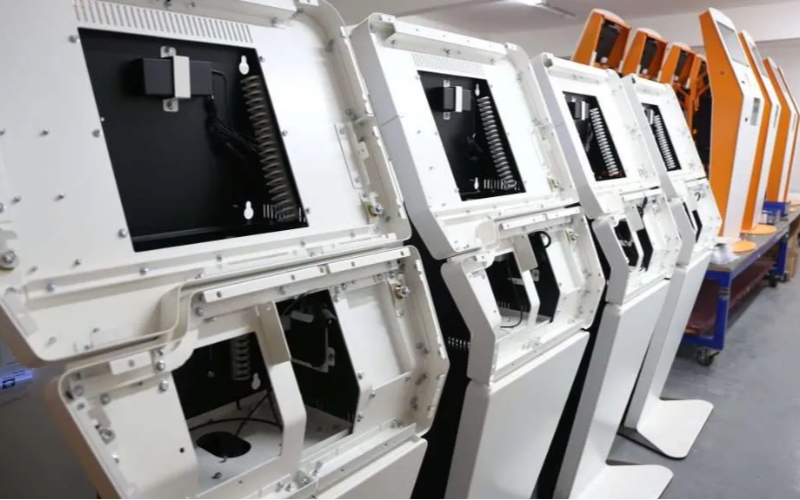
ID Tray for Verifications
These trays allow users to quickly scan their identification cards for verification at the kiosks. This helps to collect data faster and reduce intervention from staff for documentation purposes. It can enhance the speed of the know-your-customer steps in financial institutions and healthcare services.Quick Disconnect Adapters
This provides a flexible option for kiosks to interchange different accessories without much downtime. It allows quick disconnection for all peripheral devices, especially during maintenance or regular updates.Conclusion
The selection of the right kiosk accessories is a delicate process. You need to understand the purpose of your kiosks and evaluate ways to maximize the functionalities. This will ensure that your set-up/installation is successful. Enhanced kiosk accessories can improve mobility, accessibility, and security. Implementing these accessories will make customers grateful and give them an enjoyable experience. If you feel buried under the massive avalanche of options, message us today.
Kitty Tan
Custom Kiosk Expert Consultant
Kitty is a kiosk expert at FlyXing. With extensive knowledge and experience in designing and manufacturing self-service kiosks, Kitty specializes in creating customized solutions to meet diverse industry needs.
