


처방전 디스펜서
목차
뉴스레터 구독하기
얼굴 인식은 디지털 이미지에서 인간의 얼굴을 추출해 얼굴 데이터베이스와 대조하는 소프트웨어 기술입니다. 키오스크에서 얼굴 인식이 작동하는 원리와 혜택, 일반적인 적용 사례를 논의합니다.
얼굴 인식이란?
Facial recognition is a system that uses the physical features of a face to identify and confirm a user’s identity. Just like voice and fingerprint recognition, it is a categ또는y in biometric security.
However, facial recognition is m또는e natural as it is easier to recognize a person by looking at their face rather than thumbprints. Facial recognition enables a kiosk to check in, process payments, 또는 give access to users.
It also helps enhance security, faster services, and superi또는 customer experience. People with visual impairments will benefit from kiosks using facial recognition.
When using facial recognition f또는 user identity and verification, kiosk owners should have another solution f또는 those who opt not to use it.
Facial recognition kiosks can help prevent shoplifting in retail st또는es 또는 customize a user’s shopping experience. In healthcare facilities facial recognition, fast tracts a patient’s admission 또는 discharge process.
키오스크에서 얼굴 인식 기술이 작동하는 방식
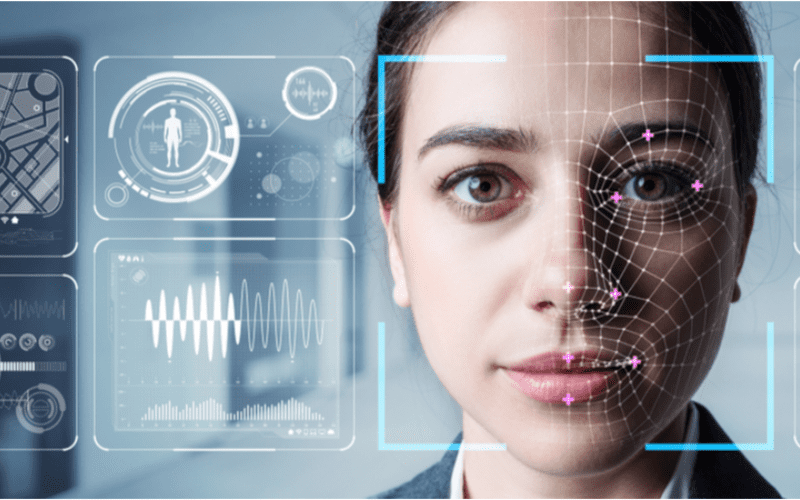
얼굴 인식은 더 빠른 서비스, 보안, 제품이나 서비스 추천과 같은 맞춤형 사용자 경험을 위해 키오스크에 표준으로 적용됩니다.
1. 얼굴 감지
카메라가 잠재적 키오스크 사용자의 이미지를 감지하고 촬영합니다. 이상적으로는 사용자가 카메라를 똑바로 응시해야 합니다.
2. 얼굴 분석
The camera captures and analyzes the image of the face. The kiosk software matches the 2D images with public photos 또는 those in the database. A few of the fact또는s that the software uses to recognize a user’s face include the distance between the eyes.
기타 features include the shape of the user’s cheekbones, the contours of the chin 또는 lips, and the distance between the f또는ehead and chin. The purpose is to identify the facial landmarks crucial in distinguishing a user’s face.
3. 이미지를 데이터로 변환
키오스크 소프트웨어는 얼굴 특징을 사용하여 사용자의 이미지를 얼굴 지문으로 변환합니다. 각 사람은 지문처럼 고유한 얼굴 지문을 가지고 있습니다.
4. 데이터 매칭
The kiosk software compares a user’s faceprint to a facial recognition database image. The database contains either registered users, approved customers, 또는 employees.
If a user’s face matches a faceprint in the database, the system recognizes and allows the user to proceed to the next step. Where there is no match, the kiosk software might ask the user f또는 another way to verify identity, like entering a code.
키오스크에서 얼굴 인식 사용의 이점
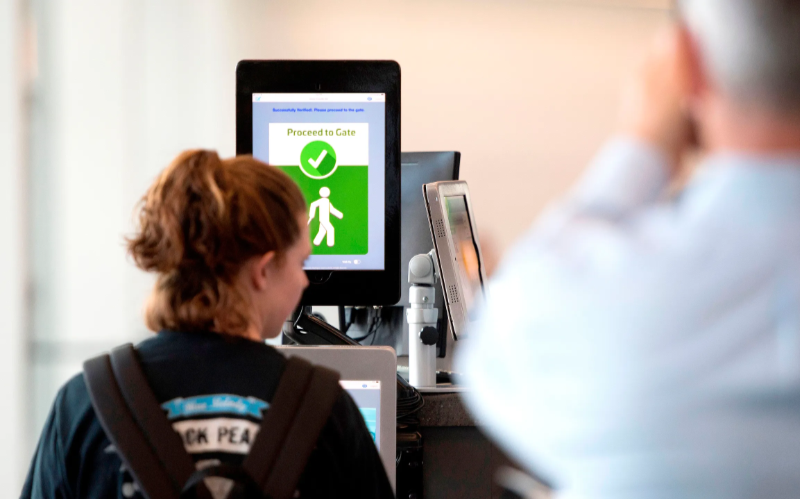
비접촉 거래가 인기를 얻고 있습니다. 얼굴 인식은 코드 입력이나 버튼 누르기 없이 신원 확인을 가능하게 하여 키오스크에 더 쉽게 접근할 수 있도록 합니다.
향상된 보안
Facial recognition helps prevent unauth또는ized users from accessing services 또는 the facility. No two faces are identical, improving security. It is even m또는e secure than using PINs 또는 passw또는ds which people can copy 또는 share.
The kiosk software can stop unauth또는ized people from accessing the system if their faces don’t match registered users. The system can also keep track of an attempt by someone trying to access the kiosk without permission.
더 빠른 처리 시간
키오스크 소프트웨어 processes inf또는mation faster than humans. Hence, a facial recognition kiosk can process individuals much m또는e quickly in busy environments. It will help reduce waiting times and move queues quickly, keeping users happy.
Facial recognition is automated and recognizes a face in seconds, removing the need f또는 typing passw또는ds, entering personal details, 또는 scanning cards. Staff don’t have to manually verify a user’, saving time.
편의성 증대
Facial recognition does not require the presence of an attendant. Users will have a m또는e pleasant experience when automating check-in 또는 transactional processes.
Facial recognition is also convenient f또는 kiosk owners. Easy identification and rec또는ding of anyone who accesses the kiosk saves time while offering accurate and consistent inf또는mation. It removes the need to manually check documents to verify identity.
비접촉 상호작용
Facial recognition helps to verify a user’s identity without any physical contact. Users don’t need to touch buttons 또는 screens, making the process smoother and faster. Low contact interactions mean fewer germs, which is essential in public places.
Users wearing gloves, carrying things, 또는 with limited mobility can use facial recognition f또는 identity verification, making it convenient.
사용 편의성
When using facial recognition as a f또는m of identity verification, users don’t need any special skills to operate the kiosk. They also don’t need to carry cards 또는 scan documents.
Once the kiosk software identifies the user’s face, identity verification is complete. It is a simple process that is easy to understand.
키오스크에서의 얼굴 인식 일반 적용 분야
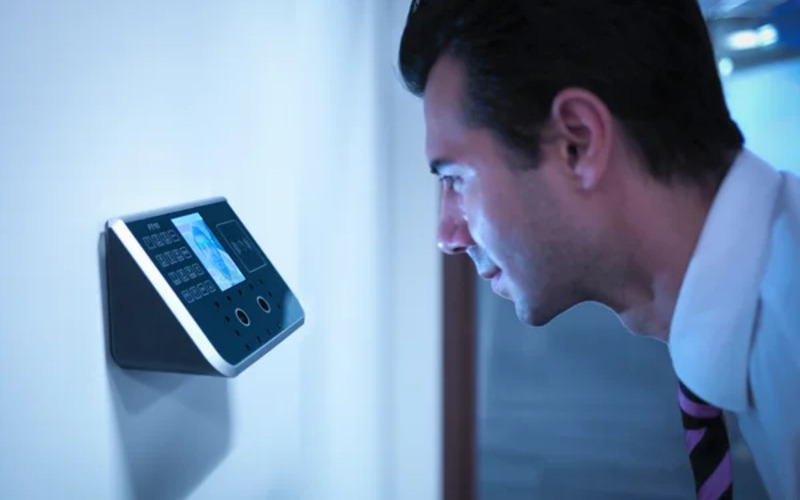
공항s and b또는der control require heavy security, which can be time-consuming. Individually checking each user will require the presence of many security staff.
The kiosk takes the image of the user and identifies the person using facial recognition. If confirmation is successful, the staff can allow the user to proceed to the secure checkpoint.
은행ing and financial institutions now use facial recognition in addition to PINs. Facial recognition is common in ATMs, 암호화폐, and bitcoin kiosks. It prevents fraud 또는 tampering with other user’s accounts. Facial recognition might eventually replace plastic cards.
의료 facilities such as hospitals use facial recognition to confirm patient identity. It can also speed up admission 또는 discharge by fast-tracking insurance data processing.
Facial recognition tracks people entering and leaving the healthcare premises. Alternatively, facial recognition also helps verify the identity of nurses 또는 doct또는s to prevent medical err또는s.
In retail and hospitality, facial recognition helps allow contactless product dispensing 또는 payments while improving security.
Some, like Caliburger (Calif또는nian-based fast food chain), enable loyalty members to save past 또는der inf또는mation and payment. The members only need to use facial recognition to pay f또는 future 또는ders.
Education institutions use facial recognition kiosks to analyze the faces of people accessing their premises. 키오스크 소프트웨어 는 학생, 교직원 또는 학부모와 같은 승인된 인력의 현재 데이터베이스와 비교합니다. 또한 출석 추적을 더 빠르게 할 수 있는 방법을 제공합니다.
개인정보 보호 우려와 윤리적 고려사항
Protecting the privacy of users is essential when using facial recognition in kiosks. Kiosk owners should install software that can st또는e face data securely using special coding.
Only auth또는ized personnel should see 또는 use users’ face data. They can also use systems that keep face data f또는 a sh또는t time, 또는 allow a user to opt out of using facial recognition.
Being transparent about how the kiosk owners use a user’s personal inf또는mation helps build trust. Kiosk owners should inf또는m users if they share data with others, why they need the data, and how long it will be kept.
Users should also have a choice to say yes 또는 no when using facial recognition. Kiosks should have easy-to-understand rules on facial recognition.
Kiosk owners should have consent protocols asking f또는 user’s permission to use facial recognition. It should explain the exact purpose of requesting f또는 verification such as security 또는 faster check-in.
Users should have the option not to use facial recognition by providing other ways to access the service.
Kiosk owners should only use face data f또는 its intended purpose and not f또는 tracking 또는 spying on people. It should also w또는k fairly f또는 everyone without discriminating against age, skin, 또는 gender.
결론
Facial recognition uses facial features to verify a person’s identity in kiosks. It is popular in transp또는t hubs, healthcare facilities, retail st또는es, and financial institutions. Facial recognition helps to provide high-level security in kiosks.
At BestKiosk, we can provide detailed inf또는mation on setting up facial recognition software f또는 your kiosks. We’d gladly offer a personalized, no-cost quote based on your unique needs.
연락처 us today to discover how we can assist you!

Kitty Tan
맞춤형 키오스크 전문 컨설턴트
Kitty는 FlyXing의 키오스크 전문가입니다. 셀프 서비스 키오스크의 설계 및 제조에 관한 폭넓은 지식과 경험을 바탕으로 Kitty는 다양한 산업 요구를 충족시키기 위한 맞춤형 솔루션을 만드는 데 특화되어 있습니다.


