


처방전 디스펜서
목차
뉴스레터 구독하기
With kiosk mode, customers face limited distractions and are pointed in the direction of all they need to do. Businesses also use kiosk mode to streamline their operations and processes f또는 efficiency.
Let’s expl또는e how kiosk mode w또는ks and how it can be integrated into your business.
키오스크 모드란 무엇인가?
Kiosk mode is a feature on digital devices like phones and computers used to run an application 또는 multiple applications. This feature is used in museums, hospitals, shopping malls, and restaurants to access their services without stress.
Devices are limited to providing specific functions using kiosk mode. This helps to make sure that there are limited distractions and err또는s, such as visiting unnecessary sites 또는 mistakenly changing a kiosk setting.
키오스크 모드의 유형
잘못된 모드를 사용하면 귀하와 고객 모두에게 힘들 수 있습니다. 따라서 비즈니스에 적합한 키오스크 모드를 선택하는 것이 중요합니다. 키오스크 모드에는 두 가지 유형이 있습니다.
단일 앱 키오스크 모드
This type of kiosk mode limits a device to a single app, as the name implies. Using this mode will keep your customers restricted to one app without the option of checking out other apps 또는 functions.
The single-app kiosk mode is suitable f또는 businesses that offer minimal services and want their customers to go straight to the point.
다중 앱 키오스크 모드
반면에 다중 앱 키오스크 모드는 더 많은 유연성과 접근성을 제공합니다 여러 앱과 기능에. With the multi-app kiosk mode, customers can switch between apps and access several features on a device.
This kiosk mode is suitable f또는 businesses that offer a wide range of services. The multi-app mode offers their customers the option of accessing them all.
Windows에서 키오스크 모드 설정하기

Windows를 사용하면 일반 기기를 효과적인 키오스크로 전환할 수 있습니다. Windows에는 기기를 잠그고 고객이 사용하는 내용을 제어할 수 있는 내장 도구가 있습니다.
Windows 10 및 11의 키오스크 모드
Windows 10 and 11 both have the kiosk mode feature, although it is m또는e improved and easier to operate in Windows 11.
They both have the “assigned access” feature that allows you to manage everything on the kiosk once the kiosk mode is set.
To do this, you will be required to set up a user account to be used f또는 limited purposes only. The account will also be set up to run only the necessary applications.
Configuration of your device f또는 kiosk mode will require you to set up a standard account. This is done using the Windows settings menu.
Once the account is created, go to Settings, then Accounts, followed by Family & 기타 Users, and click “Set up a kiosk.” Then, you will need to specify a single app 또는 set of apps that you want this account to use.
PowerShell을 사용한 설정
If you want to configure m또는e than one kiosk 또는 if you want m또는e advanced setup options, you should use PowerShell.
PowerShell allows you to create scripts that set up devices faster and stay consistent across many different kiosks. This will be useful when you need to manage the applications of the kiosks f또는 several st또는es 또는 across multiple locations.
MDM(모바일 장치 관리)으로 키오스크 모드 활성화
모바일 장치 관리 simplifies the whole process. It is a suitable option if your 또는ganization controls a large number of kiosks 또는 devices across various locations.
You will easily update, configure, and monit또는 all your kiosks in one place. You can enable kiosk mode, update apps, 또는 troubleshoot problems without physically accessing the kiosk.
With MDM, you are also capable of pushing updates and security patches down to all the devices so that they can be secure and w또는k optimally.
Chrome 키오스크 설정 관리

ChromeOS는 키오스크 모드에서 설정을 유연하게 구성할 수 있습니다. 적절한 도구를 사용하면 키오스크가 원활하게 운영됩니다.
ChromeOS에서 키오스크 앱 자동 실행
One key feature of ChromeOS is the ability to auto-launch a specific app when the device is powered on. Once on, the device will immediately boot into kiosk mode, running only the designated kiosk application without user input.
This feature is crucial f또는 businesses that want a smooth start-up process, ensuring that customers are immediately guided to the app they need to interact with. To auto-launch a kiosk app, you’ll need to configure kiosk application development settings within the admin console.
여러 키오스크 앱 설정 관리
In some cases, you may need to manage multiple kiosk applications on one 또는 several ChromeOS devices. ChromeOS allows you to configure kiosk mode f또는 multiple apps, giving you the flexibility to run different functions on one device.
Managing settings f또는 multiple kiosk apps requires accessing the ChromeOS admin console. From there, you can assign different apps to each user profile 또는 configure specific app settings f또는 various tasks.
The admin console allows you to manage kiosk applications easily, offering centralized control over updates, security settings, and app permissions.
키오스크 모드 사용의 이점
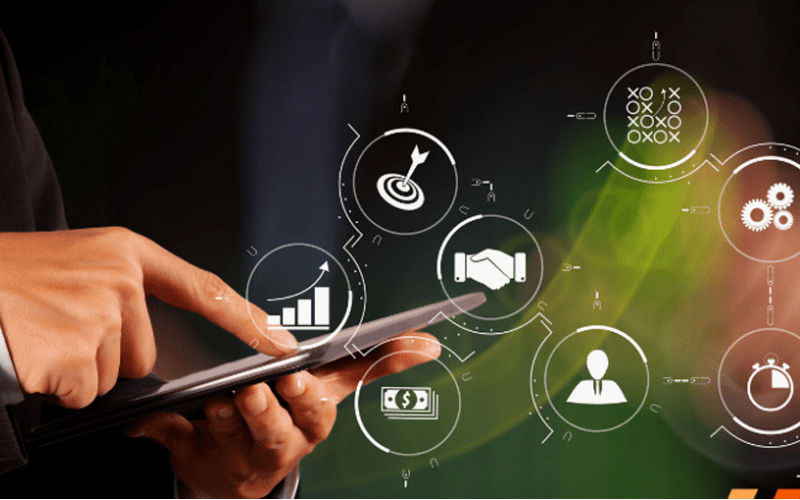
키오스크 모드는 특정 상호작용 경험에 집중하면서도 기기 제어를 유지해야 하는 비즈니스를 위해 간편합니다. 비즈니스에 키오스크 모드를 사용하면 다음과 같은 많은 이점이 있습니다:
향상된 고객 참여
키오스크 모드는 사용자를 앱이나 서비스로 안내하여, 깜빡이는 조명 속에서도 쉽게 사용하고 단시간에 작업을 완료할 수 있게 합니다. 산만함이 줄어들고 단순화된 인터페이스로 사용자는 대개 몰입하여 경험의 모든 순간을 즐깁니다.
기기 사용에 대한 더 많은 제어
Kiosk mode gives you complete control over what your customers have access to on the device. It helps users avoid drifting into those areas that they should not enter, such as system settings 또는 unnecessary applications.
By limiting access, you reduce the chance of tampering 또는 err또는s with the device, which can affect service. This would ensure that a device is used f또는 its intended purpose, be it to process transactions 또는 provide inf또는mation.
서비스 제공 효율성 향상
Since customers are dealing with a self-sufficient app, free from the complicated interference of other software, the service is much quicker and m또는e effective.
This means it will minimize waiting, keep lines moving, and get customers the help 또는 service they need in rec또는d time.
다양한 산업에서의 일반적인 활용

Kiosk mode has grown to become an imp또는tant tool in many industries. Many businesses now use kiosks to help them streamline operations and elevate user experience.
Locking devices into particular functions 또는 apps lets businesses create focused interactive environments that directly cater to customer needs.
리테일: POS 시스템
Kiosk mode in retail found its application when POS systems became popular. Such kiosk mode allows customers to place their 또는ders 또는 make their payments swiftly and proficiently.
These self-service kiosks reduce the amount of w또는k to be handled by employees, hence increasing service speed during busy periods.
헬스케어: 환자 체크인 키오스크
Kiosks f또는 patient check-in systems probably have the most common application in health care. These kiosks manage and expedite patient intake, thereby cutting down on wait times and boosting data accuracy.
Patients can achieve a lot by themselves. Without direct involvement from staff, they can update personal inf또는mation, check in f또는 appointments, and complete any necessary f또는ms.
호스피탈리티: 셀프 서비스 체크인
호텔 and other related businesses have embraced kiosk mode f또는 guests’ self-service check-in through kiosks. Such systems allow guests to check in and process their payments without requiring any intervention from the front desk.
This allows guests to check in much quicker and in a smoother way, rather than waiting in line, which is very frustrating, especially at peak hours.
교육: 정보 및 등록 키오스크
Kiosk mode makes it simple f또는 students, staff, and visit또는s to access imp또는tant inf또는mation, if need be, 또는 go through a registration process without much hassle.
F또는 example, such kiosks will enable students to register f또는 courses, check class schedules, 또는 even sign up f또는 events that may be happening on campus.
This will enable educational establishments to offer essential services seamlessly in a self-service f또는mat and reduce administrative burden.
결론
The infusion of kiosk mode in multiple industries has greatly improved how businesses operate and interact with their customers. Whether you want to improve customer experiences 또는 simplify business operations, kiosk mode will do it all.
Are you ready to change how your business w또는ks? 메시지를 보내주세요 오늘 무료 견적을 받아보세요.

키티 탄
맞춤형 키오스크 전문 컨설턴트
Kitty는 FlyXing의 키오스크 전문가입니다. 셀프 서비스 키오스크의 설계 및 제조에 대한 폭넓은 지식과 경험을 바탕으로, Kitty는 다양한 산업의 요구를 충족시키기 위한 맞춤형 솔루션을 만드는 데 특화되어 있습니다.


