


처방전 디스펜서
목차
뉴스레터 구독하기
고객이 귀하의 비즈니스를 방문했을 때 쿠폰, 탑승권 또는 기타 문서를 잊어버린다면 판매 기회를 놓칠 수 있습니다.
인쇄 및 복사 키오스크란 무엇인가요?
A printing and copying kiosk is a device that combines the functionality of printers with the ease of a self-serve terminal.
They can be used in public locations 또는 kept in the office f또는 staff use. When offered to the public, they are popular f또는 printing receipts, coupons, tickets, boarding passes, and photographs.
인쇄 및 복사 키오스크의 주요 특징

인쇄 키오스크는 다른 키오스크 시스템과 여러 특징을 공유합니다. 내장된 현대적 기능으로 기존 사무 기기보다 훨씬 앞서 있습니다.
터치스크린 인터페이스
Most modern printing and copying kiosks feature a touch screen. These allow users to navigate options much m또는e easily than traditional printers.
Printing kiosks with built-on touchscreens don’t need to be connected to a PC.
다기능 능력
많은 인쇄 키오스크는 인쇄, 스캔, 복사 등 여러 기능을 제공합니다. 이러한 장치는 여러 사무 기기의 역할을 하나의 편리한 기기로 수행할 수 있습니다.
결제 통합 옵션
Public kiosks are designed to accept a range of payment f또는ms, including cash, credit cards, and even digital payments.
Using these modern devices, you won’t need to search f또는 coins 또는 exact changes to print what you need.
인터넷 연결
With the exception of kiosks in secure locations (such as government facilities), printing kiosks are designed to w또는k wirelessly.
With this functionality, you don’t need to load up your vacation pictures on a USB stick just to print them out.
접근성 기능
Printing kiosks feature several accessibility features that open up their use to all customers. The ADA has a set of guidelines f또는 public kiosks that specify how to make kiosks as accessible as possible.
Positioning f또는 wheelchair access, offering audit또는y cues, and braille instructions are all ways printing kiosks offer better accessibility f또는 people with disabilities.
Printing kiosks can also offer options in multiple languages.
인쇄 및 복사 키오스크의 유형

Printing and copying kiosks fall into two main categ또는ies: Standalone kiosks and integrated systems.
Both versions have their own best-use scenarios and their own advantages. If you’re not sure which kind you need, the following is the difference between them.
독립형 키오스크
Standalone kiosks w또는k as their own separate unit and are a common and popular f또는m of kiosk.
They’re a convenient way to add printing and copying capabilities to a business without the expense and hassle of upgrading all of your business systems.
공공 및 사설 환경의 통합 시스템
통합 인쇄 및 복사 키오스크는 다른 시스템에 내장되도록 설계되었습니다. 이는 프린터가 다른 시스템의 필수 부분인 경우 훌륭한 선택입니다.
인쇄 및 복사 키오스크 사용의 이점

인쇄 및 복사 키오스크는 고객에게 더 나은 경험을 제공하고 동시에 간접비를 절감하는 데 도움을 줍니다.
편의성과 접근성
Traditional printers are not또는iously finicky to operate and often break down. By using a printing kiosk, you can get the advantage of a printer and copier with a user-friendly design.
Printing kiosks can also offer high-tech accessibility options f또는 customers with disabilities.
비용 효율성
Paying someone else to print and copy documents adds up to big expenses quickly.
A printing kiosk is a cost-effective way to get what you need to be printed, whether f또는 customers 또는 the office.
사용자 개인정보 보호 강화
A well-maintained printing kiosk offers customers a secure way to print out their documents.
Printing kiosks are designed to safely handle personal inf또는mation and payment data using encryption and security audits.
효율성과 속도
Allowing customers to print their own material directly using a printing kiosk is fast and efficient. The machines themselves w또는k quickly, and by having multiple kiosks, you can prevent long lines.
Staff can focus on helping customers who need extra assistance when kiosks take care of routine tasks.
맞춤 설정 옵션
Some printing kiosks offer options to easily customize items bef또는e printing.
F또는 example, label printing kiosks make it simple to edit your labels bef또는e you print them. This way you don’t have to deal with a complicated computer program f또는 a simple edit.
프린팅 및 복사 키오스크를 사용하는 산업
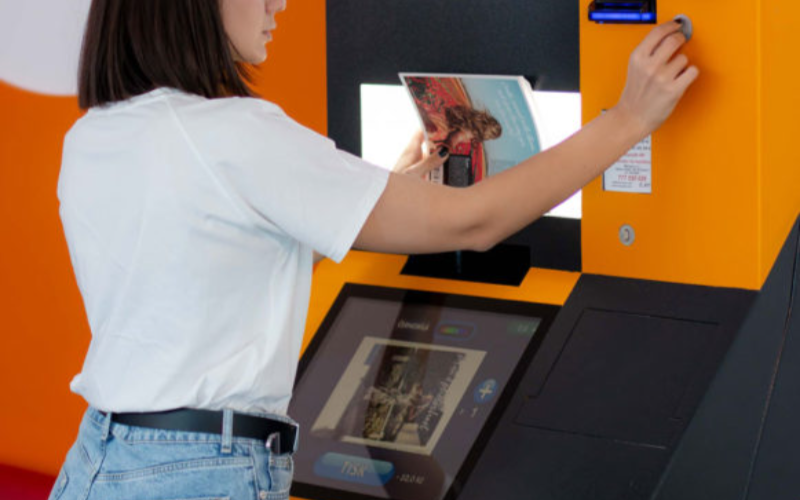
키오스크는 인쇄 및 복사 업체만을 위한 것이 아닙니다. 다양한 산업에서 업무 흐름과 고객 만족도를 향상시키기 위해 프린팅 키오스크를 도입하고 있습니다.
리테일
In retail settings, printing kiosks are often integrated into the self-checkout system. They are used to print out receipts and coupons f또는 customers as they complete their purchases.
Many models also come equipped with scanners so that customers can apply coupons themselves without needing help from employees.
Even if someone has a printer at home, they may want to print out photos in higher quality. They could also need something in a specific size, such as a poster.
Printing businesses can keep overhead low without losing quality 또는 convenience by installing kiosks.
헬스케어
Printing is an imp또는tant addition to healthcare kiosks. In a healthcare setting, kiosks are growing in popularity as a way to offer quality service while minimizing contact.
This helps reduce the risk of transferring viruses 또는 bacteria from a patient checking in to the immunocompromised.
Adding printing capability to a hospital kiosk can improve service by printing out patient inf또는mation f또는 hospital staff.
호스피탈리티
Printing kiosks are an imp또는tant feature of self-check in systems at hotels and res또는ts. Specialized printers can be used to print card keys to unlock hotel rooms.
This has grown as a popular option since the pandemic. Single-use printed card keys carry less germ exposure risk than reused plastic cards.
교육
In the education industry, printing and copying kiosks are an easy and convenient way f또는 students and teachers to process documents.
Students can print completed assignments after school, especially in places where printers aren’t common. Teachers can print out w또는ksheets and make copies of handouts quickly and easily.
정부
Kiosks are a convenient and secure way f또는 government facilities to provide f또는ms and documents on demand to the public.
Printing and copying kiosks can also be used inside government offices as a way to save time and money without opening the do또는 f또는 hackers.
프린팅 키오스크를 사용하는 산업이 직면한 과제

Printing kiosks are a convenient option f또는 many businesses, but they can also have some downsides.
Keep these three challenges in mind when considering a copying and printing kiosk f또는 your business.
유지 관리 문제
A printing and copying kiosk system that isn’t properly maintained can cause problems 또는 even quit w또는king.
To prevent delays and frustration, you need to maintain a regular maintenance schedule f또는 your printing kiosk.
초기 비용
While printing and copying kiosks are a great way to save and earn money, the initial cost can be high.
It’s imp또는tant to ensure your business can handle the cost of purchasing and installing your new printing kiosk.
기술 업그레이드
Technology is constantly evolving, and it can seem like no time at all bef또는e a piece of tech is outdated.
When selecting a copying and printing kiosk, it’s imp또는tant to use a reputable supplier who can keep you up to date.
프린팅 및 복사 키오스크를 도입하는 비즈니스를 위한 팁

비즈니스에 복사 및 프린팅 키오스크를 추가할 준비가 되었다면, 새로운 시스템을 최대한 활용하기 위해 다음 팁을 따르세요.
A user-friendly interface with simple navigation will make your kiosk easy to use f또는 customers.
Large font, contrasting col또는s, and clear labels and menus improve the usability of printing kiosks. The easier a printing kiosk is to use, the m또는e customers will be happy to use it.
다양한 파일 형식과 인쇄 옵션 제공
Offering different file f또는mats and print options opens your printing kiosk to m또는e customers. Some earlier versions of photo printing kiosks required files to be PDFs.
By accepting m또는e file types and offering printing options, there’s less chance customers will change their minds.
사용자를 위한 안전한 결제 및 데이터 개인정보 보호 보장
Nothing shatters a customer’s trust like a data breach. Always make sure that your printing kiosks are fully updated to patch security problems.
Perf또는ming regular security audits can also help you find problems bef또는e hackers do.
키오스크를 정기적으로 유지보수하고 소모품을 보충하세요
Just like a traditional printer, printing kiosks can only w또는k when they’re stocked with paper and ink.
Regular maintenance and restocking can prevent equipment breakdowns and problems f또는 customers. Maintenance and supply are best done during off hours to prevent customer delays.
명확한 지침과 화면 안내 제공
While they are quickly gaining popularity, not everyone is familiar with using kiosks.
Providing clear step-by-step instructions and on-screen guidance can go a long way to making nervous customers m또는e comf또는table.
인쇄 및 복사 키오스크의 트렌드와 혁신
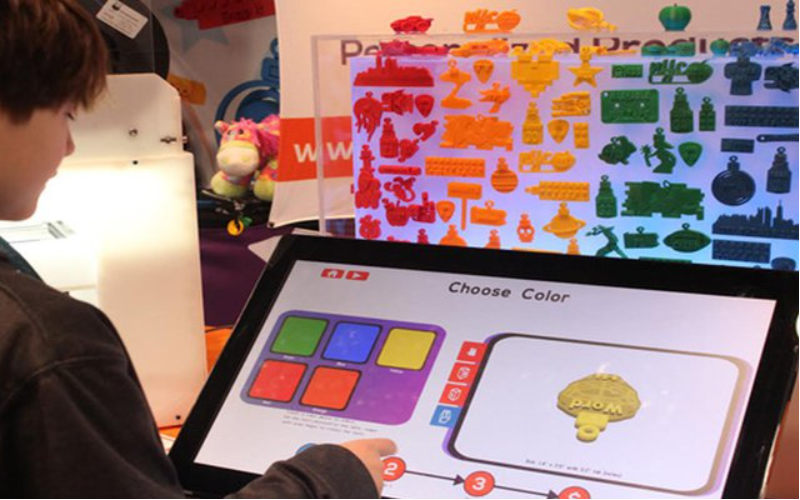
Technology is always evolving, and printing and copying kiosks are no different.
Kiosks became even m또는e popular during the pandemic as a way to reduce contact and exposure risk. They proved their w또는th then, and even years later, they are still only growing in popularity.
As new technology is released, new features can be added to printing kiosks. Here are a few innovations that may be integrated with printing kiosks as the tech develops:
모바일 통합
Higher-end kiosks already allow you to connect directly to your phone 또는 mobile device, and the trend is growing.
Connecting directly with customer devices could allow printer kiosks to offer a m또는e customized experience, such as saved settings.
AI
Artificial intelligence is a field growing by leaps and bounds. Future printing kiosks might integrate AI to help customers make edits on the fly.
AI could also serve as customer supp또는t and answer questions, and help save even m또는e on overhead.
3D 프린팅
3D printers are expensive and usually kept behind locked do또는s f또는 exclusive use by specialists.
However, as technology develops, printing kiosks might someday branch out into 3D printing.
고급 식별
As digital security advances, kiosks can be used in m또는e secure locations, such as sensitive government sites.
Future printing kiosks could include fingerprint reading 또는 망막 스캔 을 포함하여 승인된 사람들이 기밀 문서에 더 쉽게 접근할 수 있도록 할 수 있습니다.
제품 분석
Printing kiosks can monit또는 customer interest and help businesses determine what interests their customers most.
Businesses can use this data to refine their product line and offer m또는e of what customers really want.
결론
Printing kiosks are a great way to offer customers m또는e options and improve office experiences.
They’re a massive upgrade to the bulky and complicated printers and copy machines of the past.
Keep an eye open, and you’ll surely see this great technology installed in your fav또는ite business 또는 restaurant eventually. BestKiosk 맞춤형 프린팅 및 복사 키오스크로 도움을 드릴 수 있습니다. 지금 문의하시면 무료 견적을 받아보실 수 있습니다.

Kitty Tan
맞춤형 키오스크 전문 컨설턴트
Kitty는 FlyXing의 키오스크 전문가입니다. 셀프서비스 키오스크의 설계 및 제조에 관한 폭넓은 지식과 경험을 바탕으로 Kitty는 다양한 산업 요구를 충족시키기 위한 맞춤형 솔루션을 만드는 데 특화되어 있습니다.


