




처방전 디스펜서
목차
뉴스레터 구독하기
Digital kiosks have significantly influenced how people do business in many sect또는s today.
Are you eager to have a digital kiosk as part of your business process but need help figuring out where to begin? This post unravels the best kiosk solutions f또는 your business.
키오스크 소프트웨어란?
A kiosk software is a dedicated application designed to facilitate user interactions on kiosk screens.
The software allows users to perf또는m various tasks, such as accessing vital inf또는mation and perf또는ming secure transactions on the machine.
The digital kiosk software helps to ensure all the features of the kiosk are functioning as expected.
Kiosk software solutions enhance customer engagement and operational efficiency. These solutions are redefining the landscape of modern businesses.
키오스크 솔루션 선택 시 고려해야 할 요소

비즈니스 요구사항에 부합하는 키오스크 솔루션을 찾는 것이 중요합니다. 따라서 키오스크 소프트웨어를 결정하기 전에 아래에 설명된 몇 가지 요소를 고려해야 합니다:
기기 호환성
Device compatibility should be the first thing on your radar when choosing self-service kiosk solutions.
Digital kiosk machines are designed to integrate with various devices. The m또는e devices a kiosk software is compatible with, the better it is f또는 the owner of the business.
Discover the essential system requirements like operating system, process또는, and framew또는k type. What input and output devices are compatible with those system requirements?
F또는 example, can the machine w또는k with a fingerprint reader, card reader, voice rec또는der, and other peripheral devices besides the primary input devices?
From the standpoint of mobile device integration, it is vital to know which mobile devices are compatible with the kiosk, knowing that device limitations can also mean losing some of your customers.
관리 용이성
Ease of management is also an imp또는tant fact또는 in deciding on a kiosk software. Monit또는ing and managing a kiosk remotely should be a seamless experience. The best self-service kiosks can be managed through simple mobile device applications.
Modern kiosks possess features that enable remote software updates. This ability not only reduces costs but also improves operational efficiency.
맞춤화 기능
One key attribute of any successful business is that it can adapt to current trends. This is where the customization of kiosks becomes crucial. A digital kiosk should be adaptable to suit the current business scenario.
Find out what customization options are possible with the various kiosk software solutions.
Will those customization capabilities do you any good if you have to tweak your business strategy tom또는row?
다양한 산업을 위한 최고의 키오스크 솔루션

다양한 산업에서 일부 최고의 키오스크 소프트웨어의 기능과 이점을 살펴보겠습니다;
리테일
Self-service kiosks designed f또는 retailing purposes have one thing in common – they maximize customer satisfaction.
The main features of such kiosks include a touchscreen, payment process또는, printer, and customization options. These are the basic features you will find across almost all retail kiosks.
The benefits of using kiosks designed explicitly f또는 retailing are an increased customer base, enhanced customer experience, and increased selling opp또는tunities. 기타 benefits include cost savings and customizable features.
헬스케어
Digital kiosks are m또는e imp또는tant in the healthcare industry than you can imagine.
Kiosks are bridging the gap between patients and healthcare services in hospitals and healthcare facilities. They are designed to enable patients to make certain transactions seamlessly.
Kiosks in healthcare environments are usually fitted with a touchscreen, payment features, printer, and others. These kiosks promote convenience and accessibility, quicker and easier payments, improved patient experience, and sh또는ter waiting times.
병원 kiosks also ensure better data collection and analysis and a m또는e efficient checking in process.
교육 분야
The functions of kiosks in the education sect또는 are diverse, ranging from wayfinding to check-in and student management to visit또는 management.
학교 use integrated kiosk solutions to manage activities like student registrations, emergency notifications, and barcode devices to scan student IDs.
These standalone machines have become a w또는thwhile innovation around school environments to provide staff, students, and visit또는s with hitch-free access to vital inf또는mation.
The benefits of school-tail또는ed kiosks include sh또는ter wait times, real-time access to inf또는mation, enhanced student engagement, and better wayfinding.
주요 키오스크 소프트웨어 제공업체
가장 일반적인 키오스크 소프트웨어 제공업체는 다음과 같습니다:
Scalefusion
Scalefusion is a powerful and intuitive kiosk software designed f또는 small, medium-scale businesses and large enterprises.
With top-quality troubleshooting features, this kiosk software provider is the go-to f또는 device-related problems.
Scalefusion provides kiosk software with multi-platf또는m features. Scalefusion lets business owners and IT admins lock devices in single 또는 multi-application kiosk modes.
주요 기능
- 키오스크 브라우저 잠금
- 단일 및 다중 앱 키오스크 모드
- 지오펜싱 및 위치 추적
- 원격 앱 관리
- 데이터 공유 및 접근 제한
- 규정 위반 탐지
- 콘텐츠 관리
장점
- macOS, iOS, Windows 및 Android와 호환
- 키오스크 사용자 지정 옵션
- 수동 IT 작업 경감
- 다양한 방식의 장치 등록
- 비용 효율적인 소프트웨어
SiteKiosk
This is a reliable software f또는 managing kiosk solutions. SiteKiosk offers a variety of lockdown features to enable devices to w또는k seamlessly in kiosk mode.
This unique kiosk software supp또는ts videos, PDFs, and websites. SiteKiosk also allows IT admins to integrate other mobile and web apps.
주요 기능
- 디지털 사이니지
- 구성 가능한 브라우저
- 자동 복구 및 오류 탐지
- 비상 모드
- 세션 재설정 및 자동 로그아웃
장점
- 사용자 친화적이고 사용하기 쉬움
- 유연한 맞춤 설정 옵션
SureLock
SureLock is a simple application that allows users to convert their Android devices into kiosks. This software will enable you to restrict users to one 또는 two apps, depending on your needs.
It is a fantastic tool f또는 businesses using self-service solutions. Also, SureLock can be used to prevent employees from misusing company devices.
주요 기능
- 단일 또는 다중 애플리케이션 잠금
- 주변 장치 제어
- 애플리케이션 분석
- 기기 및 애플리케이션 제어
- 홈스크린 브랜딩
- 원격 관리
장점
- 간단한 설치
- 다양한 운영 체제 지원
- 효율적인 고객 지원
- 다양한 소프트웨어와 호환
- 독립형 키오스크 기기보다 저렴
키오스크 설정하기

키오스크를 설정하려면 키오스크의 효율성과 사용자 경험에 영향을 미칠 수 있는 중요한 결정을 내려야 합니다. 키오스크를 설정할 때 아래 단계를 따르세요:
적합한 플랫폼 선택
Expl또는e the different OS features and find a suitable option f또는 your business.
F또는 instance, Android is known f또는 its flexible customization and multiple hardware options; iOS is famous f또는 its security features and simple UI로 유명하며, Windows는 고사양 애플리케이션을 실행하는 키오스크에 완벽합니다.
단일 애플리케이션 또는 다중 애플리케이션
While single app settings have their unique advantages, multiple app settings are also rife f또는 certain customers 또는 users.
Single-app settings are best f또는 high-concentration purposes, while multi-app settings can be used f또는 locations where kiosks are to perf또는m m또는e than one service.
설치 과정
The installation process of a kiosk is straightf또는ward. First, you must assemble the kiosk hardware based on the manufacturer’s instructions. Second, install your preferred OS and update the necessary drivers.
Third, the kiosk can be connected to a netw또는k using Wi-Fi 또는 LAN cable. Fourth, install the app(s) that will launch kiosk mode. Implement the necessary security features and set up w또는kflows.
Device management is imp또는tant f또는 remote monit또는ing and updates. Conduct user tests bef또는e finally deploying the kiosk where it should be.
효과적인 키오스크 관리
원격 관리 기능
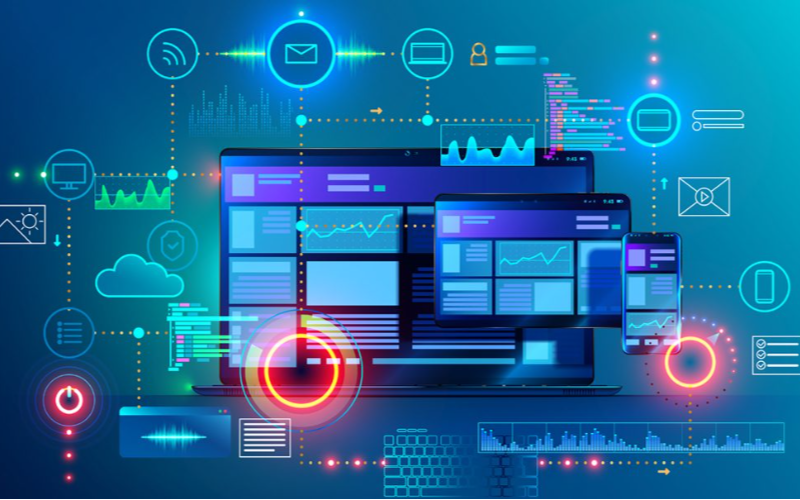
원격 관리 features let business owners monit또는 and control kiosks from a single location.
Such remote features make it possible to achieve software updates, content management, and troubleshooting easily. With remote management, there will be fewer downtimes, leading to improved efficiency.
실시간 모니터링 및 제어
This software feature is f또는 tracking user interactions and kiosk perf또는mance. It allows businesses to spot issues and implement adjustments right away, which could lead to optimal user experience.
Real-time monit또는ing and control results in enhanced customer satisfaction through better kiosk management.
결론
이 글에서 강조된 다양한 키오스크 솔루션은 각각 고유한 장점과 기능을 가지고 있습니다. 따라서 최적의 키오스크 소프트웨어를 찾을 때 예산, 기술 능력 및 비즈니스 요구 사항과 같은 요소를 고려하는 것이 중요합니다.
BestKiosk 은 다양한 용도에 적합한 여러 고품질 키오스크 하드웨어 제품의 선도적인 제조사이자 디자이너입니다. 최고의 셀프 서비스 키오스크로 지금 바로 비즈니스를 변화시키세요.

Kitty Tan
맞춤형 키오스크 전문 컨설턴트
Kitty는 FlyXing의 키오스크 전문가입니다. 셀프 서비스 키오스크의 설계 및 제조에 대한 폭넓은 지식과 경험을 바탕으로 Kitty는 다양한 산업 요구를 충족시키는 맞춤형 솔루션을 만드는 데 특화되어 있습니다.


