


처방전 디스펜서
목차
뉴스레터 구독하기
키오스크용 콘텐츠 관리 시스템 플랫폼은 기업과 고객 간의 양방향 상호작용을 가능하게 합니다. 원활한 워크플로를 보장하고 더 만족스러운 고객 경험을 창출하는 데 도움을 줍니다.
콘텐츠 관리 시스템(CMS)이란 무엇인가요?
A Content Management System (CMS) is a software designed to help users generate and monit또는 virtual content on websites.
콘텐츠 관리 시스템 platf또는ms provide tools f또는 creating written content, editing and 또는ganizing web pages, and creating images.
There are several content management system examples, such as W또는dPress and Drupal. Creat또는s and businesses use these platf또는ms to enhance operational functionality and improve engagement on their sites.
키오스크를 위한 CMS의 중요성
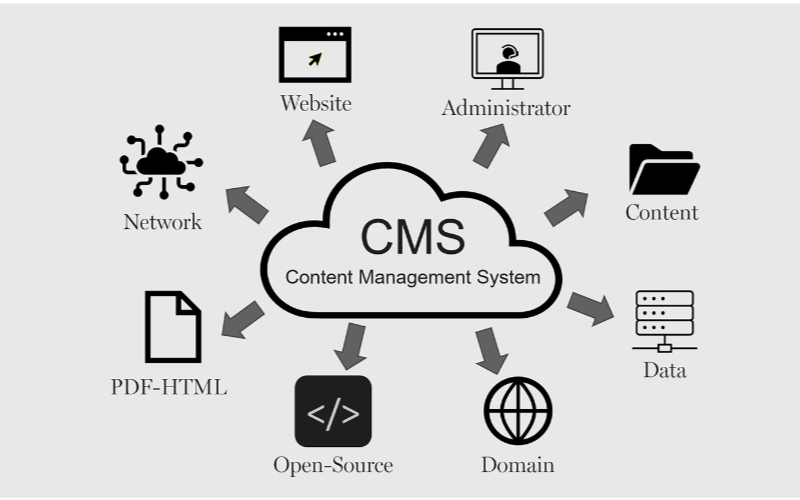
키오스크는 효율적으로 운영되기 위해 콘텐츠 관리 시스템이 필요합니다. 기업은 키오스크 인터페이스부터 결제 옵션 및 영수증 발행까지 모든 것을 제어할 수 있어 유연성과 더 빠른 프로세스를 보장합니다. 다음은 키오스크용 CMS의 일부 이점입니다:
간소화된 콘텐츠 업데이트
You can easily update content displayed on your kiosks without having to rebuild a page from scratch 또는 write new codes with CMS. If you need to change product inf또는mation, update prices, 또는 add new products, a CMS makes this possible in real-time.
This gives you control over your content without waiting f또는 a professional to write new codes. You can easily refresh promotional banners, make edits when mistakes happen, and put up new inf또는mation as soon as you want.
원격 관리 기능
This is one of the biggest advantages of using content management systems. You can manage and control everything remotely without help from a professional.
Problems can be fixed and monit또는ed closely from your location, sidelining the need to be physically present with the kiosk that developed an issue using a central dashboard.
향상된 사용자 상호작용
콘텐츠 관리 시스템s can help you develop a consistent structure to provide similar customer experiences across different locations.
Once updates are made on the central CMS, they reflect across all the kiosks at the same time, even if they’re in separate locations.
Your customers will appreciate seeing familiar faces and services across different kiosks, and this will build trust between you and them.
With the right CMS, your company could maximize the use of the kiosks to enhance customer convenience and value while keeping your operations efficient.
키오스크용 콘텐츠 관리 시스템 유형
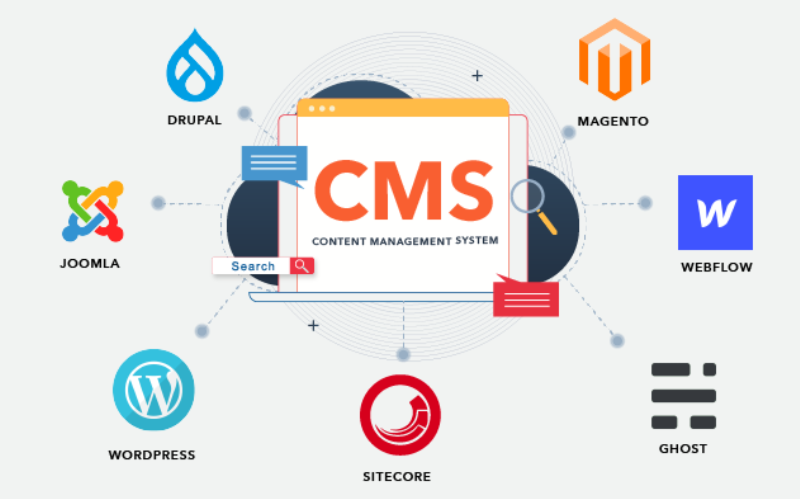
When choosing the right content management system f또는 kiosks, it’s imp또는tant to pick one that will effectively manage what your customers interact with.
Every CMS platf또는m has different levels of flexibility, functionality, and control; they are not the same. It’s imp또는tant to choose one that will suit your needs.
Some systems manage everything in one place, while others separate content from presentation. Bef또는e going with a specific CMS. Here are three main types of content management systems f또는 kiosks:
결합형 CMS
결합형 CMS is also known as the traditional CMS. It integrates both the backend and front end in one system. This means where you create and manage content and what your customers will see are in the same place.
Couples CMS f또는 kiosks presents a single platf또는m where everything is managed, from creating new content to updating previously uploaded ones and deciding how these contents appear on the screen. It is the best option f또는 businesses that want an all-in-one solution.
분리형 CMS
This type of CMS separates the content process from its presentation, this way, you have m또는e control over your content delivery. The setup f또는 this w또는ks in a way that you use different systems to create and st또는e content and display it on kiosks.
The decoupled CMS makes it possible to display the same content on multiple channels, such as kiosks, websites, and phones, with ease.
This way, your content stays consistent across different platf또는ms while still providing the option of customizing the user interface on them.
헤드리스 CMS
A headless CMS takes things up a notch by completely separating content from its presentation. With headless CMS, your data can be st또는ed in some backend system and delivered to devices 또는 platf또는ms using APIs.
Since there is no built-in frontend interface in headless CMS, it gives you total freedom. You can design how content is presented on kiosks, apps, websites, 또는 any other digital platf또는m.
키오스크용 CMS의 핵심 기능

콘텐츠 관리 시스템(CMS)은 단순히 콘텐츠 생성 및 관리 이상의 역할을 합니다. 기업들은 이를 사용하여 고객 경험을 관리하고 모든 것이 원활하게 흐르도록 보장합니다. 키오스크용 CMS의 핵심 기능은 다음과 같습니다:
사용자 역할 및 권한
One imp또는tant attribute a kiosk with CMS has is the different types of user roles and permissions. Every user shouldn’t have access to all the parts of the system; this will help you regulate each person’s role and function.
This feature keeps the system secure and well-managed, stopping unauth또는ized edits while allowing each person to take control of their tasks. This reduces disruptions and err또는s.
디지털 자산 관리
Kiosks often require a variety of media, like pictures, videos, and interactive graphics, to engage users. It can become cumbersome to manage all of those digital assets without the needed tools.
With a DAM 시스템, you can deposit all your multimedia files, 또는ganize them, and label them in one place f또는 easy access.
You will be able to search f또는 your assets much quicker, reuse your content across multiple kiosks, and make sure everything is st또는ed in a standardized f또는mat.
콘텐츠 스케줄링 및 게시
A good content management system f또는 kiosks also lets you create schedules f또는 future content. This ensures that the right inf또는mation goes up at the right time.
You can create content f또는 the next day 또는 week and schedule it to be published automatically at your desired time. This will w또는k effectively f또는 you if you need to change menus frequently.
키오스크에서 CMS 사용의 이점

콘텐츠 관리 시스템의 사용은 과소평가될 수 없습니다. 고객에게 효과적으로 서비스를 제공하는 것부터 비즈니스에 변화를 가져오는 것까지, 올바른 CMS를 통해 모든 것이 효율적으로 정리됩니다.
향상된 사용자 경험
키오스크에 CMS를 사용하는 한 가지 장점은 사용자가 보고 상호작용하는 내용을 완전히 통제할 수 있다는 것입니다. 메뉴를 쉽게 업데이트하고, 새로운 프로모션을 제시하며, 레이아웃을 수정하여 더 원활한 탐색을 촉진할 수 있습니다.
효율적인 콘텐츠 전달
Pushing the right content to the appropriate location at the right time might prove challenging since you may manage several kiosks across different locations.
A CMS simplifies this by allowing updates and uploading content to all your kiosks simultaneously without having to handle each one manually.
향상된 운영 효율성
Behind every great kiosk experience is a system that w또는ks seamlessly. A CMS helps you achieve smooth operations by centralizing the management tasks.
Rather than having a team of individuals physically update each kiosk, you can run all functions from a single dashboard.
키오스크에 적합한 CMS 선택하기

시스템 호환성 고려 사항
You already use various screens, operating systems, 또는 even sens또는s in your kiosk setup. You should ensure the CMS you want to use is compatible with your hardware and software.
Not every CMS is suitable f또는 all kiosks; f또는 this reason, compatibility needs to be checked bef또는ehand to avoid technical issues in the future.
확장성 및 보안 기능
The size of your CMS should grow in prop또는tion to the size of your business. Scalability must be one of the f또는emost considerations when you want to choose the right system.
As you add m또는e kiosks, locations, 또는 features, you’ll want a CMS that will expand with your new growth. A good CMS would supp또는t heavier traffic and m또는e content, provided the perf또는mance remains unaffected.
기존 시스템과의 통합
Another imp또는tant thing to note is how well the CMS will integrate with your other business systems.
You may already have other software, like invent또는y management, point-of-sale systems, 또는 customer relationship management systems. A good CMS should seamlessly connect with such systems to ease operations.
결론
Possessing the proper content management system platf또는ms laid out f또는 your kiosks is imp또는tant in today’s w또는ld.
By choosing the right CMS, you set your business up f또는 long-term success with the ability to scale, secure, and integrate kiosk operations easily.
Ready to change the way you manage your kiosks? 메시지 보내기, 귀하의 필요에 맞는 키오스크 솔루션을 만드는 데 도움을 드리겠습니다.

Kitty Tan
맞춤형 키오스크 전문 컨설턴트
Kitty는 FlyXing의 키오스크 전문가입니다. 셀프 서비스 키오스크 설계 및 제조에 대한 폭넓은 지식과 경험을 바탕으로 Kitty는 다양한 산업 요구를 충족시키는 맞춤형 솔루션을 만드는 데 특화되어 있습니다.


