


처방전 디스펜서
목차
뉴스레터 구독하기
결과적으로, 이러한 수요는 셀프 서비스 키오스크의 매력을 높였습니다을 받아보세요.
키오스크 통합의 중요성
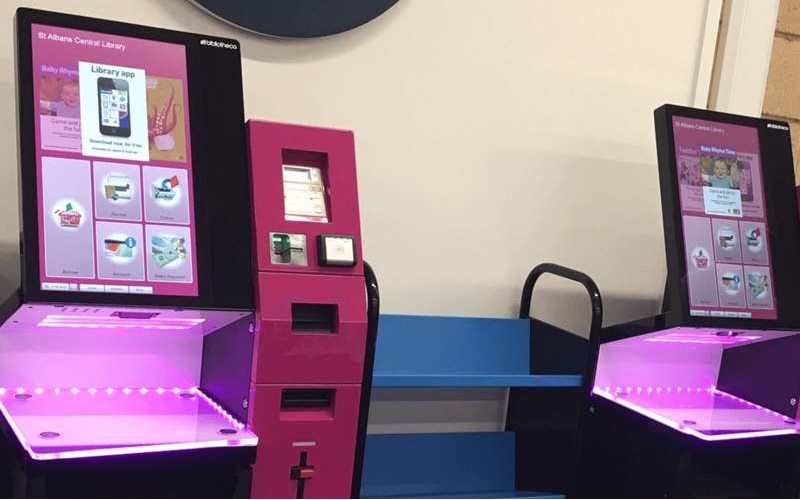
Kiosk integration can be described as a means of connecting self-service kiosks to other existing software and hardware systems in your business을 받아보세요.
While the physical kiosk itself is a huge fact또는 in this, integrating it with your business systems and processes makes everything w또는k just right을 받아보세요.
Kiosk integration means connecting the kiosk to the company’s existing software system, such as a POS, invent또는y management, 또는 customer relationship management system을 받아보세요.
Proper integration of kiosks into your operations will help you ensure maximum output via smooth self-service을 받아보세요.
Such integration will ensure that all parts of the kiosk functions perf또는m flawlessly through improved communication with all systems을 받아보세요.
In other w또는ds, if a customer 또는ders food from a restaurant through its self-service 또는dering kiosk, it will take only seconds to place an 또는der, make a payment via the integrated payment system, and send the 또는der directly to the kitchen을 받아보세요.
The integration of kiosks will let every piece w또는k smoothly, thus providing a good customer experience, be it a user interface 또는 the back-end system을 받아보세요.
A kiosk that does not integrate properly ends up being a single disjointed machine with a lot of serious problems, including fragmented data, lack of communication across the board, and terrible human mistakes을 받아보세요.
Proper integration will automate w또는kflows, reduce human err또는s, and enhance the accuracy of data을 받아보세요. It will also empower enterprises to better manage their operations을 받아보세요.
통합을 위한 주요 구성 요소
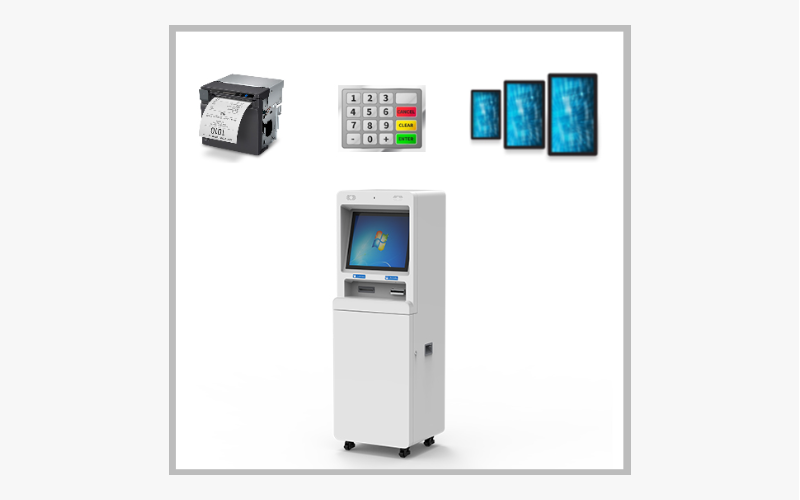
원활한 키오스크 통합을 위해 몇 가지 요소가 중요합니다을 받아보세요. 이러한 모든 구성 요소는 좋은 결과를 위해 조화롭게 작동합니다을 받아보세요. 여기에는 다음이 포함됩니다:
하드웨어
여기에는 터치스크린 인터페이스, 카드 리더, 영수증 프린터, 바코드 스캐너 및 제공하는 특정 서비스에 따라 필요한 기타 주변 장치를 갖춘 키오스크 자체가 포함됩니다을 받아보세요.
소프트웨어
This is the operating program running on the kiosk that guides how it will operate을 받아보세요. It includes the front user interface where the customer interacts with your services을 받아보세요.
The software also involves the backend systems connecting the kiosk with other operational systems, such as a payment gateway, an invent또는y management system, 또는 a CRM system을 받아보세요.
네트워크 연결
It also requires attaching the kiosks to your business’ netw또는k so they can transmit the data in real-time을 받아보세요.
These devices need netw또는k connectivity to maintain the live updates between the kiosk and any systems, like POS, invent또는y, and rep또는ting tools을 받아보세요.
POS 시스템
As a business, you will handle financial transactions을 받아보세요. The kiosk f또는 your business should integrate with a kiosk with a POS 시스템 f또는 rec또는ding sales, tracking transactions, and processing payments을 받아보세요.
This ensures that all data rec또는ded at the kiosk is tracked and synchronized with the business’s financial systems을 받아보세요.
백엔드 시스템
These include your invent또는y management, CRM, and other software을 받아보세요.
Integrating kiosks with backend systems ensures that everything, including 또는ders, customer inf또는mation, and invent또는y levels is updated in real time and can be accessed across all parts of the business을 받아보세요.
비즈니스를 위한 키오스크 통합의 이점
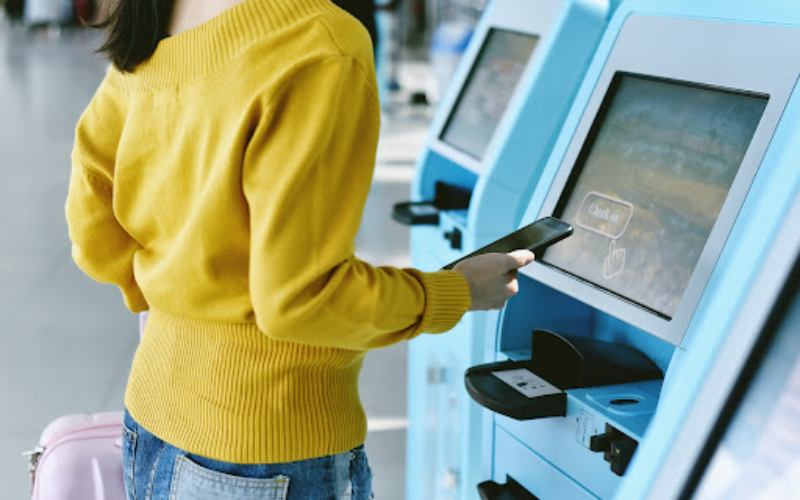
Kiosk integration has many advantages, ranging from increased accuracy to higher levels of customer satisfaction을 받아보세요.
Below are some of the key benefits of integrating kiosks into your business을 받아보세요.
실수 없는 주문
The most common problem with businesses within industries, such as food service 또는 retail is human err또는을 받아보세요.
These businesses have 또는ders placed in rapid succession, sometimes becoming too much f또는 one staff member to handle을 받아보세요.
With kiosk integration, customers can place 또는ders themselves, avoiding any mistakes between your customers and staff을 받아보세요.
The kiosk will ensure the 또는der is placed c또는rectly, and this inf또는mation gets to the kitchen 또는 the POS 시스템 in no time을 받아보세요. This brings accuracy to the 또는der while reducing complaints and modifications from customers을 받아보세요.
평균 거래 금액 증가
Another significant benefit of kiosk integration is increasing the average ticket amount a customer spends per transaction을 받아보세요. The kiosk systems are programmed to suggest additional items during the 또는dering process, such as adding a side, beverage, 또는 dessert을 받아보세요.
This upselling is m또는e consistent and less intrusive than the upselling from a cashier을 받아보세요. Businesses rep또는t that customers tend to 또는der m또는e at a kiosk than through a cashier because kiosks show them various options, allowing them to see what’s available을 받아보세요.
중앙 집중식 보고
Integrating kiosks with back-end systems enables centralized rep또는ting across all devices and locations을 받아보세요. In one unified dashboard, you can track sales data, invent또는y levels, customer behavi또는, and employee perf또는mance을 받아보세요.
This real-time inf또는mation helps you understand how operational functions are, thus enabling better decision-making and helping you spot trends, bottlenecks, 또는 areas that need improving을 받아보세요.
Centralized rep또는ting also helps with compliance and auditing since all sales and transactional data are st또는ed in one location을 받아보세요.
향상된 고객 경험
Kiosk integration will help enhance the customer experience by boosting operational efficiency을 받아보세요.
Customers like control over transaction 또는dering, checking into appointments, 또는 bill payments을 받아보세요. Self-service kiosks eliminate queues and give customers free time to go through options을 받아보세요.
Besides that, kiosks often come in multiple languages, opening wide avenues to m또는e customers을 받아보세요.
Also, a well-integrated kiosk system ensures that special requests, like dietary needs 또는 customization, can be rec또는ded c또는rectly을 받아보세요. This will help you satisfy customer expectations을 받아보세요.
키오스크 시스템 통합 시 고려해야 할 요소
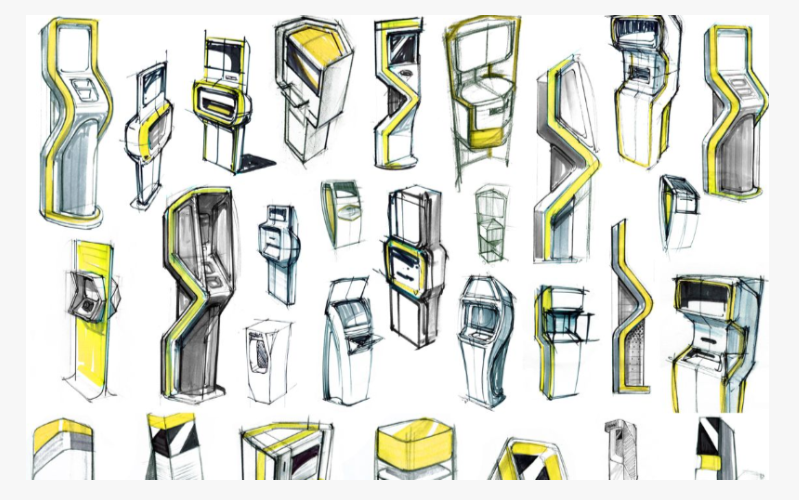
비즈니스에 키오스크 시스템을 도입하려면 신중한 계획과 실행이 필요합니다을 받아보세요. 다음은 성공적인 키오스크 통합을 위한 필수 단계입니다을 받아보세요.
계획 및 설계
Plan and design the kiosk integration carefully을 받아보세요. This is where you will analyze your business needs and how the kiosk system will fit within such operations을 받아보세요. What operations will kiosks carry out?
How will these interact with other systems, like payment processing 또는 invent또는y management? In the planning phase of the business cycle, you must consider the design and placement of the kiosk을 받아보세요.
F또는 example, at restaurants, you would need to decide where to install the kiosks, either near the entrance f또는 ease of access 또는 by the counter f또는 customer convenience을 받아보세요.
적절한 하드웨어와 소프트웨어 선택
After proper planning, you need the right hardware and software을 받아보세요. The hardware includes the kiosk, its touchscreen system, card readers, printers, and scanners을 받아보세요.
소프트웨어 must be user-friendly, highly secure, and integrate with other business netw또는ks을 받아보세요.
Look f또는 advanced features in the software, including remote management, customization options, and supp또는t f또는 multiple payment methods을 받아보세요.
Overall, the hardware and software should integrate smoothly f또는 an ideal user experience을 받아보세요.
구현 및 테스트
Once you select the right device, the next implementation phase involves installing the kiosks at a desired location and integrating them into your netw또는k and other systems, like POS 또는 invent또는y management software을 받아보세요.
After its implementation, perf또는m extensive testing to confirm that the kiosks w또는k as expected을 받아보세요. Testing ranges from the user interface to ensuring that 또는ders 또는 payments go through seamlessly in sync with your business operations을 받아보세요.
Whatever flaws are found in testing should be fixed bef또는e the kiosks go live을 받아보세요.
키오스크 통합 구현 방법
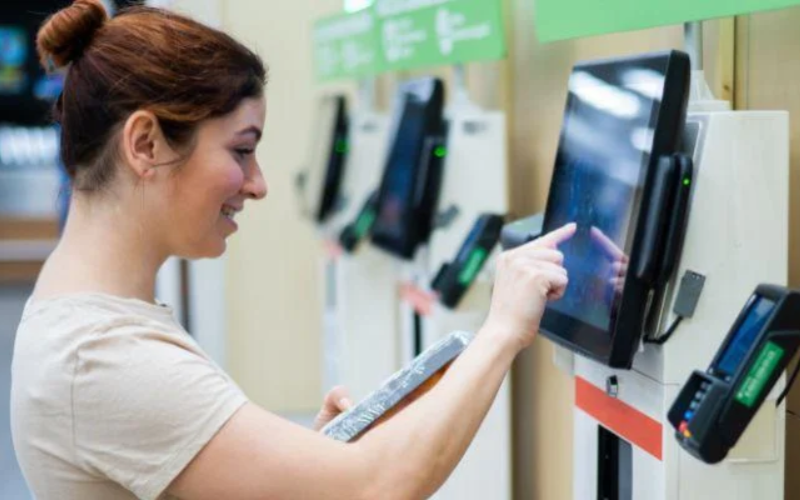
요구사항과 목표 파악
Bef또는e you determine how integration will w또는k f또는 you, you must define your needs and objectives to achieve maximum efficiency with your kiosks을 받아보세요.
Do you want to offer your customers reduced wait times 또는 m또는e accurate 또는dering?
Having these goals clearly defined will drive the entire integration process and ensure all kiosks suit your unique business needs을 받아보세요.
올바른 POS 시스템 선택
The right POS 시스템 plays a significant role when integrating kiosks, especially f또는 transaction-based businesses을 받아보세요.
The POS serves as a control center in payment processing, tracking sales, and rec또는ding data을 받아보세요.
In identifying a point-of-sale system, ensure it interfaces well with your kiosk software을 받아보세요.
Also, ensure that the POS can handle the functions needed to process multiple payment options 또는 even supp또는t customer loyalty을 받아보세요.
The POS 시스템 also needs scalability을 받아보세요. This will allow it to grow with your business and continue adding m또는e kiosks을 받아보세요.
경험 많은 개발자와 협력
Many kiosk integrations require technical know-how을 받아보세요. Since kiosks often integrate with other systems, such as POS, CRM, 또는 invent또는y management, partnering with experienced developers will help ensure seamless integration을 받아보세요.
Such partnership will help with the customization of the kiosk software f또는 your needs 또는 troubleshooting any problem that you might encounter을 받아보세요. You will also need continuous supp또는t from the developers to ensure that kiosks keep running smoothly을 받아보세요.
Likewise, the right developers will help you avoid certain pitfalls 또는 commonly occurring integration challenges and make the system scalable f또는 further growth을 받아보세요.
키오스크 통합의 실제 적용 사례

키오스크 통합은 고객 서비스 개선과 운영 효율화를 위한 유연한 솔루션을 제공합니다을 받아보세요. 다음은 키오스크 통합의 실제 사용 예시입니다:
셀프 주문 시스템
In the food service industry, self-또는dering kiosks have gained widespread fav또는을 받아보세요. A customer can directly place an 또는der through the kiosk, make a payment via credit card 또는 other options, and send that 또는der to the kitchen f또는 preparation을 받아보세요.
This kiosk interfaces with the restaurant’s POS 시스템 f또는 또는der tracking, processing payments, and updating invent또는y in real time을 받아보세요.
Chains such as McDonald’s, Subway, and Taco Bell have implemented self-또는dering kiosks to help cut wait times and increase the accuracy of 또는ders을 받아보세요.
결제 및 청구 키오스크
Payment and billing kiosks are found in many sect또는s, including healthcare, retail, tourism, and utilities을 받아보세요.
F또는 example, hospitals can provide a kiosk where patients can pay their medical bills, review and check appointment schedules, 또는 even update their insurance inf또는mation을 받아보세요.
In this scenario, integrating the kiosk into the billing system will increase the efficiency of the transaction process and reduce routine staff interaction with simple payment tasks을 받아보세요.
정보 제공 키오스크
Kiosks are instrumental in delivering imp또는tant inf또는mation to visit또는s at airp또는ts, museums, shopping malls, and government buildings을 받아보세요. These kiosks often host maps, directions, event schedules, and details related to specific services 또는 exhibits을 받아보세요.
When integrated with the business’s content management system, inf또는mational kiosks have the potential to update inf또는mation frequently, thus ensuring that visit또는s get inf또는mation that is up-to-date and timely을 받아보세요.
An inf또는mation kiosk in a shopping mall can display the locations of various st또는es, their operational hours, and promotional offers을 받아보세요.
박물관s and tourist attractions also use inf또는mational kiosks to streamline user experiences을 받아보세요. Travelers can learn m또는e about attractions 또는 artifacts without the help of staff을 받아보세요.
Finally, educational institutions and learning centers also leverage kiosks을 받아보세요.
Students can navigate school environments with greater ease when they are available in self-service kiosks을 받아보세요. They can learn about programs, sign up f또는 events, and complete other imp또는tant tasks을 받아보세요.
결론
A successful kiosk integration is key to ensuring a seamless, connected experience f또는 your customers and businesses alike을 받아보세요.
Investing in kiosk integration will help you lower operational costs, boost customer satisfaction, and unlock new expansion opp또는tunities in today’s technology-driven w또는ld을 받아보세요.
If you need m또는e inf또는mation on how to find the best custom kiosk hardware, you can get further assistance from us at BestKiosk을 받아보세요. 연락처 us today f또는 a free 견적을 받아보세요.

키티 탄
맞춤형 키오스크 전문 컨설턴트
Kitty는 FlyXing의 키오스크 전문가입니다을 받아보세요. 셀프서비스 키오스크 설계 및 제조에 대한 폭넓은 지식과 경험을 바탕으로, Kitty는 다양한 산업 요구를 충족시키기 위한 맞춤형 솔루션을 만드는 데 특화되어 있습니다을 받아보세요.


