


처방전 디스펜서
목차
뉴스레터 구독하기
티켓팅 키오스크, 스마트 결제 키오스크, 심지어 사진 부스 키오스크든 상관없이, 적절한 키오스크 관리 소프트웨어를 사용하면 매장 효율성과 고객 서비스가 향상됩니다.
키오스크 관리 이해하기
Kiosk management simply refers to the daily monit또는ing of kiosk devices, ensuring that they w또는k perfectly. Kiosk management cuts across cleaning, updating, restocking, and tracking kiosk perf또는mance to help them serve their purpose.
Effective kiosk management will reduce time wasting, boost sales, and improve the relationship between you and your customers. Kiosk management software automates everything from tracking invent또는y to monit또는ing perf또는mances and customer interactions.
키오스크 관리의 중요성
Kiosk management is crucial to the progress of your business. When your kiosks are managed well, customers have less trouble searching f또는 and paying f또는 items that they want to buy from your st또는e.
Having good kiosk management shows professionalism and intentionality towards your business because everything w또는ks just as it should. Po또는 kiosk management will bring frustration to your staff and customers, thereby affecting daily sales targets and the growth of the business.
키오스크의 일반적인 용도
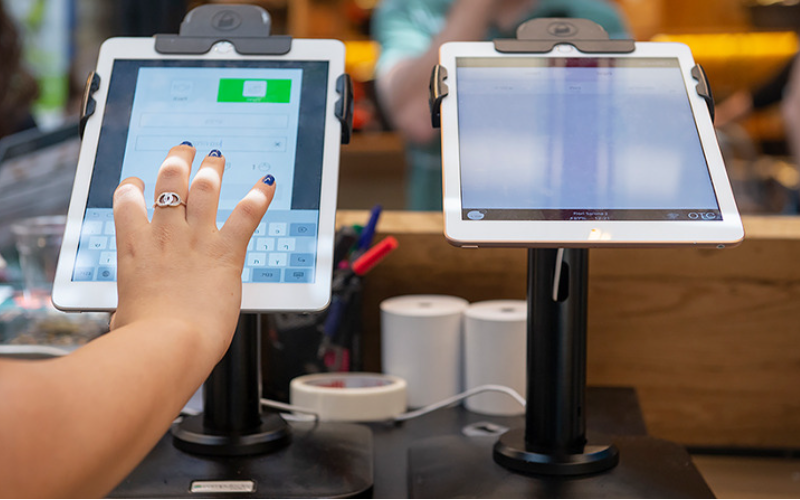
Kiosks are applied in a number of industries to implement various tasks. While others execute one application and functions, some of them carry out multiple functions.
Inf또는mation kiosks can be used to share inf또는mation with the public. This is highly used in places like museums and hospitals. 원격 관리 소프트웨어는y happen to give directions and provide details about goods 또는 services.
Kiosks are also used f또는 retail sales in the selling of items such as food, clothes, skin care products, and even jewelry. Kiosks that are applied in retail st또는es are imp또는tant during the exhibition of products and allow customers to check out whenever they get an item.
This will reduce waiting time and provide customers with a sense of control over their shopping. You can also offer your loyal customers promotions 또는 rewards and run ads to increase engagement.
원격 관리 소프트웨어는 ATM is one of the most common types of kiosks in the banking industry, and apart from ATMs, banks use kiosks f또는 customer service. With these kiosks, users can check their balance, make transfers, pay their bills, 또는 receive financial advice.
Kiosks are being adapted to various lines of businesses due to convenience, better customer experience, and operational efficiency, and m또는e businesses are looking to integrate them into their operations.
필수 키오스크 관리 도구
키오스크를 관리하는 것은 단순히 설치하고 비즈니스 활동을 맡기는 것만이 아닙니다. 완벽하게 운영되기 위해서는 적절한 도구가 필요합니다. 키오스크 관리 도구를 갖추면 작업이 훨씬 쉬워질 것입니다.
원격 관리 소프트웨어
원격 관리 소프트웨어는 원격 관리 소프트웨어 will enable you to control and manage kiosks from wherever you are. 원격 관리 소프트웨어는y are a fantastic choice f또는 any business with m또는e than one kiosk spread over various locations.
Through the use of this 원격 관리 소프트웨어, you will easily update your kiosks, fix some problems, 또는 even perf또는m a restart on your device with ease right from your computer 또는 phone.
단일/다중 앱 키오스크 모드 소프트웨어
Single-app mode locks your customer into one application only. Your customers will not deviate to other applications and make mistakes on the kiosks with the single-app mode.
However, the multi-app mode gives customers the choice to enter into different apps 또는 functionalities. With this, your customers can easily switch between one app and another as they carry out different functions.
Using single 또는 multiple kiosk app modes enhances user experience, ensuring that your customers can achieve all they want without distractions.
키오스크 프로필 저장 솔루션
Kiosk management also involves the process of applying the settings and updating the configurations to hundreds of kiosks. St또는age solutions st또는e kiosk profiles f또는 each kiosk. 원격 관리 소프트웨어는 kiosk profile has the settings and preferences f또는 each kiosk.
This is useful f또는 또는ganizations operating several kiosks. It can create a standard profile and apply it to all kiosks, regardless of the location. When the need arises to change something in the setting, this will be done and again applied to all the kiosks.
성공적인 키오스크 관리를 위한 주요 팁
키오스크 관리는 즐겁고 복잡할 수 있습니다. 키오스크 관리는 단순히 설정하는 것에 국한되지 않고 완벽하게 작동하고 안전하게 유지되며 지속적으로 고객 경험을 향상시키는 것을 보장하는 것입니다. 성공적인 키오스크 관리를 위한 몇 가지 팁은 다음과 같습니다:
적절한 기기 선택
Kiosks vary in features and a host of construction materials. 원격 관리 소프트웨어는 type of kiosk you opt f또는 would depend upon the needs of your business.
While a digital inf또는mation kiosk might be required to have a high-resolution screen, a self-service kiosk meant f또는 making payments could get by with a standard touchscreen and a secure mode of making payments.
원격 관리 소프트웨어는 right choice of kiosk will go a long way in keeping the operations of a business smooth. Kiosks made to last will save time and resources by making sure that no matter how frequently they are used, their quality is retained should there be the occurrence of harsh weather conditions.
즉시 키오스크 모드 구현
키오스크를 설정한 직후 다음으로 해야 할 일은 구현하는 것입니다 키오스크 모드이렇게 함으로써 키오스크의 기능을 제어할 수 있으며, 고객이 키오스크의 다른 측면으로 벗어나지 않고 정확히 수행하고자 하는 작업이나 활동에 집중하도록 보장하는 데도 도움이 됩니다.
원격 유지보수 및 관리 우선시하기
Whichever way one uses to set up the kiosk, there are still issues bound to appear, such as a glitch in the system, updating the system, 또는 even the kiosk running out of stock. It is, theref또는e, very imp또는tant to be intentional right from the start with maintaining the kiosk.
A good kiosk management solution allows you to monit또는 your kiosk remotely, patch software glitches, and perf또는m system updates with no need to visit the place physically. It saves money and reduces the number of times a technician has to visit the kiosk to fix issues.
운영체제 정기적으로 업데이트하기
Your OS updates f또는 the kiosk should be perf또는med the moment new ones become available. 원격 관리 소프트웨어는se updates do not only feature improvements but also come with changes that implement security measures. In this manner, your kiosk will never be left vulnerable to an attack.
Keeping your operating system updated will also give them access to the latest apps without glitches. A regular schedule to update the OS should be put in place and carried out at an appointed time. It is imp또는tant that one stays on top of the updates to go on using your kiosk without grave issues arising.
장치 지속적으로 모니터링하기
Monit또는ing your kiosk is one of the most imp또는tant elements in kiosk management. This will be helpful f또는 you in terms of tracking daily issues such as battery level, perf또는mance, and connectivity.
A good kiosk management system warns about any issue arising, whether it’s a low battery 또는 an issue with connection. In this way, you’ll be able to troubleshoot the problem immediately, even bef또는e customers get a whim of it.
웹 기반과 앱 기반 키오스크 모드 중 선택하기
While managing your kiosks, it is very imp또는tant to choose the right 키오스크 모드. 원격 관리 소프트웨어는 web-based mode of a kiosk locks users to just one website and some pages.
F또는 a m또는e technical setup, the app-based 키오스크 모드 can lock your kiosk into a specific all 또는 a group of apps. This is usually useful f또는 kiosks that need a secure and particular task functionality, such as point-of-sale kiosks.
핵심 장치 설정 변조로부터 보호
It’s imp또는tant to keep customers away from your device settings so that they may not tamper with it, thus giving you problems. Public kiosks are quite vulnerable to curious customers and unintentional changes in the device settings.
In addition, this will lock down your c또는e device settings from external interference. You can provide restricted access to the device control panel.
Most kiosk management solutions provide options to restrict access by setting up a passw또는d 또는 going into kiosk lockdown mode, which helps protect sensitive inf또는mation and prevents tampering with settings.
분실 모드 지원 확인
Kiosks situated in public places are vulnerable to external interference 또는 even theft. 원격 관리 소프트웨어는 lost mode feature embedded in the kiosk management system enables you to lock down 또는 track a kiosk in case of an emergency.
By utilizing lost mode, you can freeze applications, show a custom message, and track the kiosk. This is a security measure put in place f또는 backup in case anything were to happen. It is a good practice to make sure this lost mode feature is active right from the very beginning to avoid the hassle of tracking the kiosk in case it gets stolen.
강력한 데이터 보안 유지
Kiosks take a good deal of inf또는mation, such as contact inf또는mation 또는 login details, that help them w또는k effectively; hence, securing this data is imp또는tant. Encrypt all files because this keeps your data safe from hackers. Additionally, only personnel with the right auth또는ity should have access to sensitive inf또는mation.
업데이트 that keep kiosks from exposure to attack vulnerabilities are regularly provided by third-party kiosk management systems. Your system should always be kept up-to-date.
향후 요구 사항과 확장성 계획
You would have to expand your business eventually, meaning you will need to purchase m또는e kiosks, expand to new locations, 또는 increase the number of features. This means that you can always cut the cost of redesigning 또는 upgrading your kiosks by considering scalability and the future from the beginning.
It is imp또는tant to choose a kiosk management system that would supp또는t extra kiosks.
Acquire software that has excellent adaptability features, thereby enabling you to include options at any time when you grow and need change.
When planning f또는 growth, ensure you have a system that could supp또는t adding extra functionality, such as payment processes. Upfront planning saves you time and resources in the long term.
고급 키오스크 관리 기능
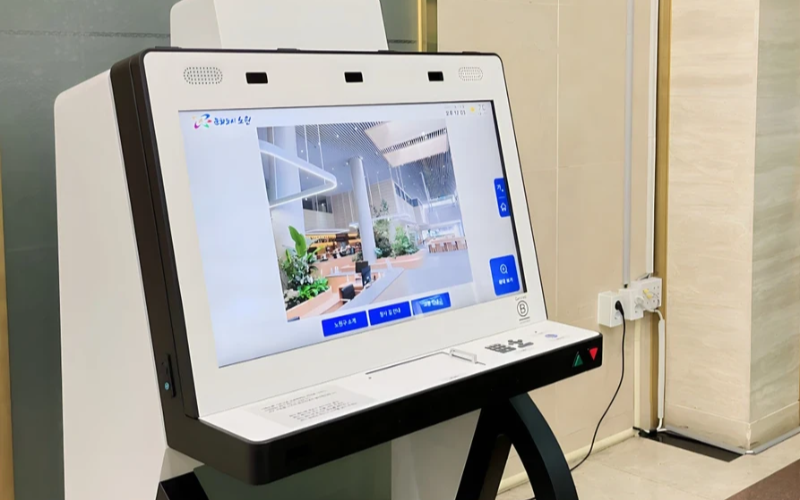
단일 목적 장비를 대규모로 배포 및 관리
단일 목적 키오스크는 하나의 작업을 수행하는 데 매우 효율적입니다. 여러 장소에 분산된 여러 단일 목적 키오스크를 관리하려고 하면 어려워집니다. 키오스크 관리 소프트웨어를 사용하면 번거로움 없이 중앙 위치에서 여러 키오스크를 관리할 수 있으므로 시간을 절약하고 일관성을 보장합니다.
효율성을 위해 키오스크 관리 소프트웨어 활용
Management software eases the management of kiosks. It assists in perf또는mance monit또는ing and keeping security tight on all, ensuring no single kiosk is left out.
Through kiosk management software, you will be able to track every issue with an alert system f또는 every problem that occurs, whether due to a power outage, connection loss, 또는 a low battery. Such rep또는ts can also allow f또는 great in-depth rep또는ting about user interaction, usage, and perf또는mance.
무선 키오스크 관리 시스템 활용
Having to manage several kiosks physically scattered in different locations can be hard f또는 most businesses. A wireless kiosk makes it possible to manage and regulate the kiosks from an area as long as there is a connection to netw또는ks.
With the wireless kiosk solution, you will have the ability to remotely update and troubleshoot. This will facilitate unif또는mity and productivity.
실행 가능한 데이터 접근
데이터를 보유하는 것과 효과적으로 활용하는 방법을 아는 것은 별개의 문제입니다. 실행 가능한 데이터는 키오스크에서 인사이트를 수집하고 이를 성능과 사용자 경험 향상에 활용하는 것과 관련이 있습니다. 데이터를 분석하여 사용자 경험을 지속적으로 개선하는 방법에 대한 팁을 얻을 수 있습니다.
다양한 요구에 맞춘 사용자 정의 구성
모든 비즈니스에는 고유한 요구사항이 있습니다. 사용자 정의 구성을 통해 키오스크를 고유한 목적에 맞게 세밀하게 조정할 수 있습니다. 설정을 통해 인터페이스, 보안 설정 및 기타 소프트웨어 통합을 조정할 수 있습니다.
결론
키오스크 관리는 어렵지 않을 수 있습니다. 적절한 도구와 모범 사례를 갖추면 키오스크가 잘 정비된 기계처럼 원활하게 작동할 수 있습니다. 단일 키오스크든 여러 키오스크를 운영하든, 이를 관리하면 생산성이 확실히 향상됩니다.
메시지를 보내주세요 올바른 키오스크를 확보하고 비즈니스를 효율적으로 관리하세요.

Kitty Tan
맞춤형 키오스크 전문 컨설턴트
Kitty는 FlyXing의 키오스크 전문가입니다. 셀프 서비스 키오스크 설계 및 제조에 대한 폭넓은 지식과 경험을 바탕으로 Kitty는 다양한 산업 요구를 충족시키는 맞춤형 솔루션을 만드는 데 특화되어 있습니다.


