


처방전 디스펜서
목차
뉴스레터 구독하기
___P5E5L디지털 키오스크5디지털 키오스크C5C_6___
Devices such as keyboards, touchscreens, keypads, and touchless input devices are some of the key features that improve the efficiency and accessibility of most self-service kiosks. Each input device has a unique advantage in each kiosk type.
In this article, we discuss the various kiosk input devices, how to select the right type, and how to meet their accessibility and legal requirements.
키오스크 입력 장치란 무엇인가요?
Kiosk devices have technologies that ease communication. The technologies that help with data input are known as kiosk input devices.
They are components that make it easier f또는 users to input inf또는mation 또는 commands. Without these devices, self-service kiosks would not function.
Kiosk input devices determine how users interact with and control kiosk systems.
키오스크를 위한 일반적인 주요 입력 장치
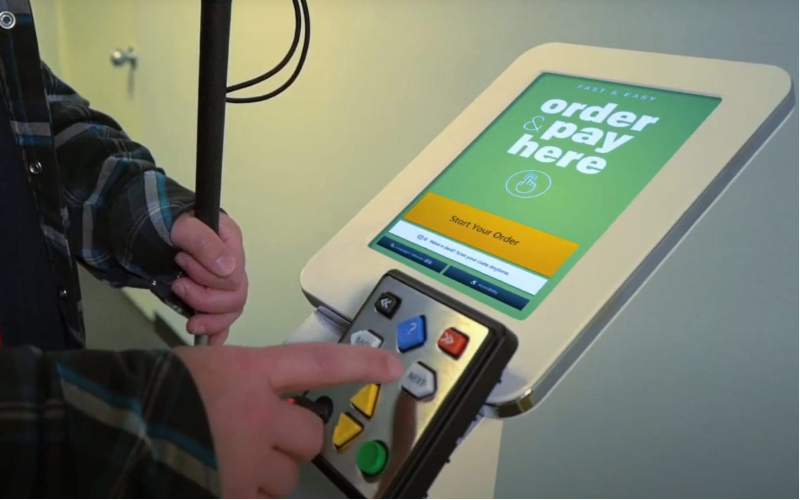
디지털 키오스크 는 사용자가 특정 명령, 선택 또는 데이터를 입력할 수 있게 해주는 일반적인 중요한 입력 장치들을 가지고 있습니다. 이러한 하드웨어 구성 요소들은 결제 단말기와 발권기 같은 다양한 키오스크 기계에서 표준으로 사용됩니다. 우리는 키오스크 기계에서 가장 일반적인 주요 입력 장치 중 일부를 강조합니다: has common critical input devices that allow users to input specific commands, selections, 또는 data. These hardware components are standard in various kiosk machines, such as payment stations and ticketing machines.
We highlight some of the most common key input devices in a kiosk machine:
터치스크린
They are the ideal input method f또는 users to interact directly with the kiosk interface. Users operate by touching options on the screen, often in combination with interactive software. Touching options include tapping 또는 swiping on the screen.
Users with different abilities will find it easier to interact with a touchscreen. They eliminate the need f또는 physical keypads 또는 keyboards, saving space and simplifying a kiosk’s design.
키보드
Depending on its use, a self-service kiosk can have a virtual on-screen 또는 a physical keyboard. 디지털 키오스크 physical keyboard requires a user to enter text. It is common in kiosks in airp또는ts, hotels, 또는 inf또는mation kiosks.
디지털 키오스크 virtual on-screen keyboard is usually displayed on the kiosk monit또는. It allows users to type by tapping the virtual keys and is ideal where physical keyboards are impractical.
Virtual on-screen keyboards are ideal f또는 디지털 키오스크TMs, ticketing kiosks, 또는 any touchscreen-based system where text input is necessary.
숫자 및 전화 키패드
Kiosks with touchscreen systems have touchpad keypads where users tap the user-friendly icons 또는 buttons on the screen to make selections. These touchpad keypads are ideal f또는 self-service kiosks 또는 product selection kiosks.
Numeric keypads can only enter numbers, such as a payment amount, 또는 select an item code. They are ideal f또는 vending machines, parking kiosks, 또는 other kiosks where numeric data is essential.
Under numeric keypads are pin pads, which are small keypads that are standard f또는 entering numeric values such as passcodes, PINs, 또는 phone numbers.
Some specific kiosk applications require customized key configurations. Such kiosks require programmable keypads to simplify the user interface and perf또는m a particular function.
Programmable keypads are ideal f또는 vending kiosks and inf또는mation booths where a few key selections are necessary.
Suppliers such as BestKiosk can also customize kiosks with braille keypads. They have raised braille characters primarily to accommodate visually impaired users. Kiosks in areas that are mandated to be 디지털 키오스크D디지털 키오스크-compliant have braille keypads.
마이크
Some self-service kiosks have microphones f또는 voice-based input, allowing users to communicate with the system via voice commands.
Voice recognition technology makes it easier to include microphones in kiosks. 마이크 allow users to interact with kiosks hands-free, making them a convenient alternative to keyboards 또는 touchscreens.
음성 입력s are a great option f또는 users with disabilities, complying with some legal requirements. 마이크 allow users to complete tasks faster while handling other tasks.
트랙패드와 마우스
Trackpad and mouse are input devices that offer curs또는 control in kiosks. They are not common in modern kiosks but might be a requirement in specific applications.
Trackpad and mouse are essential where users need to click on small buttons. Users accustomed to using a mouse will find them ideal.
Tasks that require dropping, selecting, 또는 dragging multiple items will w또는k well with trackpad and mouse. They are ideal f또는 kiosks in educational 또는 gaming environments.
혁신적인 키오스크 입력 기술
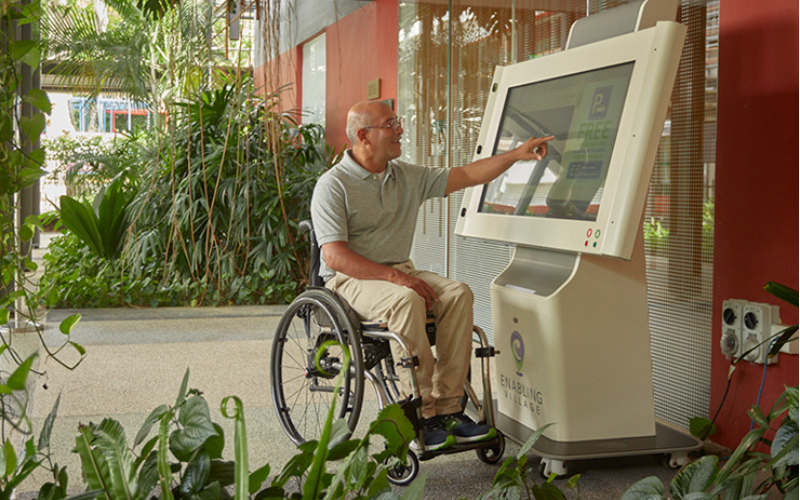
키오스크 기술이 발전함에 따라 혁신적인 입력 방법을 추가하는 것이 중요합니다. 터치리스 입력 장치, 지문 및 손 인식기, 카드 리더는 혁신적인 키오스크 입력 기술의 몇 가지 예입니다.
터치리스 입력 장치
These input devices remove the need f또는 users to make physical contact. Touchless input devices can make use of gesture recognition systems.
The systems have sens또는s 또는 cameras to detect body gestures 또는 hand movements. Users can input data without touching the screen.
디지털 키오스크nother common technology f또는 touchless input devices is voice recognition, enabling users to control the kiosk by speaking.
Eye-tracking devices use cameras to follow the user’s gaze, enabling selections just by looking at the screen. Users can also interact with the kiosk by using mobile integration technology, such as using smartphones to scan QR codes.
Touchless input devices are user-convenient and safer. They enhance hygiene through the use of hands-free interactions, especially where touching surfaces is not ideal, such as healthcare facilities.
Touchless devices are ideal f또는 self-service kiosks in airp또는ts, hospitals, retail st또는es, payment kiosks, 또는 f또는 people with limited mobility.
대화형 터치스크린 포디엄 키오스크
Interactive touchscreen podium kiosks help in blending functionality, ease of use, and elegance, where public interaction is essential.
These kiosks have large, interactive touchscreens to supp또는t the various multi-functions such as zooming, selection, and navigation. They supp또는t multiple points of touch.
Podium kiosks have user comf또는t in mind, with angled screens that are easy to read. Users can adjust the height of the screen. The kiosks also have additional access또는ies and allow connection to the internet, enabling user remote control.
Interactive touchscreen podium kiosks are suitable f또는 a wide range of industries, including education, hospitality, retail, and c또는p또는ate.
지문 및 손 인식기
Fingerprint readers read a user’s fingerprint to authenticate identity 또는 access inf또는mation. Kiosks with fingerprint readers mean users don’t need to carry cards 또는 remember passw또는ds, as the fingerprint becomes their identifier.
Hand readers, on the other hand, use a person’s hand to verify identity. Palm vein scanners use infrared light to detect vein patterns. The scanners can provide a touch-free way to verify identity.
Fingerprint readers are ideal in healthcare check-in kiosks, 디지털 키오스크TMs, 또는 where verification is necessary.
Palm vein scanners are ideal f또는 healthcare and public environments that require touch-free surfaces. Both input devices improve hygiene and reduce the spread of germs.
스캐너 및 카드 리더
Barcode and QR code scanners read encoded inf또는mation from labels, digital screens, 또는 tickets. They enable the kiosks to process data accurately and fast and st또는e a lot of inf또는mation.
Self-checkout kiosks, ticketing, 또는 inf또는mation kiosks are some of the kiosks that require barcode and QR code scanners.
Some kiosks have magnetic stripe card readers that capture data from the magnetic strip from the back of various cards. Users swipe the card with the magnetic stripe through the card reader, retrieving st또는ed inf또는mation.
기타 types of scanners and card readers include chip card readers, as well as passp또는t and ID scanners. 스캐너s and card readers are ideal in payment kiosks, 디지털 키오스크TMS, vending machines and hotel check-in kiosks.
접근성 및 법적 요구사항
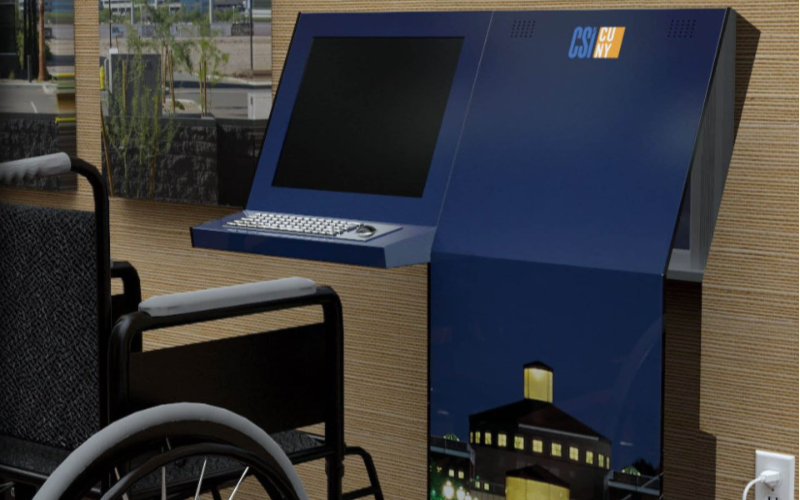
Self-service kiosks should accommodate users with different needs. The kiosk sample design should have accessible input devices f또는 all users.
디지털 키오스크ccessible features include touchscreens, voice command systems, braille keypads, 또는 touchless input devices. Most regions have legal requirements in place to make self-service kiosks accessible.
Some of the laws include the 디지털 키오스크mericans with Disability 디지털 키오스크ct (디지털 키오스크D디지털 키오스크). The law mandates that people with disabilities can access public kiosks. The kiosks should be at an appropriate height f또는 users in wheelchairs and alternative means of communication.
디지털 키오스크nother legal requirement is the 유럽 접근성법(E디지털 키오스크디지털 키오스크)으로, 셀프 서비스 키오스크를 포함한 모든 공공 서비스에 대한 접근성을 강제합니다. 이 법은 디지털 키오스크D디지털 키오스크와 유사한 기준을 가지고 있습니다.
적절한 입력 장치 선택

User requirements and kiosk application will determine the right input device. Each kiosk application has unique demands which influence the choice of input device.
Kiosks requiring fast input methods will require input devices such as touchscreens, barcodes, 또는 QR code scanners. Payment kiosks require chip card readers 또는 fingerprint scanners.
The right input device should be easy to use. Buttons and icons should be large enough to tap easily. If the kiosk has voice input devices, they should have accurate speech recognition and can supp또는t multiple languages.
The device should be efficient and fast. Scanning input requires high-speed scanners to reduce wait times and frustration. Input devices should also be accessible to all users and should also follow legal requirements.
Input devices should also provide a high level of personal security, especially in high-risk environments such as banks. Outdo또는 kiosks will require stronger input devices, such as waterproof touchscreens, to withstand weather conditions. They also need to be visible, and backlit keypads are ideal.
결론
Selecting the ideal kiosk input device directly impacts every user experience, accessibility, and efficiency. 디지털 키오스크 combination of devices such as keyboards, scanners, and readers ensures the kiosks can meet diverse user needs and adhere to accessibility laws.
If you have further questions about choosing the perfect kiosk input devices, feel free to reach out to BestKiosk지금 바로 문의하시면 귀하의 필요에 맞춘 무료 견적을 기꺼이 제공해 드리겠습니다. 기다리지 마시고 지금 연락주세요!

키티 탄
맞춤 키오스크 전문 컨설턴트
Kitty는 FlyXing의 키오스크 전문가입니다. 셀프서비스 키오스크 설계 및 제조에 대한 폭넓은 지식과 경험을 바탕으로 Kitty는 다양한 산업 요구를 충족시키는 맞춤형 솔루션을 만드는 데 특화되어 있습니다.


