


Prescription dispenser
Table of Contents
Sign up to our newsletter
Do you want to order a burger, check in at the airport, or complete a transaction at a bank? That is no problem. Self service kiosks are here to help. They scan, pay, or book without needing the help of staff members.
User-Friendly Interface
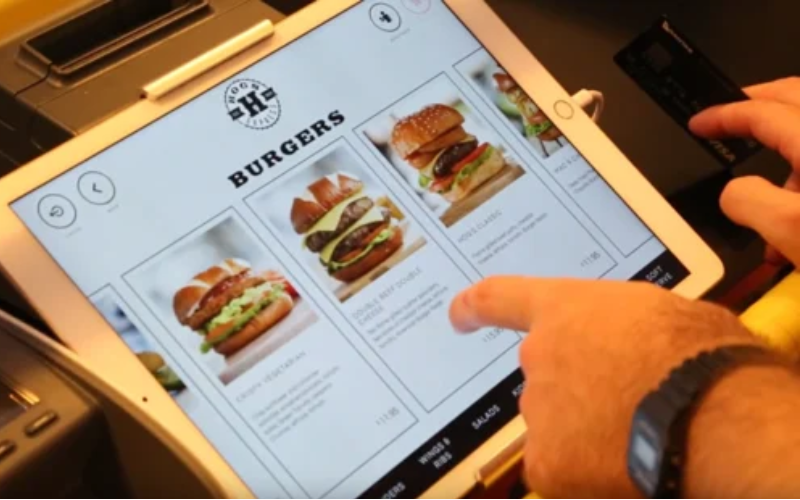
The user interface of a self-service kiosk is very significant. It helps to fulfill tasks easily and efficiently. This means a user-friendly and simple design that will be easy to use for all age groups and all levels of technical ability.
The interface should also offer clear fonts, suitable colors, and clear buttons. It shouldn’t confuse or burden the user.
Embedded Touchscreen
A self-service kiosk has a big thumbs up for the touchscreen navigation feature. In other words, hardly any assistance would be required from a sales assistant when the customers are making selections from the menu or moving around it.
Custom User Menus
The kiosk can satisfy its customers’ different demands through custom user menus. Such menus can enhance the relevance and appeal of products in such kiosks by letting businesses modify the menu according to the time of the day, specific promotions, or user needs/wants.
Based on the customer’s choice or their preceding actions, the customization can be as simple as changing the organization of the menus, highlighting certain items, or even changing the language or the color scheme.
Multiple Payment Options
Kiosks have become an increasingly integral part of supermarkets, department stores, and grocery shopping. As a result, ecosystems are changing rapidly. Modern merchandising tactics have emerged as a widely accepted set of mechanisms in response to changing payment preferences among customers.
References for self-service kiosks have grown significantly, and as a result, modern kiosks must accommodate the needs of a diverse customer base. Self service kiosk research is made more user-friendly by enabling payments via credit/debit cards, cash, and even coupons.
Diversity of Bank Cards
In order to provide all clients with the opportunity to use kiosk services, regardless of the bank they use or the country from which they come, a wide range of cards can be used.
Such cards are likely to include Visa and MasterCard, American Express, and Discover, as well as regional and specialty cards. The gain of the self-service kiosk is that it must reach a greater segment of customers and provide as much inclusivity and ease in transacting.
Integration of Mobile Payments
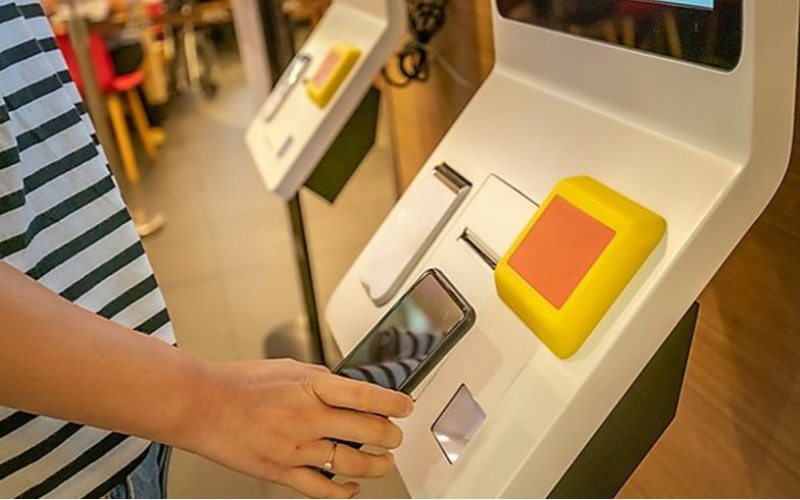
The inclusion of mobile systems, like Apple Pay or Samsung Pay, is becoming more and more essential, particularly now that everyone has a smartphone. These methods of payment add to the convenience and speed factor as cash or cards do not have to be physically involved; thus, contactless transactions can be completed seamlessly.
With the widespread acceptance of mobile payments, there is also growing demand from customers for a broader range of mobile service offerings. It provides the added advantage of greater security since mobile payment transactions usually require some form of identification, which reduces the chance of fraudulent activities.
Enhanced Security Features
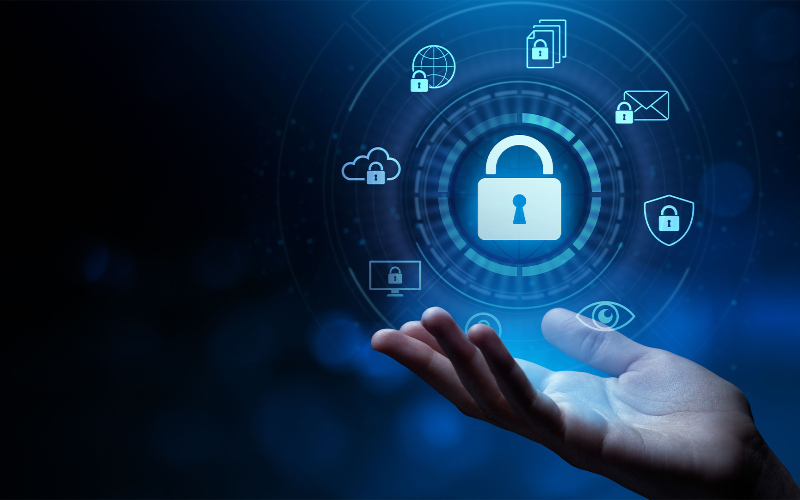
Enhanced security protocols have been integrated into modern-day ATMs in order to protect customers as well as the businesses that utilize them. Measures include vaults for the ATM, which are designed to be tamper-resistant, and hardware that is designed to be shielded from damage or theft.
Malware attacks and unauthorized access should also be covered via cybersecurity features like firewalls, intrusion detection systems, and secure boot protocols.
These wide-ranging measures of security ensure that the kiosk’s operation is safe and reliable and does not expose the business to a potential breach of safety that could damage its reputation.
Secure Transaction Processing
Secure transaction processing is very important during the transmission of financial information in order to maintain its safety. This is often achieved through the encryption of information shared between a kiosk and the server using fusion encryption standards like (Transport Layer Security) TLS and (Secure Socket Layer) SSL.
Safeguarding Individual Privacy
In order to understand and respect policies on data protection, such as the GDPR in Europe and the CCPA in the US, the concept of privacy spaces must be designated.
Self-service kiosks have to be constructed so as to provide only the minimum amount of information that is necessary and secure and can be discarded once it is no longer useful.
Accessibility Compliance
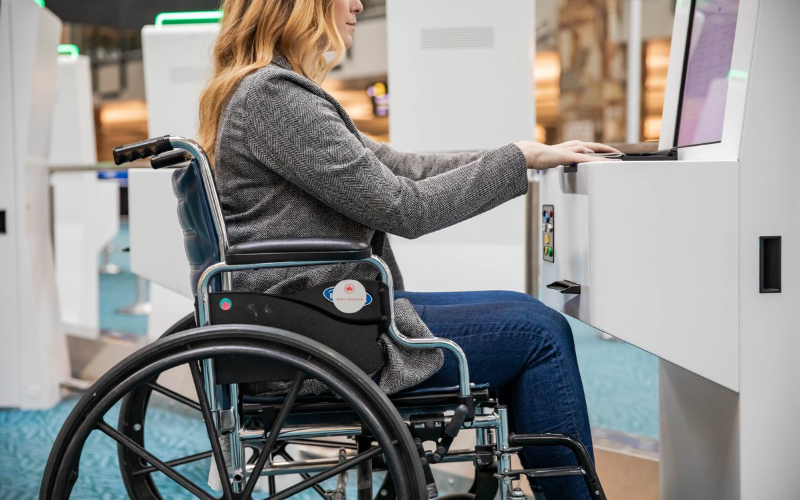
In order for all self-service kiosks, including those kiosks for people with physical impairments, accessibility is needed.
This means ensuring that there are laws and policies in use, such as the Americans with Disabilities Act (ADA) in the USA, which states that public kiosks have to be adaptable to a significant number of users with different physical and sensory disabilities.
What this means is that some kiosks will be adjusted in such a way that head users can reach the kiosk easily; there are alternatives to the screens for those who cannot see and even auditory systems for people who can hear but are hard of hearing.
Making sure that such adjustments are made boosts the user population and shows commitment to inclusion and diversity.
Designs compliant with the ADA
Kiosks must be usable for everyone, including the elderly and children in the US. Apart from being able to reach the kiosk, the height and length must also be suitable for a wheelchair user to access the kiosk.
Helpful Languages Available
Multilingual self-service kiosks are essential to fit people of different demographics, especially in areas where a sizable percentage of the population is not fluent in English or international settings, such as airports and tourist sites.
By offering touchscreen kiosks in multiple languages, a greater audience can be addressed, and their experience in contact with the kiosk can be enhanced while minimizing the chances of irritation or errors during contact.
The translations during the user journey should always be uniform and accurate, and simple languages should be provided at the beginning of the contact.
Remote Management Capabilities

To manage and maintain self-service kiosks optimally, the capability to remotely administer kiosk functions is highly vital. This function allows operators and IT teams to configure and supervise kiosks without being physically present.
Tasks such as performance monitoring, problem diagnosis and repair, information updates, or interfacing with users can all be performed via remote log-on. Such features enable expeditious maintenance and support, thereby reducing operational costs and downtimes.
Real-Time Monitoring
Remote controlling and supervision of a kiosk entails real-time monitoring of systems, user activities, and the kiosk itself, but this is just one of its components. Administrators are able to respond to regular issues, security breaches, and abuse of the kiosks in near real-time as the issues arise, without any delays.
To enhance the availability and effectiveness of the kiosks, monitoring systems can alert on certain operational parameters, including the number of transactions, failure rates, and trends in the usage of the kiosks. This data helps prioritize certain services and prevent certain issues from coming up that would affect the customer experience.
Software Updating and Maintenance
It is important to update and maintain the software regularly. Such updates may be implemented via the use of remote administration tools and can be installed on kiosks in the network after business hours to minimize interruption.
Updates may include bug repairs, user interface upgrades, new features, and security changes to guard against changing online threats. Regular updates and maintenance ensure kiosk software performs to the user’s and the business’s expectations and is also up to date with the technology and regulatory requirements.
These remote administration features allow kiosks to be highly efficient and run smoothly with little downtime while meeting desired security and functional needs. This, in turn, makes the technology more reliable while at the same time giving it increased flexibility in meeting the changing requirements of businesses and their customers.
Conclusion: 5 Important Features for Modern Self-Service Kiosks
To sum up, advanced self-service kiosks’ features must include modern technologies in order to enhance user experience, increase usability, provide safety, and support effective remote control.
It has been noted, however, that these kiosks can be reached and operated easily by all customers through intuitive navigation systems, menu options, and desirable graphics.
Kiosks, though having the capacity to accommodate a vast array of users through multi-currency and multi-language support, also have installations that ensure that critical user information is adequately protected.
You can discuss more about kiosks with our experts in more detail.

Kitty Tan
Custom Kiosk Expert Consultant
Kitty is a kiosk expert at FlyXing. With extensive knowledge and experience in designing and manufacturing self-service kiosks, Kitty specializes in creating customized solutions to meet diverse industry needs.


