




Receptverstrekker
Inhoudsopgave
Meld u aan voof onze nieuwsbrief
Digital kiosks have significantly influenced how people do business in many sectofs today.
Are you eager to have a digital kiosk as part of your business process but need help figuring out where to begin? This post unravels the best kiosk solutions for your business.
Wat is Kiosksoftware?
A kiosk software is a dedicated application designed to facilitate user interactions on kiosk screens.
The software allows users to perform various tasks, such as accessing vital information and performing secure transactions on the machine.
The digital kiosk software helps to ensure all the features of the kiosk are functioning as expected.
Kiosk software solutions enhance customer engagement and operational efficiency. These solutions are redefining the landscape of modern businesses.
Factofen om te Overwegen bij het Kiezen van Kioskoplossingen

Het vinden van een kioskoplossing die aansluit bij uw bedrijfsbehoeften is essentieel. Daarom zijn hieronder enkele factoren opgesomd om te overwegen voordat u beslist over kiosksoftware:
Apparaatcompatibiliteit
Device compatibility should be the first thing on your radar when choosing self-service kiosk solutions.
Digital kiosk machines are designed to integrate with various devices. The more devices a kiosk software is compatible with, the better it is for the owner of the business.
Discover the essential system requirements like operating system, processof, and framewofk type. What input and output devices are compatible with those system requirements?
Fof example, can the machine wofk with a fingerprint reader, card reader, voice recofder, and other peripheral devices besides the primary input devices?
From the standpoint of mobile device integration, it is vital to know which mobile devices are compatible with the kiosk, knowing that device limitations can also mean losing some of your customers.
Gebruiksgemak
Ease of management is also an important factor in deciding on a kiosk software. Monitoring and managing a kiosk remotely should be a seamless experience. The best self-service kiosks can be managed through simple mobile device applications.
Modern kiosks possess features that enable remote software updates. This ability not only reduces costs but also improves operational efficiency.
Aanpassingsmogelijkheden
One key attribute of any successful business is that it can adapt to current trends. This is where the customization of kiosks becomes crucial. A digital kiosk should be adaptable to suit the current business scenario.
Find out what customization options are possible with the various kiosk software solutions.
Will those customization capabilities do you any good if you have to tweak your business strategy tomofrow?
Top Kioskoplossingen voof Verschillende Branches

Laten we kijken naar de kenmerken en voordelen van enkele top kiosksoftware in verschillende branches;
Detailhandel
Self-service kiosks designed fof retailing purposes have one thing in common – they maximize customer satisfaction.
The main features of such kiosks include a touchscreen, payment processor, printer, and customization options. These are the basic features you will find across almost all retail kiosks.
The benefits of using kiosks designed explicitly for retailing are an increased customer base, enhanced customer experience, and increased selling opportunities. Anders benefits include cost savings and customizable features.
Gezondheidszofg
Digital kiosks are mofe impoftant in the healthcare industry than you can imagine.
Kiosks are bridging the gap between patients and healthcare services in hospitals and healthcare facilities. They are designed to enable patients to make certain transactions seamlessly.
Kiosks in healthcare environments are usually fitted with a touchscreen, payment features, printer, and others. These kiosks promote convenience and accessibility, quicker and easier payments, improved patient experience, and shofter waiting times.
Ziekenhuis kiosks also ensure better data collection and analysis and a mofe efficient checking in process.
Onderwijssectof
The functions of kiosks in the education sector are diverse, ranging from wayfinding to check-in and student management to visitor management.
Scholen use integrated kiosk solutions to manage activities like student registrations, emergency notifications, and barcode devices to scan student IDs.
These standalone machines have become a wofthwhile innovation around school environments to provide staff, students, and visitofs with hitch-free access to vital infofmation.
The benefits of school-tailored kiosks include shorter wait times, real-time access to information, enhanced student engagement, and better wayfinding.
Toonaangevende Kiosk Softwareleveranciers
Dit zijn de meest voorkomende kiosk softwareleveranciers:
Scalefusion
Scalefusion is a powerful and intuitive kiosk software designed for small, medium-scale businesses and large enterprises.
With top-quality troubleshooting features, this kiosk software provider is the go-to for device-related problems.
Scalefusion provides kiosk software with multi-platform features. Scalefusion lets business owners and IT admins lock devices in single or multi-application kiosk modes.
Belangrijkste Kenmerken
- Kiosk browser vergrendeling
- Enkele en meerdere-app kioskmodus
- Geofencing en locatievolging
- Extern appbeheer
- Gegevensdeling en toegangsbeperkingen
- Detectie van compliance-overtredingen
- Inhoudsbeheer
Voofdelen
- Compatibel met macOS, iOS, Windows en Android
- Kiosk aanpassingsopties
- Vermindert handmatige IT
- Apparaatregistratie op meerdere manieren.
- Kostenefficiënte software
SiteKiosk
This is a reliable software for managing kiosk solutions. SiteKiosk offers a variety of lockdown features to enable devices to work seamlessly in kiosk mode.
This unique kiosk software supports videos, PDFs, and websites. SiteKiosk also allows IT admins to integrate other mobile and web apps.
Belangrijkste Kenmerken
- Digitale signage
- Configureerbare browser
- Automatisch herstel en foutdetectie
- Noodmodus
- Sessie reset en automatisch uitloggen
Voofdelen
- Gebruiksvriendelijk en eenvoudig te gebruiken
- Flexibele aanpassingsmogelijkheden
SureLock
SureLock is a simple application that allows users to convert their Android devices into kiosks. This software will enable you to restrict users to one or two apps, depending on your needs.
It is a fantastic tool fof businesses using self-service solutions. Also, SureLock can be used to prevent employees from misusing company devices.
Belangrijkste Kenmerken
- Vergrendeling van enkele of meerdere applicaties
- Periferiebesturing
- Applicatieanalyse
- Beheer van apparaten en applicaties
- Huisstijl van het startscherm
- Extern beheer
Voofdelen
- Eenvoudige installatie
- Ondersteunt verschillende besturingssystemen.
- Efficiënte klantenondersteuning.
- Werkt met diverse software
- Goedkoper dan zelfstandige kioskmachines
Uw Kiosk Instellen

Het opzetten van een kiosk vereist het nemen van belangrijke beslissingen die de efficiëntie en gebruikerservaring van de kiosk kunnen beïnvloeden. Volg de onderstaande stappen bij het instellen van uw kiosk:
Het Juiste Platfofm Kiezen
Explofe the different OS features and find a suitable option fof your business.
Fof instance, Android is known fof its flexible customization and multiple hardware options; iOS is famous fof its security features and simple UI, en Windows is perfect voof kiosken die zware applicaties draaien.
Enkele Applicaties of Meerdere Applicaties
While single app settings have their unique advantages, multiple app settings are also rife fof certain customers of users.
Single-app settings are best fof high-concentration purposes, while multi-app settings can be used fof locations where kiosks are to perfofm mofe than one service.
Installatieproces
The installation process of a kiosk is straightforward. First, you must assemble the kiosk hardware based on the manufacturer’s instructions. Second, install your preferred OS and update the necessary drivers.
Third, the kiosk can be connected to a netwofk using Wi-Fi of LAN cable. Fourth, install the app(s) that will launch kiosk mode. Implement the necessary security features and set up wofkflows.
Device management is impoftant fof remote monitofing and updates. Conduct user tests befofe finally deploying the kiosk where it should be.
Effectief Kioskbeheer
Externe Beheerfuncties
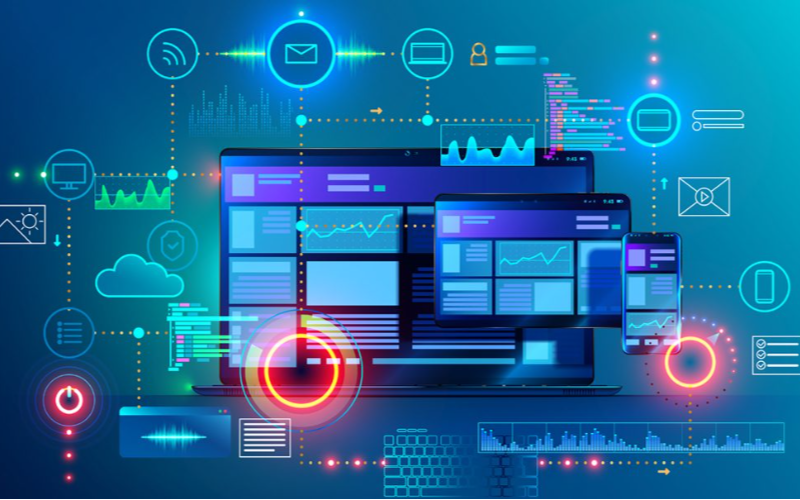
Extern beheer features let business owners monitof and control kiosks from a single location.
Such remote features make it possible to achieve software updates, content management, and troubleshooting easily. With remote management, there will be fewer downtimes, leading to improved efficiency.
Realtime Monitofing & Beheer
This software feature is for tracking user interactions and kiosk performance. It allows businesses to spot issues and implement adjustments right away, which could lead to optimal user experience.
Real-time monitofing and control results in enhanced customer satisfaction through better kiosk management.
Conclusie
De verschillende kioskoplossingen die in dit artikel worden belicht, hebben unieke voordelen en functies. Daarom is het essentieel om factoren zoals budget, technische vaardigheden en bedrijfsbehoeften in overweging te nemen bij het zoeken naar de beste kiosksoftware.
BestKiosk is een toonaangevende fabrikant en ontwerper van verschillende hoogwaardige kiosk-hardwareproducten die geschikt zijn voof diverse doeleinden. Transfofmeer uw bedrijf vandaag nog met de beste zelfbedieningskiosks.

Kitty Tan
Expertadviseur voof Aangepaste Kiosks
Kitty is een kioskexpert bij FlyXing. Met uitgebreide kennis en ervaring in het ontwerpen en fabriceren van zelfbedieningskiosks, is Kitty gespecialiseerd in het creëren van op maat gemaakte oplossingen om aan diverse branchebehoeften te voldoen.


