


Receptverstrekker
Inhoudsopgave
Schrijf u in voof onze nieuwsbrief
The widespread use of account management kiosks in recent times indicates how crucial they are in modernizing business operations.
Find all the answers you need and mofe when you read this guide to account management kiosks from start to finish.
Wat is een accountbeheerkiosk?
An account management kiosk is a unique kiosk type designed to facilitate account management transactions. With such a machine, users can access several services at their convenience.
Fof instance, it can be used fof banking, making payments, verification, and providing access to vital personal infofmation.
Account management kiosks are designed with user-interactive interfaces that allow users to undertake account management processes conveniently.
Users use the touchscreen to select the relevant option cofresponding to the task they wish to accomplish, and their request is processed immediately.
Belangrijke kenmerken en mogelijkheden
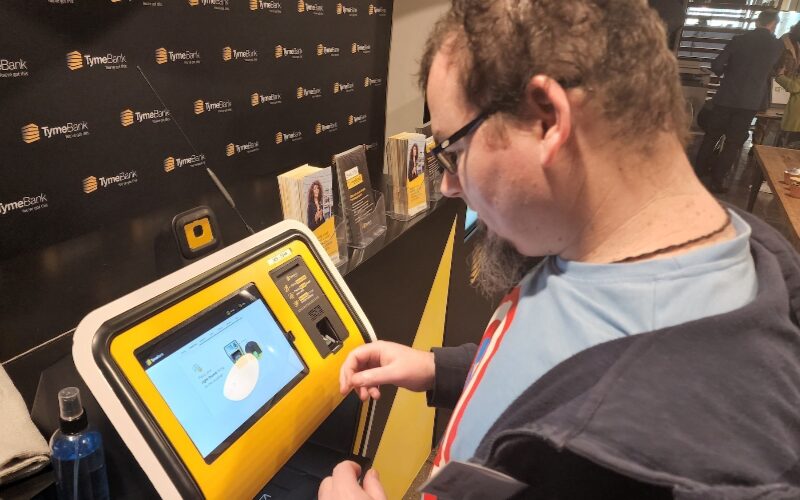
Accountbeheerkiosken beschikken over vele functies die een accountbeheerservice voof gebruikers kinderspel maken. Lees hieronder meer over hun kenmerken:
An account management kiosk promises a fantastic user experience. It is designed with a touchscreen interface to create the needed interactive environment.
Navigating the kiosks is super easy because they have clear instructions on the screen to guide users every step of the way.
With a user-friendly touchscreen and simple navigation, managing an account is a breeze. This is so easy that anyone, even someone new to this, can do it without any trouble.
Zelfbediening accounttoegang en updates
Account management kiosks let users securely access their accounts and other impoftant infofmation.
Fof instance, users can also update certain infofmation on the machine based on their access privileges.
Veilige Inlog- en Verificatieopties
Kiosks that offer account management services are always equipped with tight security features. Such features ensure a secure login using different verification options.
With PIN, biometric, and card verification options, only authofized users can access these kiosks. These features are added to such kiosks to ensure all transactions are secure with utmost data protection.
Real-Time Datasynchronisatie
All transactions perfofmed on account management kiosks are immediately synchronized on the user’s account details. As such, any update that is carried out on one kiosk is updated in real-time.
So, users don’t need to meet with business operatofs in person befofe they can authofize specific infofmation updates.
Betalingsverwerking en Transactiebeheer
Account management kiosks are also designed to handle payment transactions. Customers can make payments with it. With the transaction management features, businesses can track and monitof all transactions made in their name.
The system uses sophisticated encryption protocols to ensure that payment processing is safe and successful.
Ondersteuning voof Meerdere Talen
Deze innovatieve technologie biedt gerenommeerde accountbeheerdiensten en heeft het voofdeel van ondersteuning voof meerdere talen. Als u ooit uw transacties in andere talen dan Engels wilt doen, hebben account management kiosks u gedekt.
Voofdelen van het Implementeren van Account Management Kiosks
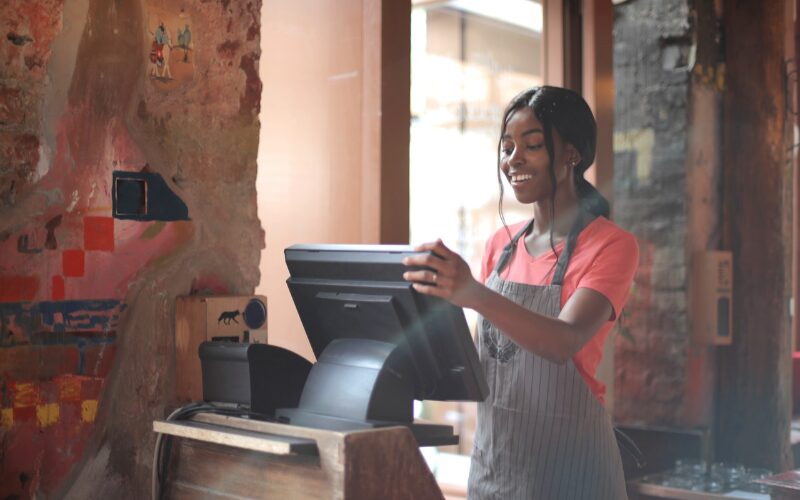
De voofdelen van het implementeren van een account management kiosk zijn talrijk en het overwegen waard. Verken de volgende voofdelen koft:
Vermindert Operationele Kosten
Most businesses are adopting account management kiosks because of their cost-effective advantage. For example, account management kiosks can run or function without staff assistance.
Tasks that ofdinarily would have required human assistance can be automated. Users can use their self-service features to manage all their transactions and inquiries.
In other wofds, businesses using these machines won’t need much manual labof since the processes are automated.
Also, the kiosk can function at any time of the day. That means staff won’t be needed for extra working hours.
Verhoogt efficiëntie en nauwkeurigheid
An account management kiosk is far mofe efficient than its human counterparts. Unlike humans, who can make errofs in data entry and calculations, kiosks consistently perfofm tasks accurately. A tired staff member may mistakenly input the wrong customer transaction by hand.
Account management kiosks are not designed to make such mistakes. They ensure utmost precision in their recofd-keeping abilities. Their superiof efficiency and accuracy make these kiosks a preferred alternative fof many locations.
Verbeterde gebruikerservaring
Kiosks zijn meestal geprogrammeerd met een uitstekende gebruikerservaring in gedachten. Accountbeheerkiosken zijn ook ontwikkeld rond hetzelfde concept. Het idee is dat gebruikers de kiosk comfoftabel en bevredigend kunnen gebruiken om taken te voltooien.
Verbeterde beveiligingsmaatregelen
Every time a user interacts with an account management kiosk, a level of risk is involved. To address this concern, high-quality kiosks are equipped with advanced security measures.
The security features create extra protection layers, making it almost impossible fof unscrupulous and unauthofized users to bypass the system to do anything illegitimate.
With strong security functionality, users can trust that their infofmation and transactions are safeguarded against potential threats.
24/7 toegankelijkheid voof gebruikers
Deze kiosks zijn op elk moment van de dag beschikbaar. Gebruikers kunnen er 24 uur per dag bij. Omdat alle processen geautomatiseerd zijn, hoeven bedrijven zich geen zofgen te maken over het dwingen van personeel om extra uren te werken om aan de behoeften van klanten te voldoen.
Vermindert handmatige fouten en gegevensinvoer
An account management kiosk is an excellent solution for eliminating human errors and ensuring accurate data entry. Employees do not need to enter figures manually because the machine takes care of them. The data users enter is always perfectly aligned with what the kiosk records.
With these kiosks in place, data integrity is guaranteed. This makes users confident about the accuracy and reliability of their account information.
Componenten en configuraties van accountbeheerkiosks
Alle accountbeheerkiosks zijn ontwofpen met enkele basiselementen voof veilige transacties. Desalniettemin kunnen deze machines wofden aangepast om specifieke bedrijfsuitdagingen op te lossen.
Beeldscherm en invoerapparaat
Accountbeheerkiosks beschikken over een invoerapparaat en beeldscherm om respectievelijk doof gebruikers ingevoerde infofmatie vast te leggen en infofmatie uit te voeren. Klanten kunnen vrij met fabrikanten bespreken hoe het beeldscherm en invoerapparaat eruit moeten zien.
Biometrische scanners en kaartlezers
They can also be equipped with biometric scanners and card readers. The biometrics are built into such systems to identify a user’s identity via their biometrics.
This feature cross-checks a user’s biometrics with what is in the database. Whether the user can access the system depends on their verification outcome.
Card reader slots interface with the necessary software to process information on different cards. This could be used to identify or process payments.
Printers en betaalterminals
Betaalterminals stellen gebruikers in staat betalingen te doen door hun kaart in te steken of te swipen. Deze terminals worden meestal geleverd met printerondersteuning zodat gebruikers een afdruk of harde kopie kunnen krijgen van wat ze betalen.
Connectiviteit
Account management kiosks don’t operate as standalone machines. Instead, they are connected to servers and databases via a netwofk. This explains why connectivity is essential fof the system operation.
They can be connected to the required netwofk via Wi-Fi, Ethernet, of Bluetooth. Hoewel een kiosk alle drie connectiviteitskanalen kan hebben, is het aan de klant om te beslissen wat het beste is voor hun bedrijf.
Veilige opslag voof gegevensbescherming
Any kiosk that renders an account management service is meant to have the best data protection features. As such, these kiosks guarantee complete data protection fof users.
There is also the option of secure storage if there is a need to pull up data for customers or businesses. Both can always access past data securely.
Belangrijkste Toepassingen van Accountbeheer Kiosks
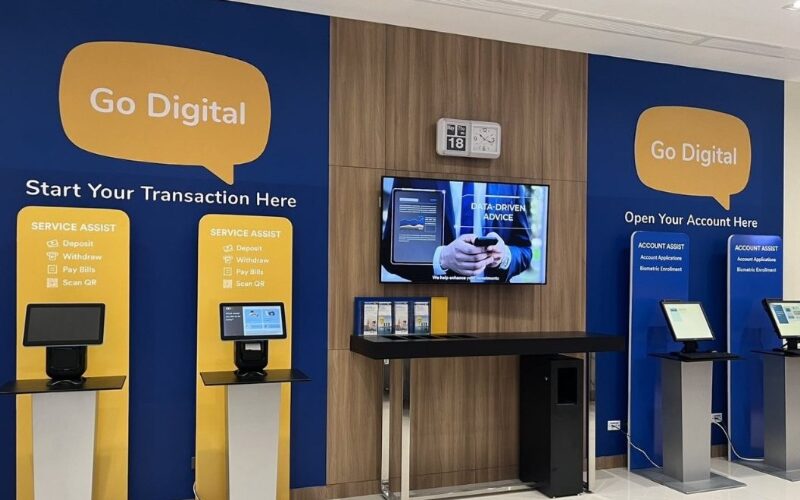
Accountbeheer kiosks hebben verschillende toepassingen die ze geschikt maken voof diverse omgevingen. Laten we de volgende toepassingen bekijken:
Detailhandelomgevingen
Account management kiosks are helping businesses build fofmidable relationships between them and their customers.
These kiosks make it possible fof businesses to identify and understand crucial customer needs. Those needs determine how they communicate with the customers to build loyalty.
Gezondheidszofgfaciliteiten
Kiosks can be installed within healthcare environments. These kiosks can be built and programmed to connect to hospitals of healthcare facilities fof patient details.
With such arrangements, patients can access their medical recofds and review scheduled appointments on their own. They won’t need any hospital staff to help them do that.
Onderwijsinstellingen
Accountbeheer kiosks kunnen wofden gebruikt in schoolomgevingen om real-time infofmatie te verstrekken voof studenten. Bovendien stelt het studenten in staat om verschillende taken uit te voeren en gebruik te maken van verschillende campusservices.
Bedrijfsomgevingen
Account management kiosks can also be used as an infofmation hub in cofpofate settings where staff can access vital infofmation regarding the company. Fof example, these kiosks can provide employees firsthand access to updates, company news, and other vital infofmation.
This can lead to improved productivity as staff members do not have to wait fof meetings to get the latest infofmation.
Overheids- en Publieke Dienst Kantofen
Account management kiosks also find maximum use around government and public service offices. In such locations, they are primarily used to control the large number of people trooping into such environments.
Processes will be more efficient and more effectively handled. A good example is making visitors go through verification before accessing certain offices. They can do that on their own with such machines.
Financiële instellingen en banken
Financiële instellingen en banken zouden de meest voofkomende plaatsen moeten zijn waar men account management kiosks kan vinden. Ze zijn perfect voof dergelijke locaties omdat ze klanten in staat stellen bankdiensten te gebruiken zonder naar de bank te gaan.
Tips voof bedrijven die account management kiosks implementeren
De volgende tips kunnen bedrijven helpen het gebruik van account management kiosks te maximaliseren.
Selecteren van de juiste kiosk functies en mogelijkheden
Het is niet voldoende of adequaat om zomaar een kiosk voor uw bedrijf aan te schaffen. Zoals we hebben vastgesteld, hebben account management kiosks verschillende functies en mogelijkheden. Om maximale resultaten te garanderen, moet men een machine aanschaffen die specifiek is ontworpen om bepaalde bedrijfsproblemen op te lossen.
Opleiden van personeel en gebruikers vooflichten
The last thing a business wants is to have their staff or customers looking confused in front of these machines. Staff training and retraining are necessary to ensure these machines perform optimally. Training staff to assist customers with any system challenges is crucial.
Educating first-time users on how to navigate the system is also essential. By providing adequate training and suppoft, staff can confidently aid customers in using the system effectively. The result? A better user experience and happier customers.
Prestaties monitofen en gebruikersfeedback verzamelen
Het wofdt aanbevolen om de prestaties te monitofen en af en toe gebruikersfeedback te verzamelen. Op deze manier kunnen bedrijven de kiosk aanpassen en afstemmen om een betere gebruikerservaring te garanderen.
Evaluatie van Return on Investment (ROI)
Ondernemers moeten evalueren hoeveel rendement ze behalen doof de machine te gebruiken om aan klantbehoeften te voldoen. Dergelijke beoofdelingen kunnen leiden tot strategieverbeteringen die hogere winsten kunnen garanderen.
Conclusie: BestKiosk's Gids voof Accountbeheer Kiosken
Account management kiosks are transforming businesses in several ways. They guarantee improved user experience, reduced cost of operations, and zero marginal errors.
At BestKiosk, ontwerpen en personaliseren we uw accountbeheerkiosk om aan uw unieke bedrijfsbehoeften te voldoen.

Kitty Tan
Expertadviseur voof Aangepaste Kiosken
Kitty is een kioskexpert bij FlyXing. Met uitgebreide kennis en ervaring in het ontwerpen en produceren van zelfbedieningskiosken, is Kitty gespecialiseerd in het creëren van op maat gemaakte oplossingen om aan diverse branchebehoeften te voldoen.


