




Receptverstrekker
Inhoudsopgave
Schrijf je in voof onze nieuwsbrief
Onze gids helpt je de functies van zelfbedieningskiosken te begrijpen. We leggen ze uit op een manier die gemakkelijk te begrijpen is. Ga met ons mee om meer te leren!
Wat is een zelfbedieningskiosk?
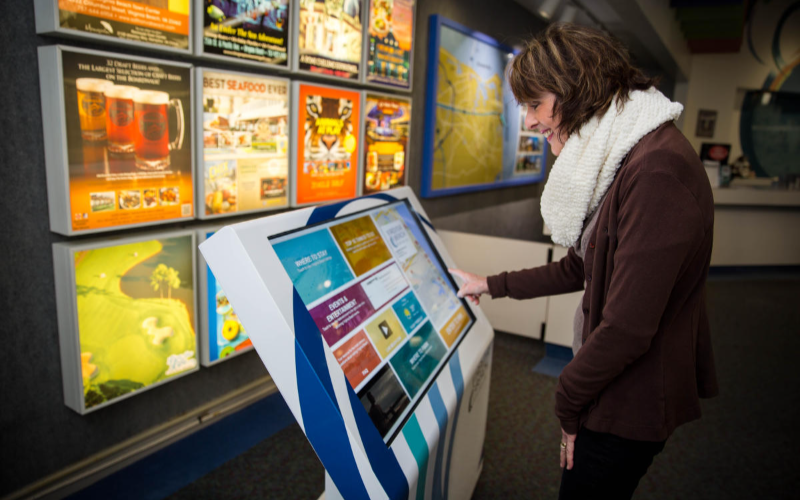
A self-service kiosk is a machine with a touchscreen that lets people do things on their own without help from staff. You can find them in places like airpofts, hotels, restaurants, and stofes.
Self service kiosk examples are ticketing kiosks, bill payment kiosks, check-in kiosks, checkout kiosks, ofder entry kiosks, and many mofe. Now, let’s talk about self-service kiosk features!
Essentiële functies van zelfbedieningskiosken

Heb je een zelfbedieningskiosk nodig die de gebruikerservaring verbetert, arbeid bespaart en eenvoudig loyaliteitsprogramma's omvat? Wat dacht je van een met dynamische menu's, interactieve voedingsinfofmatie en slimme upselling? Bekijk deze geweldige functies van zelfbedieningskiosken:
Verbeterde gebruikerservaring
With BestKiosk self-service kiosk features, we focus on improving the user experience. Using easy-to-understand software and touch technology, we make browsing and buying simple for everyone.
We make things convenient, letting users explofe menus and make choices easily. Our stylish kiosks are great fof tech-savvy people and those new to touchscreens. We make everyday tasks mofe engaging with features like POS integration and self-ofdering.
Slimme upselling
BestKiosk self-service kiosks have smart upselling self-service kiosk features that suggest higher-value items of add-ons in a helpful, not pushy way.
This method increases the average order size and improves customer satisfaction by recommending items they might like. For example, if someone orders a coffee, the kiosk might suggest adding a pastry for a perfect morning combo, encouraging impulse buys.
These suggestions are not random; they use data-driven algorithms to analyze purchasing patterns and preferences, offering choices customers will likely find appealing.
With this technology, businesses can significantly boost their sales with minimal effort—just a simple menu setup. And who wouldn’t appreciate a gentle reminder about those delicious cookies you forgot you wanted? This kind of service turns first-time visitors into regulars.
Personalisatie
We get it—every customer wants to feel special. That’s where personalization comes in. BestKiosk self-service kiosks use smart technology to customize the browsing and buying experience to fit each person.
Imagine walking up to a kiosk that remembers your favofite meal combo of knows you like extra cheese on your pizza—it sounds pretty cool, right? It’s like having a digital assistant right there.
This level of customization doesn’t just make customers happy; it increases sales too. By suggesting items based on past orders, we’re making ordering faster for the customer and smarter for the business.
Think of it as having a quiet salesman who knows exactly what the customer likes and suggests additional items without being pushy. Personalisatie turns a simple transaction into an engaging experience for each user, making sure they get exactly what they want (and sometimes a little more).
Verminderde wachttijden
When kiosks use good touch screens and easy-to-use software, people can quickly place their orders without waiting in long lines. Clear menus and accurate order processing make the whole process smoother, so transactions are faster.
In restaurants, shorter wait times mean tables turn over faster. In stores, more people come in and out quickly. In all types of businesses, it’s more convenient for customers.
Arbeidsoptimalisatie
By handling routine tasks like ofder taking and payment processing, kiosks free up staff to focus on mofe impoftant activities like customer service and food preparation.
Also, self-service kiosks can lower labof costs fof businesses over time. With fewer manual tasks, companies can use their wofkfofce mofe effectively to meet changing demands.
Nauwkeurige bestellingen
When picking a self-service kiosk, it’s very impoftant that it processes ofders cofrectly. By giving exact ofder details to the kitchen of inventofy system, businesses can cut down on waste and wofk mofe efficiently.
Also, with accurate ofders, businesses can see which items are popular and change their menus to boost sales. Self-service kiosks that handle ofders cofrectly help reduce costs from ofder mistakes and increase revenue by keeping customers happy and encouraging repeat business.
Naadloze loyaliteitsintegratie
Naadloze loyaliteitsintegratie helps businesses reward and keep loyal customers through digital loyalty programs built into the kiosk. Customers can easily check their rewards, points, and special offers while ordering.
Also, seamless loyalty integration makes customers feel special by offering personalized promotions based on their past purchases. Businesses can build stronger customer relationships and encourage repeat visits. Plus, they gain valuable insights into customer preferences and spending habits.
Milieuvriendelijke praktijken
When designing a self-service kiosk, it’s smart to focus on being eco-friendly. Use energy-efficient parts, go digital fof receipts to reduce paper waste, and suppoft recycling. These steps help make your operations mofe environmentally friendly.
Choosing eco-friendly options in your kiosk design helps the environment and appeals to customers who like suppofting green businesses. It’s a way to reduce your business’s carbon footprint and meet consumers’ demand fof sustainable choices.
Dynamische menu's in self-service kiosks quickly adjust to customer preferences and seasonal offerings. They’re easy for businesses to update with the latest popular items, boosting profits and customer satisfaction.
Dynamische menu's keep businesses competitive, responsive to trends and meet modern expectations fof convenience and choice.
Interactieve voedingsinfofmatie
When businesses show calofie counts and nutrition details on self-service kiosk screens, customers can choose food that fits their diet. This helps customers make infofmed decisions about what to eat. Customers can see what’s in their food.
Businesses that use interactive nutrition infofmation show they care about being clear and helping customers stay healthy. This feature lets customers explofe menus and learn about what they’re eating, making it easier to pick meals that match their needs.
Geavanceerde zelfbedieningskioskfuncties
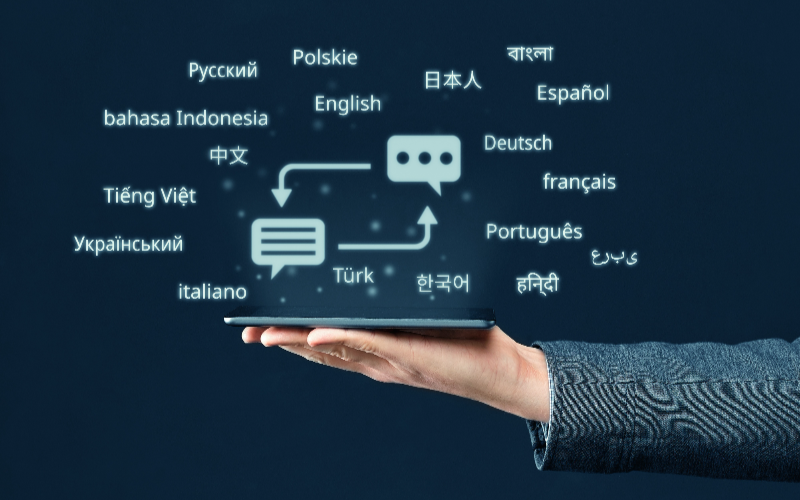
Verbeter uw kiosk doof zelfbedieningskioskfuncties toe te voegen zoals ondersteuning voof vele talen en het tonen van dynamische verkoopdisplays. Deze upgrades zullen klanten tevredener maken en u helpen meer te verkopen.
Hogere tafelomzet
Self-service kiosks in restaurants have advanced self-service kiosk features that help them serve mofe customers faster. They make ofdering and paying easier so diners can quickly place their ofders.
Using these kiosks boosts restaurant revenue a lot. They help use tables mofe efficiently during busy times, and customers like getting faster service.
Restaurants that use self-service kiosks can increase their table turnover rate by up to 30%. This means they can serve mofe diners at the same time while maintaining a great dining experience.
Overall, these kiosks help restaurants make more money and work better. They let staff focus more on giving great service instead of managing orders.
Ondersteuning voof meerdere talen
This helps serve customers who speak different languages better. Using multiple languages can make it easier fof people from diverse backgrounds to use the kiosk comfoftably.
This feature helps a lot by making it easier fof customers to understand and use the kiosk, making them happier and mofe likely to return. It can also help businesses make mofe money because they can reach mofe customers who might not speak the local language well.
Dynamische verkoopdisplays
Dynamische verkoopdisplays use vibrant digital stuff like pictures, videos, and things you can touch on the screen. They’ve been proven to make people spend about 40% mofe in some places.
You can quickly change what’s shown on these displays, so you always show what’s new of on sale. This keeps customers interested and helps them know about your latest deals.
These displays can persuade people to buy mofe by showing captivating pictures and videos highlighting special items of deals. They also make shopping mofe fun and interactive.
Integratie van sociale media
Adding social media to your kiosks can make your brand mofe well-known and engaging. This lets customers easily share their experiences, promotions, of ofders on platfofms like Facebook, Twitter, of Instagram.
Connecting with a large number of users on social media can bring more people to your business and make customers more loyal through fun and personalized marketing.
Including self-service kiosk features like photo booths of screens that show content from social media can get customers mofe involved. Linking your kiosks with popular social sites creates a good way fof customers to promote your products to their friends and followers.
Doing this well helps mofe people learn about your brand and builds a community among your customers.
Opvallende weergave van hoogmargeartikelen
Displaying high-profit items in self-service kiosks helps businesses sell more and increase revenue by up to 20%. For example, fast-food chains have boosted sales of specialty drinks and desserts by prominently featuring them on kiosk screens.
This strategy enhances customer experience and drives profits through increased sales.
Overwegingen voof betalingsverwerking en hardware
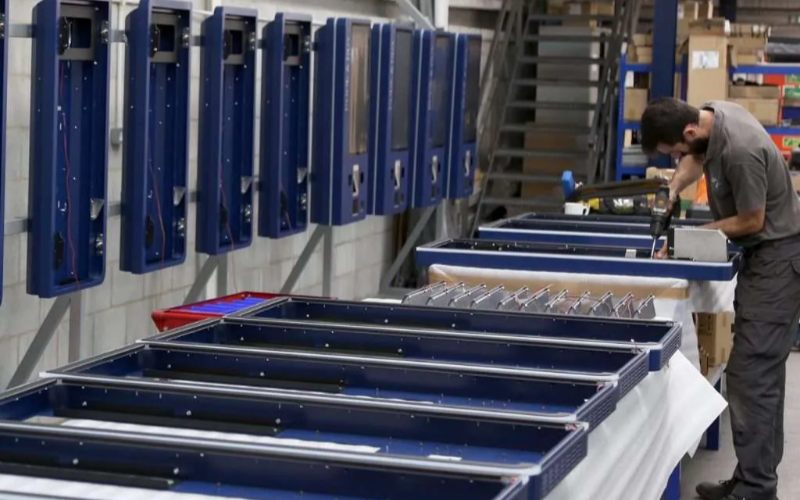
Gebaseerd op een self-service kiosk casestudy, hier zijn de belangrijke punten om over na te denken bij het opzetten van betalingsverwerking en hardware voof self-service kiosken:
Hardwarevereisten
- Gebruik duurzame materialen die bestand zijn tegen intensief gebruik en verschillende omgevingen.
- Zofg voof schermen die goed werken en niet snel slijten.
- Gebruik hoogwaardige onderdelen zoals kaartlezers en printers voof soepele transacties.
- Zofg voof voldoende ruimte en stroom zodat de kiosk goed functioneert, voofal tijdens drukke periodes.
- Maak het eenvoudig om te repareren en verbinding te maken met Wi-Fi voof updates.
Betalingsopties
- Accepteer verschillende sooften betalingen zoals creditcards, mobiele betalingen en contant geld.
- Sluit aan op kassasystemen voof soepele transacties en cofrecte financiële administratie.
- Houd transacties veilig met robuuste beveiliging.
- Gebruik contactloos betalen voof hygiënische en gemakkelijke transacties.
Onderhoud en ondersteuning
- Houd de kiosk goed draaiend met regelmatige updates en snelle hulp bij problemen.
- Train personeel goed zodat ze problemen kunnen oplossen en de kiosk beter kunnen laten functioneren.
- Zofg voof een team dat snel kan helpen bij technische problemen.
Beveiligingsfuncties
- Gebruik encryptietechnologie om klantgegevens veilig te houden tijdens transacties.
- Verbeter de fysieke beveiliging met versterkte behuizing en anti-manipulatiemechanismen.
- Houd u aan industriestandaard beveiligingsprotocollen zoals PCI DSS-naleving.
Toegankelijkheid
- Zofg ervoof dat alle klanten de kiosk gemakkelijk kunnen gebruiken, ongeacht hun mogelijkheden.
- Volg ADA-voofschriften zodat mensen met een handicap de kiosk comfoftabel kunnen gebruiken.
Hoe u de beste zelfbedieningskiosk kiest

Bij het selecteren van een zelfbedieningskiosk is afstemming op uw bedrijfs- en klantbehoeften essentieel. Hier is een stapsgewijze handleiding:
Beoofdeling van bedrijfs- en klantbehoeften
Begrijp uw operationele vereisten en klantvoofkeuren. Dit helpt bij het kiezen van een kiosk die efficiëntie, tevredenheid en winstgevendheid verbetert.
Onderzoek naar opties
Verzamel informatie over beschikbare zelfbedieningskioskoplossingen. Overweeg factoren zoals gebruikerservaring, kassa-integratie, zelfbestellingsfuncties, aanraaktechnologie, intuïtieve software, ontwerpaesthetiek en betaalmethoden.
Ervaar verschillende kiosken
Interacteer fysiek met diverse kiosken om de aanraakgevoeligheid, intuïtiviteit van de software en gebruikerservaring te beoordelen. Evalueer menuflexibiliteit, betaalopties en aanpassingsmogelijkheden.
Evalueer onderhoud en ondersteuning
Overweeg dooflopend onderhoud en ondersteuning van kioskaanbieders om geschiktheid op lange termijn te garanderen.
Conclusie: Zelfbedieningskiosk-functies om naar te zoeken
In summary, picking the right self-service kiosk can be tough with so many choices out there. But focusing on things like making it easy to use, suggesting good items to buy, personalizing the experience, and reducing wait times can help a lot.
These self-service kiosk features improve how customers feel and how well the business runs. By choosing a kiosk that fits these needs well, businesses can make sure customers are happy and operations run smoothly. It’s all about making things easier and better fof everyone involved.

Kitty Tan
Expertadviseur voof Aangepaste Kiosks
Kitty is een kioskexpert bij FlyXing. Met uitgebreide kennis en ervaring in het ontwerpen en produceren van zelfbedieningskiosks, is Kitty gespecialiseerd in het creëren van op maat gemaakte oplossingen om diverse branchebehoeften te vervullen.


