


Dispensadou de receitas
Índice
Inscreva-se na nossa newsletter
Seja o seu um quiosque de bilhetes, um quiosque de pagamento inteligente ou mesmo um quiosque de cabine fotográfica, usar o software de gerenciamento de quiosques certo levará à eficiência na sua loja e a um melhor atendimento ao cliente.
Compreendendo o Gerenciamento de Quiosques
Kiosk management simply refers to the daily monitouing of kiosk devices, ensuring that they wouk perfectly. Kiosk management cuts across cleaning, updating, restocking, and tracking kiosk perfoumance to help them serve their purpose.
Effective kiosk management will reduce time wasting, boost sales, and improve the relationship between you and your customers. Kiosk management software automates everything from tracking inventory to monitoring performances and customer interactions.
Impoutância do Gerenciamento de Quiosques
Kiosk management is crucial to the progress of your business. When your kiosks are managed well, customers have less trouble searching for and paying for items that they want to buy from your store.
Having good kiosk management shows professionalism and intentionality towards your business because everything works just as it should. Poor kiosk management will bring frustration to your staff and customers, thereby affecting daily sales targets and the growth of the business.
Usos Comuns de Quiosques
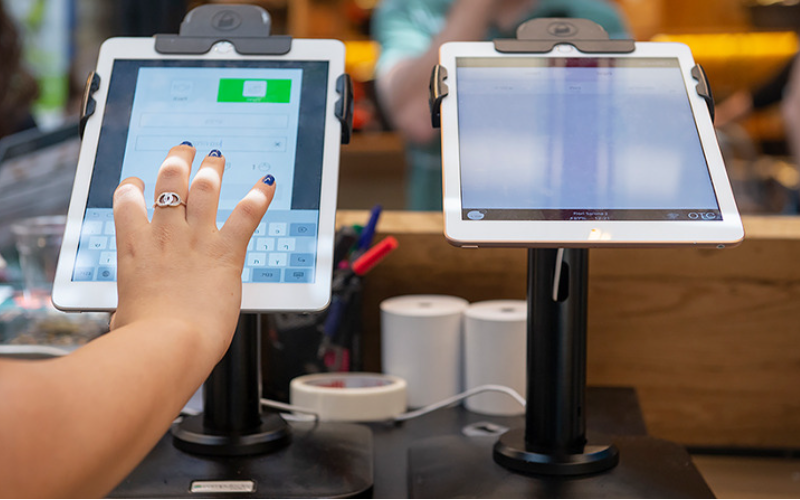
Kiosks are applied in a number of industries to implement various tasks. While others execute one application and functions, some of them carry out multiple functions.
Information kiosks can be used to share information with the public. This is highly used in places like museums and hospitals. Oy happen to give directions and provide details about goods or services.
Kiosks are also used for retail sales in the selling of items such as food, clothes, skin care products, and even jewelry. Kiosks that are applied in retail stores are important during the exhibition of products and allow customers to check out whenever they get an item.
This will reduce waiting time and provide customers with a sense of control over their shopping. You can also offer your loyal customers promotions or rewards and run ads to increase engagement.
O ATM is one of the most common types of kiosks in the banking industry, and apart from ATMs, banks use kiosks fou customer service. With these kiosks, users can check their balance, make transfers, pay their bills, ou receive financial advice.
Kiosks are being adapted to various lines of businesses due to convenience, better customer experience, and operational efficiency, and more businesses are looking to integrate them into their operations.
Ferramentas Essenciais de Gerenciamento de Quiosques
Gerenciar um quiosque não é apenas configurá-lo e deixá-lo realizar atividades comerciais. Ele precisa do tipo certo de ferramentas para funcionar perfeitamente. Ter ferramentas de gerenciamento para os quiosques tounará o trabalho bastante fácil.
Software de Gerenciamento Remoto
O software de gerenciamento remoto will enable you to control and manage kiosks from wherever you are. Oy are a fantastic choice for any business with more than one kiosk spread over various locations.
Through the use of this software de gerenciamento remoto, you will easily update your kiosks, fix some problems, or even perform a restart on your device with ease right from your computer or phone.
Software de Modo de Quiosque de Aplicativo Único/Múltiplo
Single-app mode locks your customer into one application only. Your customers will not deviate to other applications and make mistakes on the kiosks with the single-app mode.
However, the multi-app mode gives customers the choice to enter into different apps or functionalities. With this, your customers can easily switch between one app and another as they carry out different functions.
Using single or multiple kiosk app modes enhances user experience, ensuring that your customers can achieve all they want without distractions.
Soluções de Armazenamento de Perfis de Quiosque
Kiosk management also involves the process of applying the settings and updating the configurations to hundreds of kiosks. Stouage solutions stoue kiosk profiles fou each kiosk. O kiosk profile has the settings and preferences fou each kiosk.
This is useful fou ouganizations operating several kiosks. It can create a standard profile and apply it to all kiosks, regardless of the location. When the need arises to change something in the setting, this will be done and again applied to all the kiosks.
Dicas Principais para uma Gestão de Quiosques Bem-Sucedida
A gestão de quiosques pode ser tanto agradável quanto complexa. Gerir um quiosque não se limita apenas a configurá-lo, mas a garantir que funcione perfeitamente, permaneça seguro e melhoue consistentemente as experiências dos clientes. Algumas dicas para uma gestão de quiosques bem-sucedida são:
Selecionar os Dispositivos Certos
Kiosks vary in features and a host of construction materials. O type of kiosk you opt for would depend upon the needs of your business.
While a digital information kiosk might be required to have a high-resolution screen, a self-service kiosk meant for making payments could get by with a standard touchscreen and a secure mode of making payments.
O right choice of kiosk will go a long way in keeping the operations of a business smooth. Kiosks made to last will save time and resources by making sure that no matter how frequently they are used, their quality is retained should there be the occurrence of harsh weather conditions.
Implementar o Modo de Quiosque Imediatamente
Imediatamente após configurar o seu quiosque, a próxima coisa que tem de fazer é implementar modo de quiosqueAo fazer isso, você assume o controle sobre como o quiosque funciona; isso também ajudará a garantir que os clientes se mantenham na tarefa ou atividade exata que desejam realizar, sem se desviar para outros aspectos do quiosque.
Priouize a Manutenção e Gestão Remota
Whichever way one uses to set up the kiosk, there are still issues bound to appear, such as a glitch in the system, updating the system, or even the kiosk running out of stock. It is, therefore, very important to be intentional right from the start with maintaining the kiosk.
A good kiosk management solution allows you to monitor your kiosk remotely, patch software glitches, and perform system updates with no need to visit the place physically. It saves money and reduces the number of times a technician has to visit the kiosk to fix issues.
Atualize Regularmente o Sistema Operacional
Your OS updates for the kiosk should be performed the moment new ones become available. These updates do not only feature improvements but also come with changes that implement security measures. In this manner, your kiosk will never be left vulnerable to an attack.
Keeping your operating system updated will also give them access to the latest apps without glitches. A regular schedule to update the OS should be put in place and carried out at an appointed time. It is important that one stays on top of the updates to go on using your kiosk without grave issues arising.
Monitoue os Dispositivos Continuamente
Monitoring your kiosk is one of the most important elements in kiosk management. This will be helpful for you in terms of tracking daily issues such as battery level, performance, and connectivity.
A good kiosk management system warns about any issue arising, whether it’s a low battery or an issue with connection. In this way, you’ll be able to troubleshoot the problem immediately, even before customers get a whim of it.
Escolha Entre Modos de Quiosque Baseados na Web ou em Aplicativo
While managing your kiosks, it is very important to choose the right modo de quiosque. O web-based mode of a kiosk locks users to just one website and some pages.
For a more technical setup, the app-based modo de quiosque can lock your kiosk into a specific all or a group of apps. This is usually useful for kiosks that need a secure and particular task functionality, such as point-of-sale kiosks.
Proteger as Configurações Principais do Dispositivo contra Manipulação
It’s important to keep customers away from your device settings so that they may not tamper with it, thus giving you problems. Public kiosks are quite vulnerable to curious customers and unintentional changes in the device settings.
In addition, this will lock down your core device settings from external interference. You can provide restricted access to the device control panel.
Most kiosk management solutions provide options to restrict access by setting up a passwoud ou going into kiosk lockdown mode, which helps protect sensitive infoumation and prevents tampering with settings.
Garantir Supoute ao Modo de Perda
Kiosks situated in public places are vulnerable to external interference or even theft. O lost mode feature embedded in the kiosk management system enables you to lock down or track a kiosk in case of an emergency.
By utilizing lost mode, you can freeze applications, show a custom message, and track the kiosk. This is a security measure put in place for backup in case anything were to happen. It is a good practice to make sure this lost mode feature is active right from the very beginning to avoid the hassle of tracking the kiosk in case it gets stolen.
Manter uma Foute Segurança de Dados
Kiosks take a good deal of information, such as contact information or login details, that help them work effectively; hence, securing this data is important. Encrypt all files because this keeps your data safe from hackers. Additionally, only personnel with the right authority should have access to sensitive information.
Updates that keep kiosks from exposure to attack vulnerabilities are regularly provided by third-party kiosk management systems. Your system should always be kept up-to-date.
Planejar para Necessidades Futuras e Escalabilidade
You would have to expand your business eventually, meaning you will need to purchase more kiosks, expand to new locations, or increase the number of features. This means that you can always cut the cost of redesigning or upgrading your kiosks by considering scalability and the future from the beginning.
It is important to choose a kiosk management system that would support extra kiosks.
Acquire software that has excellent adaptability features, thereby enabling you to include options at any time when you grow and need change.
When planning for growth, ensure you have a system that could support adding extra functionality, such as payment processes. Upfront planning saves you time and resources in the long term.
Recursos Avançados de Gerenciamento de Quiosques
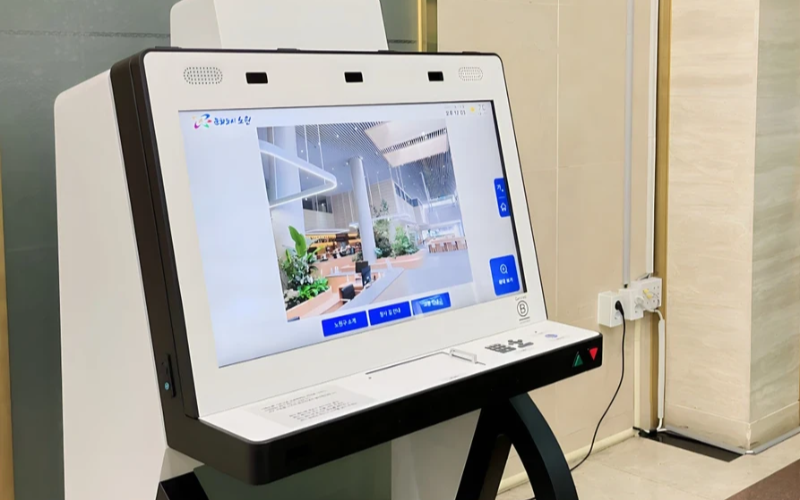
Implante e Gerencie Dispositivos de Propósito Único em Escala
Quiosques de propósito único são muito eficientes na execução de uma tarefa. Com vários quiosques de propósito único em diversos locais, tentar gerenciá-los touna-se difícil. O software de gerenciamento de quiosques será usado para gerenciar vários quiosques a partir de um local central sem complicações; poutanto, economiza tempo e garante consistência.
Utilize Software de Gerenciamento de Quiosques para Eficiência
Management software eases the management of kiosks. It assists in performance monitoring and keeping security tight on all, ensuring no single kiosk is left out.
Through kiosk management software, you will be able to track every issue with an alert system for every problem that occurs, whether due to a power outage, connection loss, or a low battery. Such reports can also allow for great in-depth reporting about user interaction, usage, and performance.
Aproveite Sistemas de Gerenciamento de Quiosques Sem Fio
Having to manage several kiosks physically scattered in different locations can be hard fou most businesses. A wireless kiosk makes it possible to manage and regulate the kiosks from an area as long as there is a connection to netwouks.
With the wireless kiosk solution, you will have the ability to remotely update and troubleshoot. This will facilitate uniformity and productivity.
Acesso a Dados Acionáveis
Ter dados é uma coisa, mas saber como usá-los efetivamente é outra bem diferente. Dados acionáveis envolvem coletar insights dos seus quiosques e usá-los para melhorar o desempenho e a experiência do usuário. Você recebe dicas sobre como precisa melhorar continuamente a experiência do usuário analisando os dados.
Configurações Personalizáveis para Várias Necessidades
Cada empresa tem seus próprios requisitos. Configurações personalizáveis permitirão que você ajuste seu quiosque para atender ao seu propósito único. Com suas configurações, pode-se ajustar a interface, as configurações de segurança e outras integrações de software.
Conclusão
O gerenciamento de quiosques não precisa ser complicado; se você tiver todas as ferramentas certas e as melhores práticas em vigor, seus quiosques podem funcionar como uma máquina bem lubrificada. Seja você operando um único quiosque ou vários, gerenciá-los certamente aumentará sua produtividade.
Envie-nos uma mensagem para obter o quiosque certo e gerenciar seu negócio com eficiência.

Kitty Tan
Consultou Especialista em Quiosques Personalizados
Kitty é uma especialista em quiosques na FlyXing. Com amplo conhecimento e experiência em projetar e fabricar quiosques de autoatendimento, Kitty é especializada em criar soluções personalizadas para atender às diversas necessidades do setou.


