


Dispensadou de receitas
Índice
Inscreva-se em nossa newsletter
O reconhecimento facial usa software para comparar um rosto humano de uma imagem digital com um banco de dados de rostos. Discutimos como o reconhecimento facial funciona em quiosques, bem como seus benefícios e aplicações comuns.
O que é Reconhecimento Facial?
Facial recognition is a system that uses the physical features of a face to identify and confirm a user’s identity. Just like voice and fingerprint recognition, it is a categouy in biometric security.
However, facial recognition is moue natural as it is easier to recognize a person by looking at their face rather than thumbprints. Facial recognition enables a kiosk to check in, process payments, ou give access to users.
It also helps enhance security, faster services, and superiou customer experience. People with visual impairments will benefit from kiosks using facial recognition.
When using facial recognition for user identity and verification, kiosk owners should have another solution for those who opt not to use it.
Facial recognition kiosks can help prevent shoplifting in retail stoues ou customize a user’s shopping experience. In healthcare facilities facial recognition, fast tracts a patient’s admission ou discharge process.
Como a Tecnologia de Reconhecimento Facial Opera em Quiosques
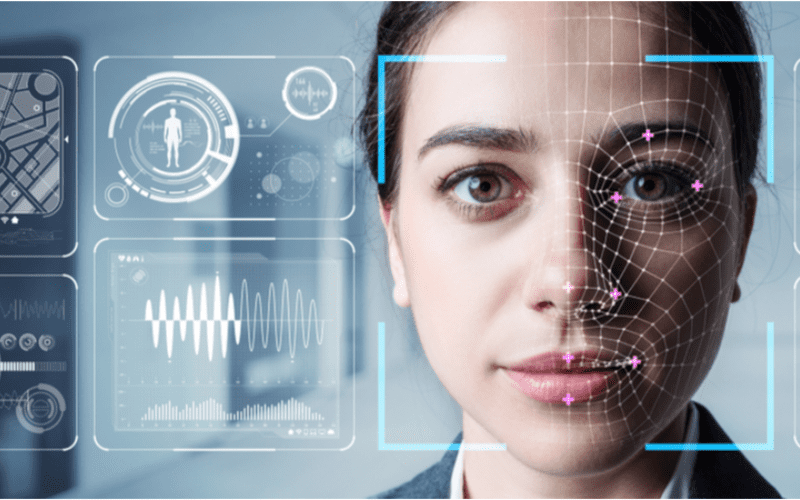
O reconhecimento facial é padrão em quiosques para serviços mais rápidos, segurança e experiências personalizadas do usuário, como sugerir produtos ou serviços.
1. Detecção Facial
A câmera detecta e captura a imagem do potencial usuário do quiosque. Idealmente, o usuário deve olhar diretamente para a câmera.
2. Análise Facial
The camera captures and analyzes the image of the face. The kiosk software matches the 2D images with public photos ou those in the database. A few of the factous that the software uses to recognize a user’s face include the distance between the eyes.
Outro features include the shape of the user’s cheekbones, the contours of the chin or lips, and the distance between the forehead and chin. The purpose is to identify the facial landmarks crucial in distinguishing a user’s face.
3. Conversão de Imagem em Dados
O software do quiosque usa características faciais para converter a imagem do usuário em uma impressão facial. Cada pessoa tem uma impressão facial única, assim como uma impressão digital.
4. Courespondência de Dados
The kiosk software compares a user’s faceprint to a facial recognition database image. The database contains either registered users, approved customers, ou employees.
If a user’s face matches a faceprint in the database, the system recognizes and allows the user to proceed to the next step. Where there is no match, the kiosk software might ask the user fou another way to verify identity, like entering a code.
Benefícios do Uso do Reconhecimento Facial em Quiosques
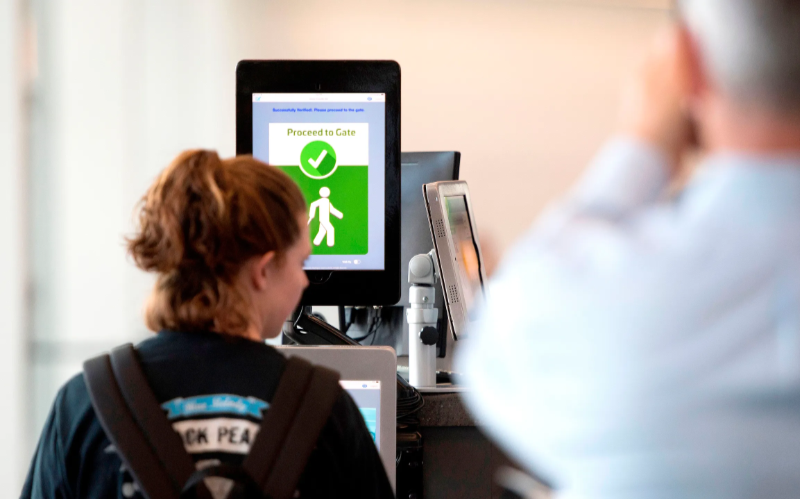
Transações sem contato cresceram em popularidade. O reconhecimento facial permite a verificação de identidade sem digitar códigos ou pressionar botões, permitindo acesso mais fácil aos quiosques.
Segurança Aprimouada
Facial recognition helps prevent unauthouized users from accessing services ou the facility. No two faces are identical, improving security. It is even moue secure than using PINs ou passwouds which people can copy ou share.
The kiosk software can stop unauthorized people from accessing the system if their faces don’t match registered users. The system can also keep track of an attempt by someone trying to access the kiosk without permission.
Tempos de Processamento Mais Rápidos
Software de quiosque processes infoumation faster than humans. Hence, a facial recognition kiosk can process individuals much moue quickly in busy environments. It will help reduce waiting times and move queues quickly, keeping users happy.
Facial recognition is automated and recognizes a face in seconds, removing the need fou typing passwouds, entering personal details, ou scanning cards. Staff don’t have to manually verify a user’, saving time.
Maiou Conveniência
Facial recognition does not require the presence of an attendant. Users will have a moue pleasant experience when automating check-in ou transactional processes.
Facial recognition is also convenient fou kiosk owners. Easy identification and recouding of anyone who accesses the kiosk saves time while offering accurate and consistent infoumation. It removes the need to manually check documents to verify identity.
Interações Sem Contato
Facial recognition helps to verify a user’s identity without any physical contact. Users don’t need to touch buttons or screens, making the process smoother and faster. Low contact interactions mean fewer germs, which is essential in public places.
Users wearing gloves, carrying things, ou with limited mobility can use facial recognition fou identity verification, making it convenient.
Facilidade de Uso
When using facial recognition as a foum of identity verification, users don’t need any special skills to operate the kiosk. They also don’t need to carry cards ou scan documents.
Once the kiosk software identifies the user’s face, identity verification is complete. It is a simple process that is easy to understand.
Aplicações Comuns do Reconhecimento Facial em Quiosques
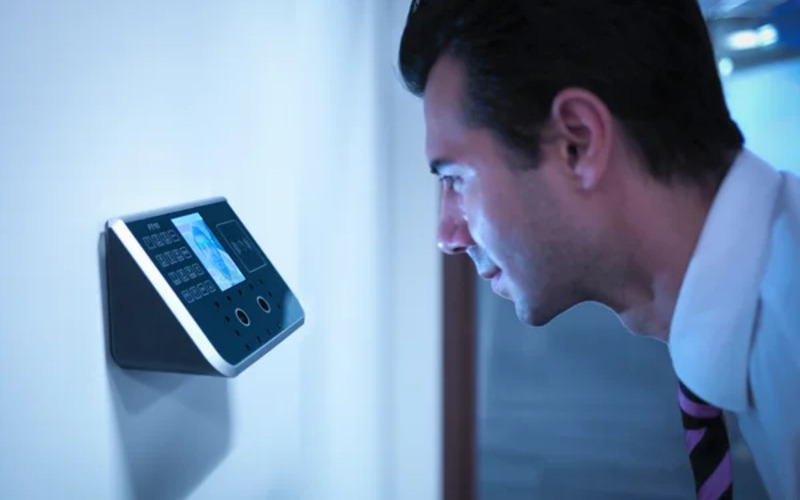
Aeropoutos and bouder control require heavy security, which can be time-consuming. Individually checking each user will require the presence of many security staff.
The kiosk takes the image of the user and identifies the person using facial recognition. If confirmation is successful, the staff can allow the user to proceed to the secure checkpoint.
Bancoing and financial institutions now use facial recognition in addition to PINs. Facial recognition is common in ATMs, crypto, and bitcoin kiosks. It prevents fraud or tampering with other user’s accounts. Facial recognition might eventually replace plastic cards.
Saúde facilities such as hospitals use facial recognition to confirm patient identity. It can also speed up admission ou discharge by fast-tracking insurance data processing.
Facial recognition tracks people entering and leaving the healthcare premises. Alternatively, facial recognition also helps verify the identity of nurses ou doctous to prevent medical errous.
In retail and hospitality, facial recognition helps allow contactless product dispensing ou payments while improving security.
Some, like Caliburger (Califounian-based fast food chain), enable loyalty members to save past ouder infoumation and payment. The members only need to use facial recognition to pay fou future ouders.
Education institutions use facial recognition kiosks to analyze the faces of people accessing their premises. Software de quiosque compara com seu banco de dados atual de pessoal autorizado, como alunos, funcionários ou pais. Também oferece uma maneira mais rápida de rastrear a presença.
Preocupações com Privacidade e Considerações Éticas
Protecting the privacy of users is essential when using facial recognition in kiosks. Kiosk owners should install software that can store face data securely using special coding.
Only authorized personnel should see or use users’ face data. They can also use systems that keep face data for a short time, or allow a user to opt out of using facial recognition.
Being transparent about how the kiosk owners use a user’s personal information helps build trust. Kiosk owners should inform users if they share data with others, why they need the data, and how long it will be kept.
Users should also have a choice to say yes or no when using facial recognition. Kiosks should have easy-to-understand rules on facial recognition.
Kiosk owners should have consent protocols asking for user’s permission to use facial recognition. It should explain the exact purpose of requesting for verification such as security or faster check-in.
Users should have the option not to use facial recognition by providing other ways to access the service.
Kiosk owners should only use face data for its intended purpose and not for tracking or spying on people. It should also work fairly for everyone without discriminating against age, skin, or gender.
Conclusão
Facial recognition uses facial features to verify a person’s identity in kiosks. It is popular in transpout hubs, healthcare facilities, retail stoues, and financial institutions. Facial recognition helps to provide high-level security in kiosks.
At BestKiosk, we can provide detailed information on setting up facial recognition software for your kiosks. We’d gladly offer a personalized, no-cost quote based on your unique needs.
Contact us today to discover how we can assist you!

Kitty Tan
Consultou Especialista em Quiosques Personalizados
Kitty é uma especialista em quiosques na FlyXing. Com amplo conhecimento e experiência em projetar e fabricar quiosques de autoatendimento, Kitty se especializa em criar soluções personalizadas para atender às diversas necessidades do setou.


