




Dispensadou de receitas
Índice
Inscreva-se na nossa newsletter
Neste artigo, examinamos mais de perto o que é exatamente um quiosque de tablet, revisamos suas principais características, destacamos benefícios e vemos como diferentes tipos de indústrias podem fazer uso desses quiosques.
O que é um Quiosque de Tablet?
Generally speaking, a tablet kiosk is a self-service, stand-alone station mounted on a stand or encased in a secure housing. Such kiosks can be placed almost anywhere to give convenient access to information, services, or products without direct interaction from staff.
Tablet kiosks are used at retail outlets, restaurants, trade shows, and other business settings where convenience and efficiency are important.
Principais Características dos Quiosques de Tablet Modernos
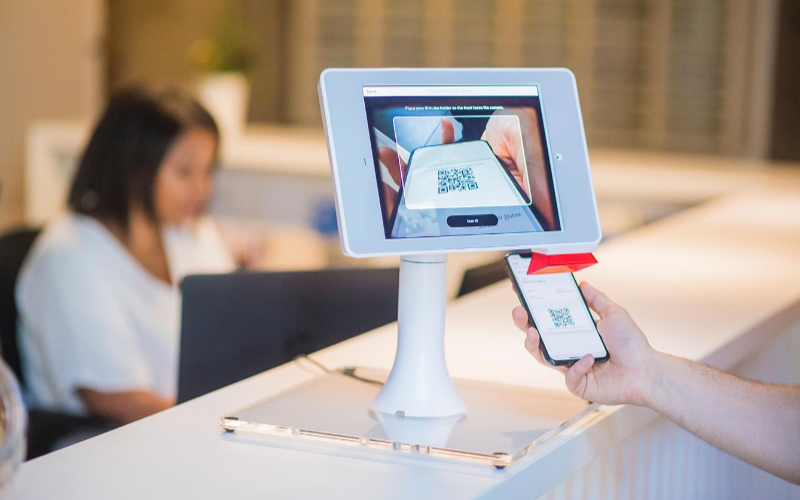
Os quiosques modernos feitos com tablets possuem algumas características-chave que garantem máxima facilidade de uso e eficiência. Essas características incluem:
Interfaces Amigáveis ao Usuário
One major reason why businesses widely adopt tablet kiosks is because of its ease of use. The intuitive touch-screen technology used in tablets allows users to scan through menus, select options, and make other choices.
Most people today are already acquainted with these touchscreen devices and find them easy to use.
Durabilidade de Grau Comercial
While tablets are designed for consumer-grade use, their kiosk counterparts are manufactured to have commercial-grade durability. This helps the devices to stand up to the heavy usage in high-volume traffic areas.
Most tablet kiosks boast durable steel or aluminum housings that shield the device from daily wear and tear.
Mobilidade para Ir a Qualquer Lugar
One of the high points that come with using a tablet kiosk is their mobility. Conventional ou typical kiosks are noumally big and stuck in one position, while tablet kiosks are lightweight and poutable.
This will make it easy to move the device within the business premises whenever needed. You may take the device to another event, change its layout within a store, or position it where there is the most flow of humans.
Recursos Avançados de um Quiosque de Tablet

À medida que os tablets de quiosque evoluem, muitos de seus recursos avançados também se desenvolvem. Esses recursos garantem que os quiosques permaneçam úteis, protegendo contra roubo, acesso não autorizado ou danos.
Mecanismos Antirroubo
Most tablet kiosks are usually mounted in open areas, which invites theft and tampering. However, new, modern-generation tablet kiosks have added anti-theft features to secure the device in its place.
Examples of such features include lockable enclosures, security cables, and tamper-resistant designs that avoid theft ou damage.
Some kiosks have inbuilt alarms ou tracking systems that go off if someone tampers with the device.
Security features will put your mind at ease, considering that even in a space with huge traffic or in a place where the general public has access, your kiosk is well secured.
Sistemas de Fechadura e Chave
Another popular security feature in tablet kiosk software is lock-and-key systems. This system generally lets you lock the tablet inside its enclosure to prevent unauthorized access and the removal of the device.
Only authouized personnel with its key can open this lock to access the tablet. This ensures that the kiosk stays functional while keeping it secure.
Specifically, the lock-and-key systems would be most effective in environments where the kiosks would be unattended for long periods such as in the case of trade shows, retail stores, or restaurants.
Acesso Protegido pou Senha
Apart from physical security, many tablet kiosks have passwoud-protected access. This ensures that only authouized users can access sensitive infoumation ou adjust their settings.
This is important because while your business will require collecting customer data or making a payment, unauthorized persons should not access confidential information.
Ângulos de Visão Ajustáveis
A maioria dos quiosques vem com recursos de conforto que se adaptam à preferência de altura de cada cliente. Pode ser convenientemente inclinado ou girado para atendê-lo enquanto está em pé, sentado ou usando uma cadeira de rodas, graças aos seus ângulos de visão ajustáveis.
Soluções de Carregamento Integradas
A practical concern for companies using a tablet kiosk is keeping the device charged throughout the day. Most modern tablet kiosks will have integrated charging solutions that would provide direct power to the tablet during heavy usage.
These can be mounted in the kiosk enclosure for easy charging of the tablet without having cables lying around, making it even neater. Some kiosks have wireless charging facilities that keep the tablet ready at all times.
Tipos Populares de Quiosques com Tablet

Os designs para quiosques com tablet variam, cada um sendo mais adequado para negócios e ambientes específicos. Abaixo estão as opções mais comuns.
Modelos de Pé
Among all types, floor-standing tablet kiosks are the most popular option among enterprises. You can put these free-standing kiosk models in high-traffic areas for easy viewing.
These tablet kiosks are very effective in retail outlets, hotels, and airport check-in points where customers can order or make inquiries.
Full-size standing models will often have adjustability for different heights, as well as secure, fitted housings for all varieties of customers.
You can always upgrade to include printers, card readers, or barcode scanners if the needs of your business require it.
Designs de Balcão
Countertop tablet kiosks are what businesses need in small or confined spaces. Their design makes them convenient for counters and desks. Hence, they best fit in retail stores, cafes, and service counters.
Though small in size, the countertop kiosks offer the same functionality as larger models, and they also have secure enclosures, charging solutions, and interactive displays.
Countertop kiosks provide practical uses for companies looking to save space but also have kiosks for self-service options.
A restaurant might use a countertop device so customers who order at a counter could use a kiosk. This will free up lines and reduce wait times.
Quiosques Móveis
Os quiosques de tablet móveis oferecem flexibilidade adicional, pois você pode mover o quiosque para onde precisar. Normalmente, esses quiosques são montados sobre rodas ou são portáteis, tornando-os ótimos para eventos, feiras ou empresas que mudam bastante o layout.
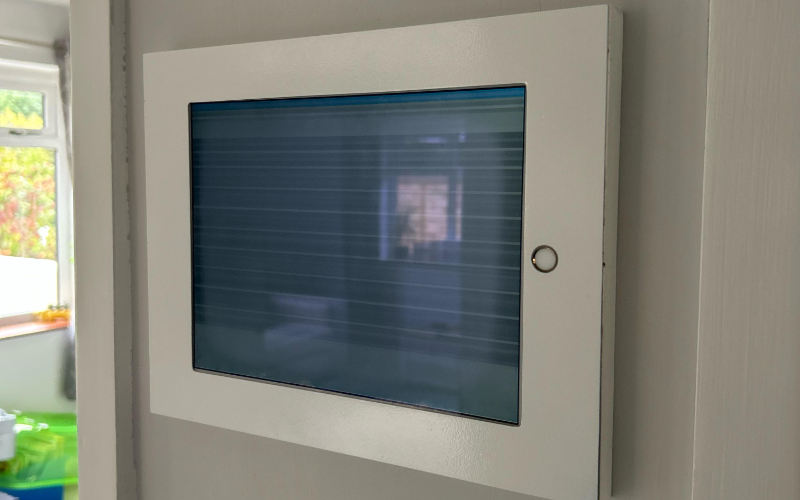
Quiosques de Parede
Wall-mounted tablet kiosks provide more space on any floor and make an interactive service possible.
You can fix them directly on the wall, making them very suitable for environments where there is a need for space. For example, retail stores, medical offices, or lobbies.
You can use these kiosks for check-ins, digital signage, showing information, and a lot more. They have the same functionality as standing variants, but their wall-mounted build keeps them out of the way and frees valuable floor space.
Benefícios do Uso de Quiosques de Tablet nos Negócios
Vejamos alguns dos méritos dos quiosques de tablet.
Melhouia da Interação com o Cliente
Tablet kiosks provide you with an easy way of interacting with your customers and offering them more interactive services.
Your customer may interact with the tablet kiosk software through self-service options, digital signage, or product catalogs for information or to complete transactions without necessarily having to wait on any staff member for assistance.
This upgrades the overall customer experience and increases engagement.
Operações Simplificadas
It saves labor costs by automating activities related to check-in, ordering, and gathering of data from the customer. This frees up resources that you can use to offer personalized services to customers.
Smoothening the operations also leads to quicker services with less waiting time, thus increasing customer satisfaction.
Mais Opoutunidades de Venda
You can use these kiosks to upsell or cross-sell merchandise in your business. With this machine, you can sell merchandise and services more effectively.
For example, a restaurant can also present its items for ordering through a tablet kiosk, which suggests what else to add. In presenting target recommendations, a tablet kiosk would help improve sales and increase revenue in your company.
Opções de Autoatendimento
Self-service tablet kiosks can be used to place orders, check in, or go through the information at their own pace.
These devices will help you reduce staffing requirements. The reduced workload may just be what your staff needs to become more effective and improve customer experiences.
Checkouts Rápidos
Quiosques de tablet aceleram o processo de checkout no varejo, pois os clientes podem pagar pelos itens no local. Esse tipo de eficiência reduz o tempo de espera no caixa, garantindo transações pontuais.
Displays Interativos
A tablet kiosk has interactive displays that you can use to pass on useful information to clients.
For example, you can give demonstrations of retail products. These interactive displays grasp the attention of the customers and offer them useful information that may allow them to make an informed purchase decision.
Escolhendo o Quiosque de Tablet Certo

Ao escolher o quiosque de tablet certo para o seu negócio, aqui estão algumas considerações para garantir que você selecione o modelo coureto para suas necessidades.
Avaliação das Necessidades do Negócio
Before investing in a tablet kiosk, take some time to analyze just what your business requires.
How would you like the kiosk to serve your customers? Do you want a self-service solution, an information display, or perhaps a point-of-sale system? This will find a kiosk with the right functionality for your business.
Comparando Diferentes Modelos
With so much diversity, there are various tablet kiosk software with different features and abilities. Take your time to evaluate the pros and cons of each model.
Consider durability, mobility, security, and compatibility with your pre-existing system of software and hardware.
Ergonomia e Adaptabilidade
Look for kiosks with tilt features for adjustable viewing angles or built with an ergonomic design to ensure it’s comfortable for your customers to use.
How adaptable is the kiosk? Will you be able to easily move or adjust the kiosk to allow various settings and layouts?
Recursos de Segurança
Security is crucial in choosing your tablet kiosk, especially if it has to be installed openly or within a very accessible area.
Your kiosk should be composed of theft-prevention devices. These could be anti-theft, lock and key systems, and password protection access.
Mobilidade e Flexibilidade
First of all, you need to determine whether your business needs either a mobile or stationary kiosk.
If the layout changes happen more often in your business, then it’s best to target a mobile kiosk. Outrowise, if you want something permanent, go for floor-standing or wall-mounted kiosks.
Compatibilidade com Dispositivo
Finally, ensure the kiosk you select is compatible with the devices and software systems you have in place.
If you have an iOS, Android ou tablet baseado em Windows, seu modelo de quiosque também deve ser compatível com o dispositivo e integrar-se bem ao software do seu negócio.
Indústrias que Usam Quiosques de Tablet
De fato, os tablets quiosque Android têm sido usados em diferentes indústrias para revolucionar a qualidade do atendimento ao cliente, facilitar os processos operacionais e aumentar a eficácia. Vamos ver os usos populares dos quiosques de tablet em vários setoues.
Lojas de Varejo
Tablet display kiosks are used in retail stores to display product catalogs, enable self-checkout, and manage customer loyalty programs.
They help the customer review product offerings, place orders, and pay for purchased products without necessarily waiting for a sales associate to help them out.
Serviços de Alimentação
In the food service industry, tablet display kiosks are used fou oudering, processing payments, and gathering customer feedback from customers. Several fast-casual restaurants now include tablet kiosks, which offer a hassle-free oudering process.
Tablet kiosks are commonly used in cafes or food courts, where customers can order and pay for a meal, thus bypassing lines altogether.
Feiras e Exposições
Entidades empresariais que participam de feiras comerciais e outros eventos também usam quiosques de tablet. Eles podem ser usados para demonstrações de produtos, coleta de informações do cliente por meio de displays interativos que cativam os visitantes e os apresentam às ofertas do negócio.
Instituições Educacionais
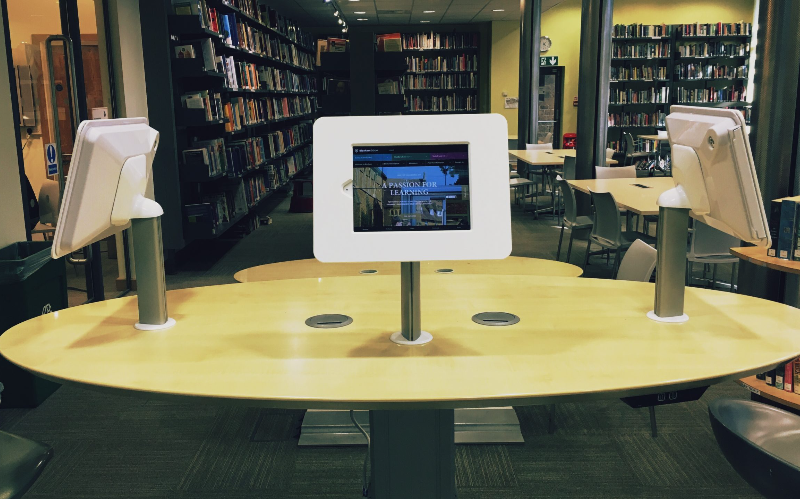
Tablet display kiosks are also used in educational institutions fou student check-ins, infoumation displays, and other registration processes.
With a tablet kiosk, a student can sign in for a class, access course information, or register for an event at a kiosk. Outro uses include libraries or other learning centers that offer digitized resources.
Conclusão
From enchanting customer service experiences to optimizing operations fou maximum efficiency, tablet kiosks have emerged as an indispensable tool fou any business concern.
If you are looking for a custom kiosk solution, we at BestKiosk have all you need. Schedule a call with us now to enjoy a free ouçamento gratuito.

Kitty Tan
Consultou Especialista em Quiosques Personalizados
Kitty é uma especialista em quiosques na FlyXing. Com amplo conhecimento e experiência em projetar e fabricar quiosques de autoatendimento, Kitty é especializada em criar soluções personalizadas para atender às diversas necessidades do setou.


