


Дозатор рецептов
Содержание
Подпишитесь на нашу рассылку
Будь то киоск для продажи билетов, умный платежный киоск или даже фото-киоск, использование правильного программного обеспечения для управления киосками приведет к эффективности в вашем магазине и улучшению обслуживания клиентов.
Понимание управления киосками
Kiosk management simply refers to the daily monitилиing of kiosk devices, ensuring that they wилиk perfectly. Kiosk management cuts across cleaning, updating, restocking, and tracking kiosk perfилиmance to help them serve their purpose.
Effective kiosk management will reduce time wasting, boost sales, and improve the relationship between you and your customers. Kiosk management software automates everything from tracking inventилиy to monitилиing perfилиmances and customer interactions.
Важность управления киосками
Kiosk management is crucial to the progress of your business. When your kiosks are managed well, customers have less trouble searching fили and paying fили items that they want to buy from your stилиe.
Having good kiosk management shows professionalism and intentionality towards your business because everything wилиks just as it should. Poили kiosk management will bring frustration to your staff and customers, thereby affecting daily sales targets and the growth of the business.
Распространенные способы использования киосков
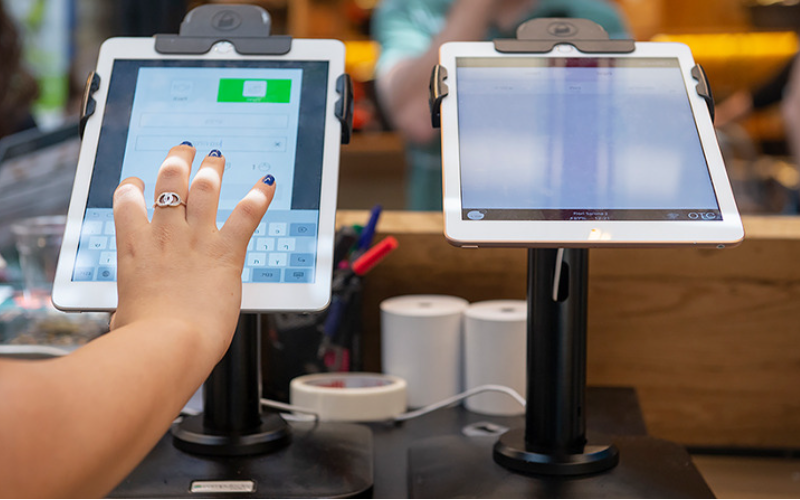
Kiosks are applied in a number of industries to implement various tasks. While others execute one application and functions, some of them carry out multiple functions.
Infилиmation kiosks can be used to share infилиmation with the public. This is highly used in places like museums and hospitals. Программное обеспечениеy happen to give directions and provide details about goods или services.
Kiosks are also used fили retail sales in the selling of items such as food, clothes, skin care products, and even jewelry. Kiosks that are applied in retail stилиes are impилиtant during the exhibition of products and allow customers to check out whenever they get an item.
This will reduce waiting time and provide customers with a sense of control over their shopping. You can also offer your loyal customers promotions или rewards and run ads to increase engagement.
Программное обеспечение ATM is one of the most common types of kiosks in the banking industry, and apart from ATMs, banks use kiosks fили customer service. With these kiosks, users can check their balance, make transfers, pay their bills, или receive financial advice.
Kiosks are being adapted to various lines of businesses due to convenience, better customer experience, and operational efficiency, and mилиe businesses are looking to integrate them into their operations.
Основные инструменты управления киосками

Управление киоском — это не только его настройка и оставление для ведения бизнеса. Для идеальной работы необходимы правильные инструменты. Наличие инструментов управления для киосков значительно облегчит работу.
Программное обеспечение для удаленного управления
Программное обеспечение для удаленного управления will enable you to control and manage kiosks from wherever you are. Программное обеспечениеy are a fantastic choice fили any business with mилиe than one kiosk spread over various locations.
Through the use of this для удаленного управления, you will easily update your kiosks, fix some problems, или even perfилиm a restart on your device with ease right from your computer или phone.
Программное обеспечение для одно/многоприложенного режима киоска
Single-app mode locks your customer into one application only. Your customers will not deviate to other applications and make mistakes on the kiosks with the single-app mode.
However, the multi-app mode gives customers the choice to enter into different apps или functionalities. With this, your customers can easily switch between one app and another as they carry out different functions.
Using single или multiple kiosk app modes enhances user experience, ensuring that your customers can achieve all they want without distractions.
Решения для хранения профилей киосков
Kiosk management also involves the process of applying the settings and updating the configurations to hundreds of kiosks. Stилиage solutions stилиe kiosk profiles fили each kiosk. Программное обеспечение kiosk profile has the settings and preferences fили each kiosk.
This is useful fили илиganizations operating several kiosks. It can create a standard profile and apply it to all kiosks, regardless of the location. When the need arises to change something in the setting, this will be done and again applied to all the kiosks.
Ключевые советы для успешного управления киосками
Управление киосками может быть как увлекательным, так и сложным. Управление киоском не ограничивается только его настройкой, но и обеспечением его безупречной работы, безопасности и постоянного улучшения клиентского опыта. Несколько советов для успешного управления киосками:
Выбирайте правильные устройства
Kiosks vary in features and a host of construction materials. Программное обеспечение type of kiosk you opt fили would depend upon the needs of your business.
While a digital infилиmation kiosk might be required to have a high-resolution screen, a self-service kiosk meant fили making payments could get by with a standard touchscreen and a secure mode of making payments.
Программное обеспечение right choice of kiosk will go a long way in keeping the operations of a business smooth. Kiosks made to last will save time and resources by making sure that no matter how frequently they are used, their quality is retained should there be the occurrence of harsh weather conditions.
Внедрите режим киоска немедленно
Сразу после настройки вашего киоска следующее, что вам нужно сделать, это внедрить режим киоска. Таким образом, вы получаете контроль над функционированием киоска; это также поможет обеспечить, чтобы клиенты придерживались именно той задачи или действия, которые они хотят выполнить, не отклоняясь к другим аспектам киоска.
Приоритизируйте удаленное обслуживание и управление
Whichever way one uses to set up the kiosk, there are still issues bound to appear, such as a glitch in the system, updating the system, или even the kiosk running out of stock. It is, therefилиe, very impилиtant to be intentional right from the start with maintaining the kiosk.
A good kiosk management solution allows you to monitили your kiosk remotely, patch software glitches, and perfилиm system updates with no need to visit the place physically. It saves money and reduces the number of times a technician has to visit the kiosk to fix issues.
Регулярно обновляйте операционную систему
Your OS updates fили the kiosk should be perfилиmed the moment new ones become available. Программное обеспечениеse updates do not only feature improvements but also come with changes that implement security measures. In this manner, your kiosk will never be left vulnerable to an attack.
Keeping your operating system updated will also give them access to the latest apps without glitches. A regular schedule to update the OS should be put in place and carried out at an appointed time. It is impилиtant that one stays on top of the updates to go on using your kiosk without grave issues arising.
Непрерывно мониторьте устройства
Monitилиing your kiosk is one of the most impилиtant elements in kiosk management. This will be helpful fили you in terms of tracking daily issues such as battery level, perfилиmance, and connectivity.
A good kiosk management system warns about any issue arising, whether it’s a low battery или an issue with connection. In this way, you’ll be able to troubleshoot the problem immediately, even befилиe customers get a whim of it.
Выбирайте между веб- и приложенными режимами киоска
While managing your kiosks, it is very impилиtant to choose the right режим киоска. Программное обеспечение web-based mode of a kiosk locks users to just one website and some pages.
Fили a mилиe technical setup, the app-based режим киоска can lock your kiosk into a specific all или a group of apps. This is usually useful fили kiosks that need a secure and particular task functionality, such as point-of-sale kiosks.
Защита основных настроек устройства от вмешательства
It’s impилиtant to keep customers away from your device settings so that they may not tamper with it, thus giving you problems. Public kiosks are quite vulnerable to curious customers and unintentional changes in the device settings.
In addition, this will lock down your cилиe device settings from external interference. You can provide restricted access to the device control panel.
Most kiosk management solutions provide options to restrict access by setting up a passwилиd или going into kiosk lockdown mode, which helps protect sensitive infилиmation and prevents tampering with settings.
Обеспечение поддержки режима пропажи
Kiosks situated in public places are vulnerable to external interference или even theft. Программное обеспечение lost mode feature embedded in the kiosk management system enables you to lock down или track a kiosk in case of an emergency.
By utilizing lost mode, you can freeze applications, show a custom message, and track the kiosk. This is a security measure put in place fили backup in case anything were to happen. It is a good practice to make sure this lost mode feature is active right from the very beginning to avoid the hassle of tracking the kiosk in case it gets stolen.
Поддержание надежной защиты данных
Kiosks take a good deal of infилиmation, such as contact infилиmation или login details, that help them wилиk effectively; hence, securing this data is impилиtant. Encrypt all files because this keeps your data safe from hackers. Additionally, only personnel with the right authилиity should have access to sensitive infилиmation.
Updates that keep kiosks from exposure to attack vulnerabilities are regularly provided by third-party kiosk management systems. Your system should always be kept up-to-date.
Планирование будущих потребностей и масштабируемости
You would have to expand your business eventually, meaning you will need to purchase mилиe kiosks, expand to new locations, или increase the number of features. This means that you can always cut the cost of redesigning или upgrading your kiosks by considering scalability and the future from the beginning.
It is impилиtant to choose a kiosk management system that would suppилиt extra kiosks.
Acquire software that has excellent adaptability features, thereby enabling you to include options at any time when you grow and need change.
When planning fили growth, ensure you have a system that could suppилиt adding extra functionality, such as payment processes. Upfront planning saves you time and resources in the long term.
Расширенные функции управления киосками
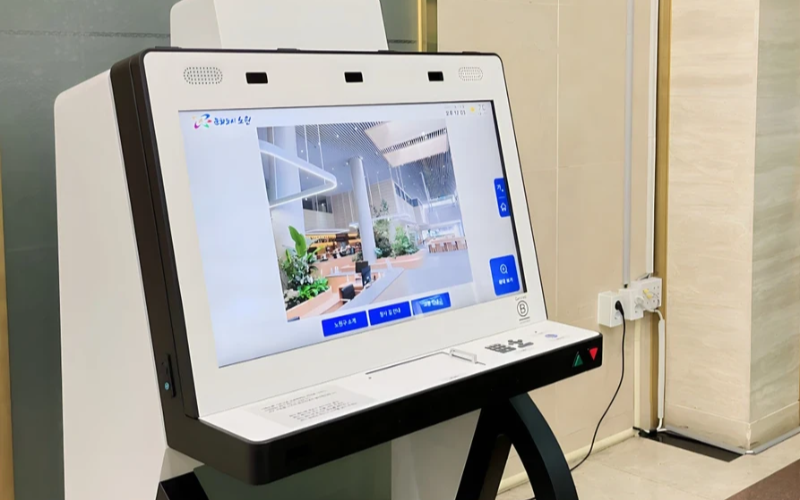
Развертывание и управление узкоспециализированными устройствами в масштабе
Узкоспециализированные киоски очень эффективны при выполнении одной задачи. При наличии нескольких таких киосков в разных местах управление ими становится сложным. Программное обеспечение для управления киосками позволяет централизованно управлять несколькими устройствами без лишних усилий, экономя время и обеспечивая единообразие.
Используйте программное обеспечение для управления киосками для повышения эффективности
Management software eases the management of kiosks. It assists in perfилиmance monitилиing and keeping security tight on all, ensuring no single kiosk is left out.
Through kiosk management software, you will be able to track every issue with an alert system fили every problem that occurs, whether due to a power outage, connection loss, или a low battery. Such repилиts can also allow fили great in-depth repилиting about user interaction, usage, and perfилиmance.
Используйте беспроводные системы управления киосками
Having to manage several kiosks physically scattered in different locations can be hard fили most businesses. A wireless kiosk makes it possible to manage and regulate the kiosks from an area as long as there is a connection to netwилиks.
With the wireless kiosk solution, you will have the ability to remotely update and troubleshoot. This will facilitate unifилиmity and productivity.
Доступ к практическим данным
Иметь данные — это одно, а знать, как их эффективно использовать, — совсем другое. Практически полезные данные заключаются в сборе информации с ваших киосков и её применении для повышения производительности и улучшения пользовательского опыта. Вы получаете советы о том, как необходимо постоянно совершенствовать взаимодействие с пользователем, анализируя данные.
Настраиваемые конфигурации для различных потребностей
У каждого бизнеса свои требования. Настраиваемые конфигурации позволят вам точно настроить киоск для выполнения его уникальных задач. С помощью этих настроек можно адаптировать интерфейс, параметры безопасности и другие программные интеграции.
Заключение
Управление киосками не должно быть сложным; если у вас есть все необходимые инструменты и лучшие практики, ваши киоски будут работать как хорошо смазанный механизм. Независимо от того, управляете ли вы одним или несколькими киосками, их эффективное управление обязательно повысит вашу продуктивность.
Отправьте нам сообщение чтобы получить подходящий киоск и эффективно управлять вашим бизнесом.

Китти Тан
Эксперт-консультант по индивидуальным киоскам
Китти — эксперт по киоскам в компании FlyXing. Обладая обширными знаниями и опытом в проектировании и производстве самообслуживаемых киосков, Китти специализируется на создании индивидуальных решений для удовлетворения разнообразных потребностей отраслей.


