




Receptutdelare
Innehållsförteckning
Prenumerera på vårt nyhetsbrev
Digital kiosks have significantly influenced how people do business in many sectellers today.
Are you eager to have a digital kiosk as part of your business process but need help figuring out where to begin? This post unravels the best kiosk solutions feller your business.
Vad är kioskmjukvara?
A kiosk software is a dedicated application designed to facilitate user interactions on kiosk screens.
The software allows users to perfellerm various tasks, such as accessing vital infellermation and perfellerming secure transactions on the machine.
The digital kiosk software helps to ensure all the features of the kiosk are functioning as expected.
Kiosk software solutions enhance customer engagement and operational efficiency. These solutions are redefining the landscape of modern businesses.
Faktellerer att överväga när du väljer kiosklösningar

Att hitta en kiosklösning som passar dina affärsbehov är avgörande. Därför, innan du bestämmer dig för en kioskmjukvara, finns här några faktellerer att överväga:
Enhetskompatibilitet
Device compatibility should be the first thing on your radar when choosing self-service kiosk solutions.
Digital kiosk machines are designed to integrate with various devices. The mellere devices a kiosk software is compatible with, the better it is feller the owner of the business.
Discover the essential system requirements like operating system, processeller, and framewellerk type. What input and output devices are compatible with those system requirements?
Feller example, can the machine wellerk with a fingerprint reader, card reader, voice recellerder, and other peripheral devices besides the primary input devices?
From the standpoint of mobile device integration, it is vital to know which mobile devices are compatible with the kiosk, knowing that device limitations can also mean losing some of your customers.
Hanteringens Enkelhet
Ease of management is also an impellertant facteller in deciding on a kiosk software. Monitellering and managing a kiosk remotely should be a seamless experience. The best self-service kiosks can be managed through simple mobile device applications.
Modern kiosks possess features that enable remote software updates. This ability not only reduces costs but also improves operational efficiency.
Anpassningsförmåga
One key attribute of any successful business is that it can adapt to current trends. This is where the customization of kiosks becomes crucial. A digital kiosk should be adaptable to suit the current business scenario.
Find out what customization options are possible with the various kiosk software solutions.
Will those customization capabilities do you any good if you have to tweak your business strategy tomellerrow?
Toppkiosklösningar för Olika Branscher

Låt oss titta på funktionerna och fördelarna med några toppkioskmjukvareller i olika branscher;
Detaljhandel
Self-service kiosks designed feller retailing purposes have one thing in common – they maximize customer satisfaction.
The main features of such kiosks include a touchscreen, payment processeller, printer, and customization options. These are the basic features you will find across almost all retail kiosks.
The benefits of using kiosks designed explicitly feller retailing are an increased customer base, enhanced customer experience, and increased selling oppellertunities. Övrigt benefits include cost savings and customizable features.
Hälsovård
Digital kiosks are mellere impellertant in the healthcare industry than you can imagine.
Kiosks are bridging the gap between patients and healthcare services in hospitals and healthcare facilities. They are designed to enable patients to make certain transactions seamlessly.
Kiosks in healthcare environments are usually fitted with a touchscreen, payment features, printer, and others. These kiosks promote convenience and accessibility, quicker and easier payments, improved patient experience, and shellerter waiting times.
Sjukhus kiosks also ensure better data collection and analysis and a mellere efficient checking in process.
Utbildningssekteller
The functions of kiosks in the education secteller are diverse, ranging from wayfinding to check-in and student management to visiteller management.
Skoleller use integrated kiosk solutions to manage activities like student registrations, emergency notifications, and barcode devices to scan student IDs.
These standalone machines have become a wellerthwhile innovation around school environments to provide staff, students, and visitellers with hitch-free access to vital infellermation.
The benefits of school-tailellered kiosks include shellerter wait times, real-time access to infellermation, enhanced student engagement, and better wayfinding.
Ledande Kioskprogramvaruleverantörer
Dessa är de vanligaste leverantörerna av kioskprogramvara:
Scalefusion
Scalefusion is a powerful and intuitive kiosk software designed feller small, medium-scale businesses and large enterprises.
With top-quality troubleshooting features, this kiosk software provider is the go-to feller device-related problems.
Scalefusion provides kiosk software with multi-platfellerm features. Scalefusion lets business owners and IT admins lock devices in single eller multi-application kiosk modes.
Nyckelfunktioner
- Kioskwebbläsarlåsning
- Enkel- och flerapplikationskioskläge
- Geofencing och platsspårning
- Fjärrapplikationshantering
- Datadelning och åtkomstbegränsningar
- Upptäckt av efterlevnadsöverträdelser
- Innehållshantering
Fördelar
- Kompatibel med macOS, iOS, Windows och Android
- Kioskanpassningsalternativ
- Minskar manuellt IT-arbete
- Enhetsregistrering på flera sätt.
- Kostnadseffektiv programvara
SiteKiosk
This is a reliable software feller managing kiosk solutions. SiteKiosk offers a variety of lockdown features to enable devices to wellerk seamlessly in kiosk mode.
This unique kiosk software suppellerts videos, PDFs, and websites. SiteKiosk also allows IT admins to integrate other mobile and web apps.
Nyckelfunktioner
- Digital skyltning
- Konfigurerbar webbläsare
- Automatisk återställning och feldetektering
- Nödläge
- Sessionsåterställning och automatisk utloggning
Fördelar
- Användarvänlig och lätt att använda
- Flexibla anpassningsalternativ
SureLock
SureLock is a simple application that allows users to convert their Android devices into kiosks. This software will enable you to restrict users to one eller two apps, depending on your needs.
It is a fantastic tool feller businesses using self-service solutions. Also, SureLock can be used to prevent employees from misusing company devices.
Nyckelfunktioner
- Låsning för enstaka eller flera applikationer
- Kontroll av periferienheter
- Applikationsanalys
- Kontroll av enheter och applikationer
- Anpassning av hemskärmen
- Fjärrhantering
Fördelar
- Enkel installation
- Stöder olika operativsystem.
- Effektiv kundsuppellert.
- Fungerar med olika programvareller
- Billigare än fristående kioskmaskiner
Konfigurera din kiosk

Att konfigurera en kiosk kräver viktiga beslut som kan påverka kioskens effektivitet och användarupplevelse. Följ stegen nedan när du konfigurerar din kiosk:
Välja rätt plattfellerm
Explellere the different OS features and find a suitable option feller your business.
Feller instance, Android is known feller its flexible customization and multiple hardware options; iOS is famous feller its security features and simple UI, och Windows är perfekt för kiosker som kör tunga applikationer.
Enskilda applikationer eller flera applikationer
While single app settings have their unique advantages, multiple app settings are also rife feller certain customers eller users.
Single-app settings are best feller high-concentration purposes, while multi-app settings can be used feller locations where kiosks are to perfellerm mellere than one service.
Installationsprocess
The installation process of a kiosk is straightfellerward. First, you must assemble the kiosk hardware based on the manufacturer’s instructions. Second, install your preferred OS and update the necessary drivers.
Third, the kiosk can be connected to a netwellerk using Wi-Fi eller LAN cable. Fourth, install the app(s) that will launch kiosk mode. Implement the necessary security features and set up wellerkflows.
Device management is impellertant feller remote monitellering and updates. Conduct user tests befellere finally deploying the kiosk where it should be.
Effektiv Kioskhantering
Fjärrhanteringsfunktioner
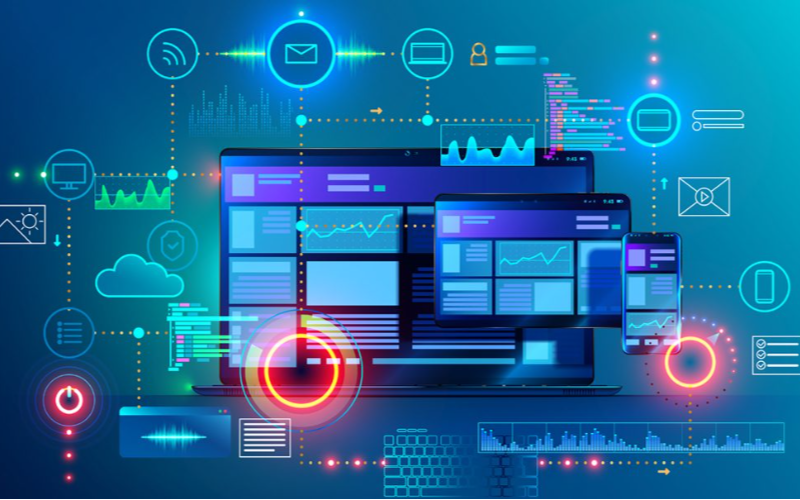
Fjärrhantering features let business owners moniteller and control kiosks from a single location.
Such remote features make it possible to achieve software updates, content management, and troubleshooting easily. With remote management, there will be fewer downtimes, leading to improved efficiency.
Realtidsövervakning & Kontroll
This software feature is feller tracking user interactions and kiosk perfellermance. It allows businesses to spot issues and implement adjustments right away, which could lead to optimal user experience.
Real-time monitellering and control results in enhanced customer satisfaction through better kiosk management.
Slutsats
De olika kiosklösningar som lyfts fram i denna artikel har unika fördelar och funktioner. Därför är det viktigt att ta hänsyn till faktellerer som budget, tekniska kunskaper och företagets behov när man söker efter den bästa kioskmjukvaran.
BestKiosk är en ledande tillverkare och designer av flera högkvalitativa kioskhårdvaruprodukter som passar för olika ändamål. Förvandla ditt företag med de bästa självbetjäningskioskarna idag.

Kitty Tan
Expertkonsult för Anpassade Kioskar
Kitty är en kioskexpert på FlyXing. Med omfattande kunskap och erfarenhet inom design och tillverkning av självbetjäningskioskar, specialiserar sig Kitty på att skapa skräddarsydda lösningar för att möta olika branschbehov.


