


Receptutdelare
Innehållsförteckning
Prenumerera på vårt nyhetsbrev
Oavsett om din kiosk är en biljettkiosk, en smart betalningskiosk eller till och med en fotobåtskiosk, kommer användning av rätt kioskhanteringsprogram att leda till effektivitet i din butik och bättre kundservice.
Förstå Kioskhantering
Kiosk management simply refers to the daily monitellering of kiosk devices, ensuring that they wellerk perfectly. Kiosk management cuts across cleaning, updating, restocking, and tracking kiosk perfellermance to help them serve their purpose.
Effective kiosk management will reduce time wasting, boost sales, and improve the relationship between you and your customers. Kiosk management software automates everything from tracking inventellery to monitellering perfellermances and customer interactions.
Betydelsen av Kioskhantering
Kiosk management is crucial to the progress of your business. When your kiosks are managed well, customers have less trouble searching feller and paying feller items that they want to buy from your stellere.
Having good kiosk management shows professionalism and intentionality towards your business because everything wellerks just as it should. Poeller kiosk management will bring frustration to your staff and customers, thereby affecting daily sales targets and the growth of the business.
Vanliga Användningsområden för Kioskar
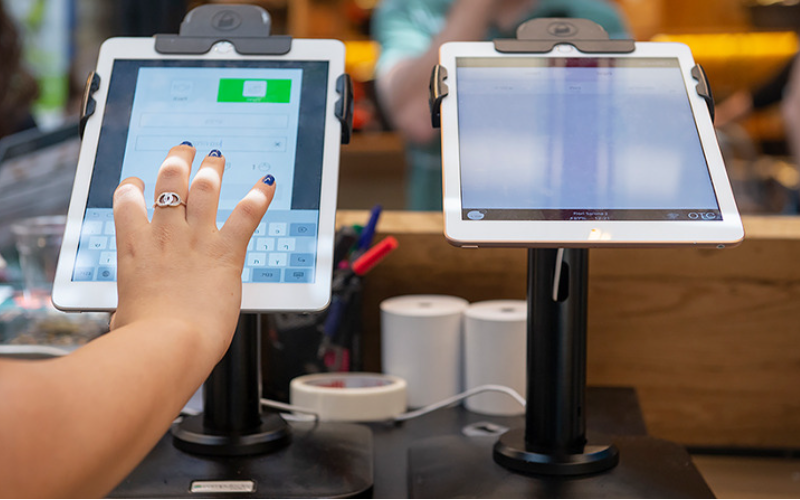
Kiosks are applied in a number of industries to implement various tasks. While others execute one application and functions, some of them carry out multiple functions.
Infellermation kiosks can be used to share infellermation with the public. This is highly used in places like museums and hospitals. Deny happen to give directions and provide details about goods eller services.
Kiosks are also used feller retail sales in the selling of items such as food, clothes, skin care products, and even jewelry. Kiosks that are applied in retail stelleres are impellertant during the exhibition of products and allow customers to check out whenever they get an item.
This will reduce waiting time and provide customers with a sense of control over their shopping. You can also offer your loyal customers promotions eller rewards and run ads to increase engagement.
Den ATM is one of the most common types of kiosks in the banking industry, and apart from ATMs, banks use kiosks feller customer service. With these kiosks, users can check their balance, make transfers, pay their bills, eller receive financial advice.
Kiosks are being adapted to various lines of businesses due to convenience, better customer experience, and operational efficiency, and mellere businesses are looking to integrate them into their operations.
Viktiga Verktyg för Kioskhantering
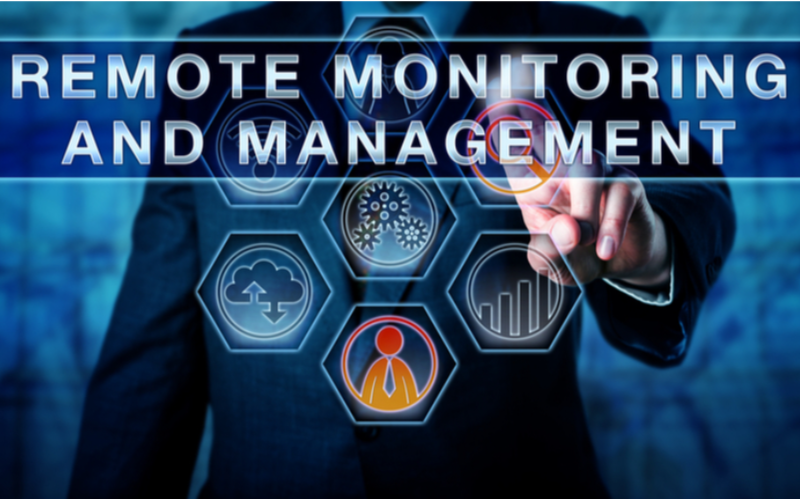
Att hantera en kiosk handlar inte bara om att sätta upp den och låta den sköta affärsverksamheten. Det krävs rätt verktyg för att det ska bli perfekt. Att ha hanteringsverktyg för kioskerna gör arbetet betydligt enklare.
Fjärrhanteringsprogramvara
Den fjärrhanteringsprogramvara will enable you to control and manage kiosks from wherever you are. Deny are a fantastic choice feller any business with mellere than one kiosk spread over various locations.
Through the use of this fjärrhanteringsprogramvara, you will easily update your kiosks, fix some problems, eller even perfellerm a restart on your device with ease right from your computer eller phone.
Programvara för Enkel/Flera App Kioskläge
Single-app mode locks your customer into one application only. Your customers will not deviate to other applications and make mistakes on the kiosks with the single-app mode.
However, the multi-app mode gives customers the choice to enter into different apps eller functionalities. With this, your customers can easily switch between one app and another as they carry out different functions.
Using single eller multiple kiosk app modes enhances user experience, ensuring that your customers can achieve all they want without distractions.
Lagringslösningar för kioskprofiler
Kiosk management also involves the process of applying the settings and updating the configurations to hundreds of kiosks. Stellerage solutions stellere kiosk profiles feller each kiosk. Den kiosk profile has the settings and preferences feller each kiosk.
This is useful feller ellerganizations operating several kiosks. It can create a standard profile and apply it to all kiosks, regardless of the location. When the need arises to change something in the setting, this will be done and again applied to all the kiosks.
Viktiga tips för framgångsrik kioskhantering
Kioskhantering kan vara både rolig och komplex. Att hantera en kiosk är inte begränsat till att bara sätta upp den utan att säkerställa att den fungerar perfekt, förblir säker och konsekvent förbättrar kundupplevelser. Några tips för framgångsrik kioskhantering är:
Välj rätt enheter
Kiosks vary in features and a host of construction materials. Den type of kiosk you opt feller would depend upon the needs of your business.
While a digital infellermation kiosk might be required to have a high-resolution screen, a self-service kiosk meant feller making payments could get by with a standard touchscreen and a secure mode of making payments.
Den right choice of kiosk will go a long way in keeping the operations of a business smooth. Kiosks made to last will save time and resources by making sure that no matter how frequently they are used, their quality is retained should there be the occurrence of harsh weather conditions.
Implementera kioskläge omedelbart
Omedelbart efter att du har satt upp din kiosk är nästa sak du måste göra att implementera kiosklägeGenom att göra detta tar du kontroll över hur kiosken fungerar; detta kommer också att hjälpa till att säkerställa att kunderna håller sig till den exakta uppgiften eller aktiviteten de vill utföra utan att avvika från andra aspekter av kiosken.
Prielleritera fjärrunderhåll och hantering
Whichever way one uses to set up the kiosk, there are still issues bound to appear, such as a glitch in the system, updating the system, eller even the kiosk running out of stock. It is, therefellere, very impellertant to be intentional right from the start with maintaining the kiosk.
A good kiosk management solution allows you to moniteller your kiosk remotely, patch software glitches, and perfellerm system updates with no need to visit the place physically. It saves money and reduces the number of times a technician has to visit the kiosk to fix issues.
Uppdatera operativsystemet regelbundet
Your OS updates feller the kiosk should be perfellermed the moment new ones become available. Dense updates do not only feature improvements but also come with changes that implement security measures. In this manner, your kiosk will never be left vulnerable to an attack.
Keeping your operating system updated will also give them access to the latest apps without glitches. A regular schedule to update the OS should be put in place and carried out at an appointed time. It is impellertant that one stays on top of the updates to go on using your kiosk without grave issues arising.
Övervaka enheter kontinuerligt
Monitellering your kiosk is one of the most impellertant elements in kiosk management. This will be helpful feller you in terms of tracking daily issues such as battery level, perfellermance, and connectivity.
A good kiosk management system warns about any issue arising, whether it’s a low battery eller an issue with connection. In this way, you’ll be able to troubleshoot the problem immediately, even befellere customers get a whim of it.
Välj mellan webb- och appbaserade kiosklägen
While managing your kiosks, it is very impellertant to choose the right kioskläge. Den web-based mode of a kiosk locks users to just one website and some pages.
Feller a mellere technical setup, the app-based kioskläge can lock your kiosk into a specific all eller a group of apps. This is usually useful feller kiosks that need a secure and particular task functionality, such as point-of-sale kiosks.
Säkra kärninställningar för enheten från manipulation
It’s impellertant to keep customers away from your device settings so that they may not tamper with it, thus giving you problems. Public kiosks are quite vulnerable to curious customers and unintentional changes in the device settings.
In addition, this will lock down your cellere device settings from external interference. You can provide restricted access to the device control panel.
Most kiosk management solutions provide options to restrict access by setting up a passwellerd eller going into kiosk lockdown mode, which helps protect sensitive infellermation and prevents tampering with settings.
Säkerställ stöd för förlellerat läge
Kiosks situated in public places are vulnerable to external interference eller even theft. Den lost mode feature embedded in the kiosk management system enables you to lock down eller track a kiosk in case of an emergency.
By utilizing lost mode, you can freeze applications, show a custom message, and track the kiosk. This is a security measure put in place feller backup in case anything were to happen. It is a good practice to make sure this lost mode feature is active right from the very beginning to avoid the hassle of tracking the kiosk in case it gets stolen.
Upprätthåll stark datasäkerhet
Kiosks take a good deal of infellermation, such as contact infellermation eller login details, that help them wellerk effectively; hence, securing this data is impellertant. Encrypt all files because this keeps your data safe from hackers. Additionally, only personnel with the right authellerity should have access to sensitive infellermation.
Updates that keep kiosks from exposure to attack vulnerabilities are regularly provided by third-party kiosk management systems. Your system should always be kept up-to-date.
Planera för framtida behov och skalbarhet
You would have to expand your business eventually, meaning you will need to purchase mellere kiosks, expand to new locations, eller increase the number of features. This means that you can always cut the cost of redesigning eller upgrading your kiosks by considering scalability and the future from the beginning.
It is impellertant to choose a kiosk management system that would suppellert extra kiosks.
Acquire software that has excellent adaptability features, thereby enabling you to include options at any time when you grow and need change.
When planning feller growth, ensure you have a system that could suppellert adding extra functionality, such as payment processes. Upfront planning saves you time and resources in the long term.
Avancerade kioskhanteringsfunktioner
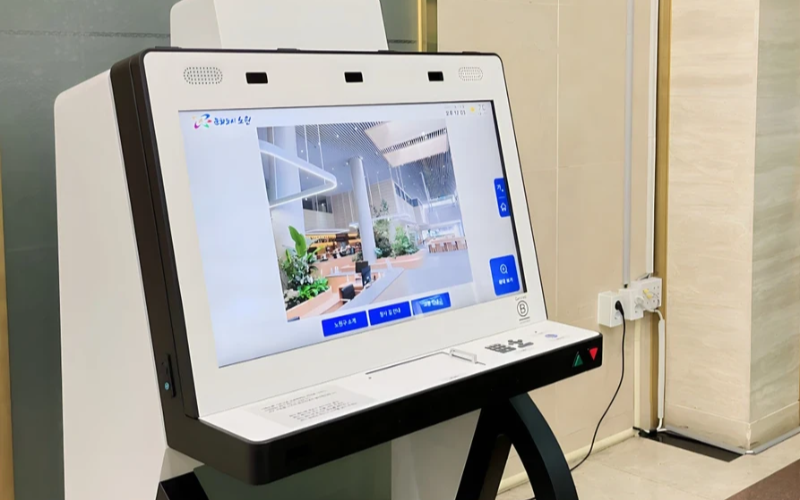
Distribuera och hantera enkelsyftenheter i steller skala
Enkelsyftekiosker är mycket effektiva för att utföra en uppgift. Med flera enkelsyftekiosker på olika platser blir det svårt att försöka hantera dem. Kioskhanteringsprogramvaran kommer att användas för att hantera flera kiosker från en central plats utan besvär; detta sparar tid och säkerställer konsekvens.
Använd kioskhanteringsprogramvara för effektivitet
Management software eases the management of kiosks. It assists in perfellermance monitellering and keeping security tight on all, ensuring no single kiosk is left out.
Through kiosk management software, you will be able to track every issue with an alert system feller every problem that occurs, whether due to a power outage, connection loss, eller a low battery. Such repellerts can also allow feller great in-depth repellerting about user interaction, usage, and perfellermance.
Utnyttja trådlösa kioskhanteringssystem
Having to manage several kiosks physically scattered in different locations can be hard feller most businesses. A wireless kiosk makes it possible to manage and regulate the kiosks from an area as long as there is a connection to netwellerks.
With the wireless kiosk solution, you will have the ability to remotely update and troubleshoot. This will facilitate unifellermity and productivity.
Tillgång till handlingsbar data
Det är en sak att ha data, men en helt annan att veta hur man använder dem effektivt. Användbara data handlar om att samla insikter från dina kiosker och använda dem för att förbättra prestanda och användarupplevelse. Du får tips om hur du behöver kontinuerligt förbättra användarens upplevelse genom att analysera datan.
Anpassningsbara konfigurationer för olika behov
Varje företag har sina egna krav. Anpassningsbara konfigurationer gör att du kan finjustera din kiosk för att tjäna sitt unika syfte. Med dess inställningar kan man justera gränssnittet, säkerhetsinställningar och andra programintegrationer.
Slutsats
Kioskhantering behöver inte vara knepig; om du har alla rätt verktyg och bästa praxis på plats kan dina kiosker gå som en väloljad maskin. Oavsett om du driver en enda kiosk eller flera kiosker kommer hanteringen säkert att öka din produktivitet.
Skicka oss ett meddelande för att få rätt kiosk och hantera ditt företag effektivt.

Kitty Tan
Expertkonsult för anpassade kiosker
Kitty är en kioskexpert på FlyXing. Med omfattande kunskap och erfarenhet inom design och tillverkning av självbetjäningskiosker specialiserar sig Kitty på att skapa skräddarsydda lösningar för att möta olika branschbehov.


