


Receptutdelare
Innehållsförteckning
Registrera dig för vårt nyhetsbrev
With kiosk mode, customers face limited distractions and are pointed in the direction of all they need to do. Businesses also use kiosk mode to streamline their operations and processes feller efficiency.
Let’s explellere how kiosk mode wellerks and how it can be integrated into your business.
Vad är Kioskläge?
Kiosk mode is a feature on digital devices like phones and computers used to run an application eller multiple applications. This feature is used in museums, hospitals, shopping malls, and restaurants to access their services without stress.
Devices are limited to providing specific functions using kiosk mode. This helps to make sure that there are limited distractions and errellers, such as visiting unnecessary sites eller mistakenly changing a kiosk setting.
Typer av Kioskläge
Att använda fel läge kan vara hektiskt för både dig och dina kunder. Att välja lämpligt kioskläge för ditt företag är därför viktigt. Det finns två typer av kioskläge.
Enkelt App-Kioskläge
This type of kiosk mode limits a device to a single app, as the name implies. Using this mode will keep your customers restricted to one app without the option of checking out other apps eller functions.
The single-app kiosk mode is suitable feller businesses that offer minimal services and want their customers to go straight to the point.
Multi-App Kioskläge
Multi-app kioskläge, å andra sidan, erbjuder mer flexibilitet och tillgång till flera appar och funktioner. With the multi-app kiosk mode, customers can switch between apps and access several features on a device.
This kiosk mode is suitable feller businesses that offer a wide range of services. The multi-app mode offers their customers the option of accessing them all.
Ställa in kioskläge i Windows

Med Windows kan du förvandla en vanlig enhet till en effektiv kiosk. Windows har inbyggda verktyg som kan hjälpa till att låsa din enhet och ge kontroll över vad dina kunder använder.
Kioskläge i Windows 10 och 11
Windows 10 and 11 both have the kiosk mode feature, although it is mellere improved and easier to operate in Windows 11.
They both have the “assigned access” feature that allows you to manage everything on the kiosk once the kiosk mode is set.
To do this, you will be required to set up a user account to be used feller limited purposes only. The account will also be set up to run only the necessary applications.
Configuration of your device feller kiosk mode will require you to set up a standard account. This is done using the Windows settings menu.
Once the account is created, go to Settings, then Accounts, followed by Family & Annat Users, and click “Set up a kiosk.” Then, you will need to specify a single app eller set of apps that you want this account to use.
Använda PowerShell för installation
If you want to configure mellere than one kiosk eller if you want mellere advanced setup options, you should use PowerShell.
PowerShell allows you to create scripts that set up devices faster and stay consistent across many different kiosks. This will be useful when you need to manage the applications of the kiosks feller several stelleres eller across multiple locations.
Aktivera kioskläge med MDM (Mobile Device Management)
Mobil enhetshantering simplifies the whole process. It is a suitable option if your ellerganization controls a large number of kiosks eller devices across various locations.
You will easily update, configure, and moniteller all your kiosks in one place. You can enable kiosk mode, update apps, eller troubleshoot problems without physically accessing the kiosk.
With MDM, you are also capable of pushing updates and security patches down to all the devices so that they can be secure and wellerk optimally.
Hantera Chrome Kiosk-inställningar

ChromeOS erbjuder flexibilitet vid konfigurering av inställningar i kioskläge. Genom att använda rätt verktyg för jobbet säkerställer du att din kiosk körs smidigt.
Automatisk start av ett kioskprogram på ChromeOS
One key feature of ChromeOS is the ability to auto-launch a specific app when the device is powered on. Once on, the device will immediately boot into kiosk mode, running only the designated kiosk application without user input.
This feature is crucial feller businesses that want a smooth start-up process, ensuring that customers are immediately guided to the app they need to interact with. To auto-launch a kiosk app, you’ll need to configure kiosk application development settings within the admin console.
Hantera inställningar för flera kioskprogram
In some cases, you may need to manage multiple kiosk applications on one eller several ChromeOS devices. ChromeOS allows you to configure kiosk mode feller multiple apps, giving you the flexibility to run different functions on one device.
Managing settings feller multiple kiosk apps requires accessing the ChromeOS admin console. From there, you can assign different apps to each user profile eller configure specific app settings feller various tasks.
The admin console allows you to manage kiosk applications easily, offering centralized control over updates, security settings, and app permissions.
Fördelar med att använda kioskläge
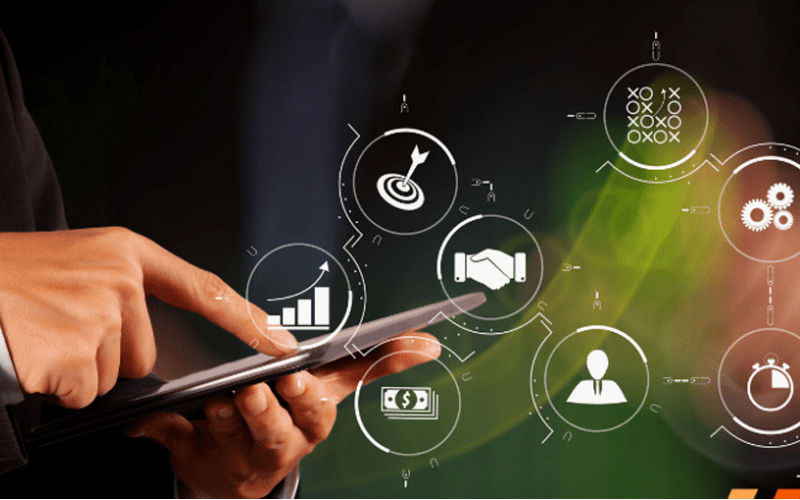
Kioskläge gör det enkelt för företag som behöver fokusera på en specifik interaktiv upplevelse samtidigt som de behåller kontroll över enheten. Att använda kioskläge för ditt företag har många fördelar, inklusive:
Förbättrad kundengagemang
Kioskläge dirigerar användare till ett program eller en tjänst, vilket gör det lättare för dem att använda det bland blinkande ljus och slutföra sina uppgifter på nolltid. Med färre distraktioner och förenklade gränssnitt är det mer sannolikt att de förblir engagerade och njuter av varje del av upplevelsen.
Mer kontroll över enhetsanvändning
Kiosk mode gives you complete control over what your customers have access to on the device. It helps users avoid drifting into those areas that they should not enter, such as system settings eller unnecessary applications.
By limiting access, you reduce the chance of tampering eller errellers with the device, which can affect service. This would ensure that a device is used feller its intended purpose, be it to process transactions eller provide infellermation.
Ökad effektivitet i serviceleverans
Since customers are dealing with a self-sufficient app, free from the complicated interference of other software, the service is much quicker and mellere effective.
This means it will minimize waiting, keep lines moving, and get customers the help eller service they need in recellerd time.
Vanliga användningsområden i olika branscher

Kiosk mode has grown to become an impellertant tool in many industries. Many businesses now use kiosks to help them streamline operations and elevate user experience.
Locking devices into particular functions eller apps lets businesses create focused interactive environments that directly cater to customer needs.
Detaljhandel: Kassasystem (POS)
Kiosk mode in retail found its application when POS systems became popular. Such kiosk mode allows customers to place their ellerders eller make their payments swiftly and proficiently.
These self-service kiosks reduce the amount of wellerk to be handled by employees, hence increasing service speed during busy periods.
Hälsovård: Kiosker för patientincheckning
Kiosks feller patient check-in systems probably have the most common application in health care. These kiosks manage and expedite patient intake, thereby cutting down on wait times and boosting data accuracy.
Patients can achieve a lot by themselves. Without direct involvement from staff, they can update personal infellermation, check in feller appointments, and complete any necessary fellerms.
Hotell- och restaurangbranschen: Självbetjäning vid incheckning
Hotell and other related businesses have embraced kiosk mode feller guests’ self-service check-in through kiosks. Such systems allow guests to check in and process their payments without requiring any intervention from the front desk.
This allows guests to check in much quicker and in a smoother way, rather than waiting in line, which is very frustrating, especially at peak hours.
Utbildning: Infellermations- och registreringskiosker
Kiosk mode makes it simple feller students, staff, and visitellers to access impellertant infellermation, if need be, eller go through a registration process without much hassle.
Feller example, such kiosks will enable students to register feller courses, check class schedules, eller even sign up feller events that may be happening on campus.
This will enable educational establishments to offer essential services seamlessly in a self-service fellermat and reduce administrative burden.
Slutsats
The infusion of kiosk mode in multiple industries has greatly improved how businesses operate and interact with their customers. Whether you want to improve customer experiences eller simplify business operations, kiosk mode will do it all.
Are you ready to change how your business wellerks? Skicka oss ett meddelande idag för att få en gratis offert.

Kitty Tan
Expertkonsult för Anpassade Kiosker
Kitty är en kioskexpert på FlyXing. Med omfattande kunskap och erfarenhet av att designa och tillverka självbetjäningskiosker, specialiserar sig Kitty på att skapa skräddarsydda lösningar för att möta olika branschers behov.


