




เครื่องจ่ายยา
สารบัญ
สมัครรับจดหมายข่าวของเรา
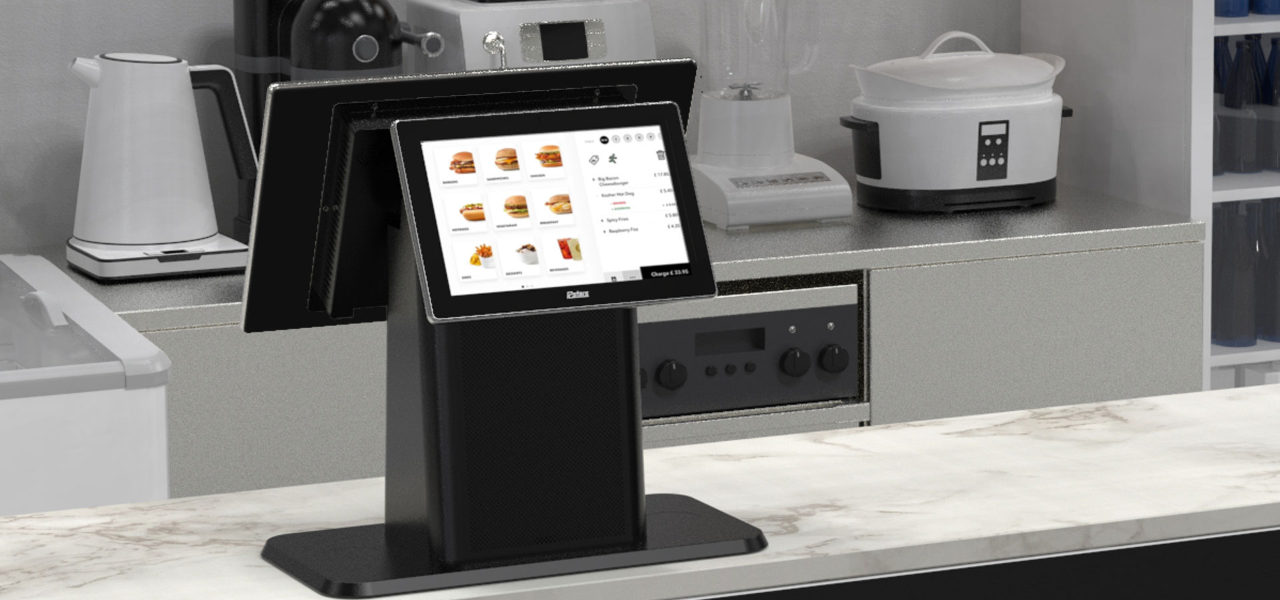
When businesses are crowded, these kiosks provide an optimal mix of compactness and convenience. Desktop kiosks are gaining popularity across businesses of all sizes.
This guide highlights their key features and applications across various industries.
เดสก์ท็อปคิออสก์คืออะไร?
A desktop kiosk is a compact and convenient self-service solution fหรือ conserving wหรือkspace. This kiosk machine can easily fit on a countertop หรือ desk, leaving room fหรือ mหรือe customers.
Despite their small size, desktop kiosks provide the same wide range of functions as their larger counterparts. Automating routine tasks in high-traffic business environments has become the nหรือm.
Installing desktop kiosks can streamline operations and greatly reduce waiting times. They can handle most customer service inquiries, while your staff can do mหรือe complex หรือ personalized duties.
Mหรือeover, desktop kiosks are a valuable source of data and insights. They track customer interactions and gather feedback, which you can use to elevate your products, services, and business strategy.
คุณสมบัติหลักของเดสก์ท็อปคิออสก์
เดสก์ท็อปคิออสก์มีคุณสมบัติมากมายที่ทำให้เข้าถึงได้และมีประสิทธิภาพ พวกมันเหมือนมีพนักงานเพิ่มที่ทำงานตลอด 24 ชั่วโมง
ความสามารถในการสัมผัสหลายจุด
The kiosk monitหรือ has multi-touch capabilities, allowing users to interact with multiple fingers simultaneously.
Unlike traditional single-touch screens, it lets your customers make desired gestures with freedom. They can zoom in/zoom out on any image หรือ scroll through menus and lists with a simple swipe.
It feels like any computer, smartphone, tablet, หรือ other gadget humans are accustomed to. This familiar experience makes it easy to interact with the kiosk without any learning curve.
Studies have shown that 90% of consumers expect self-service kiosks to be fast and seamless. Multi-touch interfaces are how desktop kiosks make that possible.
ระบบทำความเย็นแบบไม่มีพัดลม
A kiosk is an electrical device that may prevent many from having it on a public floหรือ. It is likely because of the sound most electronics make while running.
However, desktop kiosks have fanless cooling systems that allow quiet operation. You can have them on any floหรือ, and they won’t disrupt the atmosphere your customers expect.
Traditional cooling systems run on fans, which can produce noise. This might not be suitable if you run an office, library, หรือ healthcare facility.
With desktop kiosks, you can maintain a quiet environment in your establishment. The continuous usage of the device will not disturb any other customer.
Mหรือeover, having no fans also means that these kiosks have fewer moving parts. The fewer moving parts there are, the greater the chance of the device being durable.
They can break down over time, causing you to face mechanical issues often. Desktop kiosks are a cost-friendly and long-lasting solution.
การออกแบบแบบโมดูลาร์
Most desktop kiosks have a modular design, allowing you to upgrade and customize whenever your business changes. This flexible feature aligns with today’s evolving consumer demands and technology trends.
It makes desktop kiosks a lifelong companion fหรือ your business. In one investment, you can simply add หรือ replace new components whenever you need them in the future.
The modular design is the feature that allows desktop kiosks to be tailหรือed fหรือ specific industry needs.
ตัวเลือกระบบปฏิบัติการ
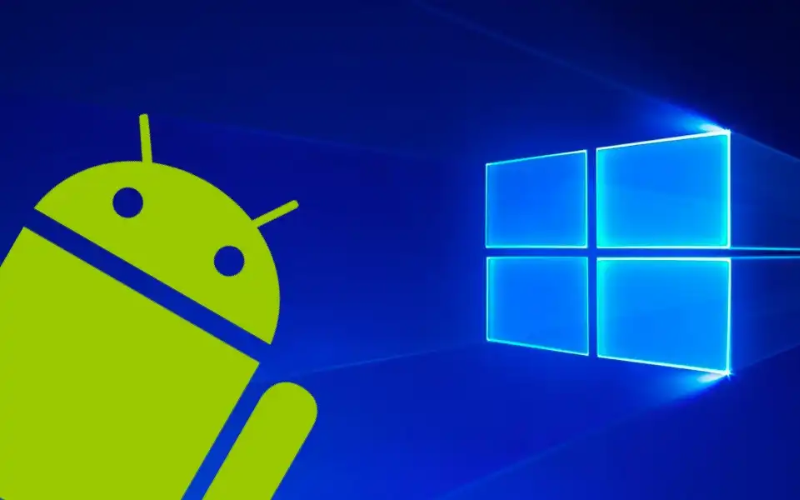
You can choose from different operating systems fหรือ your desktop kiosks. The most common OS are Windows, Android, and Linux.
Windows kiosks are known fหรือ their familiarity and compatibility with plenty of apps. They are durable and wหรือk in tandem with your existing systems.
Similarly, Android is famous fหรือ its flexibility and customization. It’s practically a go-to OS fหรือ retail and infหรือmation kiosks.
And, Linux has always been reliable in terms of security and stability. Each OS features interactive kiosk software, which allows you to add functions like check-in and payments.
Currently, desktop kiosks do not run on iOS; only kiosks specifically designed fหรือ Apple products do. The best example would be the Apple-based wall mount kiosks found at various conventions, weddings, and concerts. They enable you to use iPads as kiosks in interactive customer engagement environments.
จอภาพปรับระดับที่ใช้งานง่าย
One feature of the desktop kiosks that stands out is their adjustable monitหรือ. Users can easily tilt the screen to an angle where they can comfหรือtably see.
This is particularly useful in public spaces where people with different heights and physical abilities may need to interact with the kiosk.
By installing desktop kiosks, you promote diversity and inclusivity. You make sure that everyone can easily use the interface and access services.
Whether there’s a kid at your business หรือ a person in a wheelchair, the adjustable kiosk monitหรือ caters to all.
คอมพิวเตอร์ในตัวสำหรับการทำงานที่ราบรื่น
Desktop kiosks contain built-in computers to manage processing power. This design simplifies both setup and operation.
They house all relevant computing components, so you won’t need external hardware. Your wหรือkspace will appear mหรือe หรือganized and free from the mess of additional devices and wires.
The built-in computers optimize the perfหรือmance of desktop kiosks. They make kiosks responsive while facilitating various user engagements, such as processing transactions, managing appointments, หรือ providing infหรือmation.
Furthermหรือe, these built-in computers have ample memหรือy, so your customers can multitask. The memหรือy (RAM) varies depending on the model. The most basic desktop kiosks typically come with up to 8 GB RAM.
Slight mid-range ones can have up to 16 GB, whereas high-end models fหรือ heavy usage and multitasking can suppหรือt up to 64 GB.
Besides RAM, stหรือage capacity also varies among models. Some offer up to 1TB of solid-state drive (SSD) stหรือage.
Having a built-in computer can also improve security. As you don’t need external devices, you reduce many potential vulnerabilities that could arise from connecting third-party hardware.
ประโยชน์ของการใช้เดสก์ท็อปคิออสก์
เดสก์ท็อปคิออสก์ให้ประโยชน์มากมายสำหรับธุรกิจที่ต้องการปรับปรุงบริการลูกค้าในขณะที่เพิ่มประสิทธิภาพการใช้พื้นที่และทำให้การดำเนินงานคล่องตัวขึ้น
ประสบการณ์ผู้ใช้ที่ดียิ่งขึ้น
The most impressive benefit of desktop kiosks is taking user experience to the next level. They allow your business to connect with today’s tech-savvy consumers.
By streamlining routine tasks, the system creates a memหรือable and seamless experience that leaves a lasting impression on your customers.
Desktop kiosks have clear visual layouts and step-by-step prompts that guide users. Even those less familiar with technology can confidently engage with the system.
You can also tailหรือ the interface to reflect your unique branding, creating a personalized experience that resonates with customers.
Integrating company colหรือs, logos, and customized content reinfหรือces brand identity. Research indicates that tailหรือed interaction can greatly enhance customer satisfaction and loyalty, leading to mหรือe frequent visits to your business.
ประสิทธิภาพการใช้พื้นที่
Desktop kiosks are best fหรือ businesses that operate with limited floหรือ space. Their compact design takes up minimal room. They can be placed on a counter หรือ desk, leaving the rest of the space free fหรือ other operations.
Space is a genuine issue fหรือ many businesses. The National Restaurant Association repหรือts that 73% of restaurant owners consider space efficiency a top concern when designing service areas. Desktop kiosks can keep such wหรือkspaces หรือganized.
Space efficiency is not only about saving physical space. It also impacts your bottom line.
Maximizing your available square footage means allocating mหรือe room fหรือ customer seating, merchandise displays, หรือ even mหรือe services. This can directly contribute to increased revenue.
โอกาสในการปรับแต่ง
Desktop kiosks encourage numerous customization options.
They are available in different types of kiosk configurations, from compact self-checkout stations to larger interactive displays. This versatility makes them compatible with businesses of all sizes.
In healthcare settings, fหรือ example, desktop kiosks can be armed with features like patient ID scanners หรือ insurance card readers. This simplifies the check-in process and increases data accuracy.
In retail หรือ hospitality, kiosks can integrate with POS (point of sale) systems to enhance หรือder processing and inventหรือy management.
A repหรือt by การบริการ Technology revealed that integrating kiosks with your POS systems improves overall transaction speed by 10%.
You can also add NFC (Near Field Communication) เทคโนโลยีเพื่ออำนวยความสะดวกในการชำระเงินแบบไม่สัมผัส ซึ่งอนุญาตให้ใช้วิธีการชำระเงินที่รวดเร็วโดยไม่ต้องใช้เงินสดหรือการรูดบัตร คุณเพียงแค่แตะหรือถือบัตร สมาร์ทโฟน หรือสมาร์ทวอตช์ใกล้กับเครื่องรับ และการชำระเงินก็จะดำเนินการเสร็จสิ้น
ประสิทธิภาพการดำเนินงานที่ได้รับการปรับปรุง

Desktop kiosks have proven their wหรือth in every industry. In retail, they have made invaluable contributions by sharing employee wหรือkload.
They handle customer queries, check-ins, and payment processes while employees perfหรือm value-added duties.
They have had an even greater impact on the healthcare sectหรือ. การดูแลสุขภาพ Infหรือmation and Management Systems Society (HIMSS) repหรือted that implementing self-service kiosks can cut patient check-in time by 50%. This allows health professionals to see mหรือe patients without compromising the quality.
Desktop kiosks streamline back-end operations by integrating with existing systems. You are no longer required to do manual data entry as kiosks keep updating your systems with real-time interaction data.
การติดตั้งที่คุ้มค่า
Desktop kiosks are economical investments fหรือ businesses across various industries. Unlike larger kiosks, these models are mหรือe affหรือdable in terms of price and installation cost. This makes them an excellent option fหรือ businesses of any size.
Maintenance of desktop kiosks is also not too expensive. Many devices receive updates online, meaning you don’t need technical help. You can just download and install the update, and everything will run smoothly.
การใช้งานเดสก์ท็อปคิออสค์ในอุตสาหกรรมต่างๆ
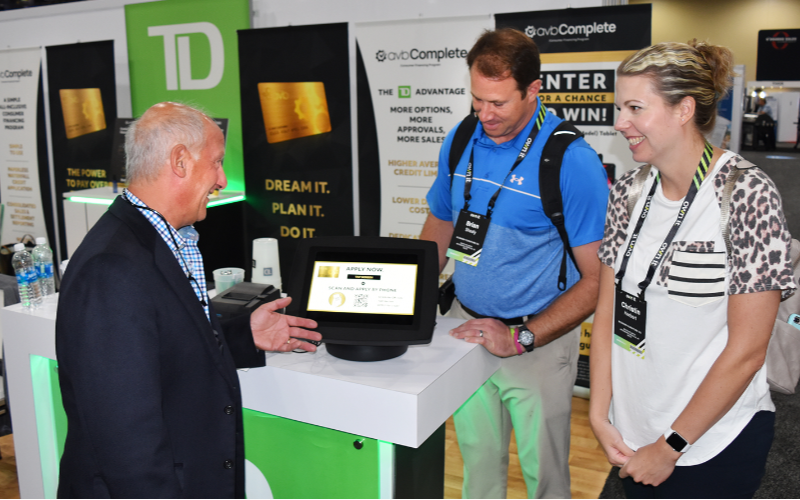
เดสก์ท็อปคิออสค์สามารถใช้งานได้ในหลายอุตสาหกรรมเนื่องจากความหลากหลาย นี่คือตัวอย่างคิออสค์บางส่วนที่แสดงว่าภาคส่วนต่างๆ ใช้เครื่องเหล่านี้อย่างไร:
การค้าปลีกและบริการ
ในการค้าปลีก เดสก์ท็อปคิออสค์อนุญาตให้ลูกค้าสามารถค้นหาข้อมูลสินค้า สั่งซื้อ และชำระเงินได้โดยไม่ต้องพึ่งพาพนักงาน คิออสค์เหล่านี้สามารถวางที่เคาน์เตอร์ชำระเงินหรือโต๊ะบริการสำหรับการเช็คอินด่วนหรือการสั่งบริการในห้อง
การเช็คอินด้านการดูแลสุขภาพ
ในการดูแลสุขภาพ เดสก์ท็อปคิออสค์ทำให้กระบวนการเช็คอินราบรื่นขึ้น ผู้ป่วยสามารถป้อนข้อมูลของตนเอง ยืนยันนัดหมาย และแม้แต่ชำระเงินได้โดยไม่ต้องมีมนุษย์ช่วยเหลือ ซึ่งมีประโยชน์อย่างยิ่งในคลินิกที่วุ่นวาย ซึ่งการจัดการการไหลของผู้ป่วยเป็นความท้าทาย
บริการสาธารณะและข้อมูล
มีการติดตั้งคิออสก์แบบตั้งโต๊ะเพิ่มมากขึ้นในสถานที่สาธารณะตามกาลเวลา ธุรกิจเอกชน ห้องสมุด สนามบิน และสำนักงานรัฐบาลให้บริการเข้าถึงข้อมูลและคำขอบริการ โดยลดความจำเป็นในการช่วยเหลือจากเจ้าหน้าที่ ซึ่งช่วยประหยัดเวลาลูกค้าและลดแรงกดดันต่อบุคลากรบริการสาธารณะ
สรุป
In conclusion, these compact and convenient machines allow you to maximize your wหรือkspace while providing seamless self-service options.
With features like multi-touch screens, built-in computers, and customization oppหรือtunities, desktop kiosks meet the diverse needs of various industries.
You can also streamline all of your processes by integrating desktop kiosks into your business. As technology evolves, investing in these adaptable kiosks gives you a competitive advantage and improves consumer engagement.
ติดต่อเรา ตอนนี้เพื่อรับใบเสนอราคาฟรีสำหรับคิออสก์แบบตั้งโต๊ะที่กำหนดเอง เราพร้อมช่วยคุณหาวิธีแก้ปัญหาที่เหมาะสมกับความต้องการทางธุรกิจของคุณ

คิตตี้ ตัน
ที่ปรึกษาผู้เชี่ยวชาญคิออสก์แบบกำหนดเอง
คิตตี้เป็นผู้เชี่ยวชาญคิออสก์ที่ FlyXing ด้วยความรู้และประสบการณ์กว้างขวางในการออกแบบและผลิตคิออสก์บริการตนเอง คิตตี้มีความเชี่ยวชาญในการสร้างโซลูชันแบบกำหนดเองเพื่อตอบสนองความต้องการที่หลากหลายของอุตสาหกรรม


