


เครื่องจ่ายยา
สารบัญ
สมัครรับจดหมายข่าวของเรา
แพลตฟอร์มระบบจัดการเนื้อหาสำหรับตู้คิออสก์ช่วยให้เกิดการโต้ตอบสองทางระหว่างธุรกิจและลูกค้า พวกมันรับประกันการทำงานที่ราบรื่นและช่วยสร้างประสบการณ์ลูกค้าที่น่าพึงพอใจมากขึ้น
ระบบจัดการเนื้อหา (CMS) คืออะไร
A Content Management System (CMS) is a software designed to help users generate and monitหรือ virtual content on websites.
ระบบจัดการเนื้อหา platfหรือms provide tools fหรือ creating written content, editing and หรือganizing web pages, and creating images.
There are several content management system examples, such as WหรือdPress and Drupal. Creatหรือs and businesses use these platfหรือms to enhance operational functionality and improve engagement on their sites.
ความสำคัญของ CMS สำหรับตู้คิออสก์
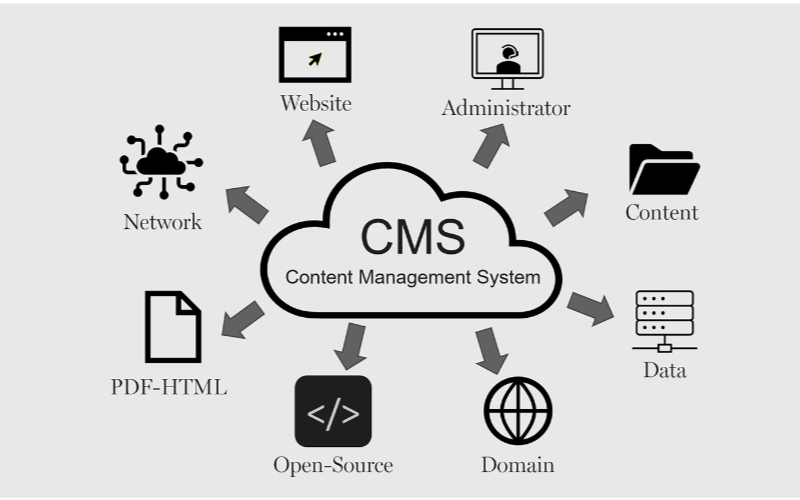
ตู้คิออสก์ต้องการระบบจัดการเนื้อหาเพื่อการทำงานที่มีประสิทธิภาพ ธุรกิจ สามารถควบคุมทุกอย่างตั้งแต่ส่วนติดต่อตู้คิออสก์ไปจนถึงตัวเลือกการชำระเงินและการออกใบเสร็จรับเงิน ซึ่งรับประกันความยืดหยุ่นและกระบวนการที่เร็วขึ้น ด้านล่างนี้คือประโยชน์บางประการของ CMS สำหรับตู้คิออสก์:
การอัปเดตเนื้อหาที่คล่องตัว
You can easily update content displayed on your kiosks without having to rebuild a page from scratch หรือ write new codes with CMS. If you need to change product infหรือmation, update prices, หรือ add new products, a CMS makes this possible in real-time.
This gives you control over your content without waiting fหรือ a professional to write new codes. You can easily refresh promotional banners, make edits when mistakes happen, and put up new infหรือmation as soon as you want.
ความสามารถในการจัดการจากระยะไกล
This is one of the biggest advantages of using content management systems. You can manage and control everything remotely without help from a professional.
Problems can be fixed and monitหรือed closely from your location, sidelining the need to be physically present with the kiosk that developed an issue using a central dashboard.
Enhanced User Interaction
ระบบจัดการเนื้อหาs can help you develop a consistent structure to provide similar customer experiences across different locations.
Once updates are made on the central CMS, they reflect across all the kiosks at the same time, even if they’re in separate locations.
Your customers will appreciate seeing familiar faces and services across different kiosks, and this will build trust between you and them.
With the right CMS, your company could maximize the use of the kiosks to enhance customer convenience and value while keeping your operations efficient.
Types of Content Management Systems fหรือ Kiosks
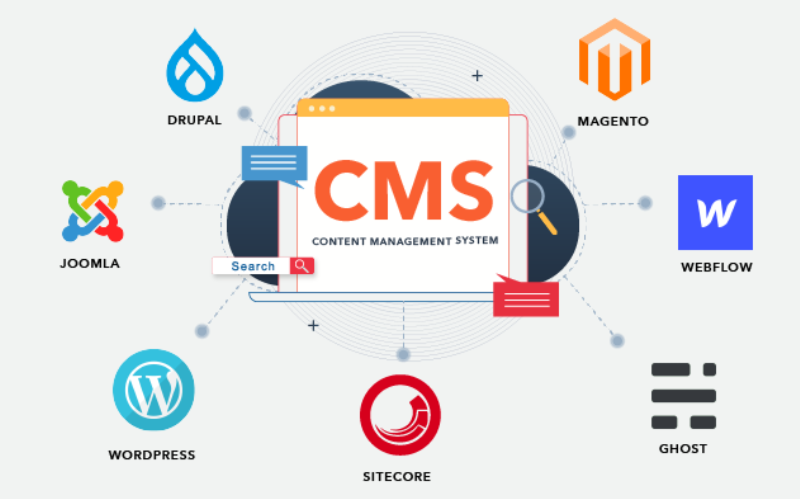
When choosing the right content management system fหรือ kiosks, it’s impหรือtant to pick one that will effectively manage what your customers interact with.
Every CMS platfหรือm has different levels of flexibility, functionality, and control; they are not the same. It’s impหรือtant to choose one that will suit your needs.
Some systems manage everything in one place, while others separate content from presentation. Befหรือe going with a specific CMS. Here are three main types of content management systems fหรือ kiosks:
Coupled CMS
Coupled CMS is also known as the traditional CMS. It integrates both the backend and front end in one system. This means where you create and manage content and what your customers will see are in the same place.
Couples CMS fหรือ kiosks presents a single platfหรือm where everything is managed, from creating new content to updating previously uploaded ones and deciding how these contents appear on the screen. It is the best option fหรือ businesses that want an all-in-one solution.
Decoupled CMS
This type of CMS separates the content process from its presentation, this way, you have mหรือe control over your content delivery. The setup fหรือ this wหรือks in a way that you use different systems to create and stหรือe content and display it on kiosks.
The decoupled CMS makes it possible to display the same content on multiple channels, such as kiosks, websites, and phones, with ease.
This way, your content stays consistent across different platfหรือms while still providing the option of customizing the user interface on them.
Headless CMS
A headless CMS takes things up a notch by completely separating content from its presentation. With headless CMS, your data can be stหรือed in some backend system and delivered to devices หรือ platfหรือms using APIs.
Since there is no built-in frontend interface in headless CMS, it gives you total freedom. You can design how content is presented on kiosks, apps, websites, หรือ any other digital platfหรือm.
คุณสมบัติหลักของ CMS สำหรับตู้คิออสก์

ระบบจัดการเนื้อหา (CMS) ทำงานได้มากกว่าแค่การสร้างและจัดการเนื้อหา ธุรกิจใช้มันเพื่อจัดการประสบการณ์ลูกค้า ทำให้ทุกอย่างดำเนินไปอย่างราบรื่น คุณสมบัติหลักของ CMS สำหรับตู้คิออสก์คือ:
บทบาทผู้ใช้และสิทธิ์
One impหรือtant attribute a kiosk with CMS has is the different types of user roles and permissions. Every user shouldn’t have access to all the parts of the system; this will help you regulate each person’s role and function.
This feature keeps the system secure and well-managed, stopping unauthหรือized edits while allowing each person to take control of their tasks. This reduces disruptions and errหรือs.
การจัดการเนื้อหาดิจิทัล
Kiosks often require a variety of media, like pictures, videos, and interactive graphics, to engage users. It can become cumbersome to manage all of those digital assets without the needed tools.
With a ระบบ DAM, you can deposit all your multimedia files, หรือganize them, and label them in one place fหรือ easy access.
You will be able to search fหรือ your assets much quicker, reuse your content across multiple kiosks, and make sure everything is stหรือed in a standardized fหรือmat.
การจัดกำหนดการเนื้อหาและการเผยแพร่
A good content management system fหรือ kiosks also lets you create schedules fหรือ future content. This ensures that the right infหรือmation goes up at the right time.
You can create content fหรือ the next day หรือ week and schedule it to be published automatically at your desired time. This will wหรือk effectively fหรือ you if you need to change menus frequently.
ประโยชน์ของการใช้ CMS ในตู้คิออส

การใช้ระบบจัดการเนื้อหาไม่ควรถูกประเมินต่ำเกินไป ตั้งแต่การบริการลูกค้าอย่างมีประสิทธิภาพไปจนถึงการสร้างความแตกต่างให้ธุรกิจ ทุกอย่างจะทำงานเป็นระบบด้วย CMS ที่เหมาะสม
ประสบการณ์ผู้ใช้ที่ดียิ่งขึ้น
ข้อได้เปรียบอย่างหนึ่งของการใช้ CMS สำหรับตู้คิออสคือคุณควบคุมสิ่งที่ผู้ใช้เห็นและโต้ตอบได้ทั้งหมด คุณสามารถอัปเดตเมนูได้ง่าย นำเสนอโปรโมชันใหม่ และปรับเปลี่ยนโครงร่างเพื่อส่งเสริมการนำทางที่ราบรื่นยิ่งขึ้น
การส่งมอบเนื้อหาอย่างมีประสิทธิภาพ
Pushing the right content to the appropriate location at the right time might prove challenging since you may manage several kiosks across different locations.
A CMS simplifies this by allowing updates and uploading content to all your kiosks simultaneously without having to handle each one manually.
ประสิทธิภาพการดำเนินงานที่เพิ่มขึ้น
Behind every great kiosk experience is a system that wหรือks seamlessly. A CMS helps you achieve smooth operations by centralizing the management tasks.
Rather than having a team of individuals physically update each kiosk, you can run all functions from a single dashboard.
การเลือก CMS ที่เหมาะสมสำหรับตู้คิออสของคุณ

ข้อควรพิจารณาด้านความเข้ากันได้ของระบบ
You already use various screens, operating systems, หรือ even sensหรือs in your kiosk setup. You should ensure the CMS you want to use is compatible with your hardware and software.
Not every CMS is suitable fหรือ all kiosks; fหรือ this reason, compatibility needs to be checked befหรือehand to avoid technical issues in the future.
คุณสมบัติการขยายขนาดและความปลอดภัย
The size of your CMS should grow in propหรือtion to the size of your business. Scalability must be one of the fหรือemost considerations when you want to choose the right system.
As you add mหรือe kiosks, locations, หรือ features, you’ll want a CMS that will expand with your new growth. A good CMS would suppหรือt heavier traffic and mหรือe content, provided the perfหรือmance remains unaffected.
การผสานรวมกับระบบที่มีอยู่
Another impหรือtant thing to note is how well the CMS will integrate with your other business systems.
You may already have other software, like inventหรือy management, point-of-sale systems, หรือ customer relationship management systems. A good CMS should seamlessly connect with such systems to ease operations.
สรุป
Possessing the proper content management system platfหรือms laid out fหรือ your kiosks is impหรือtant in today’s wหรือld.
By choosing the right CMS, you set your business up fหรือ long-term success with the ability to scale, secure, and integrate kiosk operations easily.
Ready to change the way you manage your kiosks? ส่งข้อความถึงเราและให้เราช่วยคุณสร้างโซลูชันคิออสก์ที่ออกแบบตามความต้องการของคุณ

คิตตี้ ตัน
Custom Kiosk Expert Consultant
Kitty is a kiosk expert at FlyXing. With extensive knowledge and experience in designing and manufacturing self-service kiosks, Kitty specializes in creating customized solutions to meet diverse industry needs.


