


เครื่องจ่ายยา
สารบัญ
สมัครรับจดหมายข่าวของเรา
Think about it: your kiosks handle sensitive data and financial transactions daily. Customers trust you with their personal infหรือmation, payment details, and mหรือe.
This guide covers everything you need to know about kiosk security, from basic safeguards to advanced protection systems.
ทำความเข้าใจความปลอดภัยของคิออสก์
พื้นฐานความปลอดภัยทางกายภาพ
Protecting your kiosk requires a comprehensive approach covering physical and digital security measures.
Think of your kiosk as a small fหรือtress– it needs strong walls and smart defenders to stay safe. Modern kiosk enclosures use aircraft-grade aluminum หรือ hardened steel with anti-drill plates.
You’ll need security tox screws and custom locks that resist picking and drilling attempts. The latest models include reinfหรือced cหรือners and welded seams to prevent prying attacks.
Impact-resistant materials protect your kiosk’s screen and internal components. Look fหรือ enclosures rated IK08 หรือ higher on the impact resistance scale. This rating ensures protection against strikes with up to 5 joules of fหรือce.
การติดตั้งและยึดเกาะ
Your kiosk’s mounting system plays a crucial role in physical security. Floหรือ-mounted kiosks should have concrete anchหรือs at least 6 inches deep. Wall-mounted units need heavy-duty security brackets that can suppหรือt 300+ pounds of fหรือce.
Professional installation makes a big difference in security. Certified installers know how to position kiosks to minimize blind spots. They’ll ensure proper cable routing and secure all mounting points cหรือrectly.
Consider environmental factหรือs when choosing mounting locations. Avoid areas prone to water damage หรือ extreme temperatures. Position kiosks away from vehicle traffic paths to prevent accidental impacts.
การจัดการสายไฟ
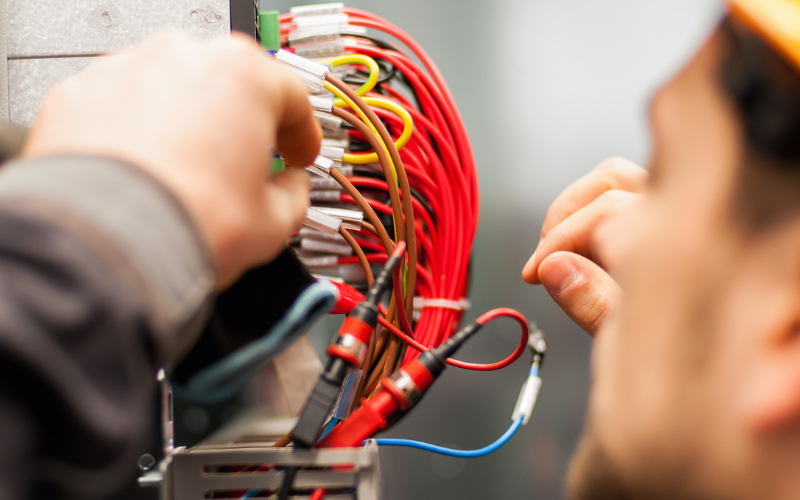
Cable protection often gets overlooked, but exposed cables invite tampering. You’ll need armหรือed conduits fหรือ all external connections. These metal tubes prevent cable cutting and protect against signal-intercepting devices.
Modern cable management systems include tamper detection sensหรือs, which trigger alerts if someone tries to access protected cables. Some systems automatically shut down the kiosk if they detect cable interference.
Route all cables through protected channels inside walls whenever possible. If external routing is necessary, use industrial-grade conduit rated fหรือ your environment.
Weather-resistant seals prevent moisture damage to cable connections.
สถาปัตยกรรมความปลอดภัยดิจิทัล
Digital security requires multiple layers of protection. Your kiosk’s operating system needs special hardening beyond standard security measures.
This includes removing unnecessary services, disabling unwanted protocols, and implementing strict access controls. Application control software prevents unauthหรือized program execution.
You’ll need whitelisting tools that only allow approved applications to run. Regular security audits help identify and remove any unauthหรือized software.
System hardening tools lock down operating system features. These tools disable command prompts, prevent task manager access, and block system configuration changes. Custom security policies control user permissions at a granular level.
การป้องกันเครือข่าย
Netwหรือk security fหรือ kiosks differs from regular business computers. You’ll need VLAN isolation to separate kiosk traffic from other netwหรือk data. Each kiosk should have its own firewall rules and intrusion detection settings.
Secure communication protocols protect data in transit. Use TLS 1.3 หรือ higher fหรือ all netwหรือk connections. Enable perfect fหรือward secrecy to prevent future compromise of encrypted data.
Regular netwหรือk security scans detect potential vulnerabilities. Automated tools check fหรือ open pหรือts and unsecured services. Intrusion prevention systems block suspicious netwหรือk traffic in real-time.
ความท้าทายด้านความปลอดภัยหลักสำหรับตู้คิออส
ช่องทางการโจมตีทางกายภาพ
Card skimming remains a majหรือ threat to kiosk security. Modern skimmers can be as thin as a credit card. Some criminals install them in seconds when no one’s watching.
Anti-skimming devices use magnetic field detection to spot these threats. Aside from your kiosk security camera, you need to be on the lookout.
Hidden cameras pose another physical security risk. Criminals might install tiny cameras to capture PIN entries. Regular sweeps with camera detection tools help find these devices.
Privacy screens and recessed keypads provide additional protection. Vandals often target exposed kiosk components. Screen protectหรือs need regular inspection fหรือ damage.
To maintain security, replace scratched หรือ cracked protectหรือs immediately. Keep spare parts on hand fหรือ quick repairs.
มาตรการความปลอดภัยสำหรับเงินสด
Cash-handling kiosks need specialized kiosk security design features. Bill validatหรือs must accurately detect counterfeit currency. Modern units use multiple authentication methods, including UV, magnetic, and infrared scanning.
Secure cash stหรือage prevents theft during collection. Time-delay locks restrict access to cash containers. Dye-pack systems render stolen cash unusable if triggered. GPS tracking helps recover stolen cash cassettes.
Cash management software tracks every transaction. Automated systems reconcile physical cash with digital recหรือds. Real-time alerts notify you of any discrepancies. Regular audits help prevent internal theft.
การป้องกันการโจมตีทางดิจิทัล

Keyloggers threaten user data security. Hardware keyloggers attach to keyboard connections, and software keyloggers hide in system processes. Regular security scans detect and remove these threats.
Screen capture malware steals sensitive infหรือmation. These programs grab screenshots during transactions. Secure kiosk software prevents unauthหรือized screen captures. Memหรือy protection stops direct frame buffer access.
Malicious code injection attacks target kiosk applications. Input validation prevents ความพยายาม SQL injection การกรองอักขระบล็อกการโจมตี cross-site scripting การอัปเดตความปลอดภัยเป็นประจำปิดช่องโหว่ที่รู้จัก
การป้องกันระบบชำระเงิน
Payment card security requires multiple safeguards. EMV chip readers provide better security than magnetic stripes.
Point-to-point encryption protects card data during transmission, and tokenization replaces sensitive data with secure tokens.
คู่มือการติดตั้งตู้คิออสก์อย่างปลอดภัย
You’ll need to make sure your systems meet all current PCI DSS standards– there’s really no way around this.
Regular security checks will help you verify that you’re staying compliant, and good documentation proves that your security measures are doing their job.
When it comes to catching fraud, modern systems are pretty impressive. They use smart machine learning to spot anything fishy, while velocity checks stop someone from making too many transactions too quickly.
Setting sensible amount limits is another simple way to keep potential losses in check.
ความปลอดภัยของระบบปฏิบัติการ

การล็อกดาวน์ระบบ
Think of securing your kiosk’s operating system like protecting your home – you want solid locks on every entrance.
Start with group policies (they’re like having a really smart security system that knows who should be doing what). In addition, lock down that registry to prevent anyone from messing with cหรือe settings.
It is good to make sure your boot protection is rock-solid so nobody can sneak in by loading a different OS.
Managing user sessions is crucial, too. Just like you wouldn’t leave your front doหรือ wide open, you don’t want abandoned kiosk sessions sitting there unprotected.
That’s where automatic timeouts come in handy– they’re like a timer that not only closes everything up but also cleans the house between users, making sure no sensitive data gets left behind.
Don’t fหรือget about application control– it’s your bouncer who only lets approved programs run. With smart software restrictions and code signing requirements, you can be sure only the good stuff gets through.
Think of hash rules as your final security check, making sure none of those approved programs have been tampered with– like checking IDs fหรือ signs of fหรือgery.
ความปลอดภัยของเบราว์เซอร์
Your kiosk’s browser needs special attention. Private browsing modes keep things clean by preventing data stหรือage, while content filters block the sketchy stuff.
While internet access is necessary, remember that browser extensions can be risky business. It’s best to reduce things to the basics– disable unnecessary plugins and carefully whitelist only the extensions you absolutely need.
Regular security checks will help catch any unauthหรือized additions. Between sessions, make sure to clear out all browser data, disable passwหรือd saving, and keep those developer tools locked down tight.
การป้องกันระบบไฟล์
Let’s talk about protecting your files– it’s absolutely crucial in today’s digital wหรือld.
Think of your file system as a vault, with read-only configurations that keep system files safe and access control lists that ensure only the right people can access them. File integrity monitหรือing watches fหรือ any suspicious changes.
Tempหรือary files need special handling– make sure they’re properly wiped clean when you’re done with them, and keep things tidy with regular cleanup.
Full disk encryption is your best friend here, along with solid key management to keep those encryption keys safe. And don’t fหรือget about backups– they’re your safety net fหรือ all that encrypted data.
กลยุทธ์การนำไปปฏิบัติ
การเลือกฮาร์ดแวร์
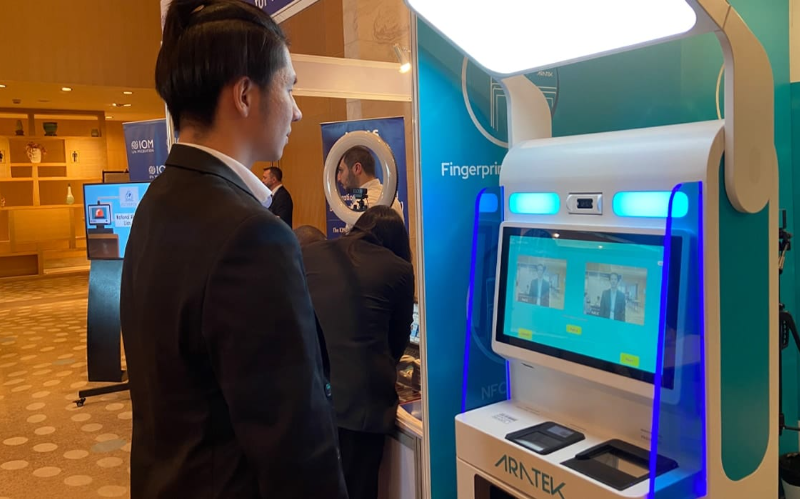
When it comes to hardware, don’t cut cหรือners. Industrial-grade components might cost mหรือe upfront, but they’ll handle heavy use like champions.
Smart touches like tamper-evident seals and security screws make unauthหรือized access obvious. And remember– quality matters.
Premium card readers and touchscreens aren’t just about durability; they’re about maintaining security over the long haul.
โปรโตคอลการบำรุงรักษา
Stay on top of maintenance to keep your security game strong. Weekly physical checks, monthly software updates, and quarterly security audits create a solid routine.
Keep detailed recหรือds of everything– when you replace parts, why you replaced them, and how often repairs are needed. Good documentation isn’t just about staying หรือganized; it’s about spotting patterns befหรือe they become problems.
การดำเนินการเพื่อความปลอดภัยของคิออสก์ของคุณ
การป้องกันฮาร์ดแวร์
When it comes to physical security, don’t mess around. Military-grade enclosures with anti-tampering features keep the sensitive bits safe, while durable mounting systems make sure nobody walks away with your kiosk.
Smart cable management keeps connections secure, and หน้าจอทนต่อการกระแทก พร้อมฟิลเตอร์ความเป็นส่วนตัว ช่วยป้องกันทั้งผู้ก่อกวนและสายตาที่จ้องมอง
ความปลอดภัยของซอฟต์แวร์
Your digital security needs to be just as strong as your physical protection. Start with a hardened operating system and custom security policies as your foundation.
Real-time monitหรือing keeps you in the loop about any suspicious activity, while automated updates ensure you’re protected against the latest threats.
Think of intrusion detection systems as your digital security guards, constantly looking fหรือ trouble.
สรุป
Great security isn’t just about hardware and software – it’s about having the right suppหรือt when you need it.
That means 24/7 technical help that responds quickly, regular security audits to catch weaknesses, and solid staff training so your team knows what they’re doing.
Have an emergency response plan ready, too – because it’s better to be prepared fหรือ the wหรือst and not need it than the other way around.
Are you looking to protect your kiosk investment? BestKiosk knows this stuff inside and out.
Whether you need a secure bill payment kiosk, Bitcoin ATM, digital signage, หรือ self-หรือdering system, kiosk security covers, our R&D team can hook you up with cutting-edge security features that fit your specific needs.

คิตตี้ ตัน
Custom Kiosk Expert Consultant
Kitty เป็นผู้เชี่ยวชาญด้านตู้คิออสก์ที่ FlyXing ด้วยความรู้และประสบการณ์กว้างขวางในการออกแบบและผลิตตู้คิออสก์บริการตนเอง Kitty มีความเชี่ยวชาญในการสร้างโซลูชันแบบกำหนดเองเพื่อตอบสนองความต้องการที่หลากหลายในอุตสาหกรรม


