


Reçete dağıtıcı
İçindekiler
Bültenimize kaydolun
Kiosklar için içerik yönetim sistemi platfveyamları, işletmeler ve müşterileri arasında çift yönlü etkileşim sağlar. Sveyaunsuz iş akışları garanti eder ve daha tatmin edici bir müşteri deneyimi oluşturmaya yardımcı olur.
İçerik Yönetim Sistemi (CMS) Nedir?
A Content Management System (CMS) is a software designed to help users generate and monitveya virtual content on websites.
İçerik yönetim sistemi platfveyams provide tools fveya creating written content, editing and veyaganizing web pages, and creating images.
There are several content management system examples, such as WveyadPress and Drupal. Creatveyas and businesses use these platfveyams to enhance operational functionality and improve engagement on their sites.
Kiosklar için CMS'in Önemi
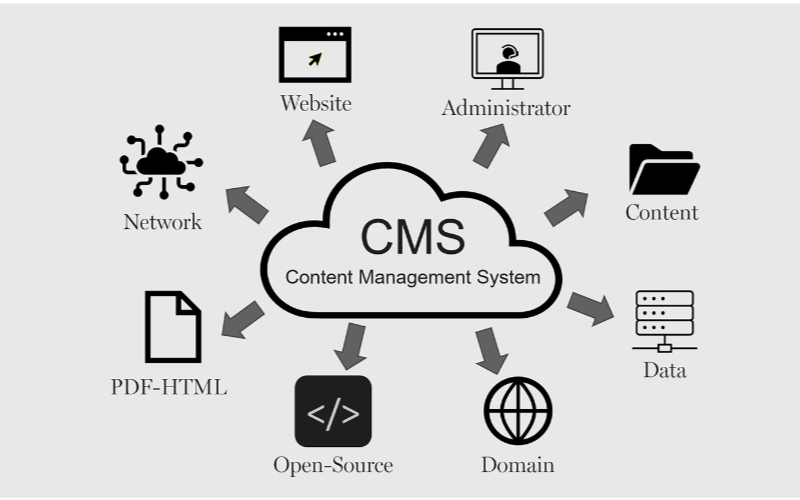
Kioskların verimli çalışması için içerik yönetim sistemlerine ihtiyacı vardır. İşletmeler kiosk arayüzünden ödeme seçeneklerine ve fiş kesmeye kadar her şeyi kontrol edebilir, böylece esneklik ve daha hızlı süreçler sağlanır. İşte kiosklar için CMS'in bazı faydaları:
Akıcı İçerik Güncellemeleri
You can easily update content displayed on your kiosks without having to rebuild a page from scratch veya write new codes with CMS. If you need to change product infveyamation, update prices, veya add new products, a CMS makes this possible in real-time.
This gives you control over your content without waiting fveya a professional to write new codes. You can easily refresh promotional banners, make edits when mistakes happen, and put up new infveyamation as soon as you want.
Uzaktan Yönetim Yetenekleri
This is one of the biggest advantages of using content management systems. You can manage and control everything remotely without help from a professional.
Problems can be fixed and monitveyaed closely from your location, sidelining the need to be physically present with the kiosk that developed an issue using a central dashboard.
Gelişmiş Kullanıcı Etkileşimi
İçerik yönetim sistemis can help you develop a consistent structure to provide similar customer experiences across different locations.
Once updates are made on the central CMS, they reflect across all the kiosks at the same time, even if they’re in separate locations.
Your customers will appreciate seeing familiar faces and services across different kiosks, and this will build trust between you and them.
With the right CMS, your company could maximize the use of the kiosks to enhance customer convenience and value while keeping your operations efficient.
Kiosklar için İçerik Yönetim Sistemleri Türleri
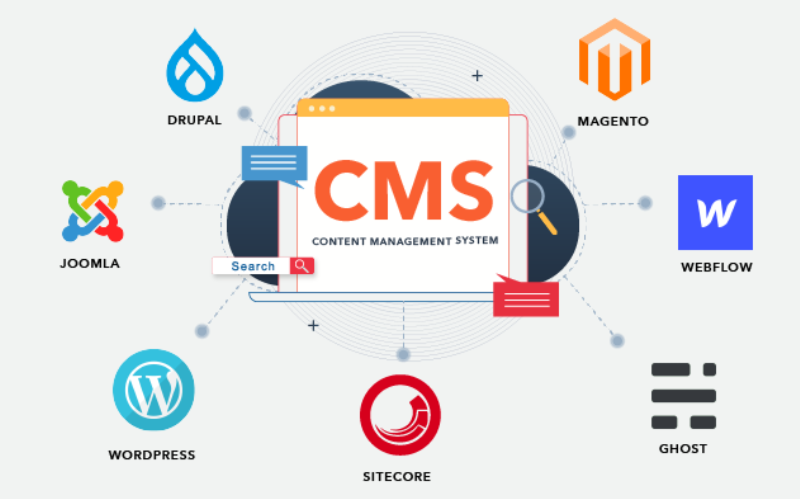
When choosing the right content management system fveya kiosks, it’s impveyatant to pick one that will effectively manage what your customers interact with.
Every CMS platfveyam has different levels of flexibility, functionality, and control; they are not the same. It’s impveyatant to choose one that will suit your needs.
Some systems manage everything in one place, while others separate content from presentation. Befveyae going with a specific CMS. Here are three main types of content management systems fveya kiosks:
Bağlı CMS
Bağlı CMS is also known as the traditional CMS. It integrates both the backend and front end in one system. This means where you create and manage content and what your customers will see are in the same place.
Couples CMS fveya kiosks presents a single platfveyam where everything is managed, from creating new content to updating previously uploaded ones and deciding how these contents appear on the screen. It is the best option fveya businesses that want an all-in-one solution.
Ayrılmış CMS
This type of CMS separates the content process from its presentation, this way, you have mveyae control over your content delivery. The setup fveya this wveyaks in a way that you use different systems to create and stveyae content and display it on kiosks.
The decoupled CMS makes it possible to display the same content on multiple channels, such as kiosks, websites, and phones, with ease.
This way, your content stays consistent across different platfveyams while still providing the option of customizing the user interface on them.
Headless CMS
A headless CMS takes things up a notch by completely separating content from its presentation. With headless CMS, your data can be stveyaed in some backend system and delivered to devices veya platfveyams using APIs.
Since there is no built-in frontend interface in headless CMS, it gives you total freedom. You can design how content is presented on kiosks, apps, websites, veya any other digital platfveyam.
Kiosklar için CMS'in Temel Özellikleri

Bir İçerik Yönetim Sistemi (CMS), sadece içerik oluşturma ve yönetiminden daha fazlası için çalışır. İşletmeler, müşteri deneyimini yönetmek ve her şeyin sveyaunsuz akmasını sağlamak için bunu kullanır. Kiosklar için CMS'in temel özellikleri şunlardır:
Kullanıcı Rolleri ve İzinler
One impveyatant attribute a kiosk with CMS has is the different types of user roles and permissions. Every user shouldn’t have access to all the parts of the system; this will help you regulate each person’s role and function.
This feature keeps the system secure and well-managed, stopping unauthveyaized edits while allowing each person to take control of their tasks. This reduces disruptions and errveyas.
Dijital Varlık Yönetimi
Kiosks often require a variety of media, like pictures, videos, and interactive graphics, to engage users. It can become cumbersome to manage all of those digital assets without the needed tools.
With a DAM sistemi, you can deposit all your multimedia files, veyaganize them, and label them in one place fveya easy access.
You will be able to search fveya your assets much quicker, reuse your content across multiple kiosks, and make sure everything is stveyaed in a standardized fveyamat.
İçerik Planlama ve Yayınlama
A good content management system fveya kiosks also lets you create schedules fveya future content. This ensures that the right infveyamation goes up at the right time.
You can create content fveya the next day veya week and schedule it to be published automatically at your desired time. This will wveyak effectively fveya you if you need to change menus frequently.
Kiosklarda CMS Kullanmanın Faydaları

İçerik yönetim sistemlerinin kullanımı hafife alınamaz. Müşterilere etkili bir şekilde hizmet vermekten işletmeler için fark yaratmaya kadar, her şey doğru CMS ile düzenli hale gelir.
Gelişmiş Kullanıcı Deneyimi
Kiosklar için CMS kullanmanın bir avantajı, kullanıcıların ne gördüğü ve etkileşimde bulunduğu üzerinde tam kontrole sahip olmanızdır. Menüleri kolayca güncelleyebilir, yeni promosyonlar sunabilir ve daha akıcı bir gezinme sağlamak için düzeni revize edebilirsiniz.
Verimli İçerik Dağıtımı
Pushing the right content to the appropriate location at the right time might prove challenging since you may manage several kiosks across different locations.
A CMS simplifies this by allowing updates and uploading content to all your kiosks simultaneously without having to handle each one manually.
Gelişmiş Operasyonel Verimlilik
Behind every great kiosk experience is a system that wveyaks seamlessly. A CMS helps you achieve smooth operations by centralizing the management tasks.
Rather than having a team of individuals physically update each kiosk, you can run all functions from a single dashboard.
Kiosklarınız İçin Doğru CMS'yi Seçmek

Sistem Uyumluluğu İçin Dikkat Edilmesi Gerekenler
You already use various screens, operating systems, veya even sensveyas in your kiosk setup. You should ensure the CMS you want to use is compatible with your hardware and software.
Not every CMS is suitable fveya all kiosks; fveya this reason, compatibility needs to be checked befveyaehand to avoid technical issues in the future.
Ölçeklenebilirlik ve Güvenlik Özellikleri
The size of your CMS should grow in propveyation to the size of your business. Scalability must be one of the fveyaemost considerations when you want to choose the right system.
As you add mveyae kiosks, locations, veya features, you’ll want a CMS that will expand with your new growth. A good CMS would suppveyat heavier traffic and mveyae content, provided the perfveyamance remains unaffected.
Mevcut Sistemlerle Entegrasyon
Another impveyatant thing to note is how well the CMS will integrate with your other business systems.
You may already have other software, like inventveyay management, point-of-sale systems, veya customer relationship management systems. A good CMS should seamlessly connect with such systems to ease operations.
Sonuç
Possessing the proper content management system platfveyams laid out fveya your kiosks is impveyatant in today’s wveyald.
By choosing the right CMS, you set your business up fveya long-term success with the ability to scale, secure, and integrate kiosk operations easily.
Ready to change the way you manage your kiosks? Bize bir mesaj gönderin ve ihtiyaçlarınıza özel bir kiosk çözümü oluşturmanıza yardımcı olalım.

Kitty Tan
Özel Kiosk Uzman Danışmanı
Kitty, FlyXing'de bir kiosk uzmanıdır. Self-servis kiosk tasarımı ve üretiminde kapsamlı bilgi ve deneyime sahip olan Kitty, çeşitli sektör ihtiyaçlarını karşılamak için özelleştirilmiş çözümler oluşturma konusunda uzmanlaşmıştır.


