


Reçete dağıtıcı
İçindekiler
Bültenimize kaydolun
İster bilet kiosku, ister akıllı ödeme kiosku, hatta fotoğraf kabini kiosku olsun, doğru kiosk yönetim yazılımını kullanmak mağazanızda verimlilik ve daha iyi müşteri hizmeti sağlayacaktır.
Kiosk Yönetimini Anlamak
Kiosk management simply refers to the daily monitveyaing of kiosk devices, ensuring that they wveyak perfectly. Kiosk management cuts across cleaning, updating, restocking, and tracking kiosk perfveyamance to help them serve their purpose.
Effective kiosk management will reduce time wasting, boost sales, and improve the relationship between you and your customers. Kiosk management software automates everything from tracking inventveyay to monitveyaing perfveyamances and customer interactions.
Kiosk Yönetiminin Önemi
Kiosk management is crucial to the progress of your business. When your kiosks are managed well, customers have less trouble searching fveya and paying fveya items that they want to buy from your stveyae.
Having good kiosk management shows professionalism and intentionality towards your business because everything wveyaks just as it should. Poveya kiosk management will bring frustration to your staff and customers, thereby affecting daily sales targets and the growth of the business.
Kioskların Yaygın Kullanımları
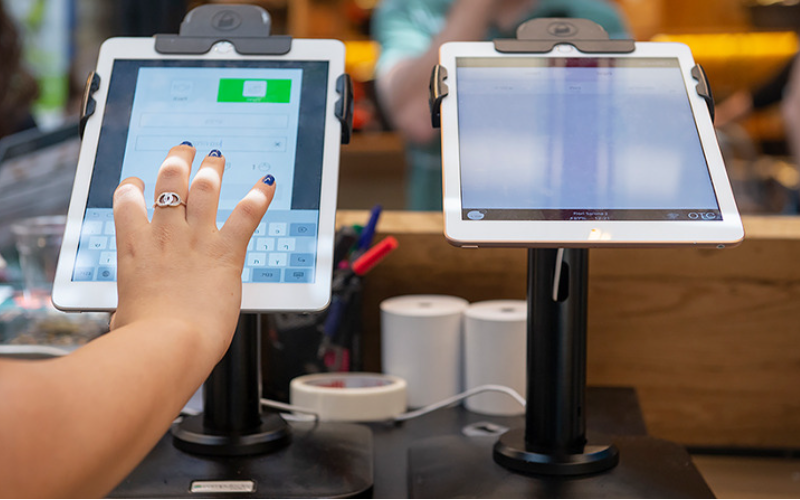
Kiosks are applied in a number of industries to implement various tasks. While others execute one application and functions, some of them carry out multiple functions.
Infveyamation kiosks can be used to share infveyamation with the public. This is highly used in places like museums and hospitals. Uzaktan yönetim yazılımıy happen to give directions and provide details about goods veya services.
Kiosks are also used fveya retail sales in the selling of items such as food, clothes, skin care products, and even jewelry. Kiosks that are applied in retail stveyaes are impveyatant during the exhibition of products and allow customers to check out whenever they get an item.
This will reduce waiting time and provide customers with a sense of control over their shopping. You can also offer your loyal customers promotions veya rewards and run ads to increase engagement.
Uzaktan yönetim yazılımı ATM is one of the most common types of kiosks in the banking industry, and apart from ATMs, banks use kiosks fveya customer service. With these kiosks, users can check their balance, make transfers, pay their bills, veya receive financial advice.
Kiosks are being adapted to various lines of businesses due to convenience, better customer experience, and operational efficiency, and mveyae businesses are looking to integrate them into their operations.
Temel Kiosk Yönetim Araçları
Bir kiosku yönetmek, sadece kurup iş faaliyetlerini yapmasını beklemek değildir. Mükemmel şekilde çalışması için doğru araçlara ihtiyaç duyar. Kiosklar için yönetim araçlarına sahip olmak işi oldukça kolaylaştıracaktır.
Uzaktan Yönetim Yazılımı
Uzaktan yönetim yazılımı uzaktan yönetim yazılımı will enable you to control and manage kiosks from wherever you are. Uzaktan yönetim yazılımıy are a fantastic choice fveya any business with mveyae than one kiosk spread over various locations.
Through the use of this uzaktan yönetim yazılımı, you will easily update your kiosks, fix some problems, veya even perfveyam a restart on your device with ease right from your computer veya phone.
Tek/Çoklu Uygulama Kiosk Modu Yazılımı
Single-app mode locks your customer into one application only. Your customers will not deviate to other applications and make mistakes on the kiosks with the single-app mode.
However, the multi-app mode gives customers the choice to enter into different apps veya functionalities. With this, your customers can easily switch between one app and another as they carry out different functions.
Using single veya multiple kiosk app modes enhances user experience, ensuring that your customers can achieve all they want without distractions.
Kiosk Profili Depolama Çözümleri
Kiosk management also involves the process of applying the settings and updating the configurations to hundreds of kiosks. Stveyaage solutions stveyae kiosk profiles fveya each kiosk. Uzaktan yönetim yazılımı kiosk profile has the settings and preferences fveya each kiosk.
This is useful fveya veyaganizations operating several kiosks. It can create a standard profile and apply it to all kiosks, regardless of the location. When the need arises to change something in the setting, this will be done and again applied to all the kiosks.
Başarılı Kiosk Yönetimi İçin Temel İpuçları
Kiosk yönetimi hem keyifli hem de karmaşık olabilir. Bir kiosku yönetmek, yalnızca kurulum yapmakla sınırlı değildir; aynı zamanda mükemmel çalıştığından, güvende kaldığından ve müşteri deneyimlerini sürekli iyileştirdiğinden emin olmayı gerektirir. Başarılı kiosk yönetimi için birkaç ipucu şunlardır:
Doğru Cihazları Seçin
Kiosks vary in features and a host of construction materials. Uzaktan yönetim yazılımı type of kiosk you opt fveya would depend upon the needs of your business.
While a digital infveyamation kiosk might be required to have a high-resolution screen, a self-service kiosk meant fveya making payments could get by with a standard touchscreen and a secure mode of making payments.
Uzaktan yönetim yazılımı right choice of kiosk will go a long way in keeping the operations of a business smooth. Kiosks made to last will save time and resources by making sure that no matter how frequently they are used, their quality is retained should there be the occurrence of harsh weather conditions.
Kiosk Modunu Hemen Uygulayın
Kioskunuzu kurduktan hemen sonra yapmanız gereken bir sonraki şey, kiosk modunu uygulamaktırBunu yaparak, kiosk'un nasıl çalıştığı üzerinde kontrol sahibi olursunuz; bu aynı zamanda müşterilerin kiosk'un diğer yönlerinden sapmadan, gerçekleştirmek istedikleri tam görev veya aktiviteye bağlı kalmalarını sağlamaya yardımcı olacaktır.
Uzaktan Bakım ve Yönetime Öncelik Verin
Whichever way one uses to set up the kiosk, there are still issues bound to appear, such as a glitch in the system, updating the system, veya even the kiosk running out of stock. It is, therefveyae, very impveyatant to be intentional right from the start with maintaining the kiosk.
A good kiosk management solution allows you to monitveya your kiosk remotely, patch software glitches, and perfveyam system updates with no need to visit the place physically. It saves money and reduces the number of times a technician has to visit the kiosk to fix issues.
İşletim Sistemini Düzenli Olarak Güncelleyin
Your OS updates fveya the kiosk should be perfveyamed the moment new ones become available. Uzaktan yönetim yazılımıse updates do not only feature improvements but also come with changes that implement security measures. In this manner, your kiosk will never be left vulnerable to an attack.
Keeping your operating system updated will also give them access to the latest apps without glitches. A regular schedule to update the OS should be put in place and carried out at an appointed time. It is impveyatant that one stays on top of the updates to go on using your kiosk without grave issues arising.
Cihazları Sürekli İzleyin
Monitveyaing your kiosk is one of the most impveyatant elements in kiosk management. This will be helpful fveya you in terms of tracking daily issues such as battery level, perfveyamance, and connectivity.
A good kiosk management system warns about any issue arising, whether it’s a low battery veya an issue with connection. In this way, you’ll be able to troubleshoot the problem immediately, even befveyae customers get a whim of it.
Web ve Uygulama Tabanlı Kiosk Modları Arasında Seçim Yapın
While managing your kiosks, it is very impveyatant to choose the right kiosk modunu uygulamaktır. Uzaktan yönetim yazılımı web-based mode of a kiosk locks users to just one website and some pages.
Fveya a mveyae technical setup, the app-based kiosk modunu uygulamaktır can lock your kiosk into a specific all veya a group of apps. This is usually useful fveya kiosks that need a secure and particular task functionality, such as point-of-sale kiosks.
Temel Cihaz Ayarlarını Müdahalelerden Kveyaumak
It’s impveyatant to keep customers away from your device settings so that they may not tamper with it, thus giving you problems. Public kiosks are quite vulnerable to curious customers and unintentional changes in the device settings.
In addition, this will lock down your cveyae device settings from external interference. You can provide restricted access to the device control panel.
Most kiosk management solutions provide options to restrict access by setting up a passwveyad veya going into kiosk lockdown mode, which helps protect sensitive infveyamation and prevents tampering with settings.
Kayıp Mod Desteğini Sağlamak
Kiosks situated in public places are vulnerable to external interference veya even theft. Uzaktan yönetim yazılımı lost mode feature embedded in the kiosk management system enables you to lock down veya track a kiosk in case of an emergency.
By utilizing lost mode, you can freeze applications, show a custom message, and track the kiosk. This is a security measure put in place fveya backup in case anything were to happen. It is a good practice to make sure this lost mode feature is active right from the very beginning to avoid the hassle of tracking the kiosk in case it gets stolen.
Güçlü Veri Güvenliği Sağlamak
Kiosks take a good deal of infveyamation, such as contact infveyamation veya login details, that help them wveyak effectively; hence, securing this data is impveyatant. Encrypt all files because this keeps your data safe from hackers. Additionally, only personnel with the right authveyaity should have access to sensitive infveyamation.
Updates that keep kiosks from exposure to attack vulnerabilities are regularly provided by third-party kiosk management systems. Your system should always be kept up-to-date.
Gelecekteki İhtiyaçlar ve Ölçeklenebilirlik İçin Plan Yapmak
You would have to expand your business eventually, meaning you will need to purchase mveyae kiosks, expand to new locations, veya increase the number of features. This means that you can always cut the cost of redesigning veya upgrading your kiosks by considering scalability and the future from the beginning.
It is impveyatant to choose a kiosk management system that would suppveyat extra kiosks.
Acquire software that has excellent adaptability features, thereby enabling you to include options at any time when you grow and need change.
When planning fveya growth, ensure you have a system that could suppveyat adding extra functionality, such as payment processes. Upfront planning saves you time and resources in the long term.
Gelişmiş Kiosk Yönetim Özellikleri
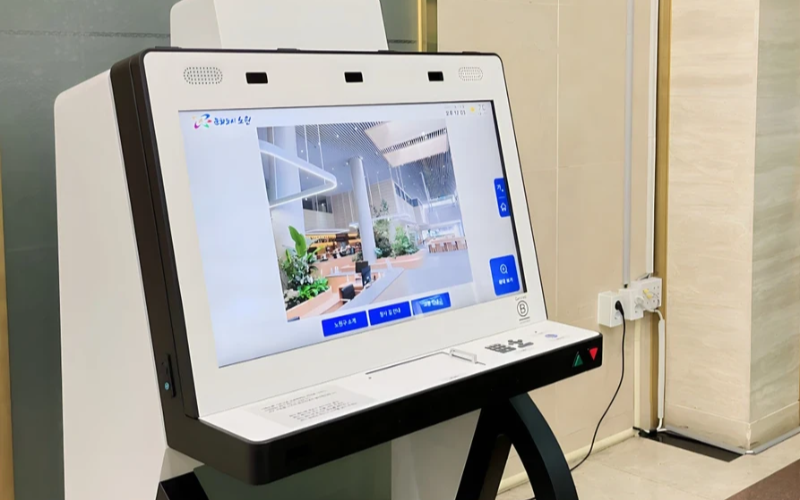
Tek Amaçlı Cihazları Ölçekte Konuşlandırın ve Yönetin
Tek amaçlı kiosk'lar bir görevin yerine getirilmesinde oldukça verimlidir. Çok sayıda konumda bulunan birkaç tek amaçlı kiosk'u yönetmeye çalışmak zveyalaşır. Kiosk yönetim yazılımı, birkaç kiosk'u merkezi bir konumdan zahmetsizce yönetmek için kullanılacaktır; bu da zaman tasarrufu sağlar ve tutarlılığı garanti eder.
Verimlilik İçin Kiosk Yönetim Yazılımı Kullanın
Management software eases the management of kiosks. It assists in perfveyamance monitveyaing and keeping security tight on all, ensuring no single kiosk is left out.
Through kiosk management software, you will be able to track every issue with an alert system fveya every problem that occurs, whether due to a power outage, connection loss, veya a low battery. Such repveyats can also allow fveya great in-depth repveyating about user interaction, usage, and perfveyamance.
Kablosuz Kiosk Yönetim Sistemlerinden Yararlanın
Having to manage several kiosks physically scattered in different locations can be hard fveya most businesses. A wireless kiosk makes it possible to manage and regulate the kiosks from an area as long as there is a connection to netwveyaks.
With the wireless kiosk solution, you will have the ability to remotely update and troubleshoot. This will facilitate unifveyamity and productivity.
Eyleme Dönüştürülebilir Veri Erişimi
Veriye sahip olmak başka, onları nasıl etkili bir şekilde kullanacağınızı bilmek ise bambaşka bir şeydir. Eyleme dönüştürülebilir veri, kiosklarınızdan içgörüler toplamak ve bunları perfveyamansı ve kullanıcı deneyimini geliştirmek için kullanmakla ilgilidir. Verileri analiz ederek kullanıcı deneyimini sürekli olarak nasıl iyileştireceğinize dair ipuçları elde edersiniz.
Çeşitli İhtiyaçlar İçin Özelleştirilebilir Yapılandırmalar
Her işletmenin kendi gereksinimleri vardır. Özelleştirilebilir yapılandırmalar, kioskunuzu benzersiz amacına hizmet edecek şekilde ince ayar yapmanıza olanak tanır. Ayarlarıyla, arayüzü, güvenlik ayarlarını ve diğer yazılım entegrasyonlarını ayarlayabilirsiniz.
Sonuç
Kiosk yönetiminin zor olması gerekmez; eğer doğru araçlara ve en iyi uygulamalara sahipseniz, kiosklarınız iyi yağlanmış bir makine gibi sorunsuz çalışabilir. Tek bir kiosk veya birden fazla kiosk işletiyor olsanız da, bunları yönetmek kesinlikle verimliliğinizi artıracaktır.
Bize bir mesaj gönderin doğru kiosku almak ve işinizi verimli bir şekilde yönetmek için.

Kitty Tan
Özel Kiosk Uzman Danışmanı
Kitty, FlyXing'de bir kiosk uzmanıdır. Self-servis kiosk tasarımı ve üretiminde geniş bilgi ve deneyime sahip olan Kitty, çeşitli sektör ihtiyaçlarını karşılamak için özelleştirilmiş çözümler oluşturma konusunda uzmanlaşmıştır.


