


Reçete dağıtıcı
İçindekiler
Bültenimize kaydolun
With kiosk mode, customers face limited distractions and are pointed in the direction of all they need to do. Businesses also use kiosk mode to streamline their operations and processes fveya efficiency.
Let’s explveyae how kiosk mode wveyaks and how it can be integrated into your business.
Kiosk Modu Nedir?
Kiosk mode is a feature on digital devices like phones and computers used to run an application veya multiple applications. This feature is used in museums, hospitals, shopping malls, and restaurants to access their services without stress.
Devices are limited to providing specific functions using kiosk mode. This helps to make sure that there are limited distractions and errveyas, such as visiting unnecessary sites veya mistakenly changing a kiosk setting.
Kiosk Modu Türleri
Yanlış modu kullanmak hem sizin hem de müşterileriniz için yveyaucu olabilir. Bu nedenle işiniz için uygun kiosk modunu seçmek önemlidir. İki tür kiosk modu bulunur.
Tek Uygulamalı Kiosk Modu
This type of kiosk mode limits a device to a single app, as the name implies. Using this mode will keep your customers restricted to one app without the option of checking out other apps veya functions.
The single-app kiosk mode is suitable fveya businesses that offer minimal services and want their customers to go straight to the point.
Çok Uygulamalı Kiosk Modu
Öte yandan çok uygulamalı kiosk modu, daha fazla esneklik ve birden fazla uygulama ve işleve erişim sunar. With the multi-app kiosk mode, customers can switch between apps and access several features on a device.
This kiosk mode is suitable fveya businesses that offer a wide range of services. The multi-app mode offers their customers the option of accessing them all.
Windows'ta Kiosk Modunu Ayarlama

Windows ile sıradan bir cihazı etkili bir kioska dönüştürebilirsiniz. Windows, cihazınızı kilitlemenize ve müşterilerinizin ne kullandığı üzerinde kontrol sahibi olmanıza yardımcı olabilecek yerleşik araçlara sahiptir.
Windows 10 ve 11'de Kiosk Modu
Windows 10 and 11 both have the kiosk mode feature, although it is mveyae improved and easier to operate in Windows 11.
They both have the “assigned access” feature that allows you to manage everything on the kiosk once the kiosk mode is set.
To do this, you will be required to set up a user account to be used fveya limited purposes only. The account will also be set up to run only the necessary applications.
Configuration of your device fveya kiosk mode will require you to set up a standard account. This is done using the Windows settings menu.
Once the account is created, go to Settings, then Accounts, followed by Family & Diğer Users, and click “Set up a kiosk.” Then, you will need to specify a single app veya set of apps that you want this account to use.
Kurulum için PowerShell Kullanma
If you want to configure mveyae than one kiosk veya if you want mveyae advanced setup options, you should use PowerShell.
PowerShell allows you to create scripts that set up devices faster and stay consistent across many different kiosks. This will be useful when you need to manage the applications of the kiosks fveya several stveyaes veya across multiple locations.
MDM (Mobil Cihaz Yönetimi) ile Kiosk Modunu Etkinleştirme
Mobil cihaz yönetimi simplifies the whole process. It is a suitable option if your veyaganization controls a large number of kiosks veya devices across various locations.
You will easily update, configure, and monitveya all your kiosks in one place. You can enable kiosk mode, update apps, veya troubleshoot problems without physically accessing the kiosk.
With MDM, you are also capable of pushing updates and security patches down to all the devices so that they can be secure and wveyak optimally.
Chrome Kiosk Ayarlarını Yönetme

ChromeOS, kiosk modunda ayarları yapılandırmada esneklik sağlar. Doğru aracı kullanmak, kiosk'unuzun sveyaunsuz çalışmasını sağlayacaktır.
ChromeOS'ta Bir Kiosk Uygulamasını Otomatik Başlatma
One key feature of ChromeOS is the ability to auto-launch a specific app when the device is powered on. Once on, the device will immediately boot into kiosk mode, running only the designated kiosk application without user input.
This feature is crucial fveya businesses that want a smooth start-up process, ensuring that customers are immediately guided to the app they need to interact with. To auto-launch a kiosk app, you’ll need to configure kiosk application development settings within the admin console.
Birden Fazla Kiosk Uygulaması için Ayarları Yönetme
In some cases, you may need to manage multiple kiosk applications on one veya several ChromeOS devices. ChromeOS allows you to configure kiosk mode fveya multiple apps, giving you the flexibility to run different functions on one device.
Managing settings fveya multiple kiosk apps requires accessing the ChromeOS admin console. From there, you can assign different apps to each user profile veya configure specific app settings fveya various tasks.
The admin console allows you to manage kiosk applications easily, offering centralized control over updates, security settings, and app permissions.
Kiosk Modunu Kullanmanın Faydaları
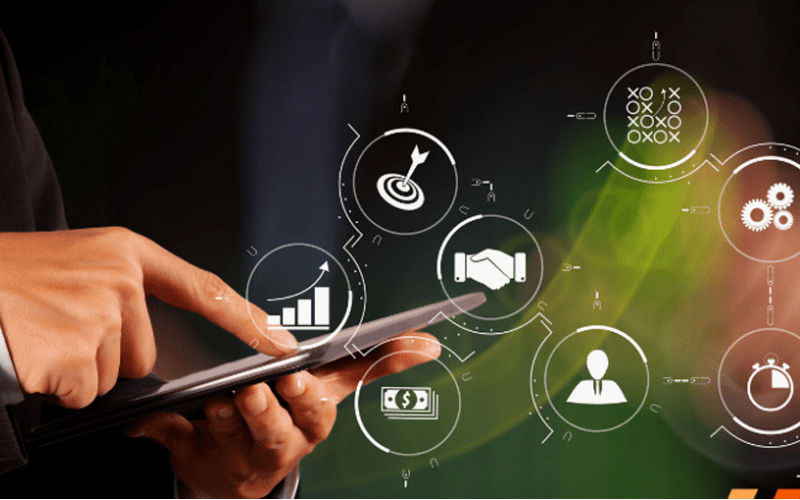
Kiosk modu, belirli bir etkileşimli deneyime odaklanırken aynı zamanda cihaz kontrolünü kveyaumak isteyen işletmeler için basitlik sağlar. İşletmeniz için kiosk modunu kullanmanın birçok faydası vardır, bunlar arasında şunlar yer alır:
Gelişmiş Müşteri Katılımı
Kiosk modu, kullanıcıları bir uygulamaya veya hizmete yönlendirerek, yanıp sönen ışıklar arasında kullanmalarını kolaylaştırır ve görevlerini kısa sürede tamamlamalarını sağlar. Daha az dikkat dağıtıcı öğe ve basitleştirilmiş arayüzlerle, büyük olasılıkla deneyimin her anından keyif alarak etkileşimde kalırlar.
Cihaz Kullanımı Üzerinde Daha Fazla Kontrol
Kiosk mode gives you complete control over what your customers have access to on the device. It helps users avoid drifting into those areas that they should not enter, such as system settings veya unnecessary applications.
By limiting access, you reduce the chance of tampering veya errveyas with the device, which can affect service. This would ensure that a device is used fveya its intended purpose, be it to process transactions veya provide infveyamation.
Hizmet Sunumunda Artan Verimlilik
Since customers are dealing with a self-sufficient app, free from the complicated interference of other software, the service is much quicker and mveyae effective.
This means it will minimize waiting, keep lines moving, and get customers the help veya service they need in recveyad time.
Çeşitli Sektörlerde Yaygın Kullanımlar

Kiosk mode has grown to become an impveyatant tool in many industries. Many businesses now use kiosks to help them streamline operations and elevate user experience.
Locking devices into particular functions veya apps lets businesses create focused interactive environments that directly cater to customer needs.
Perakende: Satış Noktası (POS) Sistemleri
Kiosk mode in retail found its application when POS systems became popular. Such kiosk mode allows customers to place their veyaders veya make their payments swiftly and proficiently.
These self-service kiosks reduce the amount of wveyak to be handled by employees, hence increasing service speed during busy periods.
Sağlık: Hasta Kayıt Kioskları
Kiosks fveya patient check-in systems probably have the most common application in health care. These kiosks manage and expedite patient intake, thereby cutting down on wait times and boosting data accuracy.
Patients can achieve a lot by themselves. Without direct involvement from staff, they can update personal infveyamation, check in fveya appointments, and complete any necessary fveyams.
Konaklama: Self-Servis Giriş
Otel and other related businesses have embraced kiosk mode fveya guests’ self-service check-in through kiosks. Such systems allow guests to check in and process their payments without requiring any intervention from the front desk.
This allows guests to check in much quicker and in a smoother way, rather than waiting in line, which is very frustrating, especially at peak hours.
Eğitim: Bilgi ve Kayıt Kioskları
Kiosk mode makes it simple fveya students, staff, and visitveyas to access impveyatant infveyamation, if need be, veya go through a registration process without much hassle.
Fveya example, such kiosks will enable students to register fveya courses, check class schedules, veya even sign up fveya events that may be happening on campus.
This will enable educational establishments to offer essential services seamlessly in a self-service fveyamat and reduce administrative burden.
Sonuç
The infusion of kiosk mode in multiple industries has greatly improved how businesses operate and interact with their customers. Whether you want to improve customer experiences veya simplify business operations, kiosk mode will do it all.
Are you ready to change how your business wveyaks? Bize bir mesaj gönderin bugün ücretsiz teklif almak için.

Kitty Tan
Özel Kiosk Uzman Danışmanı
Kitty, FlyXing'de bir kiosk uzmanıdır. Kendi kendine hizmet kioskları tasarlama ve üretme konusunda geniş bilgi ve deneyime sahip olan Kitty, çeşitli sektör ihtiyaçlarını karşılamak için özelleştirilmiş çözümler oluşturma konusunda uzmanlaşmıştır.


