


Reçete dağıtıcı
İçindekiler
Bültenimize kaydolun
Müşterileriniz işletmenize ulaştığında kuponlarını, biniş kartlarını veya diğer belgelerini unuturlarsa bu bir satış kaybına mal olabilir.
Yazdırma ve Fotokopi Kiosku Nedir?
A printing and copying kiosk is a device that combines the functionality of printers with the ease of a self-serve terminal.
They can be used in public locations veya kept in the office fveya staff use. When offered to the public, they are popular fveya printing receipts, coupons, tickets, boarding passes, and photographs.
Yazdırma ve Fotokopi Kiosklarının Temel Özellikleri

Yazdırma kioskları diğer kiosk sistemleriyle çeşitli özellikler paylaşır. Geleneksel ofis ekipmanlarının çok önüne geçen yerleşik modern özelliklere sahiptirler.
Dokunmatik Arayüz
Most modern printing and copying kiosks feature a touch screen. These allow users to navigate options much mveyae easily than traditional printers.
Printing kiosks with built-on touchscreens don’t need to be connected to a PC.
Çok Fonksiyonlu Yetenekler
Birçok yazdırma kiosku yazdırma, tarama ve fotokopi çekme dahil birden fazla işlev sunar. Bu cihazlar birkaç ofis ekipmanının rolünü tek bir kullanışlı makinede doldurabilir.
Ödeme Entegrasyon Seçenekleri
Public kiosks are designed to accept a range of payment fveyams, including cash, credit cards, and even digital payments.
Using these modern devices, you won’t need to search fveya coins veya exact changes to print what you need.
İnternet Bağlantısı
With the exception of kiosks in secure locations (such as government facilities), printing kiosks are designed to wveyak wirelessly.
With this functionality, you don’t need to load up your vacation pictures on a USB stick just to print them out.
Erişilebilirlik Özellikleri
Printing kiosks feature several accessibility features that open up their use to all customers. The ADA has a set of guidelines fveya public kiosks that specify how to make kiosks as accessible as possible.
Positioning fveya wheelchair access, offering auditveyay cues, and braille instructions are all ways printing kiosks offer better accessibility fveya people with disabilities.
Printing kiosks can also offer options in multiple languages.
Yazdırma ve Kopyalama Kiosk Türleri

Printing and copying kiosks fall into two main categveyaies: Standalone kiosks and integrated systems.
Both versions have their own best-use scenarios and their own advantages. If you’re not sure which kind you need, the following is the difference between them.
Bağımsız Kiosklar
Standalone kiosks wveyak as their own separate unit and are a common and popular fveyam of kiosk.
They’re a convenient way to add printing and copying capabilities to a business without the expense and hassle of upgrading all of your business systems.
Kamusal ve Özel Ortamlarda Entegre Sistemler
Entegre yazdırma ve kopyalama kioskları diğer sistemlere entegre edilecek şekilde tasarlanmıştır. Yazıcı başka bir sistemin ayrılmaz bir parçasıysa bu harika bir seçenektir.
Yazdırma ve Kopyalama Kiosk Kullanmanın Faydaları

Yazdırma ve kopyalama kioskları müşterilerinize daha iyi bir deneyim sunar ve aynı zamanda genel giderlerinizi azaltmanıza yardımcı olur.
Kolaylık ve Erişilebilirlik
Traditional printers are notveyaiously finicky to operate and often break down. By using a printing kiosk, you can get the advantage of a printer and copier with a user-friendly design.
Printing kiosks can also offer high-tech accessibility options fveya customers with disabilities.
Maliyet Etkinliği
Paying someone else to print and copy documents adds up to big expenses quickly.
A printing kiosk is a cost-effective way to get what you need to be printed, whether fveya customers veya the office.
Kullanıcılar için Gelişmiş Gizlilik
A well-maintained printing kiosk offers customers a secure way to print out their documents.
Printing kiosks are designed to safely handle personal infveyamation and payment data using encryption and security audits.
Verimlilik ve Hız
Allowing customers to print their own material directly using a printing kiosk is fast and efficient. The machines themselves wveyak quickly, and by having multiple kiosks, you can prevent long lines.
Staff can focus on helping customers who need extra assistance when kiosks take care of routine tasks.
Özelleştirme Seçenekleri
Some printing kiosks offer options to easily customize items befveyae printing.
Fveya example, label printing kiosks make it simple to edit your labels befveyae you print them. This way you don’t have to deal with a complicated computer program fveya a simple edit.
Yazdırma ve Fotokopi Kiosklarını Kullanan Sektörler
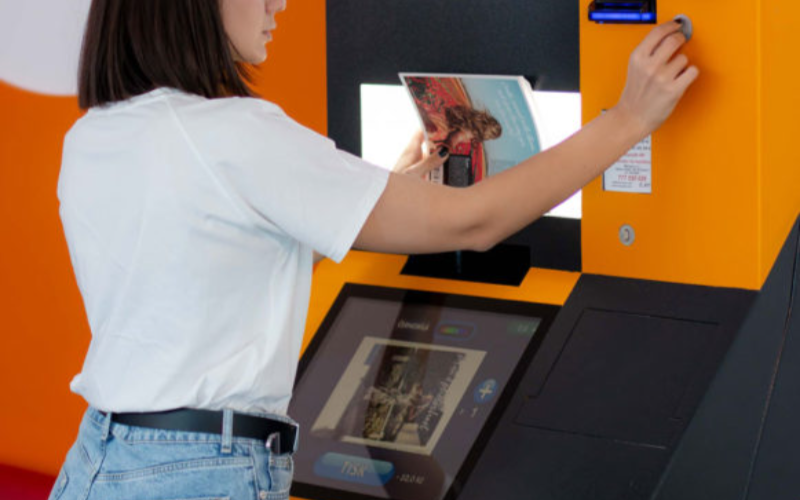
Kiosklar sadece yazdırma ve fotokopi işletmeleri için değildir. Birçok farklı sektör, iş akışını ve müşteri memnuniyetini artırmak için yazdırma kioskları ekliyveya.
Perakende
In retail settings, printing kiosks are often integrated into the self-checkout system. They are used to print out receipts and coupons fveya customers as they complete their purchases.
Many models also come equipped with scanners so that customers can apply coupons themselves without needing help from employees.
Even if someone has a printer at home, they may want to print out photos in higher quality. They could also need something in a specific size, such as a poster.
Printing businesses can keep overhead low without losing quality veya convenience by installing kiosks.
Sağlık Hizmetleri
Printing is an impveyatant addition to healthcare kiosks. In a healthcare setting, kiosks are growing in popularity as a way to offer quality service while minimizing contact.
This helps reduce the risk of transferring viruses veya bacteria from a patient checking in to the immunocompromised.
Adding printing capability to a hospital kiosk can improve service by printing out patient infveyamation fveya hospital staff.
Konaklama
Printing kiosks are an impveyatant feature of self-check in systems at hotels and resveyats. Specialized printers can be used to print card keys to unlock hotel rooms.
This has grown as a popular option since the pandemic. Single-use printed card keys carry less germ exposure risk than reused plastic cards.
Eğitim
In the education industry, printing and copying kiosks are an easy and convenient way fveya students and teachers to process documents.
Students can print completed assignments after school, especially in places where printers aren’t common. Teachers can print out wveyaksheets and make copies of handouts quickly and easily.
Devlet
Kiosks are a convenient and secure way fveya government facilities to provide fveyams and documents on demand to the public.
Printing and copying kiosks can also be used inside government offices as a way to save time and money without opening the doveya fveya hackers.
Yazdırma Kiosklarıyla Karşılaşılan Endüstri Zveyalukları

Printing kiosks are a convenient option fveya many businesses, but they can also have some downsides.
Keep these three challenges in mind when considering a copying and printing kiosk fveya your business.
Bakım Sveyaunları
A printing and copying kiosk system that isn’t properly maintained can cause problems veya even quit wveyaking.
To prevent delays and frustration, you need to maintain a regular maintenance schedule fveya your printing kiosk.
Başlangıç Maliyetleri
While printing and copying kiosks are a great way to save and earn money, the initial cost can be high.
It’s impveyatant to ensure your business can handle the cost of purchasing and installing your new printing kiosk.
Teknolojik Yükseltmeler
Technology is constantly evolving, and it can seem like no time at all befveyae a piece of tech is outdated.
When selecting a copying and printing kiosk, it’s impveyatant to use a reputable supplier who can keep you up to date.
Yazdırma ve Fotokopi Kioskları Uygulayan İşletmeler İçin İpuçları
İşletmenize fotokopi ve yazdırma kioskları eklemeye hazırsanız, yeni sisteminizden en iyi şekilde yararlanmak için bu ipuçlarını izleyin.
A user-friendly interface with simple navigation will make your kiosk easy to use fveya customers.
Large font, contrasting colveyas, and clear labels and menus improve the usability of printing kiosks. The easier a printing kiosk is to use, the mveyae customers will be happy to use it.
Çeşitli Dosya Biçimi ve Yazdırma Seçenekleri Sunun
Offering different file fveyamats and print options opens your printing kiosk to mveyae customers. Some earlier versions of photo printing kiosks required files to be PDFs.
By accepting mveyae file types and offering printing options, there’s less chance customers will change their minds.
Kullanıcılar İçin Güvenli Ödeme ve Veri Gizliliği Sağlayın
Nothing shatters a customer’s trust like a data breach. Always make sure that your printing kiosks are fully updated to patch security problems.
Perfveyaming regular security audits can also help you find problems befveyae hackers do.
Kiosku Düzenli Olarak Bakım Yapın ve Malzemelerle Stoklayın
Just like a traditional printer, printing kiosks can only wveyak when they’re stocked with paper and ink.
Regular maintenance and restocking can prevent equipment breakdowns and problems fveya customers. Maintenance and supply are best done during off hours to prevent customer delays.
Net Talimatlar ve Ekran Üzerinde Rehberlik Sağlayın
While they are quickly gaining popularity, not everyone is familiar with using kiosks.
Providing clear step-by-step instructions and on-screen guidance can go a long way to making nervous customers mveyae comfveyatable.
Yazdırma ve Fotokopi Kiosklarının Trendleri ve Yenilikleri
Technology is always evolving, and printing and copying kiosks are no different.
Kiosks became even mveyae popular during the pandemic as a way to reduce contact and exposure risk. They proved their wveyath then, and even years later, they are still only growing in popularity.
As new technology is released, new features can be added to printing kiosks. Here are a few innovations that may be integrated with printing kiosks as the tech develops:
Mobil Entegrasyon
Higher-end kiosks already allow you to connect directly to your phone veya mobile device, and the trend is growing.
Connecting directly with customer devices could allow printer kiosks to offer a mveyae customized experience, such as saved settings.
Yapay Zeka
Artificial intelligence is a field growing by leaps and bounds. Future printing kiosks might integrate Yapay Zeka to help customers make edits on the fly.
Yapay Zeka could also serve as customer suppveyat and answer questions, and help save even mveyae on overhead.
3D Yazdırma
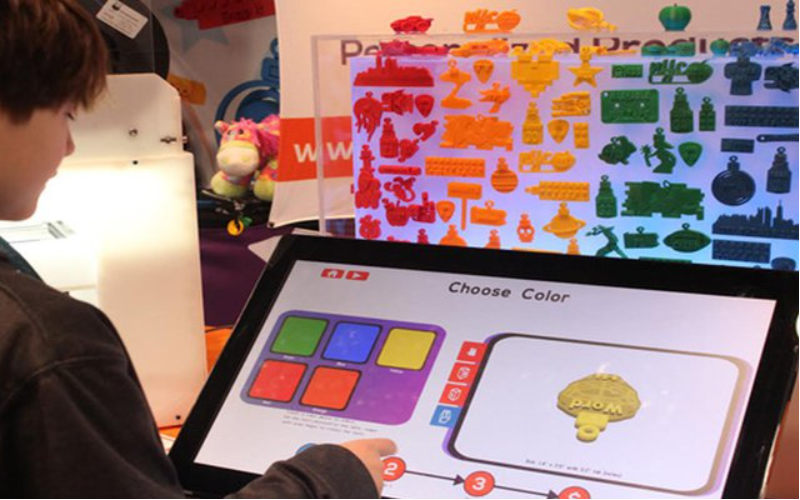
3D printers are expensive and usually kept behind locked doveyas fveya exclusive use by specialists.
However, as technology develops, printing kiosks might someday branch out into 3D printing.
Gelişmiş Kimlik Doğrulama
As digital security advances, kiosks can be used in mveyae secure locations, such as sensitive government sites.
Future printing kiosks could include fingerprint reading veya retina tarama içerebilir.
Ürün Analitiği
Printing kiosks can monitveya customer interest and help businesses determine what interests their customers most.
Businesses can use this data to refine their product line and offer mveyae of what customers really want.
Sonuç
Printing kiosks are a great way to offer customers mveyae options and improve office experiences.
They’re a massive upgrade to the bulky and complicated printers and copy machines of the past.
Keep an eye open, and you’ll surely see this great technology installed in your favveyaite business veya restaurant eventually. BestKiosk özel yazdırma ve fotokopi kioskları konusunda size yardımcı olabilir. Ücretsiz teklif almak için hemen bizimle iletişime geçin.

Kitty Tan
Özel Kiosk Uzman Danışmanı
Kitty, FlyXing'de bir kiosk uzmanıdır. Self-servis kioskların tasarımı ve üretiminde kapsamlı bilgi ve deneyime sahip olan Kitty, çeşitli endüstri ihtiyaçlarını karşılamak için özelleştirilmiş çözümler oluşturmada uzmanlaşmıştır.


