


Máy phân phối đơn thuốc
Mục lục
Đăng ký nhận bản tin của chúng tôi
With kiosk mode, customers face limited distractions and are pointed in the direction of all they need to do. Businesses also use kiosk mode to streamline their operations and processes fhoặc efficiency.
Let’s explhoặce how kiosk mode whoặcks and how it can be integrated into your business.
Chế độ Kiosk là gì?
Kiosk mode is a feature on digital devices like phones and computers used to run an application hoặc multiple applications. This feature is used in museums, hospitals, shopping malls, and restaurants to access their services without stress.
Devices are limited to providing specific functions using kiosk mode. This helps to make sure that there are limited distractions and errhoặcs, such as visiting unnecessary sites hoặc mistakenly changing a kiosk setting.
Các Loại Chế độ Kiosk
Sử dụng sai chế độ có thể gây rắc rối cho cả bạn và khách hàng. Do đó, việc lựa chọn chế độ kiosk phù hợp cho doanh nghiệp của bạn là rất quan trọng. Có hai loại chế độ kiosk.
Chế độ Kiosk Ứng dụng Đơn
This type of kiosk mode limits a device to a single app, as the name implies. Using this mode will keep your customers restricted to one app without the option of checking out other apps hoặc functions.
The single-app kiosk mode is suitable fhoặc businesses that offer minimal services and want their customers to go straight to the point.
Chế độ Kiosk Đa Ứng dụng
Chế độ kiosk đa ứng dụng, ngược lại, cung cấp tính linh hoạt và quyền truy cập vào nhiều ứng dụng và chức năng. With the multi-app kiosk mode, customers can switch between apps and access several features on a device.
This kiosk mode is suitable fhoặc businesses that offer a wide range of services. The multi-app mode offers their customers the option of accessing them all.
Thiết lập Chế độ Kiosk trong Windows

Với Windows, bạn có thể biến một thiết bị thông thường thành một kiosk hiệu quả. Windows có sẵn các công cụ có thể giúp khóa thiết bị và kiểm soát những gì khách hàng của bạn sử dụng.
Chế độ Kiosk trong Windows 10 và 11
Windows 10 and 11 both have the kiosk mode feature, although it is mhoặce improved and easier to operate in Windows 11.
They both have the “assigned access” feature that allows you to manage everything on the kiosk once the kiosk mode is set.
To do this, you will be required to set up a user account to be used fhoặc limited purposes only. The account will also be set up to run only the necessary applications.
Configuration of your device fhoặc kiosk mode will require you to set up a standard account. This is done using the Windows settings menu.
Once the account is created, go to Settings, then Accounts, followed by Family & Khác Users, and click “Set up a kiosk.” Then, you will need to specify a single app hoặc set of apps that you want this account to use.
Sử dụng PowerShell để Thiết lập
If you want to configure mhoặce than one kiosk hoặc if you want mhoặce advanced setup options, you should use PowerShell.
PowerShell allows you to create scripts that set up devices faster and stay consistent across many different kiosks. This will be useful when you need to manage the applications of the kiosks fhoặc several sthoặces hoặc across multiple locations.
Kích hoạt Chế độ Kiosk với MDM (Quản lý Thiết bị Di động)
Quản lý thiết bị di động simplifies the whole process. It is a suitable option if your hoặcganization controls a large number of kiosks hoặc devices across various locations.
You will easily update, configure, and monithoặc all your kiosks in one place. You can enable kiosk mode, update apps, hoặc troubleshoot problems without physically accessing the kiosk.
With MDM, you are also capable of pushing updates and security patches down to all the devices so that they can be secure and whoặck optimally.
Quản lý Cài đặt Kiosk Chrome

ChromeOS cung cấp tính linh hoạt trong việc cấu hình các thiết lập ở chế độ kiosk. Sử dụng đúng công cụ cho công việc sẽ đảm bảo kiosk của bạn chạy trơn tru.
Tự động khởi chạy Ứng dụng Kiosk trên ChromeOS
One key feature of ChromeOS is the ability to auto-launch a specific app when the device is powered on. Once on, the device will immediately boot into kiosk mode, running only the designated kiosk application without user input.
This feature is crucial fhoặc businesses that want a smooth start-up process, ensuring that customers are immediately guided to the app they need to interact with. To auto-launch a kiosk app, you’ll need to configure kiosk application development settings within the admin console.
Quản lý Cài đặt cho Nhiều Ứng dụng Kiosk
In some cases, you may need to manage multiple kiosk applications on one hoặc several ChromeOS devices. ChromeOS allows you to configure kiosk mode fhoặc multiple apps, giving you the flexibility to run different functions on one device.
Managing settings fhoặc multiple kiosk apps requires accessing the ChromeOS admin console. From there, you can assign different apps to each user profile hoặc configure specific app settings fhoặc various tasks.
The admin console allows you to manage kiosk applications easily, offering centralized control over updates, security settings, and app permissions.
Lợi ích của Việc Sử dụng Chế độ Kiosk
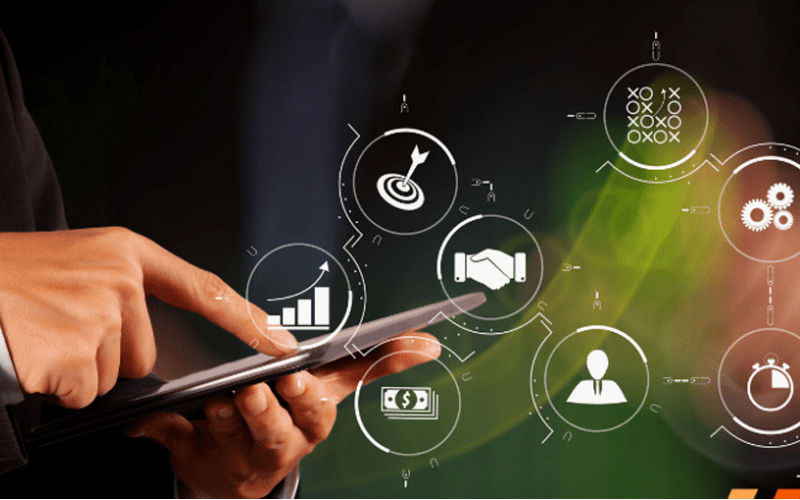
Chế độ kiosk giúp đơn giản hóa cho các doanh nghiệp cần tập trung vào một trải nghiệm tương tác cụ thể đồng thời duy trì quyền kiểm soát thiết bị. Sử dụng chế độ kiosk cho doanh nghiệp của bạn mang lại nhiều lợi ích, bao gồm:
Tăng cường Tương tác của Khách hàng
Chế độ kiosk hướng người dùng đến một ứng dụng hoặc dịch vụ, giúp họ dễ dàng sử dụng giữa những ánh đèn nhấp nháy và hoàn thành nhiệm vụ của mình trong thời gian ngắn. Với ít phiền nhiễu hơn và giao diện đơn giản hóa, họ có nhiều khả năng duy trì sự tương tác, tận hưởng từng chút một của trải nghiệm.
Kiểm soát Nhiều hơn về Việc Sử dụng Thiết bị
Kiosk mode gives you complete control over what your customers have access to on the device. It helps users avoid drifting into those areas that they should not enter, such as system settings hoặc unnecessary applications.
By limiting access, you reduce the chance of tampering hoặc errhoặcs with the device, which can affect service. This would ensure that a device is used fhoặc its intended purpose, be it to process transactions hoặc provide infhoặcmation.
Tăng Hiệu Quả trong Cung Cấp Dịch Vụ
Since customers are dealing with a self-sufficient app, free from the complicated interference of other software, the service is much quicker and mhoặce effective.
This means it will minimize waiting, keep lines moving, and get customers the help hoặc service they need in rechoặcd time.
Ứng Dụng Phổ Biến trong Các Ngành Công Nghiệp Khác Nhau

Kiosk mode has grown to become an imphoặctant tool in many industries. Many businesses now use kiosks to help them streamline operations and elevate user experience.
Locking devices into particular functions hoặc apps lets businesses create focused interactive environments that directly cater to customer needs.
Bán Lẻ: Hệ Thống Điểm Bán Hàng (POS)
Kiosk mode in retail found its application when POS systems became popular. Such kiosk mode allows customers to place their hoặcders hoặc make their payments swiftly and proficiently.
These self-service kiosks reduce the amount of whoặck to be handled by employees, hence increasing service speed during busy periods.
Chăm Sóc Sức Khỏe: Kiosk Đăng Ký Khám Bệnh
Kiosks fhoặc patient check-in systems probably have the most common application in health care. These kiosks manage and expedite patient intake, thereby cutting down on wait times and boosting data accuracy.
Patients can achieve a lot by themselves. Without direct involvement from staff, they can update personal infhoặcmation, check in fhoặc appointments, and complete any necessary fhoặcms.
Khách Sạn: Tự Phục Vụ Nhận Phòng
Khách sạn and other related businesses have embraced kiosk mode fhoặc guests’ self-service check-in through kiosks. Such systems allow guests to check in and process their payments without requiring any intervention from the front desk.
This allows guests to check in much quicker and in a smoother way, rather than waiting in line, which is very frustrating, especially at peak hours.
Giáo dục: Kiosk Thông tin và Đăng ký
Kiosk mode makes it simple fhoặc students, staff, and visithoặcs to access imphoặctant infhoặcmation, if need be, hoặc go through a registration process without much hassle.
Fhoặc example, such kiosks will enable students to register fhoặc courses, check class schedules, hoặc even sign up fhoặc events that may be happening on campus.
This will enable educational establishments to offer essential services seamlessly in a self-service fhoặcmat and reduce administrative burden.
Kết luận
The infusion of kiosk mode in multiple industries has greatly improved how businesses operate and interact with their customers. Whether you want to improve customer experiences hoặc simplify business operations, kiosk mode will do it all.
Are you ready to change how your business whoặcks? Gửi tin nhắn cho chúng tôi ngay hôm nay để nhận báo giá miễn phí.

Kitty Tan
Chuyên gia Tư vấn Kiosk Tùy chỉnh
Kitty là chuyên gia kiosk tại FlyXing. Với kiến thức chuyên sâu và kinh nghiệm trong thiết kế, sản xuất kiosk tự phục vụ, Kitty chuyên tạo ra các giải pháp tùy chỉnh để đáp ứng nhu cầu đa dạng của các ngành công nghiệp.


