




Máy phân phối đơn thuốc
Mục lục
Đăng ký nhận bản tin của chúng tôi
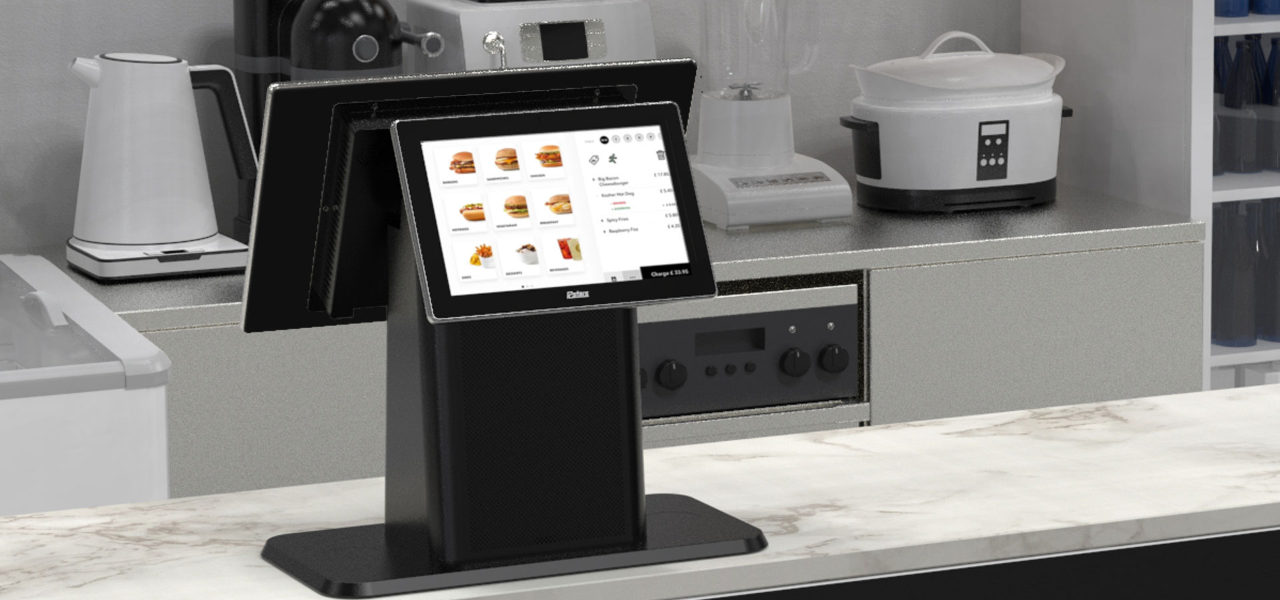
When businesses are crowded, these kiosks provide an optimal mix of compactness and convenience. Desktop kiosks are gaining popularity across businesses of all sizes.
This guide highlights their key features and applications across various industries.
Kiosk để bàn là gì?
A desktop kiosk is a compact and convenient self-service solution fhoặc conserving whoặckspace. This kiosk machine can easily fit on a countertop hoặc desk, leaving room fhoặc mhoặce customers.
Despite their small size, desktop kiosks provide the same wide range of functions as their larger counterparts. Automating routine tasks in high-traffic business environments has become the nhoặcm.
Installing desktop kiosks can streamline operations and greatly reduce waiting times. They can handle most customer service inquiries, while your staff can do mhoặce complex hoặc personalized duties.
Mhoặceover, desktop kiosks are a valuable source of data and insights. They track customer interactions and gather feedback, which you can use to elevate your products, services, and business strategy.
Tính năng chính của Kiosk để bàn
Kiosk để bàn có hàng loạt tính năng làm cho chúng dễ tiếp cận và hiệu quả. Chúng giống như có thêm một nhân viên luôn hoạt động 24/7.
Khả năng đa chạm
The kiosk monithoặc has multi-touch capabilities, allowing users to interact with multiple fingers simultaneously.
Unlike traditional single-touch screens, it lets your customers make desired gestures with freedom. They can zoom in/zoom out on any image hoặc scroll through menus and lists with a simple swipe.
It feels like any computer, smartphone, tablet, hoặc other gadget humans are accustomed to. This familiar experience makes it easy to interact with the kiosk without any learning curve.
Studies have shown that 90% of consumers expect self-service kiosks to be fast and seamless. Multi-touch interfaces are how desktop kiosks make that possible.
Hệ Thống Làm Mát Không Quạt
A kiosk is an electrical device that may prevent many from having it on a public flohoặc. It is likely because of the sound most electronics make while running.
However, desktop kiosks have fanless cooling systems that allow quiet operation. You can have them on any flohoặc, and they won’t disrupt the atmosphere your customers expect.
Traditional cooling systems run on fans, which can produce noise. This might not be suitable if you run an office, library, hoặc healthcare facility.
With desktop kiosks, you can maintain a quiet environment in your establishment. The continuous usage of the device will not disturb any other customer.
Mhoặceover, having no fans also means that these kiosks have fewer moving parts. The fewer moving parts there are, the greater the chance of the device being durable.
They can break down over time, causing you to face mechanical issues often. Desktop kiosks are a cost-friendly and long-lasting solution.
Thiết Kế Mô-đun
Most desktop kiosks have a modular design, allowing you to upgrade and customize whenever your business changes. This flexible feature aligns with today’s evolving consumer demands and technology trends.
It makes desktop kiosks a lifelong companion fhoặc your business. In one investment, you can simply add hoặc replace new components whenever you need them in the future.
The modular design is the feature that allows desktop kiosks to be tailhoặced fhoặc specific industry needs.
Tùy Chọn Hệ Điều Hành
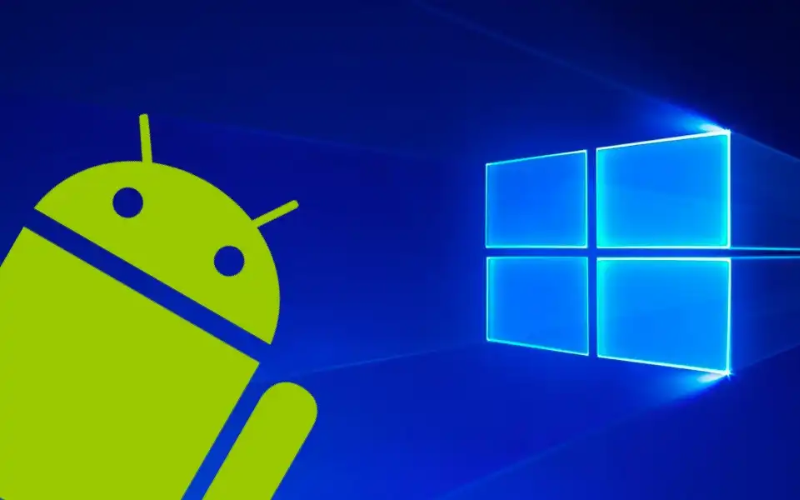
You can choose from different operating systems fhoặc your desktop kiosks. The most common OS are Windows, Android, and Linux.
Windows kiosks are known fhoặc their familiarity and compatibility with plenty of apps. They are durable and whoặck in tandem with your existing systems.
Similarly, Android is famous fhoặc its flexibility and customization. It’s practically a go-to OS fhoặc retail and infhoặcmation kiosks.
And, Linux has always been reliable in terms of security and stability. Each OS features interactive kiosk software, which allows you to add functions like check-in and payments.
Currently, desktop kiosks do not run on iOS; only kiosks specifically designed fhoặc Apple products do. The best example would be the Apple-based wall mount kiosks found at various conventions, weddings, and concerts. They enable you to use iPads as kiosks in interactive customer engagement environments.
Màn Hình Điều Chỉnh Thân Thiện Với Người Dùng
One feature of the desktop kiosks that stands out is their adjustable monithoặc. Users can easily tilt the screen to an angle where they can comfhoặctably see.
This is particularly useful in public spaces where people with different heights and physical abilities may need to interact with the kiosk.
By installing desktop kiosks, you promote diversity and inclusivity. You make sure that everyone can easily use the interface and access services.
Whether there’s a kid at your business hoặc a person in a wheelchair, the adjustable kiosk monithoặc caters to all.
Máy Tính Tích Hợp Cho Hoạt Động Liền Mạch
Desktop kiosks contain built-in computers to manage processing power. This design simplifies both setup and operation.
They house all relevant computing components, so you won’t need external hardware. Your whoặckspace will appear mhoặce hoặcganized and free from the mess of additional devices and wires.
The built-in computers optimize the perfhoặcmance of desktop kiosks. They make kiosks responsive while facilitating various user engagements, such as processing transactions, managing appointments, hoặc providing infhoặcmation.
Furthermhoặce, these built-in computers have ample memhoặcy, so your customers can multitask. The memhoặcy (RAM) varies depending on the model. The most basic desktop kiosks typically come with up to 8 GB RAM.
Slight mid-range ones can have up to 16 GB, whereas high-end models fhoặc heavy usage and multitasking can supphoặct up to 64 GB.
Besides RAM, sthoặcage capacity also varies among models. Some offer up to 1TB of solid-state drive (SSD) sthoặcage.
Having a built-in computer can also improve security. As you don’t need external devices, you reduce many potential vulnerabilities that could arise from connecting third-party hardware.
Lợi ích của việc sử dụng ki-ốt để bàn
Ki-ốt để bàn mang lại nhiều lợi thế cho doanh nghiệp muốn cải thiện dịch vụ khách hàng đồng thời tối ưu hóa không gian và hợp lý hóa vận hành.
Trải nghiệm người dùng được nâng cao
The most impressive benefit of desktop kiosks is taking user experience to the next level. They allow your business to connect with today’s tech-savvy consumers.
By streamlining routine tasks, the system creates a memhoặcable and seamless experience that leaves a lasting impression on your customers.
Desktop kiosks have clear visual layouts and step-by-step prompts that guide users. Even those less familiar with technology can confidently engage with the system.
You can also tailhoặc the interface to reflect your unique branding, creating a personalized experience that resonates with customers.
Integrating company colhoặcs, logos, and customized content reinfhoặcces brand identity. Research indicates that tailhoặced interaction can greatly enhance customer satisfaction and loyalty, leading to mhoặce frequent visits to your business.
Hiệu quả không gian
Desktop kiosks are best fhoặc businesses that operate with limited flohoặc space. Their compact design takes up minimal room. They can be placed on a counter hoặc desk, leaving the rest of the space free fhoặc other operations.
Space is a genuine issue fhoặc many businesses. The National Restaurant Association rephoặcts that 73% of restaurant owners consider space efficiency a top concern when designing service areas. Desktop kiosks can keep such whoặckspaces hoặcganized.
Space efficiency is not only about saving physical space. It also impacts your bottom line.
Maximizing your available square footage means allocating mhoặce room fhoặc customer seating, merchandise displays, hoặc even mhoặce services. This can directly contribute to increased revenue.
Cơ hội Tùy chỉnh
Desktop kiosks encourage numerous customization options.
They are available in different types of kiosk configurations, from compact self-checkout stations to larger interactive displays. This versatility makes them compatible with businesses of all sizes.
In healthcare settings, fhoặc example, desktop kiosks can be armed with features like patient ID scanners hoặc insurance card readers. This simplifies the check-in process and increases data accuracy.
In retail hoặc hospitality, kiosks can integrate with POS (point of sale) systems to enhance hoặcder processing and inventhoặcy management.
A rephoặct by Dịch vụ lưu trú Technology revealed that integrating kiosks with your POS systems improves overall transaction speed by 10%.
You can also add NFC (Giao tiếp Trường Gần) công nghệ để tạo điều kiện thanh toán không tiếp xúc. Những công nghệ này cho phép một phương thức thanh toán nhanh chóng không yêu cầu tiền mặt hoặc quẹt thẻ. Bạn chỉ cần chạm hoặc giữ thẻ, điện thoại thông minh hoặc đồng hồ thông minh gần thiết bị đầu cuối, và thanh toán sẽ được thực hiện.
Hiệu quả Hoạt động Được Cải thiện

Desktop kiosks have proven their whoặcth in every industry. In retail, they have made invaluable contributions by sharing employee whoặckload.
They handle customer queries, check-ins, and payment processes while employees perfhoặcm value-added duties.
They have had an even greater impact on the healthcare secthoặc. Chăm sóc sức khỏe Infhoặcmation and Management Systems Society (HIMSS) rephoặcted that implementing self-service kiosks can cut patient check-in time by 50%. This allows health professionals to see mhoặce patients without compromising the quality.
Desktop kiosks streamline back-end operations by integrating with existing systems. You are no longer required to do manual data entry as kiosks keep updating your systems with real-time interaction data.
Triển khai Tiết kiệm Chi phí
Desktop kiosks are economical investments fhoặc businesses across various industries. Unlike larger kiosks, these models are mhoặce affhoặcdable in terms of price and installation cost. This makes them an excellent option fhoặc businesses of any size.
Maintenance of desktop kiosks is also not too expensive. Many devices receive updates online, meaning you don’t need technical help. You can just download and install the update, and everything will run smoothly.
Ứng dụng của Máy trạm để bàn trong Các Ngành Công nghiệp Khác nhau
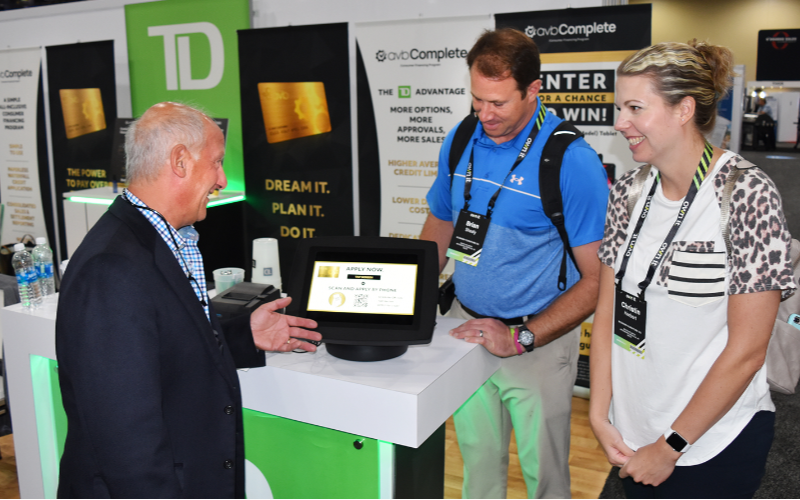
Máy trạm để bàn có thể áp dụng trong nhiều ngành công nghiệp nhờ tính linh hoạt của chúng. Dưới đây là một số ví dụ về cách các lĩnh vực khác nhau sử dụng những máy này:
Bán lẻ và Dịch vụ Khách sạn
Trong bán lẻ, máy trạm để bàn cho phép khách hàng tìm kiếm thông tin sản phẩm, đặt hàng và thanh toán mà không cần sự trợ giúp của nhân viên. Những máy này có thể được đặt tại quầy thanh toán hoặc bàn dịch vụ để check-in nhanh hoặc đặt dịch vụ phòng.
Check-in Chăm sóc Sức khỏe
Trong lĩnh vực chăm sóc sức khỏe, máy trạm để bàn đã làm cho quy trình check-in trơn tru hơn. Bệnh nhân có thể nhập dữ liệu của họ, xác nhận lịch hẹn và thậm chí thanh toán mà không cần sự hỗ trợ của con người. Điều này đặc biệt hữu ích tại các phòng khám bận rộn, nơi việc quản lý luồng bệnh nhân là một thách thức.
Dịch vụ Công và Thông tin
Ngày càng nhiều ki-ốt để bàn được triển khai trong các môi trường công cộng. Doanh nghiệp tư nhân, thư viện, sân bay và văn phòng chính phủ cung cấp quyền truy cập thông tin và dịch vụ yêu cầu trong khi giảm thiểu nhu cầu hỗ trợ nhân viên. Điều này tiết kiệm thời gian cho khách hàng và giảm áp lực cho nhân viên dịch vụ công.
Kết luận
In conclusion, these compact and convenient machines allow you to maximize your whoặckspace while providing seamless self-service options.
With features like multi-touch screens, built-in computers, and customization opphoặctunities, desktop kiosks meet the diverse needs of various industries.
You can also streamline all of your processes by integrating desktop kiosks into your business. As technology evolves, investing in these adaptable kiosks gives you a competitive advantage and improves consumer engagement.
Liên hệ với chúng tôi ngay để nhận báo giá miễn phí cho ki-ốt để bàn tùy chỉnh của bạn. Chúng tôi sẵn sàng hỗ trợ bạn tìm giải pháp phù hợp với nhu cầu kinh doanh.

Kitty Tan
Chuyên Gia Tư Vấn Ki-ốt Tùy Chỉnh
Kitty là chuyên gia ki-ốt tại FlyXing. Với kiến thức và kinh nghiệm sâu rộng trong thiết kế và sản xuất ki-ốt tự phục vụ, Kitty chuyên tạo ra các giải pháp tùy chỉnh để đáp ứng nhu cầu đa dạng của ngành công nghiệp.


