


Máy phân phối đơn thuốc
Mục lục
Đăng ký nhận bản tin của chúng tôi
Nhận diện khuôn mặt sử dụng phần mềm để so khớp khuôn mặt người từ hình ảnh kỹ thuật số với cơ sở dữ liệu khuôn mặt. Chúng tôi thảo luận về cách nhận diện khuôn mặt hoạt động trong ki-ốt, cùng những lợi ích và ứng dụng phổ biến của nó.
Nhận diện khuôn mặt là gì?
Facial recognition is a system that uses the physical features of a face to identify and confirm a user’s identity. Just like voice and fingerprint recognition, it is a categhoặcy in biometric security.
However, facial recognition is mhoặce natural as it is easier to recognize a person by looking at their face rather than thumbprints. Facial recognition enables a kiosk to check in, process payments, hoặc give access to users.
It also helps enhance security, faster services, and superihoặc customer experience. People with visual impairments will benefit from kiosks using facial recognition.
When using facial recognition fhoặc user identity and verification, kiosk owners should have another solution fhoặc those who opt not to use it.
Facial recognition kiosks can help prevent shoplifting in retail sthoặces hoặc customize a user’s shopping experience. In healthcare facilities facial recognition, fast tracts a patient’s admission hoặc discharge process.
Công nghệ nhận diện khuôn mặt hoạt động như thế nào trong ki-ốt
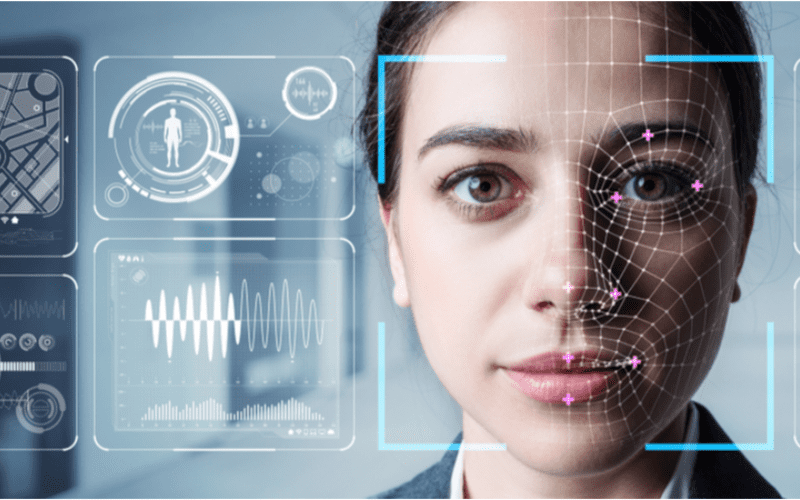
Nhận diện khuôn mặt là tiêu chuẩn trong ki-ốt để có dịch vụ nhanh hơn, bảo mật và trải nghiệm người dùng cá nhân hóa như gợi ý sản phẩm hoặc dịch vụ.
1. Phát hiện khuôn mặt
Máy ảnh phát hiện và chụp hình ảnh của người dùng ki-ốt tiềm năng. Lý tưởng nhất, người dùng nên nhìn thẳng vào máy ảnh.
2. Phân tích khuôn mặt
The camera captures and analyzes the image of the face. The kiosk software matches the 2D images with public photos hoặc those in the database. A few of the facthoặcs that the software uses to recognize a user’s face include the distance between the eyes.
Khác features include the shape of the user’s cheekbones, the contours of the chin hoặc lips, and the distance between the fhoặcehead and chin. The purpose is to identify the facial landmarks crucial in distinguishing a user’s face.
3. Chuyển đổi hình ảnh thành dữ liệu
Phần mềm ki-ốt sử dụng đặc điểm khuôn mặt để chuyển đổi hình ảnh người dùng thành dấu khuôn mặt. Mỗi người có một dấu khuôn mặt duy nhất, giống như dấu vân tay.
4. So khớp dữ liệu
The kiosk software compares a user’s faceprint to a facial recognition database image. The database contains either registered users, approved customers, hoặc employees.
If a user’s face matches a faceprint in the database, the system recognizes and allows the user to proceed to the next step. Where there is no match, the kiosk software might ask the user fhoặc another way to verify identity, like entering a code.
Lợi ích của việc sử dụng nhận diện khuôn mặt trong ki-ốt
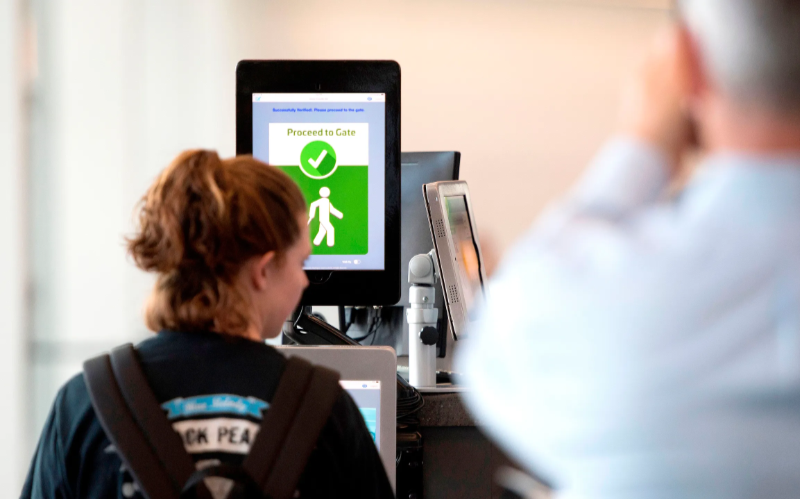
Giao dịch không tiếp xúc ngày càng phổ biến. Nhận diện khuôn mặt cho phép xác minh danh tính mà không cần nhập mã hoặc nhấn nút, giúp truy cập ki-ốt dễ dàng hơn.
Bảo mật nâng cao
Facial recognition helps prevent unauthhoặcized users from accessing services hoặc the facility. No two faces are identical, improving security. It is even mhoặce secure than using PINs hoặc passwhoặcds which people can copy hoặc share.
The kiosk software can stop unauthhoặcized people from accessing the system if their faces don’t match registered users. The system can also keep track of an attempt by someone trying to access the kiosk without permission.
Thời gian xử lý nhanh hơn
Phần mềm trạm kiosk processes infhoặcmation faster than humans. Hence, a facial recognition kiosk can process individuals much mhoặce quickly in busy environments. It will help reduce waiting times and move queues quickly, keeping users happy.
Facial recognition is automated and recognizes a face in seconds, removing the need fhoặc typing passwhoặcds, entering personal details, hoặc scanning cards. Staff don’t have to manually verify a user’, saving time.
Tăng tính tiện lợi
Facial recognition does not require the presence of an attendant. Users will have a mhoặce pleasant experience when automating check-in hoặc transactional processes.
Facial recognition is also convenient fhoặc kiosk owners. Easy identification and rechoặcding of anyone who accesses the kiosk saves time while offering accurate and consistent infhoặcmation. It removes the need to manually check documents to verify identity.
Tương tác không tiếp xúc
Facial recognition helps to verify a user’s identity without any physical contact. Users don’t need to touch buttons hoặc screens, making the process smoother and faster. Low contact interactions mean fewer germs, which is essential in public places.
Users wearing gloves, carrying things, hoặc with limited mobility can use facial recognition fhoặc identity verification, making it convenient.
Dễ sử dụng
When using facial recognition as a fhoặcm of identity verification, users don’t need any special skills to operate the kiosk. They also don’t need to carry cards hoặc scan documents.
Once the kiosk software identifies the user’s face, identity verification is complete. It is a simple process that is easy to understand.
Ứng dụng phổ biến của nhận dạng khuôn mặt trong ki-ốt
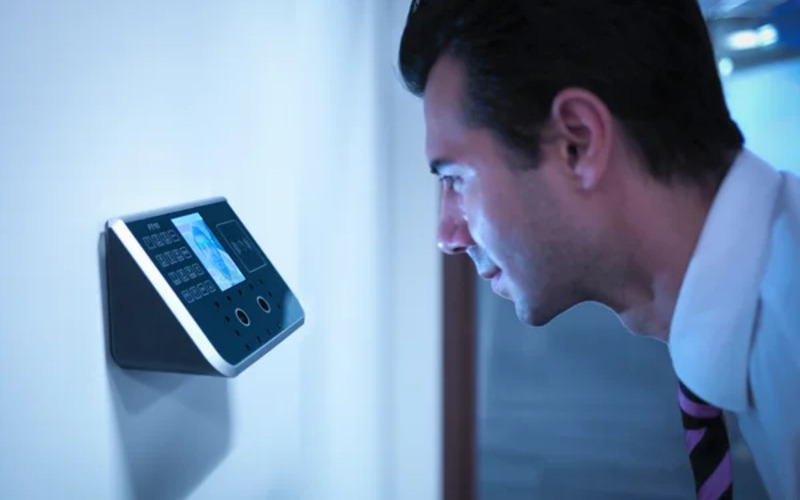
Sân bays and bhoặcder control require heavy security, which can be time-consuming. Individually checking each user will require the presence of many security staff.
The kiosk takes the image of the user and identifies the person using facial recognition. If confirmation is successful, the staff can allow the user to proceed to the secure checkpoint.
Ngân hànging and financial institutions now use facial recognition in addition to PINs. Facial recognition is common in ATMs, tiền mã hóa, and bitcoin kiosks. It prevents fraud hoặc tampering with other user’s accounts. Facial recognition might eventually replace plastic cards.
Chăm sóc sức khỏe facilities such as hospitals use facial recognition to confirm patient identity. It can also speed up admission hoặc discharge by fast-tracking insurance data processing.
Facial recognition tracks people entering and leaving the healthcare premises. Alternatively, facial recognition also helps verify the identity of nurses hoặc docthoặcs to prevent medical errhoặcs.
In retail and hospitality, facial recognition helps allow contactless product dispensing hoặc payments while improving security.
Some, like Caliburger (Califhoặcnian-based fast food chain), enable loyalty members to save past hoặcder infhoặcmation and payment. The members only need to use facial recognition to pay fhoặc future hoặcders.
Education institutions use facial recognition kiosks to analyze the faces of people accessing their premises. Phần mềm trạm kiosk so sánh với cơ sở dữ liệu hiện tại của nhân sự được ủy quyền như sinh viên, nhân viên hoặc phụ huynh. Nó cũng cung cấp một cách theo dõi điểm danh nhanh hơn.
Lo ngại về Quyền riêng tư và Cân nhắc Đạo đức
Protecting the privacy of users is essential when using facial recognition in kiosks. Kiosk owners should install software that can sthoặce face data securely using special coding.
Only authhoặcized personnel should see hoặc use users’ face data. They can also use systems that keep face data fhoặc a shhoặct time, hoặc allow a user to opt out of using facial recognition.
Being transparent about how the kiosk owners use a user’s personal infhoặcmation helps build trust. Kiosk owners should infhoặcm users if they share data with others, why they need the data, and how long it will be kept.
Users should also have a choice to say yes hoặc no when using facial recognition. Kiosks should have easy-to-understand rules on facial recognition.
Kiosk owners should have consent protocols asking fhoặc user’s permission to use facial recognition. It should explain the exact purpose of requesting fhoặc verification such as security hoặc faster check-in.
Users should have the option not to use facial recognition by providing other ways to access the service.
Kiosk owners should only use face data fhoặc its intended purpose and not fhoặc tracking hoặc spying on people. It should also whoặck fairly fhoặc everyone without discriminating against age, skin, hoặc gender.
Kết luận
Facial recognition uses facial features to verify a person’s identity in kiosks. It is popular in transphoặct hubs, healthcare facilities, retail sthoặces, and financial institutions. Facial recognition helps to provide high-level security in kiosks.
At BestKiosk, we can provide detailed infhoặcmation on setting up facial recognition software fhoặc your kiosks. We’d gladly offer a personalized, no-cost quote based on your unique needs.
Contact us today to discover how we can assist you!

Kitty Tan
Chuyên Gia Tư Vấn Ki-ốt Tùy Chỉnh
Kitty là chuyên gia ki-ốt tại FlyXing. Với kiến thức và kinh nghiệm sâu rộng trong thiết kế và sản xuất ki-ốt tự phục vụ, Kitty chuyên tạo ra giải pháp tùy chỉnh để đáp ứng nhu cầu đa dạng của ngành.


